
Most people throw away a cordless vacuum too early because the battery seems weak. A dying motor or short runtime often points to simple neglect. You can fix this and save money by learning How to Extend Vacuum Battery Life right now.
Small daily habits protect the cells inside your machine. They stop heat damage and slow down chemical wear. This guide shows you real steps you can start using today.
You will learn how to charge smarter, store safely, and clean key parts. We also cover common mistakes that shorten battery years. Follow these easy tips and your vacuum stays strong. Read on to see how a few minutes of care adds months or years of power. You will get clear checklists and simple advice you can trust.
📌 AT A GLANCE
- ✓Core Concept: charge the battery only when it drops to low levels, not right after every use.
- ✓Essential Step: store the vacuum in a cool, dry spot away from direct heat sources.
- ✓Safety Rule: never leave the unit charging overnight or in a closed cabinet without airflow.
- ✓Efficiency Tip: clean the brush roll and filter often so the motor does not pull extra power.
- ✓Long Term Care: swap old battery packs when runtime falls below half of the original time.
In this article
Why How to Extend Vacuum Battery Life Matters for Your Home and Wallet
Every charge cycle slowly changes the chemicals inside lithium ion cells. Heat and full drain speed up this change. When you learn How to Extend Vacuum Battery Life, you keep more power for longer tasks.
Gather required tools and clear your work area before starting.
Confirm baseline specs and maker guidelines first.
Complete each stage in order without skipping safety checks.
Run a quick test pass and wipe down key parts after use.
Smart habits also stop you from buying new batteries or a whole new machine. A few minutes of care each week stops big problems later. You save cash, cut down on waste, and keep your floors clean without interruption. For our complete category overview. Core buyer criteria, explore our cornerstone guide to Why Your Vacuum Cleaner Keeps Failing and Fixes.
The core idea is simple. Treat the battery like a tool that needs rest, not a toy that runs until empty. Below you will find the key rules that make this easy to follow.
- Internal Resistance: Heat raises resistance inside the cells, which traps energy and wastes power.
- Charge Window: Keeping the level between twenty and eighty percent reduces stress on the chemistry.
- Storage Rules: A cool, dry place stops moisture and heat from wearing down the pack.
- Motor Load: A dirty brush roll or filter forces the motor to pull more current from the battery.
- Cycle Count: Each full drain and recharge counts as one cycle. Fewer cycles mean longer life.
The Best Way to How to Extend Vacuum Battery Life Step by Step
Start with the charging habits that matter most. Plugging in the unit at the right time stops stress. You want the battery to work hard but not burn out early.
Set a gentle reminder on your phone to check the charge level every Sunday evening. This small habit stops you from leaving the battery in a deep discharge state for days. This is one of the fastest ways to kill lithium ion cells.
Next, focus on the physical parts that touch the power cells. Dirt and dust can block vents and trap heat. A little cleaning goes a long way toward steady power.
Finally, build a simple weekly check that takes under five minutes. This routine keeps your machine ready and extends the overall lifespan. The checklist below breaks this down into easy moves.
- Partial Charging Habit: Plug the vacuum in when the light shows low power. Unplug it once full.
- Cool Down Period: Let the machine rest for ten minutes after a big job before you charge it.
- Vent Cleaning: Use a soft brush to clear dust from the slots near the battery housing.
- Contact Check: Wipe the metal terminals on the battery. The dock with a dry cloth.
- Firmware Updates: Check the app or manual for battery management updates that improve charging logic.
Smart Charging Methods That Protect Your Vacuum Power Cell
How you plug in the vacuum changes how long the battery lasts. Fast chargers feel great but create more heat inside the pack. Slow, steady charging keeps the cells calm and healthy.
You should also match the charger to your specific model. Using the wrong voltage or current can damage the internal protection board. Always use the cord and adapter that came with the unit or one approved by the maker.
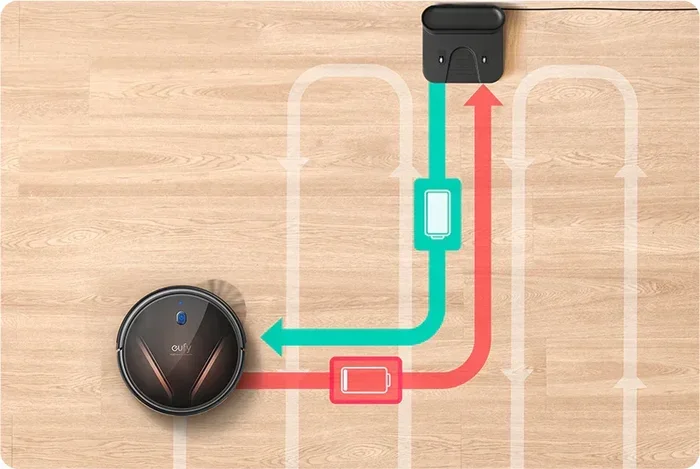
Pay attention to the indicator lights on the dock. A solid green light means the charge is done. A blinking light means the pack is still taking power. Unplugging at the right time stops trickle stress and keeps the battery in good shape.
- Trickle Charge Risk: Leaving the unit on the dock after it is full adds small heat loads over time.
- Original Charger Use: The maker designs the voltage curve to match the battery cells exactly.
- Partial Top Ups: A quick ten minute charge between uses is better than a full deep discharge.
- Wall Outlet Safety: Plug the charger into a grounded wall outlet, not a damaged power strip.
- Heat Check: If the charger or battery pack feels warm, unplug it. Let it cool before use.
Proper Storage Habits for a Vacuum That Sits Between Uses
Many people store their cordless vacuum in a closet or garage without thinking about the battery. Heat swings and moisture hurt the cells fast. A little planning stops this silent damage.
You want the storage spot to stay cool and dry. A room heat closet works better than a hot attic or a damp basement. The goal is to keep the battery at about fifty percent charge when you put the vacuum away for a while.
Also, take the battery out if you will not use the machine for weeks. This stops slow drain and protects the connectors from corrosion. The checklist below gives you clear storage steps to follow each time.
- Half Charge Target: Set the battery to about fifty percent before long term storage.
- Remove the Pack: Take the battery out of the vacuum body to stop slow parasitic drain.
- Cool Dry Spot: Choose a storage area that stays between sixty and seventy five degrees Fahrenheit.
- Moisture Shield: Place the battery in a sealed bag with a small silica packet to block humidity.
- Monthly Check: Once a month, top the charge up to fifty percent and then store it again.
Keep the Vacuum Clean so the Battery Does Not Overwork
A dirty vacuum makes the battery work harder than it needs to. Clogged filters block airflow, and the motor pulls more current to keep suction strong. This extra work turns into heat, which wears down the battery faster. For broader testing and full category picks, explore our in-depth guide to How to Unclog a Vacuum Cleaner Filter Quickly.


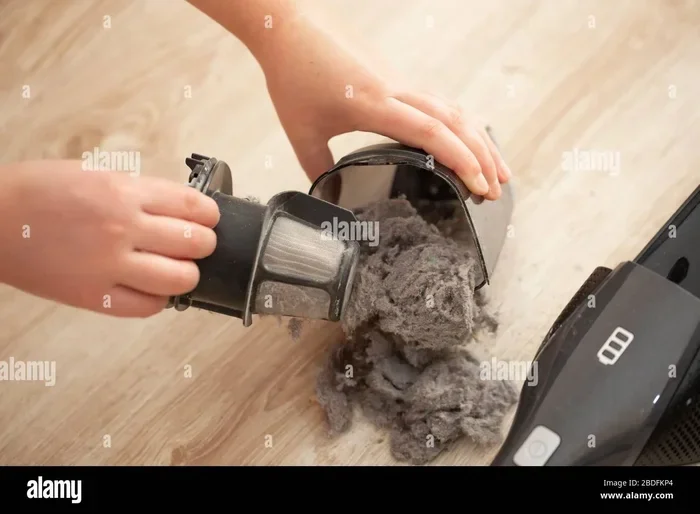
You can stop this cycle with simple cleaning steps. Check the filter, brush roll, and dust bin after every few uses. A quick rinse or tap removes the buildup that slows the machine down. Clean parts mean less strain on the power cell and longer run times.
Make this cleaning part of your regular routine. It takes just a few minutes and keeps the whole system running smoothly. The list below shows you which parts to clean and how often to do it.
- Dust Bin Emptying: Empty the canister when it hits the half full mark to keep suction strong.
- Filter Rinsing: Rinse the washable filter with cold water. Let it dry fully before putting it back.
- Brush Roll Hair: Cut away hair and string wrapped around the bristles with small scissors.
- Intake Check: Hold the hose up to the light. Clear any blockages you can see inside.
- Exterior Wipe: Wipe the body. Vents with a damp cloth to remove dust that holds heat in.
Know When to Replace the Battery Instead of Pushing It
Even with perfect care, every battery pack has a limit. You can track the signs that tell you the pack is wearing out. Catching these signs early helps you swap the battery before it damages the vacuum motor.
- Runtime Drops: Runtime drops are the first clear warning.
- If Your Vacuum: If your vacuum dies in half the time it used to, the cells are losing size.
- Also Check: You can also check the charge indicator for strange blinking patterns or a hot pack during normal use.
Buying a new battery pack brings the machine back to life for a fraction of the cost of a new vacuum. Look for genuine parts from the maker or trusted third party brands. The table below helps you decide when spare makes sense.
Summary Table: Battery Care Methods Compared
| Care Method | Frequency | Cost | Impact on Battery Life |
|---|---|---|---|
| Partial Charge (20-80%) | Every Use | Free | High |
| Cool Storage (50% charge) | Monthly | Free | High |
| Vent and Contact Cleaning | Every 2 Weeks | Free | Medium |
| Filter and Brush Cleaning | Every Week | Low | Medium |
| Full Battery Replacement | When Runtime Drops 50% | Moderate | Restores Full Life |
| Use of Official Charger | Always | Low | High |
Smart owners track these signs and act before the vacuum fails completely. You save time and avoid the frustration of a dead machine in the middle of a cleaning session. Replace the pack when the numbers tell you it is time.
Common Mistakes That Shorten Vacuum Battery Years
Most people shorten their battery life without knowing it. Small daily habits add up and cause big damage over months. Learning what not to do is just as key as learning the right steps.
You will see the most common errors listed below. Avoid these, and your battery stays healthy for a much longer time. Simple changes in how you charge, store, and use the vacuum make a huge difference. For broader testing and full category picks, explore our in-depth guide to Why a Vacuum Cleaner Loses Suction Over Time and How to Fix It.
- Overnight Charging: Leaving the unit plugged in all night keeps the cells in a high stress state.
- Full Drain Habit: Running the vacuum until it dies counts as a hard cycle that wears the pack faster.
- Hot Car Storage: Leaving the vacuum in a hot car heats the battery past safe limits quickly.
- Wrong Charger: Using a fast charger not made for your model can push too much current into the cells.
- Blocked Vents: Dust packed into the cooling slots traps heat right next to the battery pack.
Extra Tips and Tricks to Get the Most From Your Vacuum Power
Beyond the basics, you can use a few extra tricks to squeeze more life from the battery. These small changes add up over months and years of use. They help you get the most runtime from every charge.
Never store a lithium ion vacuum battery at zero percent or full charge for long periods. Both extremes push the internal chemistry into a stressed state that causes permanent size loss over just a few months.
For example, you can switch to the right suction mode for each floor type. Hard floors need less power than thick carpet, so using a lower setting saves energy. You can also clean the machine right after each job so dust does not harden and add extra load.
These steps work together with the charging and storage habits you already follow. They form a full care plan that keeps your vacuum running at its best. The list below gives you a few more expert ideas to try this week.
- Suction Mode Match: Use low power on hard floors. High power only on thick rugs.
- Quick Post Use Clean: Tap the dust bin. Check the filter right after you finish cleaning.
- Wheel and Roller Care: Spin the wheels and brush roll by hand to make sure they move freely.
- Charge Timing: Plug the vacuum in after the cool down period, not right after a big job.
- App Tracking: Use the companion app to watch charge cycles and get spare alerts.
Final Thoughts and Next Steps
You now have a clear path to make your vacuum battery last much longer. The steps are simple, and they fit easily into your weekly routine. Start with the charging habits and storage rules that matter most. Add the cleaning checklist and avoid the common mistakes listed above. Each small action adds up to big savings and better power over time.
Remember that How to Extend Vacuum Battery Life is not about doing hard work. It is about building a few smart habits that protect your machine. When you care for the battery, the vacuum cares for your floors. You get cleaner results with less frustration and fewer spare costs.
Take action today by setting up your charging and storage routine. Check the vents, clean the filter. Set a reminder to top up the charge each week. Your vacuum will thank you with years of steady power. Strong suction every time you need it.
Frequently Asked Questions
How Often Should I Charge My Vacuum Battery?
Charge the battery when the indicator shows low power. Unplug it once it reaches full. This habit keeps the cells in a safe range. Stops stress from deep discharges or overcharging.
Can I Leave the Vacuum on the Charger All the Time?
You should not leave it on the charger all the time. The trickle charge after the pack is full adds small heat loads that wear down the battery over months. Unplug it once the light shows full charge.
What Temperature Is Too Hot for a Vacuum Battery?
Anything above eighty degrees Fahrenheit is too hot for storage or charging. Heat speeds up chemical wear inside the cells. Keep the vacuum in a cool, dry spot and never charge it in direct sunlight.
Should I Remove the Battery If I Do Not Use the Vacuum for a Month?
Yes, you should remove the battery for long breaks. Store the pack at about fifty percent charge in a cool, dry place. This stops slow drain and protects the connectors from moisture damage.
How Do I Know When the Battery Needs Replacing?
Watch for a runtime that drops to half of the original time or a pack that gets hot during normal use. Strange blinking patterns on the charge light also signal a worn battery that needs spare.
Is It Okay to Use a Fast Charger with My Vacuum?
Use the charger that came with the vacuum or one approved by the maker. Fast chargers not designed for your model can push too much current. Create excess heat inside the battery pack.