How Long a Robot Vacuum Battery Typically Lasts
Most robot vacuum batteries last between 60 and 120 minutes per charge, depending on the model and settings. However, the overall lifespan of the battery itself is typically 2 to 4 years before you need a replacement. Understanding these numbers helps you plan your cleaning schedule and maintain your robot for the long haul.
If you own a robot vacuum or are thinking about getting one, you’ve probably asked yourself: “How long will the battery actually last?” It’s a fair question. After all, the whole point of a robot vacuum is to clean your floors without you lifting a finger. But if the battery dies halfway through the living room, that convenience takes a hit.
Let’s clear things up. In this guide, we’ll talk about typical run times, what affects them, and how to make your robot vacuum battery last as long as possible. We’ll cover both how long it runs per cleaning session and how many years you can expect before swapping in a new battery. By the end, you’ll know exactly what to expect and how to get the most out of your little cleaning buddy.
Key Takeaways
- Standard run time: Most robot vacuums run for 60 to 120 minutes on a single charge.
- Battery lifespan: The internal battery usually lasts 2 to 4 years (300 to 500 charge cycles).
- Battery type matters: Lithium-ion batteries outperform NiMH batteries in longevity and performance.
- Factors affect run time: Floor type, suction power, and cleaning mode impact how long your robot vacuum battery lasts.
- Maintenance extends life: Proper charging habits and cleaning help your battery stay healthy longer.
- Replacement is common: You can usually swap out the battery yourself when it wears out.
Quick Answers to Common Questions
How long does a robot vacuum battery last on a single charge?
Most robot vacuums run for 60 to 120 minutes per charge. Budget models tend to be on the shorter end, while premium models can exceed 120 minutes, especially on low suction settings.
How many years should a robot vacuum battery last?
You can expect a robot vacuum battery to last 2 to 4 years. This equals roughly 300 to 500 full charge cycles before the battery starts losing significant capacity.
Does carpet shorten robot vacuum battery life?
Yes, thick carpets require more suction and brush roll power, which drains the battery faster. You can expect 20% to 40% less run time on carpets compared to hard floors.
Can I replace the battery in my robot vacuum?
Yes, most robot vacuums have user-replaceable batteries. Check your manual for instructions. It usually involves removing a few screws and swapping in a new battery.
Is it bad to leave my robot vacuum on the charger all the time?
It’s not ideal. While modern robots stop charging when full, keeping the battery at 100% for long periods can slightly accelerate wear. If you won’t use it for a week, store it at around 50% charge.
📑 Table of Contents
- What Is the Typical Run Time for a Robot Vacuum?
- How Many Years Does a Robot Vacuum Battery Last?
- What Factors Affect How Long a Robot Vacuum Battery Lasts?
- How to Extend Your Robot Vacuum Battery Life
- Common Mistakes That Shorten Battery Life
- What to Do If Your Robot Vacuum Battery Isn’t Lasting Long Enough
- Conclusion
What Is the Typical Run Time for a Robot Vacuum?
When people ask about battery life, they usually mean one of two things. First, how long does it clean on a single charge? Second, how many years will the battery last before it needs replacing? Let’s start with the first one.
Most standard robot vacuums on the market today offer a run time between 60 and 120 minutes. Budget-friendly models often land around 60 to 90 minutes. Higher-end robots, especially those with larger batteries, can push past 120 minutes, sometimes reaching 150 or even 180 minutes in quiet mode.
But here’s the catch: that number is usually measured on hard floors with the suction set to low. If you have thick carpets or crank up the power, your actual run time will be shorter. So while the box might say “120 minutes,” you might get closer to 90 in real-world use.
Run Time by Price Range
- Budget robots (under $300): 60 to 90 minutes of cleaning time.
- Mid-range robots ($300 to $600): 90 to 120 minutes of cleaning time.
- Premium robots ($600 and up): 120 to 180 minutes of cleaning time.
What About Self-Emptying Models?
Many newer robot vacuums come with self-emptying docks. These models don’t necessarily have longer battery life. But they can clean multiple rooms over several sessions because they return to the dock to recharge and empty their dustbin. This feature makes the battery life less of a concern for large homes.
How Many Years Does a Robot Vacuum Battery Last?
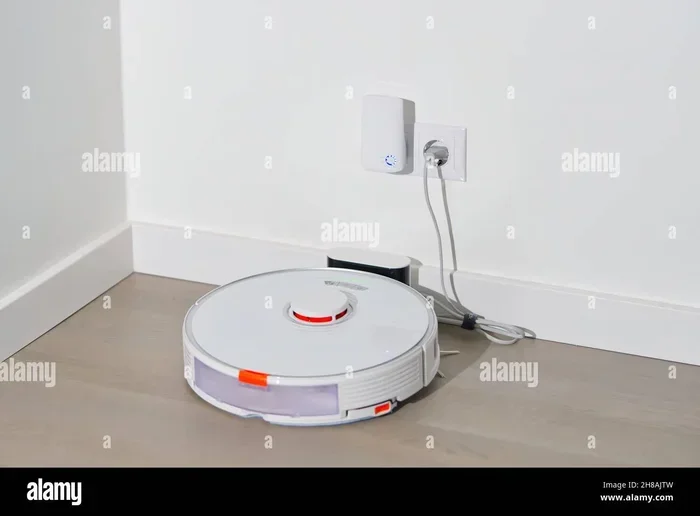
Visual guide about robot vacuum charging dock
Image source: c8.alamy.com
Now let’s talk about the battery itself. Robot vacuums use rechargeable batteries. Most commonly, you’ll find lithium-ion (Li-ion) batteries. Some older or cheaper models use nickel-metal hydride (NiMH) batteries.
A typical robot vacuum battery lasts between 2 and 4 years. This translates to roughly 300 to 500 full charge cycles. A charge cycle means using the battery from full to empty and then charging it back up. If you run your robot every day, you’ll hit those cycles faster than someone who uses it twice a week.
Lithium-Ion vs. NiMH Batteries
| Feature | Lithium-Ion (Li-ion) | Nickel-Metal Hydride (NiMH) |
|---|---|---|
| Common in models | Most modern robots | Older or budget robots |
| Energy density | High (more power in less space) | Lower (bulkier) |
| Memory effect | None | Mild (needs full discharge occasionally) |
| Charge cycles | 300 to 500 | 200 to 400 |
| Lifespan | 2 to 4 years | 1 to 3 years |
| Performance over time | Holds capacity well | Gradual decline |
Lithium-ion batteries are the clear winner. They last longer, hold their charge better, and don’t suffer from the “memory effect” that can plague older battery types. If you’re buying a new robot vacuum today, it almost certainly has a lithium-ion battery.
What Factors Affect How Long a Robot Vacuum Battery Lasts?
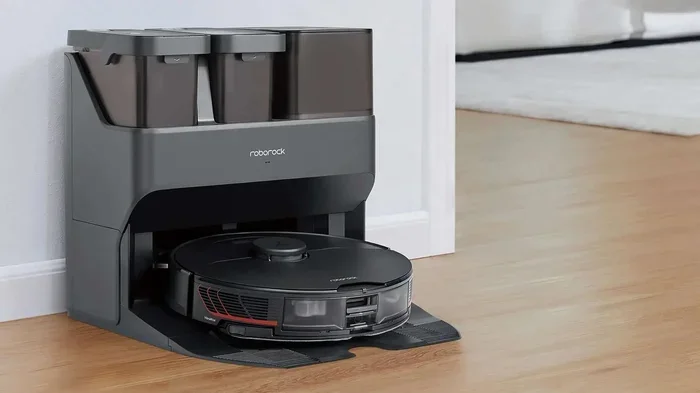
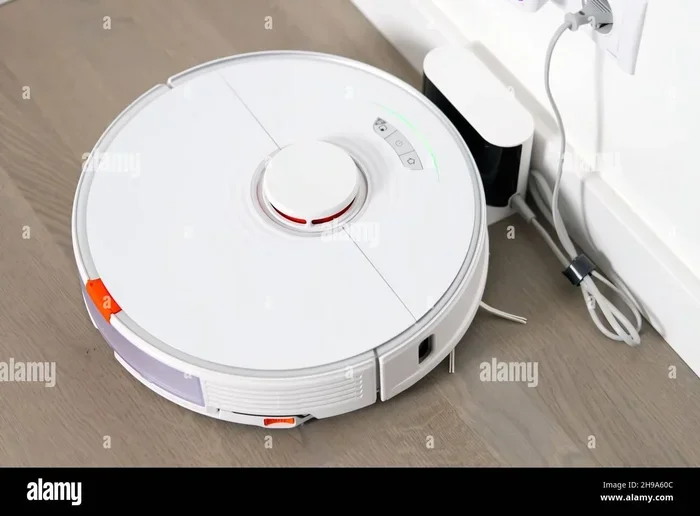
Visual guide about robot vacuum charging dock
Image source: robotpetfriends.com
You might think battery life is just about the battery itself. But several things can shorten or extend your robot’s run time. Understanding these factors helps you get the most out of your device.
1. Floor Type
Hard floors are easier for robot vacuums. The robot uses less power to move and clean on tile, wood, or laminate. On carpets and rugs, the robot has to work harder. The brush roll spins against the fibers, and the suction needs to be higher to pull out dirt. This extra effort drains the battery faster. Expect 20% to 40% less run time on thick carpets compared to hard floors.
2. Suction Power and Cleaning Mode
Most robot vacuums have different cleaning modes. Eco or quiet mode lowers suction and saves battery. Turbo or max mode cranks up the power but uses more energy. If you run your robot in max mode on thick carpet, you might get only 45 minutes of cleaning. On eco mode with hard floors, you could get 120 minutes or more.
3. Battery Age and Health
A brand new battery performs at its peak. As the battery ages, its capacity slowly decreases. After a year of daily use, you might notice your robot running for 15 to 20 minutes less than when it was new. This is normal. After two or three years, the decline becomes more noticeable.
4. Temperature
Batteries are sensitive to temperature. Extreme heat or cold can reduce performance. If you keep your robot in a hot garage or a freezing mudroom, the battery might drain faster. Room temperature (around 70°F or 21°C) is ideal for battery health and performance.
5. Navigation and Obstacles
A robot that gets stuck often or has to navigate a cluttered room uses more energy. It keeps bumping into things, changing direction, and trying to find its way. This extra movement drains the battery. A clear, open floor plan helps your robot clean more efficiently.
6. Dustbin Size
When the dustbin fills up, the robot’s suction becomes less effective. The motor has to work harder to pull air through a clogged bin. This can increase power consumption and reduce battery life. Emptying the bin regularly helps maintain performance.
How to Extend Your Robot Vacuum Battery Life
You don’t have to accept a short battery life. With a few simple habits, you can help your robot vacuum battery last longer both per charge and over the years.
Proper Charging Habits
- Don’t let it drain completely: Lithium-ion batteries prefer partial discharges. Try to recharge before it hits 0%.
- Don’t overcharge: Modern robots stop charging when full, but leaving it on the dock 24/7 can still stress the battery slightly. If you won’t use it for a week, store it at around 50% charge.
- Use the official charger: Third-party chargers might not deliver the right voltage, which can damage the battery over time.
Regular Maintenance
Keeping your robot clean helps the battery. A dirty robot has to work harder. Here’s what to do:
- Clean the sensors: Dust on sensors can confuse the robot, making it wander more and drain the battery. Learn how to clean robot vacuum sensors for better navigation.
- Empty the dustbin: Do this after every cleaning session. A full bin reduces suction and increases power use.
- Clean the brush roll: Hair and debris wrapped around the brush roll make the motor work harder. Remove tangles regularly.
- Check the filter: A clogged filter restricts airflow. Clean or replace it according to the manufacturer’s instructions.
Optimize Your Cleaning Schedule
You don’t always need max power. For daily maintenance cleaning, use the eco or quiet mode. Save the turbo mode for deep cleaning sessions when you’re home to monitor it. Also, consider how to program a robot vacuum to run when you’re away, so battery life isn’t a concern.
Store Properly
If you’re not using your robot for an extended period, store it in a cool, dry place. Avoid extreme temperatures. If possible, remove the battery and store it separately at around 50% charge. This slows down natural degradation.
Know When to Replace
Eventually, every battery wears out. Signs it’s time for a replacement include:
- Run time drops by 50% or more.
- The robot can’t finish cleaning a room it used to handle.
- The robot shuts down unexpectedly during cleaning.
- The battery takes much longer to charge than before.
Most robot vacuum batteries are user-replaceable. Check your model’s manual for instructions. It’s usually a simple process of removing a few screws and swapping out the old battery for a new one.
Common Mistakes That Shorten Battery Life
Even with good intentions, some habits can accidentally harm your robot vacuum battery. Let’s look at a few common ones.
Leaving It on the Dock Constantly
It’s convenient to keep the robot on its charging dock. But leaving it there for days or weeks without use can stress the battery. The battery stays at 100% charge, which is slightly harder on lithium-ion cells than a partial charge. If you won’t use the robot for a while, take it off the dock.
Ignoring Maintenance
A dirty robot is an inefficient robot. Clogged filters, tangled brushes, and full dustbins all force the motor to work harder. This extra work draws more power from the battery, reducing your run time and putting extra strain on the cells.
Using the Wrong Charger
It might seem harmless to use any USB cable or charger that fits. But robot vacuums have specific voltage and current requirements. Using a fast charger or a low-quality charger can damage the battery or even create a safety risk. Stick with the charger that came with your robot.
Running in Extreme Temperatures
We mentioned this earlier, but it’s worth repeating. High heat accelerates chemical reactions inside the battery, causing it to degrade faster. Freezing cold can temporarily reduce capacity. Try to keep your robot and its dock in a climate-controlled area.
What to Do If Your Robot Vacuum Battery Isn’t Lasting Long Enough
Maybe you’ve already tried the tips above, and your robot still can’t finish cleaning your home. What now? You have a few options.
Check Your Settings
First, make sure you’re using the right cleaning mode. If you have a large home, try scheduling multiple cleaning sessions instead of one long one. The robot can return to the dock to recharge and then resume cleaning. This is called “recharge and resume,” and many modern robots have it.
Consider a Larger Battery
Some robot vacuum models offer larger battery options. You might be able to buy a higher-capacity battery that fits your robot. Check with the manufacturer or third-party sellers. This can give you 30% to 50% more run time.
Upgrade Your Robot
If your robot is more than three years old, its battery is likely showing its age. A replacement battery can help, but the robot itself might also be less efficient than newer models. Newer robots have better navigation, more efficient motors, and larger batteries. If you’re constantly frustrated by battery life, it might be time for an upgrade.
When you’re ready to shop, take a look at how to choose a robot vacuum that fits your home size and cleaning needs. Pay special attention to the battery specifications and run time ratings.
Conclusion
So, how long does a robot vacuum battery typically last? The answer has two parts. For a single cleaning session, expect 60 to 120 minutes, depending on your floor type and settings. For the battery’s overall lifespan, plan on 2 to 4 years before you need a replacement.
The good news is that you have a lot of control over both numbers. By choosing a robot with a lithium-ion battery, maintaining it well, and using smart charging habits, you can maximize your robot’s performance and longevity. Don’t forget to maintain a vacuum cleaner regularly, whether it’s a robot or a traditional model.
Remember, a robot vacuum is a tool. Like any tool, it works best when you take care of it. Clean its sensors, empty its bin, and charge it properly. In return, it will keep your floors clean for years. If you ever run into trouble, know that battery replacement is usually simple and affordable. Now go ahead and let your robot do the work!
Frequently Asked Questions
Does the robot vacuum battery type matter for longevity?
Yes, battery type makes a big difference. Lithium-ion batteries last longer (300 to 500 cycles) and perform better over time than NiMH batteries (200 to 400 cycles). Most modern robots use lithium-ion, which is the better choice for longevity.
Can I use my robot vacuum while it’s charging?
No, robot vacuums cannot be used while charging. They must be fully disconnected from the charging dock to operate. The robot will automatically return to its dock when the battery is low and resume cleaning after recharging, if that feature is supported.
Why does my robot vacuum battery drain faster after a year?
Battery capacity naturally decreases over time. After about a year of daily use, you might notice a 15 to 20 minute reduction in run time. This is normal wear and tear. Proper maintenance can slow this decline but cannot stop it completely.
How do I know when to replace my robot vacuum battery?
Signs include a run time that’s half of what it used to be, the robot shutting down mid-cleaning, or the battery taking much longer to charge. If your robot can’t finish cleaning a room it used to handle easily, it’s time for a replacement.
Can extreme temperatures damage my robot vacuum battery?
Yes, extreme heat or cold can harm the battery. High temperatures accelerate chemical degradation, while freezing temperatures can temporarily reduce capacity. Store and charge your robot in a climate-controlled area between 50°F and 86°F (10°C to 30°C) for best results.
Will using a third-party battery void my warranty?
It might. Many manufacturers recommend using only official replacement batteries. Using a third-party battery can void your warranty if it causes damage. Always check your warranty terms before buying a replacement battery from a third-party seller.