
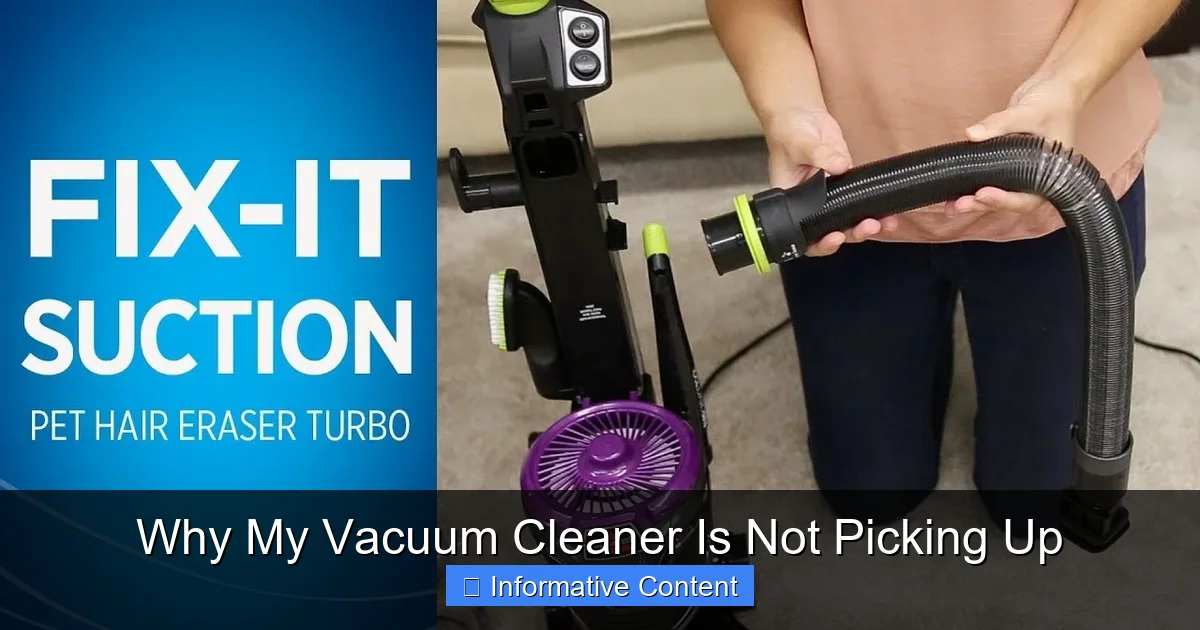
Is your vacuum cleaner frustratingly failing to pick up dirt? Don’t despair! Often, the issue stems from common, easily fixable problems such as a full dust bin or clogged filter, a tangled or non-spinning brush roll, or a blockage in the hose or attachments. Understanding these potential culprits can help you quickly diagnose and resolve why your vacuum cleaner is not picking up, saving you time and potentially money on repairs.
Why My Vacuum Cleaner Is Not Picking Up
There’s hardly anything more frustrating than pulling out your vacuum cleaner, ready to tackle a mess, only to find it’s just pushing dirt around instead of sucking it up. You glide it over the crumbs, the pet hair, the dust bunnies, and… nothing. The grime just sits there, mockingly refusing to budge. If you’ve ever asked yourself, “Why my vacuum cleaner is not picking up?” – you’re definitely not alone. It’s a common problem, but thankfully, most issues are surprisingly simple to diagnose and fix yourself.
Before you consider tossing your trusty cleaning companion or calling a repair service, let’s dive into the most frequent reasons why your vacuum cleaner might be letting you down. From simple user errors to minor mechanical hiccups, we’ll walk through a systematic approach to troubleshoot your machine. By the end of this guide, you’ll likely have your vacuum back to its dirt-devouring best, saving you both time and money.
Understanding what makes your vacuum tick (or not tick, in this case!) is the first step to becoming a cleaning superhero. We’ll explore everything from the most obvious culprits like a full dust bin to more hidden issues like clogged filters or tangled brush rolls. So, grab your gloves (it might get a little dusty!), and let’s get your vacuum cleaner picking up like new again!
Key Takeaways
- Check the Dust Bin/Bag First: A full or overfilled dust bin/bag is one of the most common and easiest reasons why your vacuum cleaner isn’t picking up. Emptying it can often instantly restore suction.
- Clean or Replace Filters Regularly: Clogged filters (HEPA, pre-motor, post-motor) severely restrict airflow, leading to a significant loss of suction. Always check and clean/replace them according to your vacuum’s manual.
- Inspect the Brush Roll: Hair, strings, and debris tangled around the brush roll prevent it from spinning effectively, which is crucial for agitating dirt from carpets. Ensure it spins freely and its belt is intact.
- Look for Hose Blockages: The vacuum hose and attachments are prime locations for large debris (socks, toys, paper) to get stuck, creating a complete blockage that stops suction.
- Examine for Cracks and Leaks: Any cracks in the housing, hose, or seals can lead to air leaks, significantly reducing the vacuum’s ability to create strong suction.
- Ensure Proper Assembly and Settings: Sometimes, the problem is as simple as an attachment not being seated correctly, the height setting being wrong for the floor type, or the settings not being appropriate for the task.
Quick Answers to Common Questions
How often should I clean my vacuum filters?
Washable pre-motor filters should typically be cleaned every 1-3 months, or more often if you vacuum frequently or have pets. Non-washable or HEPA filters usually need replacement every 6-12 months, depending on usage and manufacturer recommendations.
Can a severely tangled brush roll damage my vacuum motor?
Yes, a severely tangled brush roll can put excessive strain on the vacuum’s motor and belt. This can lead to the motor overheating, the belt breaking, or even permanent motor damage if not addressed promptly.
What’s the best way to clear a blockage in the vacuum hose?
After unplugging the vacuum, disconnect the hose from both ends. Visually inspect it, then try pushing a blunt object like a broom handle or a plumbing snake through the hose from both directions. Avoid sharp objects that could puncture the hose.
Why does my vacuum cleaner make a high-pitched whine but have no suction?
A high-pitched whine with no suction often indicates a complete blockage somewhere in the system (hose, wand, or nozzle) or a severe filter clog. The motor is working hard but can’t draw air. It could also suggest a major air leak.
Is it bad to use my vacuum with a full dust bin?
Yes, using your vacuum with a full dust bin is detrimental. It significantly reduces suction power, makes the motor work harder (leading to overheating), and can push dust back into the air rather than capturing it. Always empty it when it reaches the “max fill” line.
📑 Table of Contents
1. The Obvious Offenders: Dust Bin, Bag, and Filters
When your vacuum cleaner is not picking up, the very first places to check are often the easiest to fix. These components are directly responsible for collecting debris and maintaining proper airflow.
Is Your Dust Bin Full or Bag Overstuffed?
This might sound ridiculously simple, but you’d be surprised how often a completely full dust bin or an overstuffed bag is the reason for a loss of suction. Modern bagless vacuums often have a “max fill” line. If the debris goes past this line, there’s no more space for air to circulate, and suction will drop dramatically. For bagged vacuums, a bag can still feel light if it’s packed with fine dust, but it will restrict airflow just as much as a physically full bag.
The Fix: Always empty your dust bin or replace your bag when it reaches the max fill line, or sooner if you notice a drop in performance. Don’t try to cram more in; it’s a false economy that will only lead to poorer cleaning and potential damage to your motor.
Are Your Filters Clogged?
Vacuum filters are the lungs of your machine, trapping dust and allergens to keep the air clean. But just like our lungs, they can get congested. If your vacuum cleaner is not picking up, especially if it feels like it has some suction but not enough, clogged filters are a prime suspect. Most vacuums have at least one filter (often a pre-motor filter) and some have multiple, including a post-motor or HEPA filter.
- Pre-Motor Filter: This filter protects the motor from large dust particles. If it’s caked with dirt, air can’t pass through to the motor, leading to poor suction.
- Post-Motor/HEPA Filter: This filter cleans the air *after* it has passed through the motor, releasing cleaner air back into your home. While it doesn’t directly impact suction, a severely clogged one can indirectly affect overall airflow dynamics.
The Fix: Refer to your vacuum’s manual to locate all its filters. Many pre-motor filters are washable. If yours is, rinse it under cool water until the water runs clear. Make sure it’s *completely* dry (this can take 24-48 hours) before putting it back in. Never use a wet filter, as it can damage your motor. Non-washable filters, and usually HEPA filters, need to be replaced periodically. Check the manufacturer’s recommendations; typically, HEPA filters are replaced every 6-12 months. Regular filter maintenance is crucial to ensure your vacuum cleaner is always picking up effectively.
2. Brush Roll Blockages and Belt Issues
For upright vacuums and most canister vacuums with powerheads, the brush roll (sometimes called the beater bar) is essential for agitating carpet fibers to loosen dirt, making it easier for the vacuum to suck up. If this isn’t working correctly, your vacuum cleaner is not picking up deeply embedded dirt.
Is Your Brush Roll Tangled?
Long hair, pet fur, threads, and even small pieces of string or yarn can wrap tightly around the brush roll. This creates friction, slows down or completely stops the brush from spinning, and severely impairs its ability to clean carpets. If your vacuum cleaner isn’t picking up visible debris from carpets, a tangled brush roll is a very likely culprit.
The Fix:
Visual guide about Why My Vacuum Cleaner Is Not Picking Up
Image source: media.angi.com
- Unplug your vacuum cleaner from the power outlet – safety first!
- Flip the vacuum over to access the underside.
- You might need a screwdriver to remove a bottom plate on some models.
- Carefully cut away any tangled hair or debris from the brush roll using scissors or a seam ripper. Be careful not to cut the bristles or the belt.
- Once clear, spin the brush roll by hand to ensure it moves freely.
Is the Brush Roll Belt Broken or Stretched?
The brush roll is typically driven by a rubber belt connected to the vacuum’s motor. If this belt breaks, stretches, or slips off its pulley, the brush roll won’t spin, even if the motor is running. This will definitely make your vacuum cleaner not picking up dirt from carpets. You might hear the motor running but no ‘thumping’ sound from the brush roll.
The Fix:
- Again, unplug the vacuum.
- Access the brush roll compartment as described above.
- Inspect the belt. If it’s snapped, you’ll see a broken piece of rubber. If it’s stretched, it might be loose and unable to grip the brush roll effectively.
- Most belts are relatively inexpensive and easy to replace. Note your vacuum’s make and model to order the correct replacement belt.
- Carefully remove the old belt and stretch the new one around the motor shaft and brush roll, following your manual’s instructions.
- Ensure the brush roll spins freely with the new belt in place before reassembling.
3. Blockages in the Hose, Wand, or Attachments
The path from the floor to the dust bin is a long one, and there are several points where larger items can get lodged, creating a complete or partial blockage. When your vacuum cleaner is not picking up *anything* or has very weak suction, a major clog in the hose or wand is a prime suspect.
Hose Blockages
It’s surprisingly easy for a child’s small toy, a rogue sock, a large piece of paper, or even a clump of pet hair to get sucked into the hose and create a bottleneck. If you hear the motor whirring loudly but feel no suction at the nozzle, a hose blockage is almost certainly why your vacuum cleaner is not picking up.
The Fix:
- Unplug the vacuum.
- Disconnect the hose from both ends of the vacuum (where it attaches to the main body and, if applicable, the wand/powerhead).
- Visually inspect the hose. You might see the blockage.
- If not, try dropping a coin or small, light object through one end and see if it comes out the other. Alternatively, carefully use a broom handle or a long, blunt object (like a plumbing snake) to push through the hose from both ends. Never use anything sharp that could puncture the hose.
- For stubborn clogs, try stretching the hose out straight to reduce any kinks.
Wand and Attachment Blockages
Just like the main hose, the wand extension and smaller attachments (crevice tool, upholstery brush) can also become blocked. This is particularly common if you’re vacuuming up larger debris or using a narrow attachment in a tight space.
The Fix:
- Disconnect the wand and any attachments from the hose.
- Inspect each piece individually for blockages.
- Use a thin, blunt object to dislodge any obstructions.
4. Suction Loss Due to Leaks or Motor Issues
Sometimes the problem isn’t a blockage or a clogged filter, but rather a structural issue or a failing component. If your vacuum cleaner is not picking up and you’ve checked all the usual suspects, it might be time to look for leaks or consider motor health.
Air Leaks in the System
For a vacuum cleaner to create powerful suction, it needs an airtight system. Any crack, loose connection, or worn seal can allow air to escape, drastically reducing the vacuum’s ability to pick up dirt.
- Cracks in the Housing: Inspect the main body of the vacuum, the hose connection points, and the dust bin for any visible cracks or damage.
- Loose Connections: Ensure the hose is securely attached to the vacuum body and any wands or attachments are firmly seated.
- Worn Gaskets/Seals: Over time, rubber gaskets and seals around the dust bin lid or filter compartments can wear out, leading to air leaks.
The Fix:
- Carefully inspect all parts for cracks. Small cracks in plastic components might be temporarily patched with strong tape (like duct tape) or a suitable sealant, but a cracked hose usually needs replacement.
- Ensure all connections are tight. Detach and reattach the hose and attachments to confirm they are seated properly.
- Check the seals around the dust bin and filter compartments. If they appear brittle, cracked, or compressed, they might need replacing. This often requires ordering specific parts from the manufacturer.
Motor Problems (Less Common, More Serious)
While less common for simple “not picking up” issues, a failing motor can certainly be the cause of no suction. If the motor sounds weak, makes unusual noises (grinding, high-pitched whine), or simply doesn’t turn on, it’s a more serious problem. This is usually why your vacuum cleaner is not picking up at all.
The Fix: If you suspect a motor issue, and especially if your vacuum is still under warranty, contact the manufacturer or a certified repair technician. Motor repairs are complex and usually not a DIY task for the average homeowner. Sometimes, a thermal cut-out might have tripped due to overheating (often caused by a severe blockage or full bin), in which case letting the vacuum cool down for 30 minutes to an hour might resolve it.
5. User Error and Settings
Sometimes, the issue isn’t a broken part but simply how the vacuum is being used or configured. If your vacuum cleaner is not picking up, take a moment to double-check your settings.
Incorrect Height Settings
Many upright vacuums have adjustable height settings for different carpet pile lengths or hard floors. If the brush roll is set too high, it won’t make sufficient contact with the floor to agitate and pick up dirt. If it’s set too low, it can create too tight a seal, making it hard to push and reducing airflow.
The Fix: Adjust the height setting to match your floor type. Generally, a higher setting for thick carpets, a medium setting for low-pile carpets, and the lowest setting for hard floors (or turn off the brush roll if your model allows it for hard floors).
Using the Wrong Attachments or Nozzles
Are you trying to vacuum pet hair from upholstery with a bare floor nozzle? Or tackling corners with a wide floor tool? Using the wrong attachment can make your vacuum highly inefficient at picking up specific types of debris or in certain areas.
The Fix: Always use the appropriate attachment for the job. Crevice tools for tight spaces, upholstery tools for fabric, dusting brushes for delicate surfaces, and powerheads for carpets. This optimizes suction and ensures efficient cleaning.
Is There Power?
Okay, this seems incredibly basic, but it’s worth a mention. Is the vacuum plugged in? Is the outlet working? Has a circuit breaker tripped? If your vacuum cleaner is not picking up *at all*, no motor sound, nothing – check the power source first.
The Fix: Ensure the power cord is fully plugged into a working outlet. Test the outlet with another appliance. Check your home’s circuit breaker box if necessary.
Conclusion: Getting Your Vacuum Back in Action
Discovering why your vacuum cleaner is not picking up can be a little detective work, but most of the time, the solutions are straightforward and inexpensive. By systematically checking your dust bin, filters, brush roll, hoses, and settings, you can often restore your vacuum’s powerful suction without needing professional help. Regular maintenance – emptying the bin, cleaning filters, and clearing brush rolls – is key to preventing these issues in the first place and ensuring your vacuum cleaner performs optimally for years to come. So, don’t let a “lazy” vacuum get you down; empower yourself with these tips and enjoy a cleaner home!
🎥 Related Video: Vacuum NOT SUCKING? Here's How To FIX IT!!
📺 Clean With Confidence
MORE CLEANING VIDEOS ☆ – How to Clean a Dishwasher Properly: https://youtu.be/_-TRcRya-dA – How to Professionally …
Frequently Asked Questions
How can I tell if my vacuum’s brush roll belt is broken without disassembling it?
You can usually tell if the brush roll belt is broken if the brush roll isn’t spinning when the vacuum is on and tilted back, but the motor sounds like it’s running normally. Sometimes you might even find a piece of the broken belt lying on the floor under the vacuum.
My vacuum smells burnt when I use it. Is this related to poor picking up?
A burnt smell often indicates overheating, which can be caused by a severe blockage, a full dust bin, or a tangled brush roll putting strain on the motor. It directly impacts performance and could be why your vacuum cleaner is not picking up effectively. Stop using it immediately and check for clogs.
Can using generic replacement filters affect my vacuum’s suction?
Yes, generic replacement filters can sometimes affect suction. Non-OEM (Original Equipment Manufacturer) filters may not fit perfectly, leading to air leaks, or might have different porosity, impacting airflow. It’s often best to stick with manufacturer-recommended filters for optimal performance.
My new vacuum cleaner isn’t picking up as well as I expected. What could be wrong?
Even new vacuums can have issues! Double-check that all components are assembled correctly, especially the dust bin and filters. Ensure the height setting is appropriate for your floor type and that there are no factory blockages or kinks in the hose from packaging.
Should I clean the inside of my vacuum’s hose? If so, how?
Yes, you should clean the inside of your vacuum’s hose if you suspect a blockage or notice a decrease in suction. Disconnect it and use a long, blunt object (like a broom handle) to dislodge debris. For odor, you can try washing it with mild soapy water, ensuring it’s completely dry before reattaching.
My vacuum works great on hard floors but not on carpet. Why?
If your vacuum performs well on hard floors but struggles on carpet, the most likely issues are related to the brush roll or the height setting. Ensure the brush roll is spinning freely and isn’t tangled, and that the vacuum’s height setting is appropriate for your carpet’s pile to allow proper agitation and airflow.