
Is your Dyson vacuum cleaner unexpectedly shutting off? This common frustration often stems from preventable issues like clogs, dirty filters, or an overheating motor protecting itself. Don’t worry, many problems have straightforward DIY solutions, from clearing blockages to proper filter maintenance or addressing battery health, getting your powerful Dyson back to peak performance quickly.
There’s nothing quite like the feeling of a clean home, and for many of us, that feeling is powered by a Dyson vacuum cleaner. Known for their incredible suction, innovative design, and powerful motors, Dyson has become a household name synonymous with effective cleaning. But what happens when your trusty companion suddenly decides to call it quits mid-session? You’re in the middle of a deep clean, tackling pet hair or crumbs, and your Dyson vacuum cleaner keeps shutting off. It’s frustrating, bewildering, and often leaves you wondering, “What just happened?”
You’re not alone in this experience. This common hiccup can throw a wrench into your cleaning routine, turning a satisfying chore into a perplexing puzzle. The good news is that most instances of a Dyson vacuum cleaner shutting off are not signs of a catastrophic failure, but rather a cry for help from your machine, often indicating a simple, fixable issue. Dyson vacuums are designed with smart safety features that protect their powerful motors from damage. When these features kick in, your vacuum shuts down to prevent things from getting worse.
In this comprehensive guide, we’ll dive deep into the “why” behind your Dyson’s sudden silence. We’ll explore the most common culprits, from sneaky clogs and neglected filters to battery woes and brush bar tangles. More importantly, we’ll equip you with practical, step-by-step troubleshooting tips and DIY solutions so you can diagnose the problem and get your Dyson vacuum cleaner back to doing what it does best: making your home spotless. Let’s get to the bottom of why your Dyson keeps shutting off and restore harmony to your cleaning routine!
Key Takeaways
- Overheating Protection: Your Dyson often shuts off due to its safety mechanism detecting overheating, usually caused by restricted airflow.
- Clogs are Common Culprits: Blockages in the hose, wand, floor head, or cyclone significantly reduce airflow, leading to overheating and why your Dyson vacuum cleaner keeps shutting off.
- Filter Maintenance is Key: Dirty or clogged filters severely hinder suction and cause the motor to overwork, triggering the shutdown. Regular cleaning/replacement is vital.
- Battery Health Matters (Cordless): For cordless models, an aging or faulty battery can cause intermittent power loss or immediate shutdowns.
- Brush Bar Issues: Tangled hair or debris in the brush bar can put a strain on the motor, leading to overheating or the machine cutting out.
- Regular Checks Prevent Problems: Routine inspection and maintenance of hoses, filters, and brush bars can prevent most common shutdown issues.
- Easy DIY Fixes: Most Dyson shutdown problems can be resolved with simple at-home troubleshooting steps, saving you time and repair costs.
Quick Answers to Common Questions
How do I reset my Dyson after it shuts off?
Turn it off, unplug it (if corded), remove the battery (if cordless), and let it cool for at least an hour. Then, clear any blockages or clean filters before restarting.
Can a full dust bin cause my Dyson to shut off?
While not a direct cause, an overflowing dust bin can contribute to restricted airflow, making the motor work harder and potentially leading to overheating. Empty it regularly to prevent your Dyson vacuum cleaner keeps shutting off.
How often should I clean my Dyson’s filters?
Dyson generally recommends cleaning pre-motor filters monthly for optimal performance. Post-motor (HEPA) filters usually need less frequent cleaning; check your specific model’s manual for guidance.
My cordless Dyson keeps shutting off. Is it always the battery?
Not always. While a failing battery is common for cordless models, check for clogs or dirty filters first. These issues can also cause the motor to overwork and trigger a shutdown, leading to your Dyson vacuum cleaner keeps shutting off.
What’s the most common reason for a Dyson to shut off?
The most frequent reason a Dyson vacuum cleaner keeps shutting off is restricted airflow, usually caused by a blockage in the hose, floor head, or a dirty filter, leading to the motor overheating and engaging its safety shut-off.
📑 Table of Contents
- The Overheating Safety Mechanism: Dyson’s Built-in Protector
- Clogs and Blockages: The Airflow Killers
- The Impact of Dirty Filters: Breathing Room for Your Dyson
- Battery Troubles: Powering Your Cordless Dyson
- Brush Bar and Floor Head Frustrations
- Less Common Culprits and When to Seek Professional Help
The Overheating Safety Mechanism: Dyson’s Built-in Protector
One of the most frequent reasons why your Dyson vacuum cleaner keeps shutting off is its intelligent thermal cut-out safety feature. Dyson vacuums are powerful machines, and like any high-performance motor, they can generate heat. To prevent damage from overheating, Dyson engineers have designed a protective mechanism that automatically powers down the machine if it detects the motor is getting too hot. This isn’t a fault; it’s a feature designed to save your vacuum from costly repairs.
Understanding Why it Engages
The primary reason for a Dyson’s motor to overheat is usually restricted airflow. Think of your vacuum as needing to breathe freely. If its “lungs” (filters, hoses, inlets) are blocked, the motor has to work much harder to pull air through, leading to an increase in temperature. This extra strain makes the motor heat up faster, eventually triggering the safety shut-off. Common scenarios that lead to overheating include:
- Severe Blockages: A large clump of dust, a stray sock, or tangled hair in the hose, wand, or floor head.
- Clogged Filters: Filters that haven’t been cleaned or replaced in a while can severely restrict airflow.
- Overfilled Dust Bin: While not a direct cause, an excessively full bin can impede airflow into the cyclone, making the motor strain.
- Prolonged Heavy Use: Using the vacuum for very long periods, especially on tough messes, can also contribute to heat buildup.
How to Reset Your Dyson After a Shutdown
If your Dyson vacuum cleaner keeps shutting off due to overheating, resetting it is simple. However, simply turning it back on won’t solve the underlying issue. You need to address the cause first:
- Turn Off and Unplug: Immediately switch off your Dyson and unplug it from the wall if it’s a corded model. For cordless models, remove the battery if possible, or ensure it’s fully powered down.
- Let it Cool Down: This is crucial. Allow your Dyson to cool down completely for at least 1-2 hours. Rushing this step means the motor might still be too warm, and the safety mechanism will just engage again.
- Identify and Fix the Cause: While it’s cooling, this is your prime opportunity to check for and clear any blockages (we’ll cover this next) and clean your filters.
- Restart: Once cooled and blockages/filters addressed, plug it back in (or reinsert the battery) and try turning it on. Hopefully, your Dyson will be back to full power.
Clogs and Blockages: The Airflow Killers
When your Dyson vacuum cleaner keeps shutting off, blockages are often the prime suspect. A blockage anywhere in the airflow path is like trying to breathe through a pinched straw – your vacuum’s motor struggles, heats up, and eventually, the safety mechanism kicks in. Identifying and clearing these obstructions is one of the most effective DIY fixes.
Visual guide about Why Does My Dyson Vacuum Cleaner Keep Shutting Off
Image source: vacuumempire.com
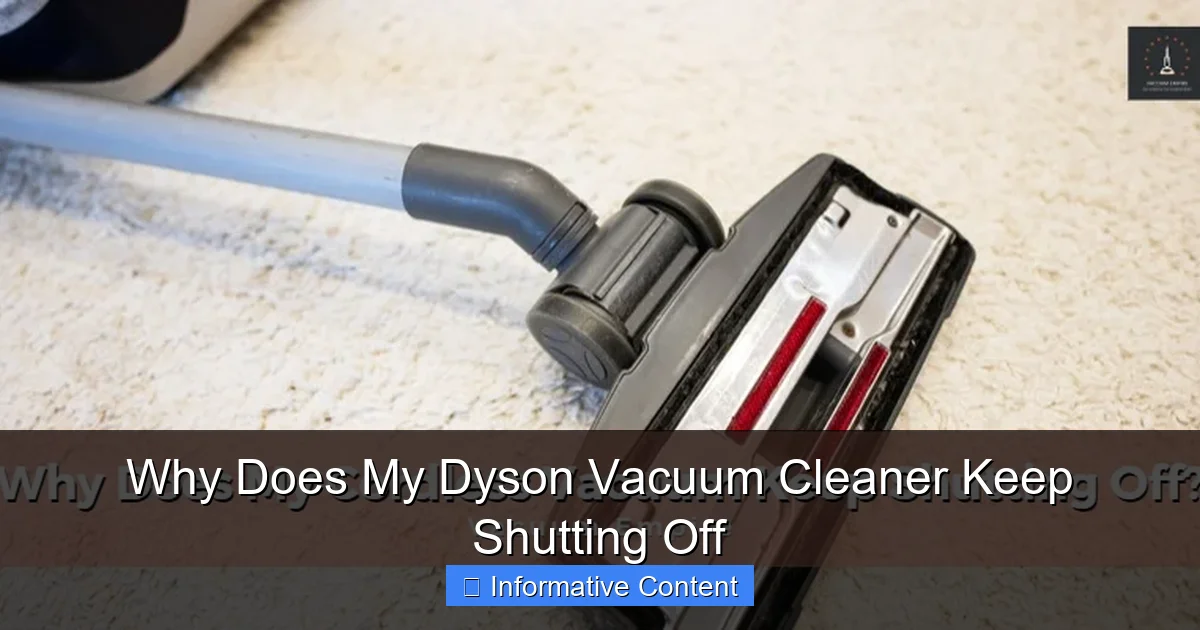
Checking the Floor Head and Brush Bar
The floor head is where all the action happens, and it’s a magnet for hair, string, and larger debris. Many Dyson models have a motorized brush bar that spins to agitate carpet fibers and sweep up dirt. If this brush bar gets tangled or jammed, it puts immense strain on the motor that drives it, leading to overheating and why your Dyson keeps shutting off.
- How to Check: Turn the vacuum over. Look for tangled hair, string, or fabric wrapped around the brush bar. Also, check the opening where debris enters the floor head for larger objects.
- How to Clear: Use scissors or a seam ripper to carefully cut away tangled hair. For larger debris, you might need to remove the brush bar (consult your manual for specific instructions – some pop out easily, others require a coin or screwdriver).
Inspecting the Wand and Hose
The main conduit for dirt to reach the bin, the wand and flexible hose are common places for clogs to form. Think of something just big enough to get stuck but not small enough to pass through. This can be anything from a child’s toy to a wad of paper, or even compacted pet hair.
- How to Check: Detach the wand from both the main body and the floor head. Visually inspect it from both ends. For the hose, carefully stretch it out and look through it. You can also drop a small, light object (like a coin) through it to see if it passes freely. Feel along the hose for any stiff, unyielding spots that indicate a blockage.
- How to Clear: If you spot a clog, try gently pushing it through with a broom handle or a long, blunt object. Never use anything sharp that could pierce the hose. For flexible hoses, gentle squeezing might dislodge smaller clogs.
Unblocking the Cyclone and Dust Bin Inlet
Once debris leaves the hose, it enters the cyclone assembly – the part that separates dirt from the air. Before that, there’s a small inlet that feeds into the cyclone. This area, especially the narrow entry point to the cyclone, can become completely choked with fine dust and debris, forming a solid blockage.
- How to Check: Empty the dust bin completely. Look inside the bin itself for compacted dirt, especially around the central cone. Also, carefully detach the dust bin from the main unit (again, refer to your manual) and inspect the inlet port where the wand connects to the cyclone assembly. You’ll often find a tight buildup of fine dust here.
- How to Clear: Use a stiff brush, a small pick, or even your fingers (wearing gloves!) to carefully break up and remove any compacted dirt from the cyclone cone and the inlet port. Make sure all channels are clear.
A Systematic Approach to Clearing Clogs
When your Dyson vacuum cleaner keeps shutting off due, systematically check for clogs in this order:
- Dust bin (empty it!) and cyclone inlet.
- Floor head and brush bar.
- Wand.
- Flexible hose.
Most clogs will be found in one of these areas. Once cleared, ensure the vacuum is cool before testing.
The Impact of Dirty Filters: Breathing Room for Your Dyson
Filters are like the lungs of your Dyson vacuum cleaner. They capture microscopic dust, allergens, and debris, preventing them from being expelled back into your home or, more critically, from reaching and damaging the motor. When these filters become saturated with dirt, they restrict airflow just as much as a physical blockage, forcing the motor to work harder, leading to overheating, reduced suction, and ultimately, why your Dyson vacuum cleaner keeps shutting off.
Why Filters are So Important
Dyson vacuums typically have two types of filters:
- Pre-Motor Filter: This is usually washable and located near the dust bin or cyclone. It catches larger particles before they reach the motor. A dirty pre-motor filter is the most common cause of restricted airflow and overheating.
- Post-Motor (HEPA) Filter: Found on some models (often at the back or side), this filter captures even finer particles, including allergens, ensuring clean air is expelled. While less likely to cause an immediate shutdown, a severely clogged HEPA filter can also contribute to overall airflow restriction over time.
Neglecting filter maintenance is a guaranteed way to reduce your Dyson’s performance and increase the likelihood of it shutting off during use.
How to Clean Your Dyson Filters Properly
Cleaning your Dyson filters is a simple but vital maintenance task. The exact procedure may vary slightly by model, so always check your user manual.
- Remove the Filter: Locate and remove the filter(s). For washable filters, they often have a “washable” symbol.
- Rinse with Cold Water: Hold the filter under cold running water, ensuring water flows through the pleated paper or foam material. Gently squeeze (for foam filters) or tap (for pleated filters) to dislodge dirt.
- Continue Rinsing: Keep rinsing until the water runs clear. Do not use any detergents or brushes, as these can damage the filter material.
- Thorough Drying: This is critical. The filter *must* be completely dry before reinserting it into your Dyson. Dyson recommends drying for at least 24 hours in a warm, dry place. Placing it near a fan can help, but avoid direct heat sources like radiators. Reinstalling a damp filter can damage the motor and void your warranty.
When to Replace Your Filters
While many Dyson filters are washable, they don’t last forever. Over time, even with proper cleaning, the filter material can degrade or become permanently clogged with ultra-fine particles. If you regularly clean your filters, but your Dyson vacuum cleaner keeps shutting off and suction remains weak, it might be time for a replacement. Dyson typically recommends replacing washable filters every 12 months for optimal performance, and post-motor filters according to your specific model’s manual (some are lifetime, others need periodic replacement).
Battery Troubles: Powering Your Cordless Dyson
If you own a cordless Dyson model (like a V6, V7, V8, V10, V11, V15, or Gen5detect), battery issues are a very common reason why your Dyson vacuum cleaner keeps shutting off. Unlike corded models that draw continuous power, cordless vacuums rely on their rechargeable battery packs. Over time, or due to improper charging, these batteries can degrade, leading to frustrating performance problems.
Signs of a Failing Battery
A failing battery might manifest in several ways:
- Reduced Run Time: Your vacuum doesn’t last as long on a full charge as it used to, even on eco mode.
- Sudden Shutdowns: The vacuum cuts out abruptly, sometimes even moments after you start it, or without warning when the charge indicator still shows power. This is a common sign when your Dyson vacuum cleaner keeps shutting off.
- Charging Issues: The battery doesn’t seem to charge fully, or the charging lights behave erratically (e.g., blinking in an unusual pattern).
- Loss of Power/Surge: The suction might feel inconsistent, surging then dropping, or simply feeling weaker overall.
Charging Best Practices
To prolong your Dyson’s battery life and prevent premature failure, follow these tips:
- Always Use the Original Charger: Using off-brand or incompatible chargers can damage the battery.
- Charge Fully, but Don’t Overcharge (Long-Term): Modern lithium-ion batteries are smart, but continuously leaving them on the charger for weeks without use can cause minor degradation over years. For daily use, charging fully is fine.
- Avoid Deep Discharges: Try not to run the battery completely flat every single time. Recharging when it’s low but not fully depleted is healthier for the battery’s lifespan.
- Store Properly: If you’re storing your Dyson for an extended period, ensure the battery has at least a 50% charge and store it in a cool, dry place.
Considering a Battery Replacement
Unfortunately, all rechargeable batteries have a finite lifespan. If you’ve addressed clogs and filter issues, and your cordless Dyson vacuum cleaner keeps shutting off or has significantly reduced run time, a battery replacement is likely the solution. Dyson sells replacement battery packs for most of their cordless models, and there are reputable third-party options available as well. Replacing the battery is usually a straightforward process, often requiring just a few screws and a new battery pack.
Brush Bar and Floor Head Frustrations
Beyond general blockages in the floor head, specific issues with the motorized brush bar can also cause your Dyson vacuum cleaner to shut off. The brush bar is designed to rotate rapidly, agitating carpets and sweeping debris into the suction path. If this critical component can’t move freely, it can lead to motor strain and a premature shutdown.
Clearing Tangled Hair and Debris
One of the most common issues is simply too much hair or fiber wrapped around the brush bar. This isn’t just an aesthetic problem; it can significantly impede its rotation.
- The Problem: A brush bar that’s heavily tangled will slow down or stop spinning altogether. The small motor that drives it will then overwork to try and maintain rotation, drawing too much current, overheating, and triggering the safety cut-off. This is a frequent cause for why your Dyson vacuum cleaner keeps shutting off.
- The Fix:
- Turn off and unplug your Dyson (or remove the battery).
- Flip the floor head over.
- Using scissors, carefully cut along the length of the brush bar to sever any tangled hair or thread. Be gentle to avoid damaging the bristles or the plastic housing.
- Pull away all the cut hair and debris. You might need to remove the brush bar from the floor head for a thorough clean (consult your manual for how to do this for your specific model).
- Ensure the brush bar spins freely by hand once all debris is removed.
Checking for Brush Bar Damage or Malfunction
Sometimes, it’s more than just a tangle. The brush bar itself or its internal mechanism might be faulty.
- Damaged Brush Bar: Over time, bristles can wear down, or the bar itself might get bent or cracked from hitting hard objects. A damaged brush bar might not spin evenly or could create friction that stresses the motor.
- Internal Gear or Motor Issue: The brush bar in a Dyson is often driven by a small internal motor or a geared mechanism within the floor head. If this motor or its gears fail, the brush bar won’t spin, and the main vacuum motor might struggle or shut off as it senses resistance.
- The Fix:
- After cleaning the brush bar, if it still doesn’t spin freely or the vacuum continues to shut off specifically when the floor head is attached and active, inspect the brush bar for physical damage.
- For internal motor or gear issues, this usually requires a replacement floor head assembly, as these components are often not user-serviceable. Contact Dyson support for advice or to check warranty options.
Less Common Culprits and When to Seek Professional Help
While most issues leading to your Dyson vacuum cleaner shutting off can be resolved with the DIY steps above, there are times when the problem is more complex. These less common issues usually point to internal electrical or motor problems that are beyond typical user troubleshooting.
Internal Motor or Wiring Issues
The main motor of your Dyson is a sophisticated piece of engineering. While robust, it’s not entirely immune to failure. Similarly, the internal wiring that connects the battery, motor, and control board can sometimes develop faults.
- Motor Burnout: Although rare, especially with Dyson’s protective features, a motor can eventually wear out or burn out if consistently overworked or if there’s an internal defect. Symptoms might include a burning smell, excessive noise, or complete failure to start.
- Faulty Wiring/Connections: Loose or damaged internal wiring can cause intermittent power loss or complete shutdowns. This is difficult to diagnose without opening the vacuum and often requires specialized tools.
- Circuit Board Failure: The vacuum’s “brain” – the control circuit board – manages power, motor speed, and safety features. A fault in this board can lead to unpredictable shutdowns or complete non-functionality.
When to Contact Dyson Support
If you’ve systematically worked through all the common troubleshooting steps (clearing clogs, cleaning/replacing filters, checking the battery for cordless models, and inspecting the brush bar) and your Dyson vacuum cleaner keeps shutting off, it’s time to reach out to the experts. Here’s when to consider professional help:
- Persistent Shutdowns: If the vacuum continues to shut off despite all your efforts, even after cooling down and clearing everything.
- Unusual Noises or Smells: Any grinding, screeching, or burning smells are red flags that could indicate a serious internal issue.
- Complete Non-Responsiveness: If the vacuum doesn’t power on at all, or shows no signs of life, even after charging/cooling.
- Under Warranty: If your Dyson is still under warranty, contact Dyson support directly. Attempting to open the main body of the vacuum yourself for internal repairs can void the warranty.
- Lack of Confidence: If you’re uncomfortable opening parts of your vacuum beyond what’s specified in the manual, it’s always safer to seek professional assistance.
Dyson’s customer support is well-regarded and they can often provide further troubleshooting steps, guide you through advanced diagnostics, or arrange for repairs or replacements if necessary.
Dealing with a Dyson vacuum cleaner that keeps shutting off can definitely be frustrating, but armed with the right knowledge, you can tackle most common issues head-on. By understanding your vacuum’s safety mechanisms and routinely performing simple maintenance tasks, you can ensure your powerful cleaning companion continues to perform at its best. Remember, regular care and attention are key to a long and happy life for your Dyson!
🎥 Related Video: How to Fix DYSON VACUUM Pulsing Problem (Starts & Stops)!!! 20 SECOND FIX | Andrea Jean
📺 Andrea Jean Co
This video is for YOU if you are interested in: dyson v6 cordless easy repair, starts and stops pulsates, dyson v6 v7 v8 common …
Frequently Asked Questions
Is it normal for my Dyson to get hot before shutting off?
Yes, if your Dyson vacuum cleaner feels hot before it shuts off, it’s a strong indicator that the motor’s thermal cut-out has been activated. This safety feature engages to prevent damage from overheating, often due to restricted airflow or an overworked motor.
Can I wash my Dyson’s filters in a washing machine?
No, absolutely not. Dyson filters should only be washed by hand with cold water, without any detergents. Using a washing machine or hot water can damage the filter material and render it ineffective.
My Dyson shuts off immediately after turning it on. What gives?
If your Dyson shuts off immediately, it could be a severe blockage causing instant airflow restriction, an extremely dirty filter preventing any proper suction, or a significantly depleted/faulty battery (for cordless models). Start by checking for major clogs and filter cleanliness when your Dyson vacuum cleaner keeps shutting off.
How do I know if my Dyson’s battery needs replacing?
Signs your cordless Dyson battery needs replacing include a significantly reduced run time, the vacuum cutting out quickly even after a full charge, or the charge indicator lights behaving erratically. Over time, all rechargeable batteries degrade.
Will a broken brush bar cause my Dyson to shut off?
Yes, a broken or seized brush bar can cause your Dyson vacuum cleaner to shut off. If the brush bar can’t spin freely, it puts extra strain on the motor that powers it, leading to overheating and the safety cut-off engaging to prevent damage.
My Dyson suddenly has no suction and then shuts off. What should I check first?
When experiencing sudden loss of suction followed by your Dyson vacuum cleaner shutting off, your very first step should be to thoroughly check for blockages. Inspect the floor head, hose, wand, and the cyclone inlet as a severe clog is the most likely culprit.