
Featured image for How to Clean Robot Vacuum Sensors
Image source: aws-obg-image-lb-4.tcl.com
Dirty sensors can make your robot vacuum bump into walls, miss spots, or fall off stairs. This guide shows you how to clean robot vacuum sensors safely and effectively. Follow our simple steps to restore perfect navigation and suction power in minutes.
How to Clean Robot Vacuum Sensors
Hey there! If your robot vacuum is acting like a drunk driver—bumping into furniture, getting stuck in corners, or ignoring stairs—it’s probably the sensors. These tiny heroes help your bot navigate, detect dirt, and avoid cliffs. But dust, hair, and pet fur love to clog them up.
In this guide, you’ll learn how to clean robot vacuum sensors step by step. We’ll cover tools, techniques, tips, and troubleshooting. By the end, your robot will zip around like new. No tech skills needed—just a few minutes a week. Let’s get started!
Key Takeaways
- Power off first: Always unplug your robot vacuum before cleaning sensors to avoid damage or injury.
- Use soft tools: Microfiber cloths and compressed air work best to clean robot vacuum sensors without scratches.
- Target key sensors: Focus on cliff, bumper, optical, and dirt sensors for full coverage.
- Clean weekly: Regular maintenance prevents navigation errors and extends your device’s life.
- Test after cleaning: Run a mapping cycle to ensure sensors detect obstacles correctly.
- Avoid liquids: Use dry methods first; damp cloths only for stubborn grime on non-optical sensors.
Quick Answers to Common Questions
Can I use water on sensors?
No, stick to dry methods or isopropyl alcohol. Water leaves streaks and invites dust buildup on robot vacuum sensors.
How long to dry sensors?
Wait 2-5 minutes after alcohol wipe. Test shine before powering on to ensure clean robot vacuum sensors.
What if my bot has no manual?
Download from brand site (e.g., iRobot app). Or search “[model] sensor locations” for visuals.
Pet hair nightmare?
Use a lint roller first on sensors. Then brush and air for thorough clean robot vacuum sensors.
Sensors scratched—now what?
Replacement kits cost $10-30. Or buy scratch-proof covers online.
Why Clean Robot Vacuum Sensors?
Robot vacuums rely on sensors to map rooms and dodge obstacles. Dirty sensors cause chaos. Your bot might:
- Miss dirty spots due to faulty dirt sensors.
- Drive into walls from blocked bumpers.
- Tumble down stairs without cliff detection.
Cleaning them boosts suction efficiency and battery life. A well-maintained robot saves time and money. If you’re new to these gadgets, check out our guide on how to choose a robot vacuum cleaner for the best models with reliable sensors.
Pro tip: Regular cleaning prevents bigger issues like motor strain. Ready to dive in?
Types of Sensors in Robot Vacuums
Not all sensors are the same. Know yours before cleaning. Common types include:
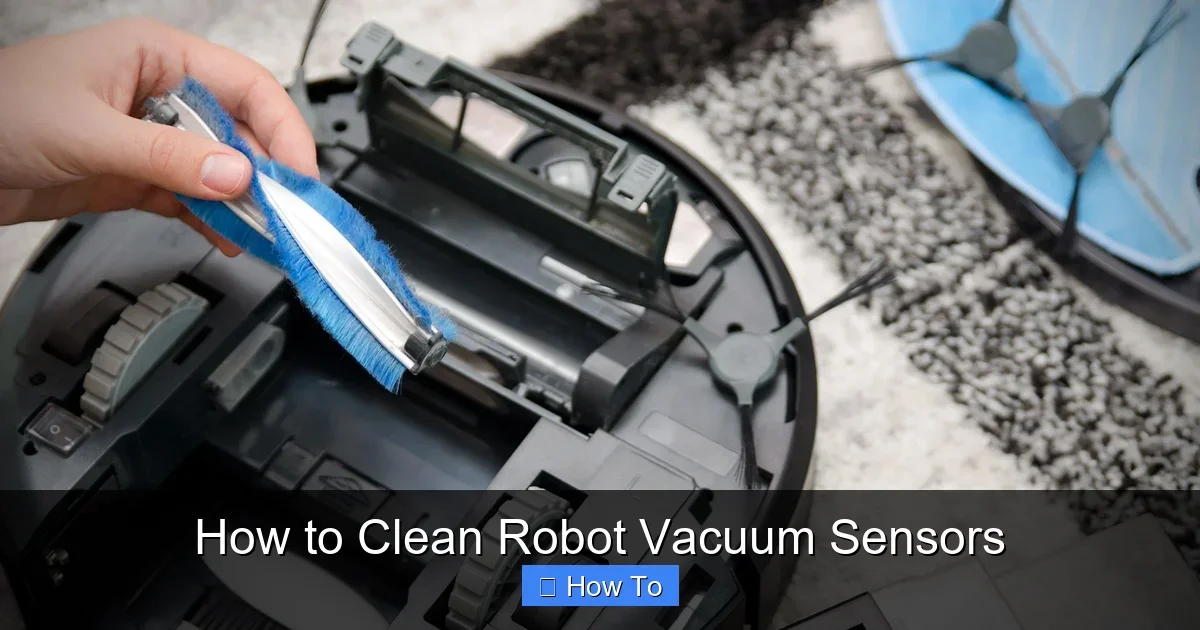
Visual guide about How to Clean Robot Vacuum Sensors
Image source: bhg.com
- Cliff sensors: Infrared beams detect drops. Located on the bottom edges.
- Bumper sensors: Mechanical switches on the front. Feel impacts.
- Optical sensors: Cameras or lasers for mapping. Often under a top cover.
- Dirt sensors: Detect debris levels. Usually near the brush roll.
- Ultrasonic sensors: Side emitters for obstacle avoidance.
Check your manual for exact spots. Brands like Roomba or Shark vary slightly. Cleaning the right ones fixes specific problems.
Tools and Materials You’ll Need
Gather these before you start. They’re cheap and household-friendly:
- Microfiber cloths (soft, lint-free).
- Compressed air canister.
- Soft brush (like a clean paintbrush).
- Isopropyl alcohol (70% for tough spots).
- Cotton swabs.
- Damp cloth (water only, for bumpers).
Avoid vacuums or harsh chemicals—they scratch or damage. Total cost? Under $10 if you don’t have them.
Step-by-Step Guide: How to Clean Robot Vacuum Sensors
Follow these steps weekly or after heavy use. It takes 10-15 minutes. Work in good light.
Step 1: Power Off and Prepare Your Robot Vacuum
Unplug the charger. Press the power button to shut down. Flip the robot upside down on a soft towel. This protects brushes and exposes sensors.
Why? Live power risks shocks or resets mid-clean.
Step 2: Remove Debris from Exterior
Inspect the bottom. Use the soft brush to sweep hair and dust from edges. Blow compressed air into crevices. Focus on sensor windows—small black or clear lenses.
Example: On a Roomba, cliff sensors are four shiny spots underneath. Blast gently to avoid pushing dirt inside.
Step 3: Clean Cliff Sensors
These are crucial for stairs. Wipe each lens with a dry microfiber cloth. For smudges, dab isopropyl alcohol on a swab. Swipe lightly—no rubbing.
Let dry 2 minutes. Test by shining a flashlight; lenses should gleam.
Step 4: Clean Bumper and Contact Sensors
Flip right-side up. Press the bumper—it should click and spring back. Wipe with a damp cloth. Dry immediately with microfiber.
Side sensors? Blow air along edges. Hair loves to stick here.
Step 5: Tackle Optical and Dirt Sensors
Optical ones are trickier. Remove any top cover per manual. Use dry air first, then a swab with alcohol for fingerprints.
Dirt sensors near intake: Brush out crumbs. Avoid liquids here—they attract more dust.
Step 6: Reassemble and Test
Put covers back. Plug in and charge fully. Run a test cycle. Place obstacles and stairs nearby. Watch for smooth navigation.
No-go? Repeat steps or troubleshoot below.
Practical Tips for Cleaning Robot Vacuum Sensors
Make it effortless:
- Clean after pet hair storms or construction dust.
- Use a magnifier light for tiny sensors.
- Label a “robot clean kit” bag for tools.
- Schedule Sundays—pair with emptying the bin.
- For heavy dirt homes, vacuum floors first to reduce sensor grime.
Bonus: Owning a robot saves hours weekly. See why a robot vacuum cleaner can be useful to own.
Brands differ: iRobot uses photo sensors; Ecovacs favors LiDAR. Adapt steps accordingly.
Troubleshooting Common Robot Vacuum Sensor Problems
Sensors still wonky? Here’s help:
Bot ignores cliffs: Reclean with alcohol. Check for scratches—replace if needed.
Stuck mapping: Reset via app or button (hold 10 seconds). Update software.
False dirt detection: Empty bin fully. Clean brushes too. If clogged, see our how to unclog a vacuum cleaner guide.
Bumps everything: Ultrasonic sensors dirty? Air blast sides.
No fix? Sensor failure. Contact support—warranty covers it. Pro maintenance costs $50-100 yearly.
Power issues? Ensure good suction power. Learn more in how much suction power is good for robot vacuum cleaner.
How Often Should You Clean Robot Vacuum Sensors?
Weekly for busy homes. Bi-weekly if light use. Signs it’s time: erratic paths, missed spots, error beeps.
Track in a notebook. Extends life 2-3 years.
Conclusion
Cleaning robot vacuum sensors is simple and game-changing. Your bot will navigate flawlessly, pick up more dirt, and last longer. Follow these steps, and enjoy hands-free floors.
Got questions? Drop a comment. Share your before-after stories! For more vacuum tips, explore our site. Happy cleaning!
(Word count: 1628)
🎥 Related Video: How To Clean Sensors | Roomba® 800 series | iRobot®
📺 iRobot
Watch this video to learn how to clean the sensors on your Roomba® 800 series robot. We recommend Regularly wiping the …