
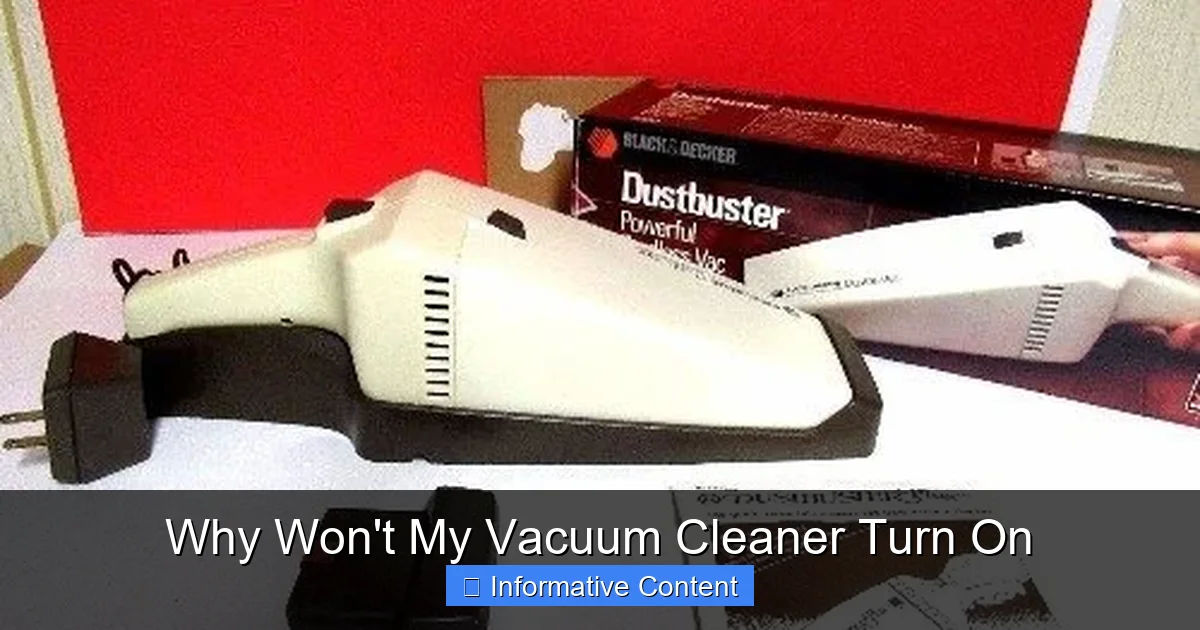
It’s incredibly frustrating when your vacuum cleaner refuses to power on. Most often, the issue stems from simple power problems like a tripped breaker or a faulty outlet. Other common culprits include overheating protection due to clogs, a full dust bin, or dirty filters. Sometimes, a quick check of the power cord, internal wiring, or even the on/off switch can resolve why your vacuum cleaner won’t turn on.
Why Won’t My Vacuum Cleaner Turn On
Few household appliances are as essential and yet as taken for granted as the trusty vacuum cleaner. It’s the unsung hero that keeps our floors sparkling and our homes free of dust and debris. So, when you press that familiar power button, expecting that comforting hum, and instead you’re met with absolute silence, it can be incredibly frustrating. “Why won’t my vacuum cleaner turn on?” is a question that can send even the most patient among us into a mild panic, especially when a mess is staring us down.
Before you start picturing a life filled with brooms and dustpans, take a deep breath. The good news is that many common reasons why a vacuum cleaner refuses to power up are often simple fixes you can handle yourself. You don’t always need to rush out and buy a new one or call a pricey repair technician. This comprehensive guide will walk you through a systematic troubleshooting process, helping you diagnose the problem and hopefully get your cleaning companion back in action.
We’ll cover everything from the simplest power-related issues to more complex internal problems. Remember, safety first! Always unplug your vacuum cleaner from the wall outlet before inspecting any part of the machine. This step is crucial to prevent electrical shock and ensure your well-being. Let’s get started and figure out why your vacuum cleaner won’t turn on.
Key Takeaways
- Start with the Power Source: Always begin troubleshooting by checking the wall outlet, circuit breaker, and the vacuum’s power cord for damage or loose connections.
- Look for Overheating: Many vacuums have a thermal cut-out switch that activates if the motor gets too hot, often due to clogs, dirty filters, or a full dust bin. Let it cool down and clear any blockages.
- Inspect for Obstructions: Clogs in the hose, brush bar, or air pathways can strain the motor and prevent the vacuum from starting or lead to overheating.
- Check Internal Components (Carefully): A faulty on/off switch, internal wiring issues, or a blown fuse can prevent power. Exercise caution and consider professional help for internal electrical repairs.
- Don’t Forget the Basics: Ensure all parts are correctly assembled (dust bin, filters), especially for bagless or stick models, and check battery charge for cordless units.
- Prioritize Safety: Always unplug your vacuum before performing any inspections or repairs to prevent electrical shock or injury.
Quick Answers to Common Questions
My vacuum stopped working suddenly in the middle of cleaning. What’s the first thing I should check?
The first thing to check if your vacuum stopped suddenly is overheating. Unplug it, let it cool down for at least 30-60 minutes, then check for clogs in the hose, a full dust bin, or dirty filters, as these often cause the thermal cut-out switch to activate.
Can a full dust bag prevent my vacuum from turning on?
Yes, a completely full dust bag or dust bin can restrict airflow so severely that the motor overheats. This causes the vacuum’s thermal cut-out switch to trip, preventing it from turning on until it cools down and the bag/bin is emptied.
My cordless vacuum won’t turn on. Is it just the battery?
For a cordless vacuum, the battery is a primary suspect. Ensure it’s fully charged, securely inserted, and that the charger itself is working. If the battery is old, it might not hold a charge anymore and may need to be replaced.
Is it safe to fix a frayed power cord myself?
No, it is generally not safe to repair a frayed power cord yourself, especially if internal wires are exposed. A damaged power cord is a significant electrical hazard. It’s best to have the cord professionally replaced or consider replacing the vacuum.
How often should I clean my vacuum’s filters?
The frequency depends on your vacuum model and usage, but generally, washable filters should be rinsed monthly, and non-washable filters should be replaced every 3-6 months. Refer to your owner’s manual for specific recommendations.
📑 Table of Contents
- 1. The Most Obvious Suspects: Power Supply and Cord Issues
- 2. Internal Electrical Glitches: Beyond the Cord
- 3. Overheating Protection: The Motor’s Guardian Angel
- 4. Motor and Brush Bar Malfunctions
- 5. Simple User Errors and Neglected Maintenance
- When to Call a Professional (or Consider a New Vacuum)
- Conclusion
1. The Most Obvious Suspects: Power Supply and Cord Issues
When your vacuum cleaner won’t turn on, the first place to look is always the power source. It might seem too simple, but you’d be surprised how often the solution lies right here. Don’t skip these basic checks!
Is the Vacuum Plugged In?
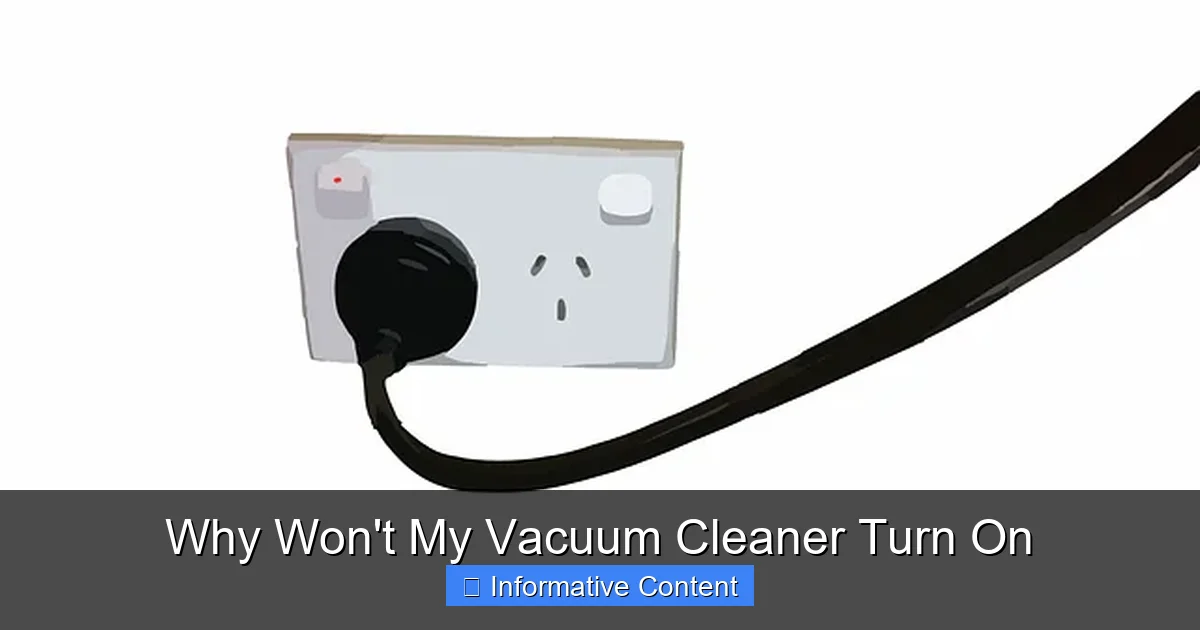
Okay, this sounds silly, but it happens to the best of us! In a hurry, you might not have fully pushed the plug into the wall socket. Give it a firm push to ensure it’s seated properly. Sometimes, the plug might have been pulled out slightly while moving the vacuum around.
Check the Wall Outlet
The problem might not be with the vacuum at all, but with the outlet itself. To test this, unplug your vacuum cleaner and plug another small appliance (like a lamp or a phone charger) into the same outlet. If the other appliance doesn’t work either, then you’ve found your culprit: the outlet is dead.
There could be a few reasons for a dead outlet:
- Tripped GFCI Outlet: If it’s an outlet in a bathroom, kitchen, or garage, it might be a Ground Fault Circuit Interrupter (GFCI) outlet. These have “reset” and “test” buttons. Press the “reset” button firmly. If it clicks and power is restored, you’re good to go.
- Tripped Circuit Breaker: A more common reason for a dead outlet is a tripped circuit breaker in your home’s electrical panel. Go to your electrical panel (usually in a basement, garage, or utility closet). Look for any breakers that are in the “off” position or are halfway between “on” and “off.” To reset a tripped breaker, push it firmly to the “off” position first, and then back to “on.” If the breaker keeps tripping, there’s a larger electrical issue that requires a professional electrician.
Once you’ve confirmed the outlet is working, try your vacuum cleaner again.
Inspect the Power Cord for Damage
The power cord takes a lot of abuse. It gets run over, pulled, tangled, and sometimes even chewed by pets. Carefully examine the entire length of the cord for any visible signs of damage:
- Frayed Wires: Look for exposed wires, cuts, or nicks in the cord’s insulation.
- Kinks or Bends: Repeated sharp bends can damage the internal wiring.
- Burnt Marks: Any discoloration or burn marks are a serious concern and indicate a potential short circuit.
- Loose Plug Prongs: Check the prongs on the plug itself. Are they bent, loose, or discolored?
Even if the damage seems minor, a compromised power cord is a safety hazard and can prevent your vacuum cleaner from turning on. If you find any damage, the cord needs to be replaced. For most vacuums, this is a job best left to a professional, or you might consider replacing the vacuum if it’s an older model where repair costs are high. Do not use a vacuum with a damaged power cord.
2. Internal Electrical Glitches: Beyond the Cord
If your power source and cord are in perfect condition, the problem might lie within the vacuum cleaner’s internal electrical system. These issues can be a bit trickier to diagnose and may require a professional, but some basic checks are still possible.
The On/Off Switch Itself
It’s not common, but the on/off switch itself can fail. Over time, the internal contacts can wear out or become corroded, preventing the switch from making a proper connection.
To test this, you’d typically need to access the switch internally, which involves disassembling part of the vacuum. This is where a multimeter can be handy if you know how to use one. With the vacuum unplugged, you can test for continuity across the switch terminals in both the “on” and “off” positions. If there’s no continuity when in the “on” position, the switch is faulty. Replacing a switch is a moderate DIY task, but if you’re uncomfortable with electrical work, it’s best to seek professional help.
Internal Wiring Connections
Inside your vacuum, a network of wires connects various components to the motor and power switch. Over years of vibrations and use, one of these connections could become loose. This is generally not a DIY repair unless you are very familiar with electrical systems and the specific model of your vacuum.
If you suspect loose internal wiring, the safest and most reliable option is to take your vacuum to an authorized service center. Tampering with internal wiring without proper knowledge can be dangerous and could void your warranty.
Blown Fuse (if applicable)
Some older vacuum cleaners, or those with specific internal power protection, might have an internal fuse that blows to prevent damage to the motor in case of an overload. These are less common in modern vacuums, but if your model has one (often located near the motor or power inlet), it might be the reason why your vacuum cleaner won’t turn on.
Replacing a fuse involves opening up the vacuum, locating the fuse, and replacing it with one of the exact same amperage rating. Again, this requires caution and some mechanical aptitude. If the new fuse blows immediately, there’s a deeper underlying electrical problem that needs professional attention.
3. Overheating Protection: The Motor’s Guardian Angel
Many modern vacuum cleaners are equipped with a thermal cut-out switch. This safety feature automatically shuts off the motor if it starts to overheat, preventing damage to the motor and reducing fire risk. If your vacuum cleaner suddenly stopped working mid-job and now won’t turn on, overheating is a very strong possibility.
Why Does a Vacuum Overheat?
Overheating usually occurs when the motor has to work harder than it should. This extra strain is typically caused by:
- Clogged Filters: Dirty, dusty, or blocked filters (HEPA, pre-motor, post-motor) restrict airflow. When air can’t pass through easily, the motor has to work overtime to create suction, leading to excessive heat buildup.
- Full Dust Bin or Bag: A completely full dust bin or bag also restricts airflow significantly, forcing the motor to strain.
- Blockages in Hoses or Attachments: A clog in the main hose, wand, or any attachment can create a bottleneck, causing the motor to struggle and heat up.
- Brush Bar Obstructions: If the rotating brush bar (beater bar) is tangled with hair, string, or carpet fibers, it can seize up or rotate with great difficulty. This puts a massive strain on the motor that drives it, leading to overheating.
- Worn or Damaged Belt: A slipping or broken belt (which drives the brush bar) can sometimes cause the motor to over-rev or strain.
How to Reset the Thermal Cut-Out Switch
If you suspect overheating is why your vacuum cleaner won’t turn on, here’s what to do:
- Unplug the Vacuum: Always start by unplugging the machine for safety.
- Let it Cool Down: Give your vacuum cleaner at least 30 minutes to an hour to cool down completely. Sometimes even longer is better, especially after heavy use.
- Inspect and Clear Obstructions: While it’s cooling, thoroughly check for and remove any blockages.
- Empty the dust bin or replace the dust bag.
- Clean or replace all filters according to your vacuum’s manual.
- Check the hose for clogs. You can sometimes gently snake a broom handle or a long stick through it (from both ends) to dislodge blockages.
- Inspect the brush bar on the bottom of the vacuum. Use scissors to carefully cut away any tangled hair, string, or carpet fibers. Ensure it spins freely.
- Check the air inlet and outlet vents for any debris.
- Reset Button (if applicable): Some vacuum cleaners have a manual reset button for the thermal cut-out, usually located near the motor or power cord entry point. Consult your owner’s manual to see if your model has one and where it’s located. Press it firmly.
- Test: Once cooled and cleared, plug the vacuum back in and try turning it on.
If the vacuum still won’t turn on or continues to overheat frequently after clearing all obstructions, it might indicate a failing motor, which typically requires professional repair or replacement.
4. Motor and Brush Bar Malfunctions
While overheating often stems from motor strain, sometimes the motor or brush bar itself has an intrinsic issue that prevents the vacuum from starting.
Motor Failure
A completely dead motor is a serious problem. If you try to turn on the vacuum and hear absolutely no sound, not even a faint hum, and you’ve ruled out power issues, then the motor could be burned out. Sometimes, a burnt-out motor might even emit a distinct burning smell before failing completely.
Motor replacement is usually an expensive repair, often approaching the cost of a new vacuum cleaner, especially for less expensive models. For high-end or specialized vacuums, it might be worth the investment for a professional.
Brush Bar Assembly Issues
The brush bar (also known as the beater bar or roller brush) is powered by the motor, often via a belt. If the brush bar is severely jammed and cannot spin, it can put so much strain on the motor that the vacuum’s safety mechanisms prevent it from turning on at all.
Troubleshooting the Brush Bar:
Visual guide about Why Won’t My Vacuum Cleaner Turn On
Image source: bestvacuumguide.org
- Unplug the Vacuum: As always, safety first.
- Turn Over the Power Head: Access the bottom of the vacuum where the brush bar is located.
- Clear Entanglements: Use scissors to meticulously cut away any hair, string, or debris wrapped around the brush bar. Remove the end caps if possible to clear debris from the bearings.
- Check the Belt: Locate the belt that connects the motor shaft to the brush bar. Is it broken, stretched, or slipped off? A broken belt will prevent the brush bar from spinning, but might not always prevent the motor from starting. However, a severely jammed brush bar can prevent the motor from even attempting to start if the overload is too high. Replacing a belt is a common DIY repair and often quite straightforward.
- Test for Free Movement: Once cleared, try to spin the brush bar by hand. It should rotate relatively freely.
If the brush bar is visibly damaged (e.g., bristles worn down to nothing, roller itself broken) and cannot be repaired, it might need replacing. While a damaged brush bar might not always prevent the *motor* from turning on, a fully seized one can.
5. Simple User Errors and Neglected Maintenance
Sometimes the problem isn’t a malfunction at all, but rather a simple oversight or a lack of regular cleaning. These are the easiest to fix!
Incorrect Assembly or Loose Parts
Many modern vacuums, especially bagless uprights, stick vacuums, and handheld models, have safety interlocks. These prevent the vacuum from turning on if certain parts aren’t correctly assembled or securely in place.
- Dust Bin/Canister: Is the dust bin fully clicked into place? If it’s even slightly ajar, the vacuum might not start.
- Filters: Are all filters correctly installed and seated? Some models have sensors that detect if a filter is missing or improperly placed.
- Hose/Wand Connection: For some canister or stick vacuums, the main hose or wand connection needs to be securely attached for power to flow.
- Battery Pack (Cordless Vacuums): For cordless models, ensure the battery pack is fully inserted and latched. A loose connection here will definitely prevent your vacuum cleaner from turning on.
Double-check all removable components and ensure they are snug and secure, listening for any “clicks” that indicate proper seating.
Battery Issues (Cordless Vacuums)
If you have a cordless vacuum, battery-related issues are often the first thing to check if it won’t turn on.
- Is it Charged? This might seem obvious, but sometimes we forget to put it back on the charger. Check the battery indicator lights.
- Is the Charger Working? Plug the charger into the wall and ensure any indicator lights on the charger itself turn on. Try charging another compatible device if possible.
- Battery Life: Rechargeable batteries have a finite lifespan. If your battery is old (typically 2-5 years, depending on use), it might no longer hold a charge or deliver enough power to start the motor. In this case, a battery replacement is needed.
- Charger Connection: Ensure the battery is correctly seated in the charging dock or connected to the charger cable.
Regular Maintenance Neglect
Many of the issues discussed above—clogged filters, full dust bins, tangled brush bars—are preventable with regular, routine maintenance. A vacuum cleaner that’s consistently neglected will inevitably run into problems.
Tips for Prevention:
- Empty the dust bin or change the bag after every few uses, or when it’s two-thirds full.
- Clean or replace filters regularly according to your vacuum’s manual (some are washable, others need replacement). This is crucial for airflow and motor health.
- Inspect the brush bar and clear it of hair and debris after every few uses.
- Check hoses and attachments for blockages periodically.
- Wipe down the exterior and clean any sensors or contacts.
A little bit of preventative care goes a long way in ensuring your vacuum cleaner has a long, trouble-free life.
When to Call a Professional (or Consider a New Vacuum)
While many problems can be resolved with DIY troubleshooting, there are times when it’s best to call in the experts or consider a replacement.
- Internal Electrical Issues: If you suspect deep electrical problems like a faulty motor, complex wiring issues, or a repeatedly tripping circuit breaker within the vacuum, it’s safer to have a qualified technician diagnose and repair it.
- Beyond Your Comfort Level: If you’re uncomfortable opening up the vacuum, dealing with electrical components, or can’t identify the source of the problem, a professional repair service is the way to go.
- Cost vs. Age: Weigh the cost of repair against the age and value of your vacuum. If a major component like the motor needs replacing on an older, entry-level vacuum, it might be more economical to invest in a new one.
- Recurring Problems: If your vacuum repeatedly overheats, clogs, or experiences the same issue even after you’ve fixed it, there might be an underlying design flaw or a persistent problem that requires professional intervention.
Conclusion
It’s incredibly frustrating when you face the silent treatment from your vacuum cleaner. The question “why won’t my vacuum cleaner turn on” can feel daunting, but by systematically checking common issues, you can often pinpoint the problem and get your device back up and running. Remember to always prioritize safety by unplugging the unit before any inspection or repair.
From simple power cord checks to clearing stubborn clogs and resetting thermal cut-outs, many fixes are well within the reach of the average homeowner. Regular maintenance is your best defense against these frustrating breakdowns. If you’ve gone through all the steps and your vacuum still won’t turn on, or if the repair seems too complex or dangerous, don’t hesitate to seek professional help. Your clean home awaits!
🎥 Related Video: Vacuum Not Working? How to Replace the Fuse. #diy #shorts #home
📺 RealHouseDIY
Frequently Asked Questions
What causes a vacuum cleaner to make a humming noise but not turn on?
A humming noise without the vacuum fully turning on often indicates that the motor is receiving power but can’t spin. This is usually due to a severe blockage in the brush bar or hose, or a problem with the motor itself, like seized bearings. Unplug the vacuum and thoroughly check for and clear any obstructions.
My vacuum works in some outlets but not others. What’s wrong?
If your vacuum works in some outlets but not others, the problem lies with the specific non-working outlets, not the vacuum itself. Check if those outlets are connected to a tripped circuit breaker or a tripped GFCI (Ground Fault Circuit Interrupter) outlet. Resetting the breaker or GFCI should restore power.
Can a clogged hose prevent my vacuum from starting?
Yes, a severely clogged hose can prevent your vacuum from starting. A blockage forces the motor to work much harder to pull air, leading to overheating. The vacuum’s thermal cut-out safety feature will then activate, shutting off the machine until it cools down and the clog is cleared.
What if my vacuum cleaner smells like it’s burning before it stops?
A burning smell before the vacuum stops and won’t turn on is a strong indicator of motor overheating or an electrical issue. Immediately unplug the vacuum. Let it cool completely, then check for major clogs or tangled brush bars. If the smell persists or it won’t turn on after cooling, the motor might be damaged and requires professional inspection.
How can I prevent my vacuum from repeatedly overheating?
To prevent repeated overheating, make regular maintenance a priority. Consistently empty the dust bin/bag, clean or replace filters as recommended, and clear the brush bar of hair and debris. Also, avoid vacuuming up large items or excessive fine dust that can quickly clog the system.
My vacuum cleaner has a reset button, but it still won’t turn on after pressing it. What now?
If your vacuum has a reset button and it still won’t turn on after pressing it (and after letting it cool and clearing blockages), it suggests a more persistent issue. The motor might be failing, or there could be an internal electrical fault beyond the thermal cut-out. At this point, professional diagnosis or considering a replacement is advisable.