
Don’t panic if your Dyson vacuum cleaner won’t turn on! Most issues are surprisingly simple to fix, often stemming from power problems, battery drainage, or common blockages. Before calling for support, check the power supply, clear any clogs in the brush bar or hose, ensure filters are clean, and allow the unit to cool down if it overheated. A quick troubleshoot can often get your Dyson back to powerful cleaning in no time.
Why Won’t My Dyson Vacuum Cleaner Turn On
There’s hardly anything more frustrating than gearing up for a good clean, only to have your trusty Dyson vacuum cleaner refuse to cooperate. One moment it’s a powerful dirt-devouring machine, the next it’s a silent, stubborn piece of plastic. If you’re staring at your Dyson, wondering why it won’t turn on, take a deep breath. You’re not alone, and in most cases, the solution is much simpler than you might think.
Dyson vacuum cleaners are renowned for their innovative technology and strong suction, but like any sophisticated appliance, they can encounter hiccups. Often, these issues stem from common, easily fixable problems that trigger the unit’s built-in safety mechanisms. Instead of panicking or assuming the worst, a little detective work can usually get your Dyson back up and running without needing a professional.
This comprehensive guide will walk you through all the common reasons your Dyson vacuum cleaner might refuse to start. We’ll explore everything from basic power supply checks to hidden clogs and crucial maintenance steps. So, grab a flashlight and a coin, and let’s troubleshoot your Dyson together!
Key Takeaways
- Start with the Power: Always check the power source first for corded models or the battery charge and docking for cordless units.
- Clogs are Common Culprits: Blockages in the brush bar, hose, wand, or bin are frequent reasons why a Dyson vacuum cleaner won’t turn on or will shut off quickly.
- Filters are Vital: Dirty or improperly installed filters can significantly reduce suction, cause overheating, and prevent your Dyson from starting.
- Understand Overheating Protection: If your Dyson suddenly stops, it likely engaged its thermal cut-out. Allow it to cool down for at least an hour and address any underlying causes.
- Regular Maintenance Prevents Problems: Consistent emptying of the bin, cleaning filters, and clearing obstructions will dramatically extend your Dyson’s life and prevent startup issues.
- When to Call for Help: If basic troubleshooting doesn’t work, especially for suspected motor or electrical issues, it’s best to contact Dyson support or an authorized repair center.
Quick Answers to Common Questions
Why does my Dyson turn off after a few seconds?
This is a common sign of a significant blockage, severely clogged filters, or overheating. The Dyson’s safety mechanism is likely shutting it down to prevent damage. Check for clogs in the brush bar, hose, and filters, then allow it to cool down.
How often should I clean my Dyson filters?
Most Dyson models recommend cleaning washable filters once a month under normal use. If you have pets or use your vacuum frequently, you might need to clean them more often. Always ensure they are completely dry before reinserting.
Can I use my Dyson while charging?
No, cordless Dyson models are designed to be used off the charger. Attempting to use them while plugged in or docked for charging is generally not possible and could potentially damage the battery or charging system.
What if my Dyson makes a strange noise but doesn’t turn on?
A strange noise (like grinding or whining) followed by a failure to turn on could indicate a major blockage in the motor head or wand that’s straining the motor, or potentially a failing motor itself. Immediately stop trying to turn it on and check for clogs.
Is it safe to open my Dyson to fix it myself?
For internal electrical components like the motor or circuit board, it’s generally not safe or advisable for the average user to open their Dyson. You risk electrical shock, voiding your warranty, and causing further damage. Stick to external troubleshooting like clearing clogs and cleaning filters.
📑 Table of Contents
1. Initial Checks: Power Supply and Battery
Before diving into more complex troubleshooting, let’s start with the most basic and often overlooked culprits: power. A surprising number of “my Dyson won’t turn on” complaints are resolved by simply checking the power source.
Is it Plugged In Properly? (For Corded Models)
It sounds obvious, right? But in the rush of daily life, it’s easy for a plug to become loose or partially disconnected. Double-check that your Dyson vacuum cleaner’s power cord is securely plugged into both the vacuum itself (if applicable) and the wall outlet. Give it a firm push to ensure it’s fully seated.
Checking the Power Outlet
Sometimes, the problem isn’t your Dyson, but the electricity supply. A faulty wall outlet or a tripped circuit breaker can prevent any appliance from turning on. Here’s how to check:
- Test the Outlet: Plug another small appliance, like a lamp or phone charger, into the same wall outlet. If that device doesn’t work either, you’ve likely found your problem.
- Check Your Breaker Box: Head to your home’s electrical panel (usually in a basement, garage, or utility closet). Look for any circuit breakers that are “tripped” (often halfway between ON and OFF, or fully OFF). Flip it completely OFF, then back to ON.
- Avoid Extension Cords: If you’re using an extension cord, try plugging your Dyson directly into a wall outlet. Extension cords, especially older or lower-gauge ones, can sometimes fail to provide sufficient power or can be faulty themselves.
Battery Issues (For Cordless Models)
Cordless Dyson vacuum cleaners rely entirely on their battery. If your Dyson won’t turn on, a dead or faulty battery is a prime suspect.
- Is it Charged? This is the most common reason. Ensure your Dyson has been on its charger long enough. Dyson batteries typically take a few hours to fully charge from empty. Most models have indicator lights that show charging status. If these lights aren’t illuminating or behaving as expected, move to the next step.
- Proper Docking: Make sure the Dyson is correctly seated in its charging dock or that the charging cable is firmly connected to the battery. A loose connection means no charge.
- Battery Health: Over time, all rechargeable batteries degrade. If your Dyson is several years old and the battery runtime has significantly decreased or it no longer holds a charge at all, it might be time for a replacement battery. Dyson sells replacement batteries on their website and through authorized retailers.
- Environmental Factors: Batteries perform best at room temperature. Extremely cold or hot environments can affect their ability to charge or function. Bring your Dyson indoors and allow it to acclimate if it’s been exposed to extreme temperatures.
Charging Dock Problems
For cordless models, sometimes the issue isn’t the battery itself, but the charging dock or power supply for the dock. Check the small power adapter and cable that connects to the dock for any signs of damage (fraying, kinks). Try plugging the charger into a different working outlet to rule out an issue with the original outlet.
2. Obstructions and Clogs: The Silent Killers
Dyson vacuum cleaners are designed with safety in mind. If the motor is struggling due to an obstruction, the unit will often shut down to prevent damage. This is a very common reason why your Dyson won’t turn on or will turn on for a second and then immediately stop.
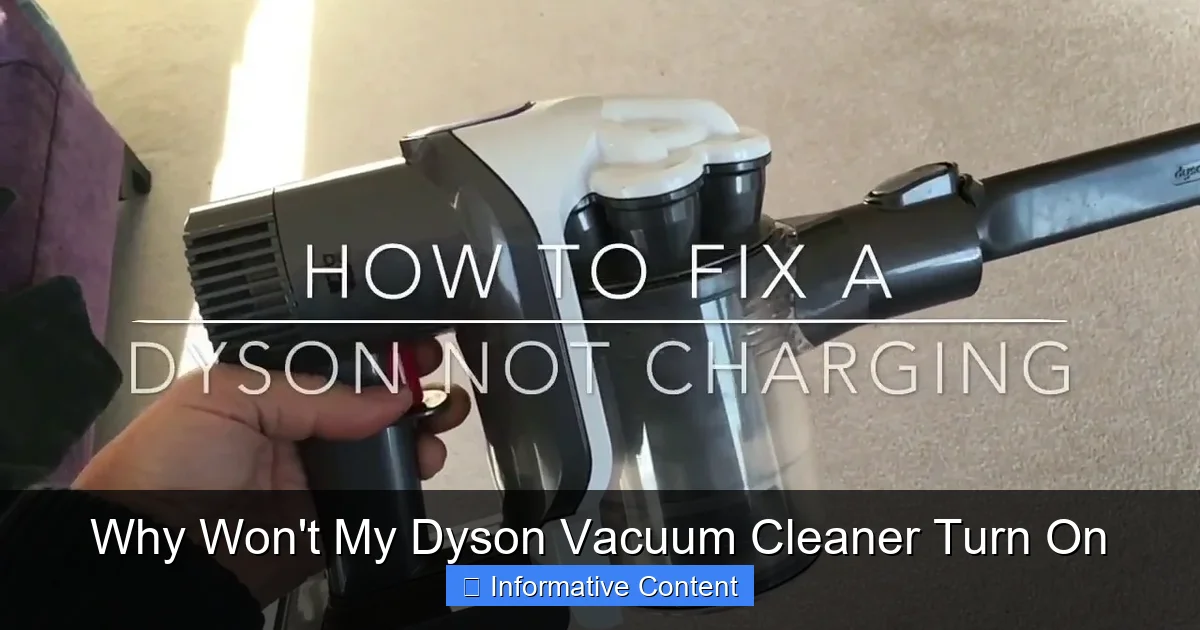
Visual guide about Why Won’t My Dyson Vacuum Cleaner Turn On
Image source: i.ytimg.com
Blockages in the Wand or Hose
Large debris, socks, toys, or even clumps of pet hair can get stuck in the narrower parts of your Dyson’s airflow path. This immediately restricts airflow and puts strain on the motor.
- How to Check: Disconnect the main wand and any attachments from the body of the Dyson and the floor head. Shine a flashlight through each section. Look for anything obstructing the path.
- How to Clear: Use a long, blunt object (like a broom handle, a piece of PVC pipe, or a flexible snake tool) to gently push the obstruction out. Be careful not to damage the internal components or puncture the hose. Never use sharp objects.
Brush Bar Obstructions
The brush bar (or beater bar) in the cleaner head spins rapidly to agitate carpets and pick up debris. It’s a magnet for hair, string, and carpet fibers, which can wrap around it and prevent it from spinning. If the brush bar is jammed, the Dyson might refuse to turn on, or only the motor will run without the brush. Some Dyson models will indicate a brush bar blockage with a specific light or error code.
- How to Check: Turn your Dyson off and lay it down so you can access the cleaner head. Use a coin to unlock the end cap (on some models) or unscrew the base plate to remove the brush bar. Carefully cut away any tangled hair or debris with scissors. Be gentle around the bristles.
- How to Clear: Once cleared, reassemble the brush bar, ensuring it spins freely by hand before attaching it back to the vacuum.
Bin and Cyclone Blockages
While often overlooked, a completely full bin or clogs within the cyclone assembly (the part above the bin where dirt spins) can prevent your Dyson from turning on or drastically reduce its performance.
- Empty the Bin: Always ensure the dirt bin is empty, even if it looks only partially full. Fine dust can compact and reduce airflow.
- Check the Cyclone: Remove the clear bin from your Dyson. Look up into the central cyclone unit for any packed dirt, dust, or debris that might be stuck. Sometimes, larger items can get lodged here, or very fine dust can accumulate, forming a bottleneck. Use a soft brush or a dry cloth to carefully dislodge any buildup. Never wash the cyclone unit unless specifically instructed by Dyson for your model.
Filter Clogs
While we’ll dedicate a whole section to filters next, it’s worth mentioning here that severely clogged filters can act like an obstruction, greatly restricting airflow. This causes the motor to work harder, leading to overheating and preventing your Dyson vacuum cleaner from turning on.
3. Filter Maintenance: A Breath of Fresh Air
Dyson vacuum cleaners rely heavily on clean filters to maintain powerful suction and protect the motor. Neglecting filter maintenance is one of the most common reasons a Dyson might lose suction, overheat, and ultimately refuse to turn on.
Dirty Filters and Overheating
Dyson filters trap microscopic dust and allergens, ensuring clean air is expelled. However, over time, these filters become saturated with dirt. When filters are clogged, the motor has to work much harder to pull air through, leading to reduced airflow, decreased suction power, and eventually, overheating. When a Dyson overheats, its thermal cutout safety feature will activate, shutting the machine down completely to prevent damage. Your Dyson won’t turn on again until it has cooled down and the underlying issue (dirty filters) is resolved.
How to Clean Your Dyson Filters
Most Dyson models have at least one washable filter, often located at the top of the cyclone assembly or at the back of the motor housing. Refer to your specific model’s manual for exact locations and cleaning instructions, but generally:
- Locate and Remove: Twist or pull the filter(s) out of the vacuum.
- Tap Out Loose Dirt: Gently tap the filter over a trash can to remove any loose debris.
- Wash with Cold Water: Hold the filter under cold running tap water, gently squeezing it (if it’s a flexible filter) until the water runs clear. Do NOT use detergents or put it in a dishwasher or washing machine.
- Dry Completely: This is CRITICAL. Your filter MUST be bone dry before reinserting it. Place it in a warm, dry area for at least 24-48 hours. Never put a wet or damp filter back into your Dyson, as this can severely damage the motor.
Remember to check for multiple filters. Some Dyson models have a pre-motor filter and a post-motor (HEPA) filter, both requiring regular cleaning.
When to Replace Filters
While many Dyson filters are washable, they don’t last forever. Over several years of use, the filter material can degrade, or some types might become permanently discolored or emit an odor even after washing. If your Dyson’s performance remains poor after cleaning and drying the filter, or if you notice any rips or tears, it’s time to replace it. Genuine Dyson replacement filters are available from Dyson’s website or authorized retailers.
4. Overheating Protection: Giving Your Dyson a Break
As mentioned, Dyson vacuum cleaners are equipped with a thermal cut-out safety feature. If the motor gets too hot, the machine will automatically shut down to prevent permanent damage. If your Dyson was working and then suddenly stopped, and now won’t turn on, overheating is a very strong possibility.
Understanding Thermal Cut-Out
The thermal cut-out acts like a fuse for heat. When internal temperatures exceed a safe threshold, a switch trips, cutting power to the motor. This is a crucial protective measure, preventing catastrophic motor failure or even fire in extreme cases.
What Causes Overheating?
Several factors can lead to your Dyson vacuum cleaner overheating:
- Clogged Filters: This is the number one cause. Restricted airflow due to dirty filters forces the motor to work harder and hotter.
- Blockages: Any significant obstruction in the hose, wand, or cleaner head forces the motor to strain, generating excessive heat.
- Extended Use: Using your Dyson continuously for very long periods, especially on tough cleaning tasks, can sometimes cause it to heat up.
- Vacuuming Fine Dust: Cleaning up extremely fine plaster dust, ash, or copious amounts of flour can quickly overwhelm filters and lead to blockages and overheating.
- Ambient Temperature: Using the vacuum in a very hot environment can also contribute.
Resetting Your Dyson After Overheating
If you suspect overheating, here’s how to reset your Dyson:
- Turn Off and Unplug: Immediately turn off the Dyson and unplug it from the wall (or remove the battery for cordless models).
- Identify and Clear Blockages: Go through all the steps in Section 2 to check for and clear any obstructions in the brush bar, hose, wand, and bin.
- Clean Filters: Thoroughly clean and dry all washable filters as described in Section 3.
- Allow to Cool Down: This is vital. Place your Dyson in a cool, well-ventilated area and leave it to cool down for at least 1-2 hours. Do NOT try to force it back on sooner, as the thermal cut-out needs time to reset.
- Restart: Once cooled and blockages/filters are addressed, plug it back in (or reinsert the battery) and try to turn it on.
If your Dyson still won’t turn on after following these steps, there might be a deeper electrical or motor issue.
5. Component Malfunctions: When Parts Fail
While less common than power issues or clogs, sometimes individual components within your Dyson vacuum cleaner can fail, preventing it from turning on. These issues often require more advanced diagnosis, and in some cases, professional repair.
The Power Switch Itself
The power switch is a mechanical component that can wear out over time. If you press the power button and feel no click, or it feels loose and unresponsive, the switch itself might be faulty. It’s rare, but possible.
- Testing: This is difficult to test without opening the unit, which isn’t recommended for most users. If you’ve ruled out all other possibilities, a faulty switch could be the culprit.
Motor Problems
The motor is the heart of your Dyson. If it fails, your Dyson definitely won’t turn on. Signs of motor trouble can include:
- Unusual Noises: Before completely failing, a motor might make grinding, whining, or rattling noises.
- Burning Smell: A distinct burning smell is a clear indicator of motor stress or failure.
- No Sound at All: If you press the power button and get absolutely no response, no lights, and no sound (after checking power and battery), a dead motor is a possibility.
Motor replacement is a complex and costly repair, often requiring specialized tools and knowledge. It’s usually a job for a professional or Dyson service center.
Internal Wiring Issues
Over time, or due to physical stress (like repeatedly bending a cord at a sharp angle), internal wiring can become damaged or frayed. This can prevent power from reaching the motor or other components. This is more common in corded models where the power cord enters the main body of the vacuum.
- Visible Damage: Inspect the power cord for any visible cuts, nicks, or fraying. If you see any, do NOT use the vacuum and consider it a safety hazard.
- Hidden Damage: Internal wiring issues are impossible to diagnose without opening the unit, which should only be done by a qualified technician due to electrical safety risks.
Circuit Board Failure
Modern Dyson vacuum cleaners, especially cordless models, contain sophisticated circuit boards that control various functions, including power management, motor speed, and battery charging. A malfunction in the circuit board can prevent the entire unit from turning on.
- Diagnosis: This is extremely difficult to diagnose without specialized tools. If all other troubleshooting steps have failed, a circuit board issue is a potential, albeit rare, cause.
For any suspected internal component failure, it’s generally best to avoid DIY repairs unless you are an experienced technician. You could void your warranty, cause further damage, or risk electrical shock.
6. Seeking Professional Help or Warranty Options
If you’ve meticulously worked through all the troubleshooting steps above—checking power, clearing blockages, cleaning filters, and allowing for cooling—and your Dyson vacuum cleaner still won’t turn on, it’s time to consider professional assistance.
When to Contact Dyson Support
Dyson’s customer support is often the best first point of contact for persistent issues. They can offer model-specific advice and help you diagnose problems over the phone. When you call, have your Dyson’s serial number handy (usually found on a sticker on the main body of the vacuum, sometimes behind the clear bin or on the battery).
- Be Prepared: Explain all the troubleshooting steps you’ve already taken. This will help them narrow down the possibilities more quickly.
- Warranty Check: They will also be able to check your warranty status.
Checking Your Warranty
Dyson vacuum cleaners typically come with a multi-year warranty (e.g., 2 years for cordless models, 5 years for corded uprights). If your Dyson is still under warranty, repairs or replacements for manufacturing defects are usually covered at no cost to you. Make sure you don’t attempt any unauthorized repairs that could void your warranty.
Authorized Repair Centers
If your Dyson is out of warranty or the issue isn’t covered, Dyson can guide you to an authorized repair center. Using an authorized center ensures that genuine Dyson parts are used and that the repair is performed by trained technicians. While you might find independent repair shops, verify their experience with Dyson products and their use of genuine parts.
Conclusion
It can be disheartening when your Dyson vacuum cleaner refuses to turn on, especially when you’re in the middle of a cleaning spree. However, as we’ve explored, the vast majority of these issues are not signs of a permanently broken machine but rather common, preventable problems that trigger built-in safety features.
From simply checking the power outlet to meticulously clearing hidden clogs and ensuring your filters are sparkling clean and dry, most Dyson “no-start” scenarios have straightforward solutions. Regular maintenance—emptying the bin, cleaning filters as recommended, and promptly clearing any visible obstructions—is your best defense against these frustrating shutdowns.
By following the steps in this guide, you’ll not only be able to troubleshoot and fix your Dyson vacuum cleaner but also gain a deeper understanding of how it works, empowering you to keep it running smoothly for years to come. So, next time your Dyson plays hard to get, you’ll know exactly what to do to get it back to its powerful best!
🎥 Related Video: Dyson V15 Won't Turn On – Simple Fix
📺 Tech & Lifestyle
Dyson V15 Won’t Turn On – Simple Fix ▻ (Affiliate Links): IN: https://amzn.to/4ccJTbk US: https://amzn.to/3xujJ4E UK: …
Frequently Asked Questions
My Dyson battery isn’t holding a charge anymore. What should I do?
If your cordless Dyson battery isn’t holding a charge, first ensure the charging dock and cable are functioning correctly. If the issue persists and your Dyson is a few years old, the battery may have reached the end of its lifespan. You can purchase a replacement battery directly from Dyson or authorized retailers to restore its runtime.
What kind of blockages usually prevent a Dyson from turning on?
Common blockages include hair and string wrapped tightly around the brush bar, larger debris (like socks or paper towels) stuck in the main wand or hose, or compacted dirt and dust within the clear bin’s cyclone assembly. These obstructions restrict airflow, causing the motor to strain and activate safety shutdowns.
How can I tell if my Dyson is overheating?
If your Dyson suddenly stops working mid-use, feels hot to the touch, and won’t turn on again after a few minutes, it’s likely overheated. You may also notice a burning smell. The internal thermal cut-out engages to protect the motor, requiring the unit to cool down for at least 1-2 hours after all blockages and dirty filters are addressed.
Can dirty filters really stop a Dyson from working?
Absolutely. Dirty filters significantly restrict airflow, forcing the Dyson’s motor to work much harder. This increased strain leads to overheating, which triggers the vacuum’s safety shutdown feature, preventing it from turning on until the filters are cleaned and the unit has cooled down. Regular filter maintenance is crucial for performance and longevity.
How long does a Dyson typically last before needing repairs?
Dyson vacuum cleaners are generally built to last several years, often with warranties ranging from 2 to 5 years. With regular maintenance like cleaning filters, emptying the bin, and clearing blockages, many users report their Dyson lasting well beyond the warranty period. The battery on cordless models is typically the first component to show significant wear.
Should I try to repair my Dyson myself, or call Dyson support?
For common issues like clogs, dirty filters, or power supply problems, self-troubleshooting is highly recommended and often successful. However, for internal component failures like motor issues, wiring problems, or circuit board malfunctions, it’s best to contact Dyson support or an authorized repair center to avoid voiding your warranty, causing further damage, or risking electrical hazards.