
It’s incredibly frustrating when your vacuum cleaner starts spitting out dirt instead of cleaning. This common problem often points to simple issues like clogged filters, a full dustbin, or blockages in the hose or brush roll. Addressing these core maintenance tasks can often resolve the issue, restoring your vacuum’s suction power and keeping your floors spotless.
Imagine this: you’re diligently vacuuming your home, feeling productive, and enjoying the sight of clean floors. Then, suddenly, instead of neatly collecting the dust and debris, your trusty vacuum cleaner starts to betray you. It’s not just sucking up dirt anymore; it’s actively *spitting* it back out onto your freshly “cleaned” carpets or hard floors. Frustration, disbelief, and a feeling of wasted effort quickly set in.
It’s a surprisingly common and incredibly annoying problem, leaving you with a bigger mess than when you started. You might find yourself scratching your head, wondering, “Why is my vacuum cleaner spitting out dirt?” Don’t worry, you’re not alone, and more importantly, this issue is often fixable with a bit of troubleshooting and some basic maintenance. Let’s dive into the core reasons why your vacuum might be misbehaving and how you can get it back to its dirt-devouring best.
Understanding why your vacuum cleaner is spitting out dirt often boils down to a few key areas related to airflow, filtration, and blockages. Your vacuum works by creating a strong suction that pulls air, and the dirt within it, through a hose, past filters, and into a collection chamber. If any part of this system is compromised, the vacuum’s efficiency drops, and sometimes, it can even push dirt back out. Let’s explore these common culprits in detail and learn how to put an end to the spitting madness.
Key Takeaways
- Check Filters First: Clogged or dirty filters are a primary cause of a vacuum spitting dirt, severely reducing airflow and suction power.
- Empty Dustbin/Bag: An overfilled dustbin or bag creates back pressure, preventing proper collection and leading to debris expulsion.
- Inspect for Blockages: Hoses, attachments, and the brush roll are common spots for dirt, hair, or debris to get stuck, obstructing airflow and causing spitting.
- Clean the Brush Roll: A tangled or worn-out brush roll can’t effectively agitate dirt, leading to poor pickup and sometimes expulsion.
- Examine for Leaks: Cracks or loose seals in the hose or casing can cause a loss of suction, making your vacuum less efficient and potentially spitting dirt.
- Regular Maintenance is Key: Consistent cleaning of filters, emptying the dustbin, and checking for blockages are crucial for preventing your vacuum from spitting dirt and extending its lifespan.
Quick Answers to Common Questions
Can a full vacuum bag cause dirt to spit out?
Yes, absolutely. An overfilled vacuum bag or canister creates back pressure, preventing new dirt from entering and often causing existing dirt to be expelled back out through the nozzle or other openings.
How often should I clean my vacuum’s filters?
You should check your vacuum’s filters monthly and clean or replace them according to your manufacturer’s recommendations. For frequent users or homes with pets, more frequent cleaning may be necessary.
Why does my vacuum work on carpet but spits dirt on hard floors?
This often points to a worn-out or tangled brush roll. On hard floors, the brush roll is primarily responsible for sweeping dirt into the suction path. If it’s not working effectively, it will push dirt around or spit it out.
Can a cracked hose make my vacuum spit out dirt?
Yes, a cracked or leaky hose can significantly reduce suction power. This diminished suction means the vacuum can’t effectively pull in and contain dirt, allowing some debris to escape back onto your floor.
Is it bad if my vacuum cleaner is spitting out dirt and smells burnt?
If your vacuum cleaner is spitting out dirt and emitting a burnt smell, unplug it immediately. This could indicate a serious motor issue, a jammed brush roll, or a slipping belt, and continued use could cause further damage or be a fire hazard.
📑 Table of Contents
The Core Culprits: Why Your Vacuum Spits Dirt
When your vacuum cleaner is spitting out dirt, it’s usually a sign that something is impeding its ability to properly suck up and contain debris. Think of your vacuum as a sophisticated air pump designed to create suction. If the airflow is restricted or interrupted, the system falters.
Clogged Filters: The Silent Saboteurs
Your vacuum has one or more filters designed to trap fine dust and allergens, preventing them from being expelled back into your home’s air. These filters, whether washable or replaceable, are critical for both your air quality and your vacuum’s performance.
Over time, these filters can become completely caked with dust and microscopic particles. When a filter is clogged, air can’t pass through it easily. This dramatically reduces the vacuum’s suction power. With reduced suction, the vacuum struggles to pull in dirt effectively, and sometimes, the existing airflow struggles to push debris past the blockage, leading to dirt being forced back out the nozzle or even through small gaps.
- What to do: Check your vacuum’s manual to locate all filters (pre-motor and post-motor/HEPA). If they are washable, clean them thoroughly and allow them to air dry completely before reinserting. If they are disposable, replace them according to the manufacturer’s recommendations. This simple step often solves the mystery of why your vacuum cleaner is spitting out dirt.
Overfilled Bag or Canister: Back Pressure Blues
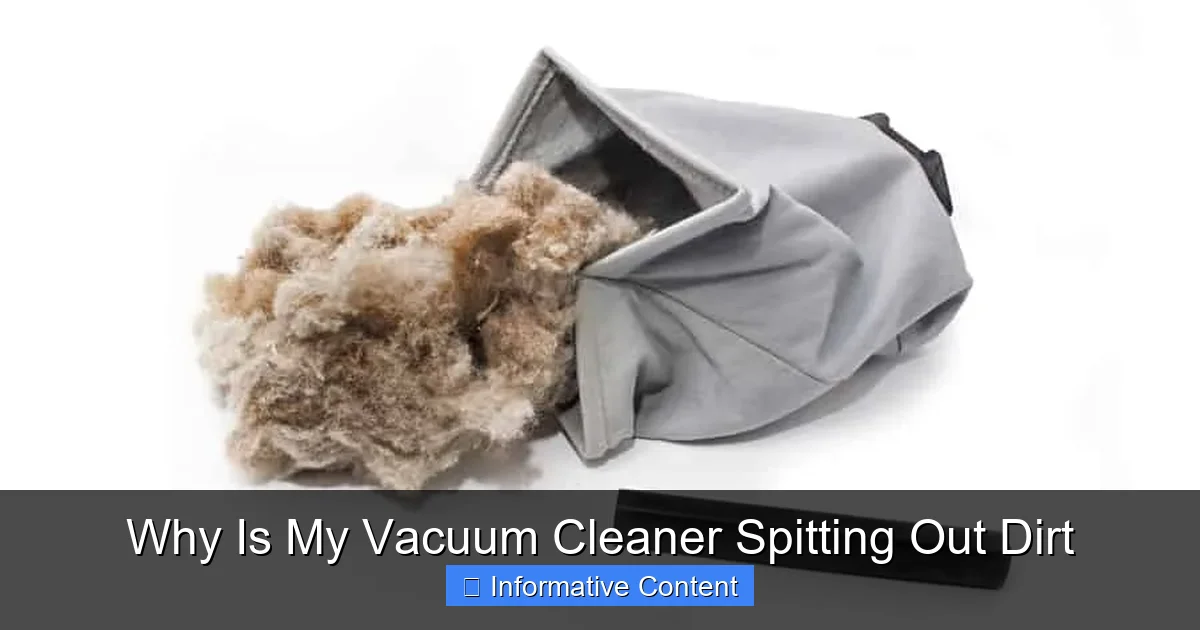
This might seem obvious, but it’s one of the most common reasons why a vacuum cleaner is spitting out dirt. If your vacuum’s dust bag is packed to the brim or its bagless canister is overflowing, there’s simply no more room for new debris.
When the collection area is full, the air has nowhere to go. This creates intense back pressure within the vacuum. Instead of dirt flowing smoothly into the bag or canister, it gets churned around and can be expelled back out through the brush roll, hose, or even a vent. It’s like trying to force water into an already full bottle – it just overflows.
- What to do: For bagged vacuums, replace the bag before it’s completely full. For bagless models, empty the canister after every use, or when the dirt reaches the “max fill” line. Make sure to tap out any residual dust that might be clinging to the inside of the canister or cyclone cone.
Blocked Hoses and Attachments: The Obstruction Game
The path dirt takes from your floor to the collection bin should be clear and unobstructed. Unfortunately, hoses and attachments are prime locations for blockages. Larger debris, socks, toys, pet hair clumps, or even a build-up of fine dust can create a serious traffic jam.
When a hose or attachment is blocked, the suction path is interrupted. The vacuum motor continues to pull air, but the blockage prevents dirt from passing through. This can cause the motor to overwork, reduce suction at the nozzle, and allow dirt that’s already in the system, but trapped before the blockage, to fall back out or be pushed out by incoming air.
- What to do: Disconnect the hose and attachments. Visually inspect them for any blockages. You might need to use a broom handle or a long, slender object to carefully dislodge stubborn clogs. Be gentle to avoid damaging the hose. Also, check the entrance to the vacuum body where the hose connects.
The Brush Roll: More Than Just Spinning Bristles
The brush roll (also known as the beater bar) is crucial for agitating carpets and sweeping debris on hard floors towards the suction inlet. If it’s not working correctly, it can lead to your vacuum spitting dirt.
Tangled Brush Roll: Hair and Fibers Galore
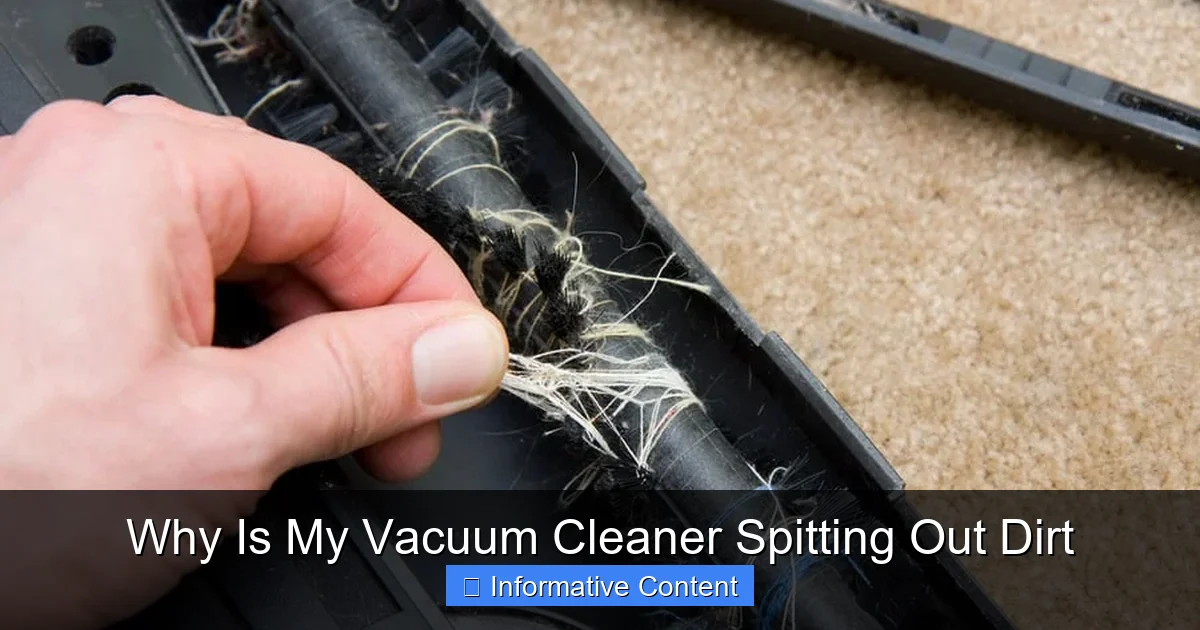
The brush roll is constantly spinning and picking up everything in its path. Over time, hair, pet fur, strings, and carpet fibers can get tightly wrapped around the brush roll. This can significantly reduce its ability to spin freely and effectively.
A tangled brush roll can’t properly agitate dirt from carpets or sweep debris from hard floors. Instead of lifting dirt into the suction path, it might just drag it around, or worse, spin it out and away from the vacuum’s mouth, making it appear as if your vacuum cleaner is spitting out dirt.
Visual guide about Why Is My Vacuum Cleaner Spitting Out Dirt
Image source: applianceteacher.com
- What to do: Unplug your vacuum. Turn it over and carefully remove any covers securing the brush roll. Use scissors or a seam ripper to cut away tangled hair and fibers. Be careful not to cut the bristles or the belt. Once cleared, ensure it spins freely by hand.
Worn-Out Brush Roll: Losing Its Grip
Just like any other moving part, the bristles on your vacuum’s brush roll will wear down over time, especially with frequent use on abrasive surfaces like carpets.
When the bristles are too short or damaged, they lose their effectiveness. They won’t agitate carpets well enough to loosen embedded dirt, nor will they effectively sweep surface debris into the vacuum’s suction. This means dirt might just sit on the floor or be pushed around, again giving the impression that your vacuum cleaner is spitting out dirt.
- What to do: Inspect the bristles. If they are noticeably short, bent, or damaged, it might be time to replace the brush roll. This is a common maintenance item for older vacuums. Check your vacuum’s model number and search for replacement parts online or at a repair shop.
Airflow Issues: The Breath of Your Vacuum
Beyond filters and blockages, issues with the integrity of your vacuum’s casing or even its motor can impact airflow and lead to problems like your vacuum cleaner spitting out dirt.
Leaky Hoses or Seals: Cracks in the System
Your vacuum relies on a sealed system to maintain strong suction. Any cracks, tears, or loose connections in the hose, around the dustbin, or within the vacuum’s casing can lead to air leaks.
If there’s a leak, the vacuum is essentially “breathing” in air from somewhere other than the nozzle. This reduces the vacuum’s overall suction power at the floor head. With less effective suction, dirt may not be pulled in properly and can even escape back out through the floor head or other openings, appearing as if your vacuum cleaner is spitting out dirt.
- What to do: Carefully inspect the entire length of the hose for any cracks or holes. Check all seals around the dustbin, filters, and access panels to ensure they are properly seated and intact. You can sometimes feel air escaping if you run your hand along the hose and seams while the vacuum is on (but be careful not to get too close to moving parts). Small cracks in hoses might be temporarily mended with strong electrical tape, but often a replacement hose is the best long-term solution.
Motor Problems: A Weaker Suction
While less common for simply “spitting dirt,” a failing motor can result in drastically reduced suction, which indirectly contributes to dirt being left behind or redistributed. A motor that isn’t running at full capacity cannot create the necessary airflow to effectively pull and contain debris.
If your vacuum sounds weaker than usual, struggles to pick up even small particles, and cleaning the other components hasn’t helped, a motor issue could be at play. A weak motor might not be able to maintain enough suction to hold dirt in the bag or canister, allowing some to escape.
- What to do: Motor problems are generally beyond basic DIY repair for most users. If you suspect a motor issue, it’s best to consult a professional vacuum repair technician. They can diagnose the problem and advise whether repair or replacement of the vacuum is more cost-effective.
Maintenance Matters: Preventing Future Spitting Incidents
The best way to prevent your vacuum cleaner from spitting out dirt is consistent, proactive maintenance. Think of it like changing the oil in your car – regular upkeep prevents bigger, more expensive problems down the road.
Regular Filter Cleaning/Replacement
This is non-negotiable. Make it a habit to check your filters every few uses, and clean or replace them as recommended by your manufacturer. For washable filters, ensure they are bone dry before putting them back in to prevent mold growth and further airflow restriction.
Timely Bag/Canister Emptying
Don’t wait until the bag is bursting or the canister is overflowing. Empty the bagless canister after every significant cleaning session, or at least when it reaches the “max fill” line. For bagged vacuums, replace the bag when it’s about two-thirds full, especially if you have pets or do a lot of heavy cleaning.
Brush Roll Inspection and Cleaning
Flip your vacuum over regularly – perhaps once a month, or more often if you have long-haired residents (human or pet) in your home. Use scissors to snip away any hair, string, or fibers wrapped around the brush roll. This simple task keeps the brush roll spinning freely and effectively.
Hose and Attachment Checks
Give your hose and attachments a quick visual inspection every now and then. Look for any foreign objects, cracks, or loose connections. Clear any obvious blockages immediately. A quick, preventative check can save you a lot of hassle later.
Advanced Troubleshooting: When Basic Checks Aren’t Enough
You’ve checked the filters, emptied the bin, cleared the brush roll, and still, your vacuum cleaner is spitting out dirt. What now?
Checking for Internal Blockages
Sometimes, blockages can occur deeper within the vacuum’s internal ducts, passages, or the opening leading to the dustbin. These are harder to spot and access.
- What to do: With the vacuum unplugged, carefully inspect the area where the brush roll connects to the main suction path. Look for any trapped debris. Some vacuums have access panels that allow you to reach these internal areas. Consult your owner’s manual for diagrams and instructions on how to safely access and clear these internal paths. A powerful shop-vac can sometimes be used to try and “reverse-vacuum” the blockage out of the hose or internal ducts, but proceed with caution.
Professional Help: When to Call the Experts
If you’ve gone through all the troubleshooting steps, performed thorough maintenance, and your vacuum cleaner is still spitting out dirt, it might be time to call in the professionals.
Complex issues like motor problems, electrical faults, or deeply embedded blockages that require partial disassembly are best left to experienced technicians. They have the tools and expertise to diagnose and repair issues safely and effectively. Sometimes, the cost of repair might outweigh the cost of a new vacuum, so they can also help you make that decision.
Conclusion
It can be incredibly frustrating to discover why your vacuum cleaner is spitting out dirt, turning a simple cleaning task into a frustrating ordeal. However, as we’ve explored, the solution is often much simpler than you might think. From clogged filters and overfilled dustbins to tangled brush rolls and blocked hoses, most issues stem from a handful of common maintenance oversights.
By regularly checking and cleaning your filters, emptying the dirt receptacle, inspecting your brush roll, and ensuring all pathways are clear, you can prevent most spitting incidents. These simple, routine tasks will not only resolve the immediate problem but also significantly extend the lifespan and efficiency of your vacuum cleaner. So, next time your vacuum starts misbehaving, you’ll know exactly where to start troubleshooting and get your cleaning machine back to peak performance, leaving your floors spotless and your home truly clean.
🎥 Related Video: Why is My Vacuum Spitting Out Dirt?
📺 Appliance Princess
Why is my vacuum spitting out dirt? It is fed up taking your crap and is spitting mad about it. This is my upright vacuum, not my …
Frequently Asked Questions
What are the most common reasons why my vacuum cleaner is spitting out dirt?
The most common reasons include clogged filters, an overfilled dustbin or bag, blockages in the hose or attachments, and a tangled or worn-out brush roll. These issues all restrict airflow or the vacuum’s ability to effectively collect debris.
How can I check if my vacuum hose is blocked?
First, unplug the vacuum. Disconnect the hose from both ends of the vacuum. Hold it up to a light source to look for visible obstructions. You can also carefully use a broom handle or a long, flexible tool to gently push through the hose and dislodge any blockages.
My vacuum has a strong suction, but it still spits dirt. What could be wrong?
If suction seems strong but dirt is still being expelled, focus on the brush roll. It might be tangled with hair, worn down, or the belt driving it could be broken or stretched, preventing it from effectively sweeping dirt into the suction path.
Are there different types of filters, and how do I clean them?
Yes, vacuums typically have pre-motor filters (often washable foam or felt) and post-motor/HEPA filters (often pleated paper, sometimes washable). Check your manual for specific cleaning instructions; washable filters usually rinse under water, while non-washable ones need replacement.
How often should I replace my vacuum’s brush roll?
The frequency of brush roll replacement depends on usage and floor types. If the bristles appear significantly worn, matted, or if the brush roll isn’t spinning freely after cleaning, it’s likely time for a replacement. On average, this might be every 1-3 years for active users.
Can a simple maintenance routine prevent my vacuum from spitting dirt?
Absolutely. Regular maintenance, including emptying the dustbin, cleaning/replacing filters, clearing the brush roll of tangles, and checking the hose for blockages, can prevent nearly all instances of your vacuum cleaner spitting out dirt and keep it running efficiently.