
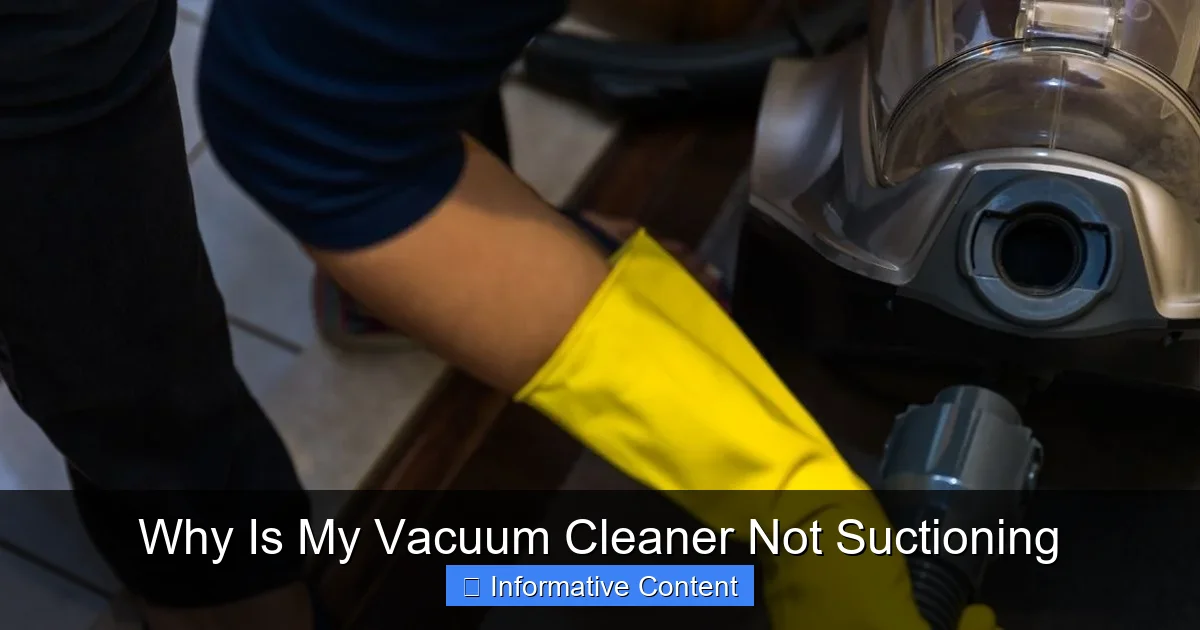
Is your vacuum cleaner losing its power? Don’t despair! Most suction problems stem from common, easily fixable issues such as clogged hoses or filters, a full dust bag or canister, or tangled brush rolls. By methodically checking these areas, you can often restore your vacuum’s strong suction and get back to a clean home without needing a professional.
There’s nothing quite as frustrating as embarking on a cleaning spree, only for your trusty vacuum cleaner to let you down. You push it across the floor, and instead of gobbling up dust and debris, it just pushes it around or, worse, leaves a trail of what it was supposed to pick up. “Why is my vacuum cleaner not suctioning?” you sigh, staring at the crumbs still clinging to the carpet.
You’re not alone. This is one of the most common issues vacuum cleaner owners face. The good news is that in most cases, a lack of suction isn’t a sign of a dying appliance, but rather a symptom of a few common and often easily fixable problems. Before you consider buying a new one or calling a repair technician, let’s roll up our sleeves and explore the usual culprits behind poor vacuum suction. We’ll go through a step-by-step guide to help you diagnose and fix your vacuum cleaner, restoring its powerful suck and your cleaning mojo.
Key Takeaways
- Check for Clogs First: The most common reason for poor suction is a blockage in the hose, wand, or vacuum head. Always start your troubleshooting here.
- Filters are Crucial: Dirty, clogged, or improperly seated filters severely restrict airflow, directly impacting your vacuum’s ability to pick up dirt. Regular cleaning or replacement is essential.
- Dust Bag/Canister Capacity Matters: An overflowing dust bag or a full, compacted canister will prevent proper airflow and lead to a significant drop in suction power. Emptying regularly is key.
- Inspect the Brush Roll: While not directly responsible for suction, a tangled or jammed brush roll can prevent dirt from reaching the suction path, making it seem like suction is weak.
- Look for Air Leaks: Cracks in the hose, loose connections, or damaged seals can cause air to escape, drastically reducing the effective suction at the nozzle.
- Read Your Manual: Each vacuum model has specific features and maintenance requirements. Consulting your owner’s manual can provide tailored troubleshooting steps and maintenance tips.
Quick Answers to Common Questions
How often should I clean my vacuum filters?
It depends on your vacuum model and usage. Generally, washable pre-motor filters should be cleaned monthly, while non-washable HEPA filters are replaced every 6-12 months. Always check your owner’s manual for specific recommendations.
Can a full dust bag really affect suction that much?
Yes, absolutely. As the dust bag fills, dirt compacts and restricts the flow of air through the bag’s material, causing a significant drop in suction power. It’s crucial to change bags when they are about two-thirds full.
What’s the best way to remove a stubborn clog from the hose?
First, detach the hose. Try using a broom handle (without the brush end) or a plumbing snake to gently push the clog through. Avoid using sharp objects that could puncture the hose.
My brush roll isn’t spinning; will that affect suction?
While the brush roll doesn’t directly create suction, a non-spinning brush roll means dirt isn’t agitated or swept into the suction path effectively. This will make it seem like your vacuum cleaner isn’t suctioning, as it’s not picking up debris from the floor.
How can I tell if my vacuum has an air leak?
Turn on the vacuum and listen for a distinct hissing sound, especially near connections, the hose, or the dust canister. You can also carefully run your hand over these areas to feel for air escaping. Any visible cracks or loose connections are also strong indicators.
📑 Table of Contents
- The Clog Culprit: Blockages in the Airflow Path
- Filter Failures: The Lungs of Your Vacuum
- Bag and Canister Woes: The Collection System
- Brush Roll Problems: Agitation and Pickup
- Airflow Leaks and Seals: The Missing Link
- Motor and Power Issues: When It’s More Serious
- Conclusion: Restore Your Vacuum’s Roar
The Clog Culprit: Blockages in the Airflow Path
When your vacuum cleaner isn’t suctioning effectively, the very first place to look is for a clog. Think of your vacuum as a mighty lung: if its airways are blocked, it can’t breathe properly, and therefore, it can’t pull air (or dirt) in. These blockages can happen anywhere along the path from the nozzle to the dust collection area.
Blocked Hose and Wand
Your vacuum’s hose is a prime spot for clogs. Long hair, socks, small toys, large wads of dust, or even pet hair can easily get stuck and create a blockage. To check:
- Disconnect the hose: Carefully detach the hose from both the vacuum body and any attachments.
- Visual Inspection: Look through both ends of the hose. Can you see light through it? If not, there’s likely a clog.
- The “Drop Test”: Drop a small coin or a light ball through one end of the hose. If it doesn’t come out the other side, you’ve found your blockage.
- Manual Removal: Use a broom handle (without a brush), a long stick, or even a plumbing snake to gently push the obstruction through. Be careful not to puncture or damage the hose. For flexible hoses, sometimes gently squeezing the outside can help dislodge material.
The wand (the rigid extension tube between the hose and the floor head) can also get clogged, especially if you pick up larger debris. Check it the same way you would the hose.
Clogged Floor Head or Attachments
The area where your vacuum meets the floor is another common place for debris to gather and restrict airflow. This is particularly true for attachments with smaller openings or those used in tight spaces.
- Remove the Floor Head: Detach the main floor head or any specific attachments you are using.
- Inspect the Inlet: Look carefully at the opening where dirt enters the floor head. Hair, lint, and larger pieces of debris often accumulate here.
- Clear the Path: Use your fingers, a pair of scissors (for cutting hair), or a thin tool to remove any visible obstructions. Don’t forget to check the smaller internal channels if your floor head has them.
For example, if you often vacuum pet hair, the inlet of your main floor head can quickly become matted with fur, severely reducing how much dirt can pass through.
Filter Failures: The Lungs of Your Vacuum
Filters are absolutely essential for trapping dust and allergens, preventing them from recirculating into your home’s air and protecting your vacuum’s motor. However, when filters become dirty, they become a major reason why your vacuum cleaner isn’t suctioning as it should.
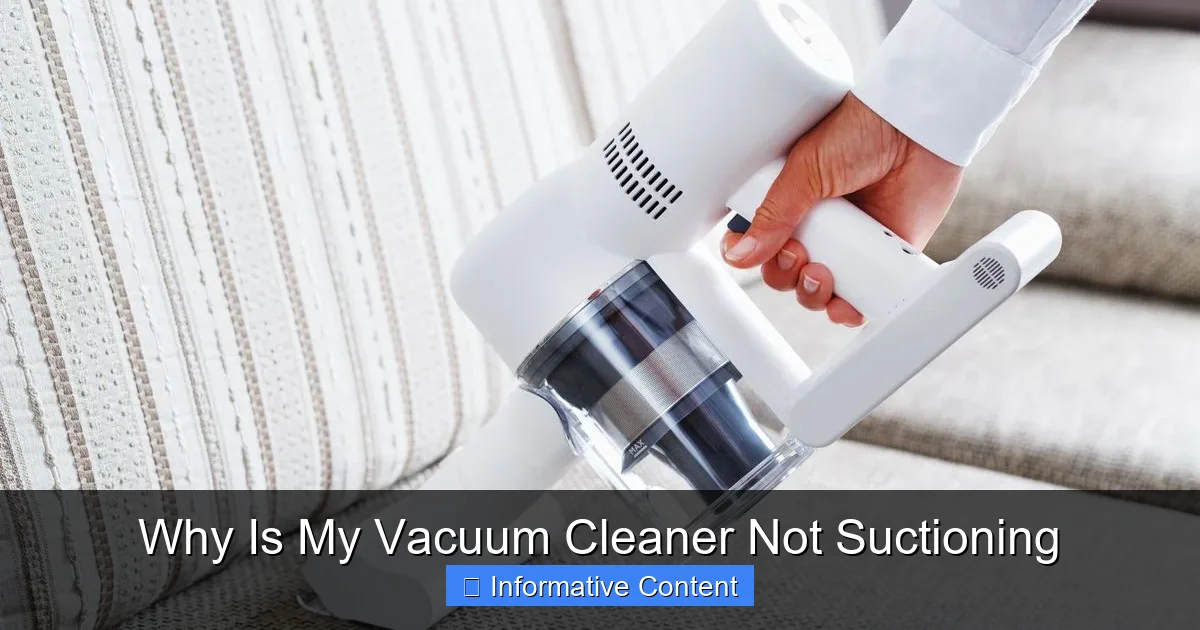
Visual guide about Why Is My Vacuum Cleaner Not Suctioning
Image source: cdn.mos.cms.futurecdn.net
Dirty or Clogged Filters
Over time, filters become saturated with fine dust and particles, effectively blocking the vacuum’s airflow. This is like trying to breathe through a very thick, dirty cloth – it’s difficult!
- Locate Your Filters: Most vacuums have at least one main filter (often a pre-motor filter) and sometimes a post-motor or HEPA filter. Consult your vacuum’s manual if you’re unsure where they are.
- Pre-Motor Filters: These are usually located near the dust collection area. They protect the motor from larger debris. Many are washable; if so, rinse them thoroughly under cool water until the water runs clear. Allow them to air dry completely (24-48 hours) before putting them back.
- HEPA/Post-Motor Filters: These are typically found near the exhaust vent. They trap the finest particles. HEPA filters are often not washable and need to be replaced periodically (check your manual for frequency, usually every 6-12 months). If yours is washable, follow the same cleaning procedure as pre-motor filters.
- Clean or Replace: If a filter looks visibly dirty, discolored, or clogged, it’s time for a clean or replacement. A dirty filter is a guaranteed suction killer.
Regular filter maintenance is one of the easiest ways to ensure your vacuum maintains peak performance. Imagine trying to run a marathon while wearing a mask that’s already full of dust – you wouldn’t get very far! Your vacuum feels the same way.
Missing or Incorrectly Installed Filters
Believe it or not, sometimes a filter might be missing or not seated correctly after cleaning or emptying the vacuum. An improperly installed filter can allow air to bypass the filter or create air leaks, both leading to reduced suction. Always ensure filters are firmly in place and correctly oriented.
Bag and Canister Woes: The Collection System
The system your vacuum uses to collect dirt – whether it’s a bag or a bagless canister – can also be a significant factor when your vacuum cleaner isn’t suctioning properly.
Overflowing Dust Bag
For bagged vacuums, a full or nearly full dust bag is a common reason for decreased suction. As the bag fills, dirt compacts, making it harder for air to flow through the bag material. Even if the bag doesn’t look completely full from the outside, the internal distribution of dirt can restrict airflow.
- Check the “Full” Indicator: Many bagged vacuums have an indicator light or gauge that signals when the bag is full.
- Inspect the Bag: Open the vacuum compartment and visually inspect the bag. If it’s more than two-thirds full, it’s time for a change. Don’t wait until it’s bursting at the seams.
- Replace Regularly: Even if not completely full, changing the bag regularly, especially when vacuuming fine dust or pet hair, can help maintain optimal suction.
A fresh bag not only restores suction but also helps maintain hygienic operation.
Full or Blocked Canister (Bagless Vacuums)
Bagless vacuums collect dirt in a transparent canister. While convenient, these can also cause suction issues.
- Empty Frequently: Don’t wait until the canister is overflowing. Most manufacturers recommend emptying it after each use, or when the “Max Fill” line is reached.
- Check for Blockages in the Canister: Sometimes, larger items or matted pet hair can create a dense clog at the bottom or around the central cone of the canister, even if the rest of it isn’t completely full. Disassemble and clear any such blockages.
- Clean the Cyclone/Vortex: Many bagless vacuums use cyclonic technology. The central cone or cylinder within the canister can become caked with fine dust, obstructing the swirling airflow that separates dirt. Clean this thoroughly.
Just like a clogged hose, a packed canister prevents air from moving freely, drastically reducing suction.
Improper Sealing of Bag/Canister
Whether bagged or bagless, the collection system needs to be properly sealed for the vacuum to generate strong suction. If the bag isn’t seated correctly in its holder, or if the canister isn’t securely latched onto the vacuum body, air will escape around it, leading to a significant loss of suction.
- Re-seat and Re-latch: Double-check that the dust bag is installed correctly according to your vacuum’s manual. For bagless models, ensure the canister is firmly clicked into place and all latches are secured.
- Inspect Gaskets: Look for any damaged or missing rubber gaskets or seals around the bag or canister compartment. These are vital for creating an airtight seal.
Brush Roll Problems: Agitation and Pickup
While the brush roll (or beater bar) doesn’t directly create suction, it plays a critical role in agitating carpet fibers and sweeping debris into the suction path. If your brush roll isn’t working correctly, it can give the impression that your vacuum cleaner isn’t suctioning well because it’s simply not picking up dirt effectively.
Hair and Debris Tangled Around the Brush Roll
Long hair, threads, and carpet fibers love to wrap around the brush roll. This can:
- Reduce Effectiveness: Prevent the bristles from effectively sweeping dirt.
- Slow or Stop Rotation: If severe, it can cause the brush roll to spin slowly or stop altogether, especially on models with a belt.
- Overheat Motor: In some cases, extreme tangles can strain the motor.
To fix this, turn off and unplug your vacuum. Flip the floor head over. Use scissors or a seam ripper to carefully cut and remove all tangled material from the brush roll. Don’t forget to check the ends where hair often accumulates around the bearings.
Worn or Damaged Brushes/Belt Issues
Over time, the bristles on your brush roll can become worn down, especially if you have a mix of carpet and hard floors. Worn bristles won’t agitate dirt effectively. If your brush roll isn’t spinning at all, or only intermittently, check the drive belt that connects it to the motor.
- Inspect Bristles: If they are noticeably short, frayed, or missing, it might be time for a brush roll replacement.
- Check the Belt: Access the belt (usually by removing a cover on the underside of the floor head). Look for signs of stretching, cracking, or breakage. A broken belt means the brush roll won’t spin. Replacement belts are inexpensive and relatively easy to install for most models.
Even if suction is perfect, a malfunctioning brush roll will make your cleaning efforts largely ineffective.
Airflow Leaks and Seals: The Missing Link
Even if your filters are clean, your bag is empty, and there are no obvious clogs, your vacuum cleaner might still not be suctioning well if there’s an air leak. Air leaks essentially bypass the suction path, allowing air to enter the system from somewhere other than the nozzle, reducing the vacuum effect at the cleaning head.
Cracked Hoses or Canisters
Accidental damage can occur. Your vacuum hose might develop small cracks or tears, especially if it’s been stretched or twisted frequently. Similarly, the plastic body of the canister or other parts can crack if dropped or bumped.
- Visual Inspection: Carefully examine the entire length of the hose for cracks or holes. Do the same for the dust canister and any plastic housing components.
- The “Listen Test”: With the vacuum on, listen for any hissing sounds, which indicate escaping air. You can also try moving your hand slowly over the hose and connections to feel for air escaping.
- Temporary Fix: For small hose cracks, you might be able to temporarily patch them with strong electrical tape, but a replacement hose is usually the best long-term solution.
Loose Connections and Seals
Connections between the hose and the vacuum body, attachments, or the wand can become loose over time. Gaskets and seals, which are designed to create airtight connections, can also wear out or become dislodged.
- Check All Connections: Ensure the hose is securely clicked into the vacuum’s main body. Make sure all attachments are firmly seated onto the wand or hose.
- Inspect Gaskets and O-rings: Look at all rubber gaskets and O-rings at connection points. Are they intact and in place? If a gasket is torn or missing, it will create a significant air leak.
Even a small leak can significantly diminish suction power. Think of it like trying to drink through a straw with a hole in it – it’s much harder!
Motor and Power Issues: When It’s More Serious
While less common for simple suction problems, sometimes the issue lies deeper within the vacuum’s mechanics. If your vacuum cleaner isn’t suctioning and you’ve checked all the above points, it might be time to consider motor or power-related problems.
Overheating Protection
Many modern vacuums have a thermal cut-off switch that automatically shuts down the motor or reduces power if it starts to overheat. This is a safety feature designed to prevent damage. Overheating can be caused by:
- Prolonged Use: Using the vacuum for very long periods without a break.
- Severe Clogs: A major clog can make the motor work harder, leading to overheating.
- Dirty Filters: Restricted airflow due to dirty filters forces the motor to strain, which can also cause it to overheat.
If your vacuum suddenly loses suction or stops entirely, check if it’s hot. Turn it off, unplug it, and let it cool down for at least 30-60 minutes. While it’s cooling, check for any clogs or dirty filters that might have caused the overheating. Once cool and any issues addressed, try plugging it back in.
Motor Problems or Electrical Faults
If the motor sounds different (e.g., louder, straining, or no sound at all), or if the vacuum turns on but produces very little to no airflow even after addressing all other potential issues, there might be an internal motor problem or an electrical fault. These are usually beyond the scope of DIY repair for the average person.
- Professional Help: If you suspect a motor issue, it’s generally best to take the vacuum to a qualified repair technician.
- Consider Replacement: For older or less expensive models, the cost of motor repair might outweigh the cost of a new vacuum.
Always prioritize safety when dealing with electrical appliances. If you’re unsure, don’t attempt to open the motor housing yourself.
Conclusion: Restore Your Vacuum’s Roar
When your vacuum cleaner isn’t suctioning, it can certainly put a damper on your cleaning routine. However, as we’ve explored, the solution is often much simpler than you might expect. By systematically checking for clogs in the hose, attachments, and floor head, ensuring your filters are clean and properly installed, emptying and checking your dust bag or canister, clearing tangles from the brush roll, and inspecting for any air leaks, you’ll likely pinpoint the problem and restore your vacuum to its full sucking potential.
Most of these troubleshooting steps are quick, easy, and require no special tools. Regular maintenance, like emptying the canister after each use and cleaning filters monthly, will go a long way in preventing suction issues in the first place. So, the next time your vacuum seems to have lost its mojo, remember this guide, and empower yourself to bring back its powerful roar. Happy vacuuming!
🎥 Related Video: Vacuum NOT SUCKING? Here's How To FIX IT!!
📺 Clean With Confidence
MORE CLEANING VIDEOS ☆ – How to Clean a Dishwasher Properly: https://youtu.be/_-TRcRya-dA – How to Professionally …
Frequently Asked Questions
How do I prevent my vacuum hose from clogging frequently?
To prevent frequent hose clogs, try to avoid vacuuming large items like socks, small toys, or excessive amounts of very fine dust. Regularly check your vacuum head and hose for accumulating debris, especially long hair and pet fur, and clear them out before they become a major blockage.
Is it safe to wash all vacuum filters?
No, not all vacuum filters are washable. Some HEPA and post-motor filters are designed for dry replacement only, as washing them can damage the filter material and reduce their effectiveness. Always consult your vacuum cleaner’s manual to confirm if your specific filters are washable.
My vacuum smells bad when I use it, and the suction is weak. Are these related?
Yes, they often are. A bad smell can indicate a very dirty filter, a full or moldy dust bag, or decaying organic matter caught in a clog. These same issues – dirty filters and clogs – are primary reasons why your vacuum cleaner isn’t suctioning effectively, as they restrict airflow.
What should I do if my vacuum’s motor sounds like it’s straining?
A straining motor sound is usually a sign that the motor is working too hard due to restricted airflow. Immediately turn off and unplug the vacuum. Check for severe clogs in the hose, attachments, and main inlet, and thoroughly clean or replace all filters and empty the dust canister or bag. If the sound persists after addressing these, it might indicate a more serious internal motor issue requiring professional service.
How often should I empty my bagless vacuum’s canister?
For optimal performance and to prevent your vacuum cleaner from not suctioning well, it’s best to empty your bagless canister after every use or whenever the debris reaches the “Max Fill” line, whichever comes first. This ensures consistent airflow and prevents dirt from compacting and creating blockages.
Can pet hair be a common cause for poor suction?
Yes, pet hair is a very common culprit! It can quickly tangle around the brush roll, creating a dense mat that prevents it from spinning effectively. Additionally, pet hair can clump together and cause stubborn clogs in the hose, attachments, or within the dust canister, severely reducing your vacuum’s suction power.