
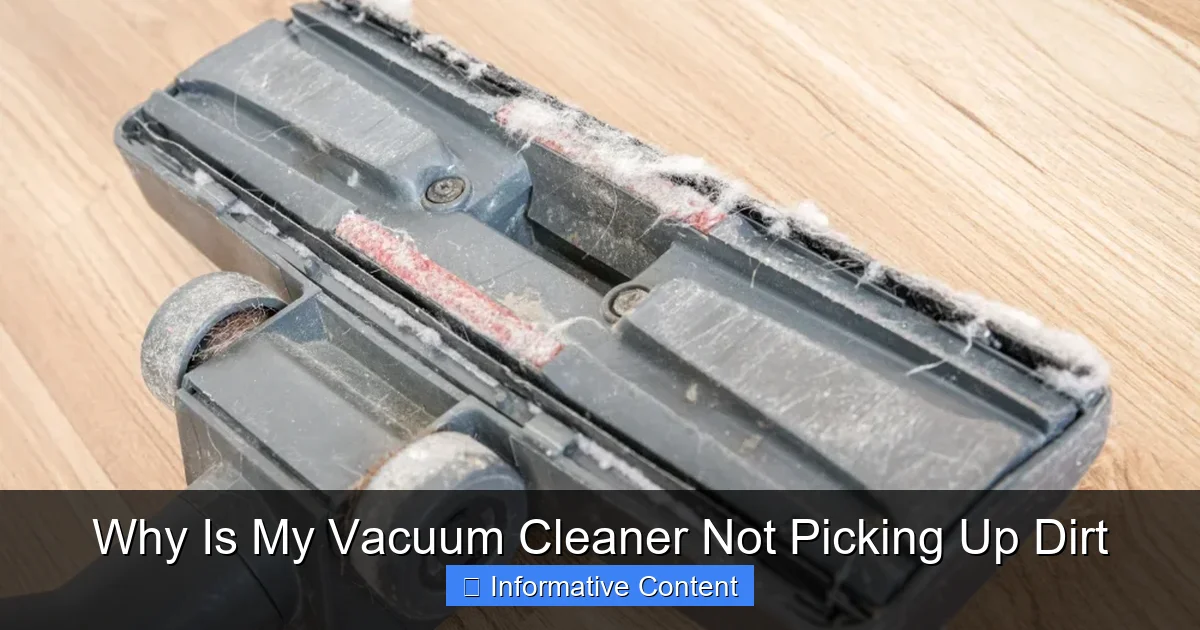
Is your vacuum cleaner struggling to pick up dirt? Don’t despair! The most common reasons include a full bag or canister, clogged hoses, or a tangled brush roll. Other culprits could be dirty filters, broken belts, or incorrect height settings. Often, a few simple troubleshooting steps and regular maintenance can restore your vacuum’s powerful suction, saving you from having to buy a new one.
Why Is My Vacuum Cleaner Not Picking Up Dirt
There’s hardly anything more frustrating than getting ready to clean your floors, only to find your trusty vacuum cleaner just isn’t doing its job. You push it back and forth, hearing the familiar hum, but the dirt, crumbs, and pet hair stubbornly remain on the floor. It’s a common scenario that leaves many of us scratching our heads and wondering, “why is my vacuum cleaner not picking up dirt?” You might even be tempted to toss it out and buy a new one.
But hold on a second! Before you start browsing for a replacement, know that a vacuum cleaner that’s lost its mojo often just needs a little TLC. More often than not, the problem isn’t a terminal mechanical failure, but rather a simple issue that can be fixed with some basic troubleshooting and a bit of elbow grease. Think of it as a friendly chat with your appliance; sometimes it just needs a little attention to get back on track.
In this comprehensive guide, we’ll walk you through all the common reasons why your vacuum cleaner might not be picking up dirt. We’ll cover everything from the most obvious culprits to the less apparent technical snags, offering practical steps and tips to get your cleaning companion back to peak performance. So, let’s roll up our sleeves and diagnose why your vacuum cleaner isn’t picking up dirt and get those floors sparkling again!
Key Takeaways
- Check the Bag/Canister and Clogs First: The most frequent reasons your vacuum isn’t picking up dirt are a full dirt receptacle or a blockage in the hose or attachments. Always start your troubleshooting here.
- Inspect the Brush Roll: A tangled, worn, or non-spinning brush roll significantly reduces cleaning effectiveness. Clean it regularly, check the belt, and ensure it’s engaging properly with the floor.
- Maintain Filters for Optimal Suction: Clogged or dirty filters restrict airflow, leading to a drastic loss of suction. Clean or replace filters according to your vacuum’s manual to restore power.
- Ensure Proper Airflow: Beyond filters and clogs, check for cracks in hoses, poor seals around the bag/canister, or issues with the motor’s air vents, all of which can compromise suction.
- Adjust Settings and Check for Worn Parts: Make sure the vacuum’s height setting is appropriate for your flooring type. Also, inspect the drive belt for the brush roll; if it’s stretched or broken, the brush won’t spin.
- Regular Maintenance Prevents Problems: Proactive cleaning of the brush roll, emptying the dirt bin, cleaning/replacing filters, and checking hoses can prevent most common vacuum cleaner issues.
Quick Answers to Common Questions
How often should I clean my vacuum filter?
Most washable filters should be cleaned monthly, while disposable filters typically need replacement every 6 to 12 months, depending on usage. Always check your vacuum’s manual for specific recommendations.
What’s the easiest way to check for a clog in my vacuum hose?
First, unplug the vacuum. Then, remove the hose from both ends and look through it towards a light source. If you can’t see through clearly, there’s a clog. You can also carefully push a broom handle or a long, flexible wire through to dislodge any blockages.
My brush roll isn’t spinning. What’s the most likely problem?
If your brush roll isn’t spinning, the most likely culprits are a tangled brush roll (with hair/debris), a broken or stretched drive belt, or debris trapped in the brush roll’s end caps. Always check these first after unplugging your vacuum.
Can incorrect height settings really affect dirt pickup?
Yes, absolutely. If your vacuum’s height setting is too high for your carpet, the brush roll won’t make proper contact to agitate and lift dirt. If it’s too low on hard floors, it might just scatter debris around instead of picking it up.
When should I consider replacing my vacuum cleaner instead of repairing it?
Consider replacing your vacuum if it’s quite old, the repair cost is more than half the price of a new comparable model, or if it’s experiencing frequent breakdowns despite repairs. Sometimes, upgrading to a newer model with improved features is also a good option.
📑 Table of Contents
The Obvious Culprits: Full Bag/Canister and Clogs
Let’s start with the easiest fixes first, because honestly, these are the reasons why your vacuum cleaner isn’t picking up dirt most often. It’s like checking if your device is plugged in before calling tech support!
Full Dirt Bag or Canister
This might seem incredibly simple, but it’s astonishing how often a full dirt bag or canister is the root cause of poor suction. When the bag or canister gets too full, there’s no longer enough space for air to flow freely through the vacuum, which dramatically reduces its ability to pick up dirt. It’s like trying to breathe with a pillow over your face – air simply can’t pass through.
* **What to do:** If you have a bagged vacuum, check the bag. If it’s more than two-thirds full, replace it. Don’t try to overfill it; you’ll just stress the motor and diminish performance. For bagless vacuums, empty the dirt canister after every use, or when the “full” line is reached. Giving it a quick rinse (if it’s washable, check your manual!) and letting it dry completely can also help maintain airflow.
Clogged Hoses and Attachments
Hoses are like the vacuum cleaner’s digestive system, and just like our own, they can get blocked. Long hair, pet fur, paper scraps, small toys, or even clumps of dust can create a stubborn clog, preventing dirt from reaching the bag or canister. This is a super common reason why your vacuum cleaner isn’t picking up dirt effectively.
* **What to do:**
* **Disconnect and Inspect:** First, unplug your vacuum for safety. Then, remove the hose from both ends (if possible).
* **Visual Check:** Look through the hose. Can you see light at the other end? If not, there’s a blockage.
* **Manual Removal:** Use a broom handle (not too sharp!), a stiff wire, or even a specialized vacuum snake tool to dislodge the clog. Push it through gently from both ends until the blockage comes out. Be careful not to puncture the hose.
* **Check Attachments:** Don’t forget to check any attachments, like the crevice tool or upholstery brush. They can get clogged too!
Brush Roll Issues: The Heart of the Pick-Up Power
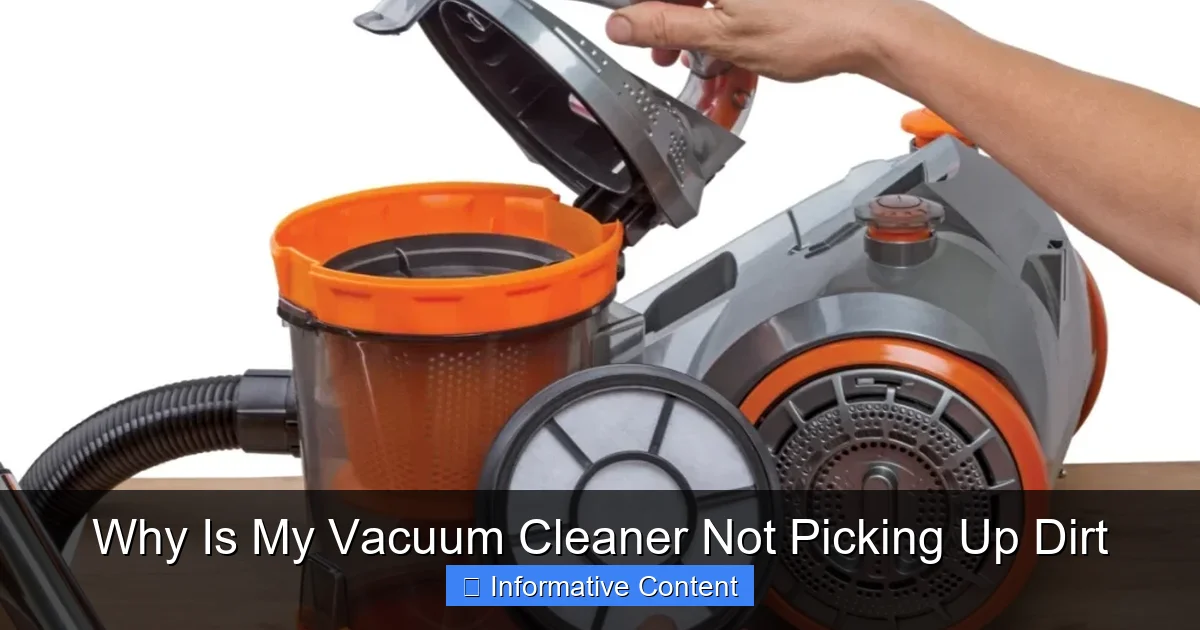
Visual guide about Why Is My Vacuum Cleaner Not Picking Up Dirt
Image source: everythingbetter.in
The brush roll (also known as the agitator or beater bar) is the spinning cylinder with bristles at the bottom of your vacuum. Its job is to agitate the carpet fibers, loosening dirt and debris so the vacuum’s suction can pull it up. If this isn’t working right, you’ll definitely be asking, “why is my vacuum cleaner not picking up dirt?”
Tangled or Dirty Brush Roll
Over time, hair (human and pet), threads, and even carpet fibers can get wrapped tightly around the brush roll. This mat of debris can prevent the brush roll from spinning freely, or even at all. A stationary or slow-spinning brush roll simply can’t do its job, leaving dirt behind.
* **What to do:**
* **Unplug and Access:** Always unplug the vacuum first! Turn it over to access the brush roll. You might need to remove a bottom plate or cover, usually held by screws or clips.
* **Cut Away Debris:** Use scissors or a seam ripper to carefully cut away all the tangled hair and threads. Be gentle not to cut the bristles or the belt.
* **Clean Bristles:** Ensure the bristles themselves are clean and not matted with dirt. Sometimes a stiff brush can help dislodge stubborn grime.
* **Remove Wheels and End Caps:** Check for debris trapped around the brush roll’s wheels or end caps, as this can also impede its spin.
Broken or Stretched Drive Belt
The brush roll is typically powered by a rubber belt connected to the vacuum’s motor. If this belt breaks, stretches out, or slips off, the brush roll won’t spin, regardless of how strong your suction is. This is a silent killer of cleaning performance and a frequent answer to “why is my vacuum cleaner not picking up dirt.”
* **What to do:**
* **Inspect the Belt:** With the vacuum unplugged and the brush roll exposed, locate the drive belt. Is it snapped? Is it loose and floppy? If so, it needs replacing.
* **Replacement:** Drive belts are inexpensive and relatively easy to replace. You’ll need to know your vacuum’s make and model to get the correct belt. Follow your vacuum’s manual for specific replacement instructions, but generally, it involves stretching the new belt around the motor shaft and the brush roll.
Incorrect Brush Roll Height Adjustment
Many vacuums have a height adjustment setting, allowing you to raise or lower the brush roll for different floor types (e.g., high for thick carpet, low for bare floors). If the setting is too high for your carpet, the brush roll won’t make proper contact and won’t agitate the dirt. If it’s too low on bare floors, it might just push dirt around.
* **What to do:** Adjust the height setting to match your floor type. For carpets, you want the brush roll to lightly skim the surface, creating a slight “pull” but not making the vacuum too difficult to push. For hard floors, a higher setting or even turning off the brush roll (if your model allows) is often best to prevent scattering debris.
Loss of Suction: Airflow Problems and Seals
Suction is the core function of a vacuum cleaner. If there’s an issue with the airflow pathway, the motor might be running perfectly, but the vacuum will still fail to pick up dirt.
Dirty or Clogged Filters
Filters are crucial for trapping dust and allergens, protecting your motor and keeping the air clean. However, if they become caked with dirt, they can severely restrict airflow, leading to a significant drop in suction power. This is a very common reason why your vacuum cleaner isn’t picking up dirt efficiently.
* **What to do:**
* **Locate Filters:** Your vacuum likely has one or more filters (pre-motor, post-motor, HEPA). Consult your manual to find them.
* **Clean or Replace:** Some filters are washable (allow them to dry completely before reinserting), while others need to be replaced periodically. Check your manual for specific cleaning and replacement schedules. A good rule of thumb is to clean washable filters monthly and replace disposable ones every 6-12 months, depending on usage.
Leaks in the System
Any crack, hole, or loose connection in the vacuum’s body, hose, or dust collection system can allow air to escape, reducing effective suction at the nozzle. This is like trying to drink through a straw with a hole in it – you just won’t get a good draw.
* **What to do:**
* **Inspect Hoses:** Carefully examine the entire length of the main hose and any accessory hoses for cracks or punctures. Flex the hose; sometimes small cracks only appear when the hose is bent.
* **Check Seals:** Ensure that the dirt bin, filter compartments, and any other removable parts are securely sealed. A loose lid or a worn gasket can allow air to escape.
* **Listen for Leaks:** With the vacuum running, listen carefully for any hissing sounds that might indicate an air leak.
Vacuum Cleaner Maintenance: Prevention is Key
Regular maintenance can prevent many of the issues that lead you to ask, “why is my vacuum cleaner not picking up dirt?” A little proactive care goes a long way in extending the life and efficiency of your appliance.
Emptying and Cleaning Regularly
As discussed, a full bag or canister is a primary cause of poor performance. Make emptying a habit after each significant use. Beyond just emptying, give the dirt bin a good wipe down or wash (if applicable) every few uses to prevent residue buildup.
Filter Care
Adhering to your vacuum’s filter cleaning and replacement schedule is paramount. Mark it on your calendar! Clean filters mean maximum suction and healthier air in your home.
Brush Roll TLC
Make it a routine to turn over your vacuum every couple of months (or more often if you have long-haired pets or people in the house) and clear the brush roll. This quick task prevents buildup from ever becoming a performance-reducing tangle.
Checking Hoses and Attachments
Periodically disconnect your hoses and check them for potential clogs or small tears before they become major issues. A quick check of attachments ensures they’re ready to go when you need them.
Wrong Settings or Worn-Out Parts: Overlooked Details
Sometimes the issue isn’t a clog or a broken part, but simply a setting that’s not optimized or a component that has slowly degraded over time.
Improper Suction Settings
Some vacuums have variable suction settings, designed for delicate fabrics or different floor types. Ensure it’s not accidentally set to a low-power mode when you’re trying to tackle a heavily soiled carpet.
* **What to do:** Check for any dials or switches that control suction power. Make sure it’s set to the appropriate level for the task at hand.
Worn-Out Brush Roll Bristles
Over years of use, the bristles on your brush roll can become worn down, bent, or completely matted. When the bristles are too short or damaged, they can no longer effectively agitate the carpet to dislodge dirt, even if the brush roll is spinning perfectly.
* **What to do:** Visually inspect the bristles. If they look significantly shorter or softer than when the vacuum was new, it might be time to replace the entire brush roll assembly. This is often an overlooked reason why your vacuum cleaner isn’t picking up dirt as well as it used to.
Motor Issues (Less Common, More Serious)
While less common for simply “not picking up dirt” (as opposed to not turning on at all), a weakening motor could eventually lead to reduced suction. This is usually a gradual decline rather than a sudden stop. If you’ve checked everything else and the vacuum just feels weak, the motor could be failing.
* **What to do:** This is typically a job for a professional or a sign that it might be time for a new vacuum. Motor repairs can be costly and sometimes not worth the investment compared to a new unit.
When to Seek Professional Help or Replace
You’ve diligently gone through all the troubleshooting steps, checked every hose, cleaned every filter, replaced the belt, and still, you’re asking, “why is my vacuum cleaner not picking up dirt?” At this point, it might be time to consider professional help or, indeed, a new vacuum.
When to Call a Pro
* **Complex Electrical Problems:** If the motor is sparking, smoking, or making unusual noises that aren’t belt-related, a professional technician can diagnose electrical faults safely.
* **Persistent Loss of Power:** If suction remains weak after all DIY troubleshooting, and you suspect a motor issue or a hidden internal blockage you can’t reach, a repair shop might be able to help.
* **High-Value Vacuum:** If you own an expensive, high-performance vacuum cleaner, investing in a professional repair might be more cost-effective than replacing it, especially if the issue is minor.
When to Consider Replacement
* **Age and Wear:** If your vacuum is quite old and has seen many years of heavy use, various components might be wearing out simultaneously.
* **Cost of Repair vs. New:** Get an estimate for professional repairs. If the repair cost is more than half the price of a new, comparable vacuum, replacement is usually the more sensible option.
* **Frequent Breakdowns:** If your vacuum is constantly breaking down despite repairs, it’s a sign that its lifespan is nearing its end.
* **Technological Advancements:** Vacuum technology improves. If your old model is struggling and newer models offer features like better filtration, quieter operation, or specific pet hair capabilities that you need, an upgrade might be worth it.
Don’t let a stubborn vacuum cleaner ruin your cleaning routine. By understanding the common reasons why your vacuum cleaner isn’t picking up dirt, you can often save yourself time, money, and frustration. Most problems are minor and easily fixed with a bit of maintenance and attention. Remember, a well-maintained vacuum is a happy, efficient vacuum!
🎥 Related Video: Vacuum NOT SUCKING? Here's How To FIX IT!!
📺 Clean With Confidence
MORE CLEANING VIDEOS ☆ – How to Clean a Dishwasher Properly: https://youtu.be/_-TRcRya-dA – How to Professionally …
Frequently Asked Questions
How often should I empty my vacuum’s dirt canister or replace the bag?
You should empty your vacuum’s dirt canister after every significant use, or when the “full” line is reached, whichever comes first. For bagged vacuums, replace the bag when it’s about two-thirds full to maintain optimal suction and prevent strain on the motor.
What are the signs of a broken vacuum belt?
The main sign of a broken vacuum belt is that your brush roll (the spinning brush at the bottom) will stop spinning, even though the motor is running and making noise. You might also find a snapped piece of rubber when you inspect the brush roll area.
Can pet hair specifically cause my vacuum to stop picking up dirt?
Yes, pet hair is a common culprit! It can quickly clog hoses, wrap tightly around the brush roll preventing it from spinning, and even rapidly fill up dirt bags or canisters, all of which significantly reduce your vacuum’s ability to pick up dirt.
Is it safe to wash my vacuum cleaner’s filters?
Some vacuum filters are washable, while others are not. It’s crucial to check your specific vacuum cleaner’s manual to determine if your filters are washable. If they are, always ensure they are completely air-dry before reinserting them into the vacuum to prevent mold or damage to the motor.
Why does my vacuum cleaner seem to push dirt around on hard floors instead of picking it up?
If your vacuum pushes dirt around on hard floors, it’s often due to the brush roll spinning too fast or being set too low, essentially sweeping the dirt rather than allowing suction to collect it. Try adjusting the vacuum’s height setting for hard floors, or turn off the brush roll function if your model has that option.
Could a strange smell from my vacuum be related to it not picking up dirt?
Yes, a strange smell can definitely be related! A burning smell often indicates a tangled brush roll or a broken/slipping belt, as the motor is working harder or friction is being generated. A musty smell could point to mold in a dirty filter or damp debris in the bag/canister, both of which restrict airflow and reduce dirt pickup.