
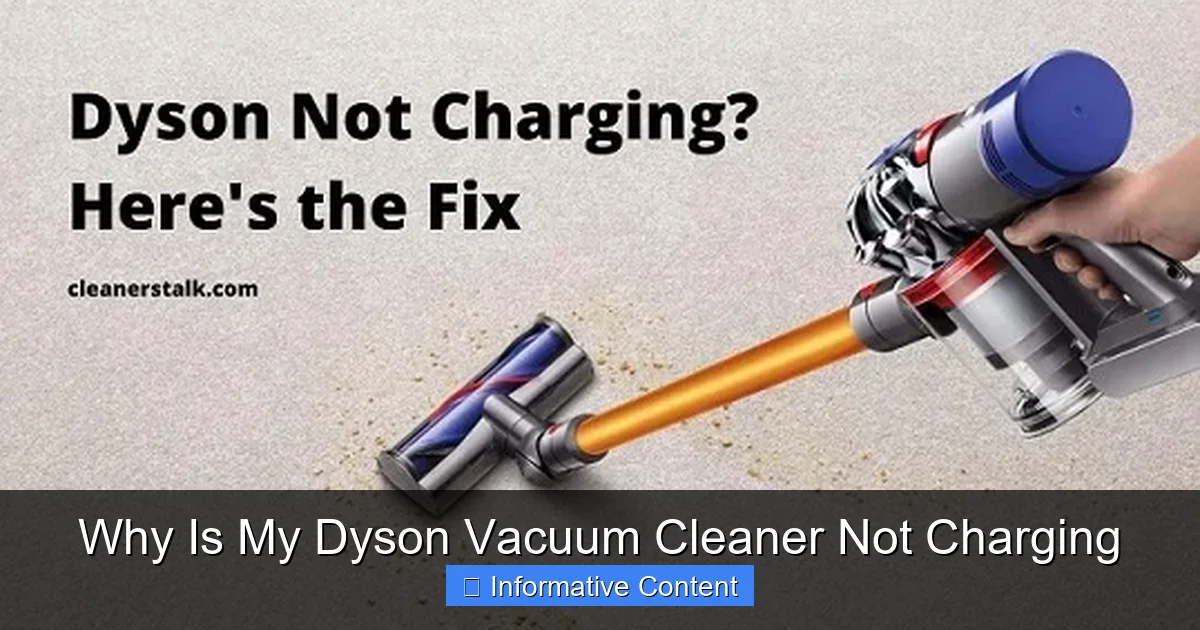
Having trouble with your Dyson vacuum cleaner not charging? Don’t fret! This guide will walk you through common culprits, from basic power checks and charger issues to battery degradation and docking station problems. Learn how to diagnose and resolve why your Dyson isn’t charging, getting it back to peak performance swiftly.
Why Is My Dyson Vacuum Cleaner Not Charging
It’s a truly frustrating moment. You’ve just finished a cleaning session, or perhaps you’re about to start one, and you plug in your trusty Dyson vacuum cleaner only to find… nothing. No indicator lights, no reassuring hum, just a persistent silence. Your Dyson vacuum cleaner is not charging, and suddenly, your spotless home dreams are on hold. Don’t worry, you’re not alone in this predicament. Many Dyson owners eventually face this charging puzzle.
The good news is that often, the reason your Dyson isn’t charging isn’t a catastrophic failure. Instead, it’s usually something relatively simple to diagnose and, with a bit of guidance, straightforward to fix. From easily overlooked power issues to more nuanced battery concerns, there’s a range of culprits behind a Dyson vacuum cleaner not charging. This comprehensive guide is here to walk you through each potential problem, offering clear steps and practical tips to get your powerful cleaning companion back up and running.
So, take a deep breath, and let’s turn detective. We’ll explore everything from the wall socket to the internal workings of your Dyson, helping you pinpoint exactly why your Dyson vacuum cleaner is not charging and how to resolve it. Our goal is to empower you with the knowledge to troubleshoot effectively, saving you time, money, and the hassle of a dirty floor. Let’s get started on bringing your Dyson back to life!
Key Takeaways
- Start with the Basics: Always check the power outlet, charger connections, and observe indicator lights first when your Dyson vacuum cleaner is not charging.
- Inspect Your Charger: Damaged cables, frayed wires, or a faulty power adapter are frequent reasons why a Dyson vacuum cleaner is not charging. Ensure you’re using a genuine Dyson charger.
- Battery Health Matters: Over time, Dyson batteries can degrade, overheat, or become faulty. Battery issues are a common cause for a Dyson not charging properly.
- Cleanliness is Key: Blockages in the vacuum, dirty filters, or grime on the charging contacts of the docking station can disrupt the charging process.
- Ensure Proper Docking: Your Dyson needs to be correctly seated and make solid electrical contact with its charging dock or direct charging port for it to charge.
- Consider a Reset: For some Dyson models, performing a simple battery reset can resolve minor charging glitches. Refer to your manual for specific steps.
- Seek Professional Help: If DIY troubleshooting doesn’t work, contacting Dyson customer support or utilizing your product’s warranty service are your next best steps.
Quick Answers to Common Questions
How do I know if my Dyson battery is dead?
If your Dyson shows no indicator lights, doesn’t power on even when plugged in, or has a significantly reduced run time that quickly diminishes, it’s a strong sign the battery is dead or severely degraded.
Can I reset my Dyson if it’s not charging?
Yes, for many Dyson models, you can perform a battery reset by removing the battery for 15-30 minutes (if removable) or holding down the power button for 10-20 seconds (for integrated batteries). Consult your manual for specific steps.
What do Dyson charging indicator lights mean?
Typically, a solid blue light means charging, a flashing blue light indicates an error or waiting, and red/amber lights often signal a battery fault, overheating, or a charging problem. Always refer to your specific model’s manual for precise meanings.
Should I use a non-Dyson charger?
No, it’s highly recommended to only use genuine Dyson chargers. Non-genuine chargers may not provide correct voltage, can be unsafe, and could potentially damage your vacuum or void its warranty, causing your Dyson vacuum cleaner not charging issues.
How often should I clean my Dyson’s filter?
Dyson recommends washing your filter(s) at least once a month, or more frequently with heavy use. Ensure they are completely air-dried for at least 24 hours before reinserting them into your vacuum.
📑 Table of Contents
- Initial Checks: The Basics You Can’t Miss
- It Might Be Your Charger: A Closer Look at the Power Adapter
- Battery Blues: Understanding Dyson’s Power Source
- Beyond the Obvious: Internal Issues and Blockages
- The Docking Station Dilemma: When Your Charging Base Fails
- When All Else Fails: Seeking Professional Help and Warranty
- Conclusion
Initial Checks: The Basics You Can’t Miss
When your Dyson vacuum cleaner is not charging, the very first steps should always involve the most basic and obvious checks. These might seem too simple, but you’d be surprised how often the solution lies in these initial observations. Think of it as ruling out the easy stuff before diving into deeper diagnostics.
Is the Power Outlet Working?
This is the absolute first thing to verify. Sometimes, the problem isn’t with your Dyson or its charger at all, but with the power source itself.
- Test with Another Device: Unplug your Dyson charger from the wall socket. Plug in another small appliance – like a phone charger, a lamp, or a hairdryer – into the *same* outlet. If the other device doesn’t power on or charge, then you know the wall outlet is likely the issue.
- Try a Different Outlet: If the initial outlet seems dead, try plugging your Dyson charger into a different, known-working power outlet in another room. This immediately tells you if the problem is localized to one specific socket.
- Check Your Circuit Breaker: If multiple outlets in an area are dead, it’s possible a circuit breaker has tripped. Head to your electrical panel and look for any switches that are in the “off” position or halfway between “on” and “off.” Flip it completely off, then back on.
Taking a moment to check the outlet is a crucial first step, and it can often save you from unnecessary worry about your Dyson vacuum cleaner not charging.
Check the Charger Connection
Once you’ve confirmed the outlet is working, your next step is to ensure all connections related to the charger are secure. A loose connection is a very common reason why a Dyson not charging happens.
- Wall Socket: Is the charger plug firmly inserted into the wall outlet? Give it a gentle push to make sure it’s fully seated.
- Charger to Vacuum: For models that charge directly via a port (like older handhelds) or for the charging cable that connects to the docking station, check that the connector is fully pushed into its respective port. Sometimes it might look connected but isn’t quite making full contact.
- Docking Station to Vacuum: If your Dyson charges via a wall-mounted docking station, ensure the vacuum is properly seated. You should hear or feel a satisfying ‘click’ or ‘thud’ as it settles into place. Wiggle it slightly to confirm it’s secure.
A simple, firm push on each connection point can often resolve the issue of a Dyson vacuum cleaner not charging.
Observe the Indicator Lights
Dyson vacuums are designed with indicator lights that provide valuable clues about their status, including charging. What these lights do (or don’t do) can tell you a lot about why your Dyson vacuum cleaner is not charging.
- No Lights at All: If there are absolutely no lights when plugged in, this usually points to a complete lack of power reaching the vacuum. This could mean a faulty outlet, a damaged charger, or a very dead battery that isn’t even registering a charge attempt.
- Flashing Lights: Different flashing patterns can indicate different issues. A rapidly flashing blue light might mean the battery is trying to charge but there’s an error, or it’s too hot/cold. A solid blue light, however, typically means it’s charging normally. Consult your Dyson model’s user manual – it will have a specific section explaining what each light pattern signifies. This is critical for diagnosing why your Dyson not charging is happening.
- Red or Amber Lights: These colours often signal a warning or an error. It could indicate a battery fault, an overheating issue, or another internal problem preventing the charge. Again, your manual is your best friend here.
Paying close attention to these lights can provide immediate insight into the nature of your Dyson’s charging issue.
It Might Be Your Charger: A Closer Look at the Power Adapter
Visual guide about Why Is My Dyson Vacuum Cleaner Not Charging
Image source: vacmasterguide.com
If the basic checks don’t solve the “why is my Dyson vacuum cleaner not charging” mystery, the charger itself is the next prime suspect. The power adapter, often a small brick-like component along the cable, is crucial for converting wall electricity into a usable form for your vacuum.
Inspect the Charging Cable for Damage
The charging cable, like any other, is susceptible to wear and tear. Over time, it can get bent, pinched, or chewed on by pets, leading to internal damage that you might not immediately notice.
- Visual Inspection: Carefully run your fingers along the entire length of the cable, from the wall plug to where it connects to the vacuum or dock. Look for any visible signs of damage:
- Frayed wires or exposed copper.
- Kinks, sharp bends, or severe crimps.
- Burn marks, discolouration, or melted plastic.
- Any unusual lumps or bumps under the insulation.
- Connection Points: Pay extra attention to where the cable meets the plugs at both ends. These are common points for strain and internal wire breakage. If the cable feels loose or wobbly at these junctions, it might be damaged internally.
Even a small break in the internal wiring can prevent current from flowing, leaving your Dyson vacuum cleaner not charging. If you find any damage, the charger needs to be replaced immediately for safety and functionality.
Is the Power Adapter Faulty?
The “brick” part of your charger is the power adapter, and it can fail just like any other electronic component.
- Overheating: While it’s normal for a charger to feel slightly warm during use, excessive heat, or a burning smell, are clear signs of a problem. Unplug it immediately if you notice this. An overheating adapter is a fire risk and won’t charge your Dyson effectively.
- Strange Noises: A healthy charger should be silent. If you hear buzzing, crackling, or popping sounds coming from the adapter, it’s a strong indicator of an internal fault.
- Testing (Limited): Without specialized tools, it’s hard to definitively test an adapter. However, if you have access to a multimeter and know how to use it, you can check if it’s outputting the correct voltage. This is a more advanced step and might be better left to a professional if you’re unsure.
If you suspect your power adapter is faulty, it’s best to replace it. A malfunctioning charger is a common reason for a Dyson not charging.
Are You Using a Genuine Dyson Charger?
The temptation to buy cheaper, third-party chargers can be strong, but it often leads to problems.
- Compatibility: Non-genuine chargers might not provide the correct voltage or amperage required by your specific Dyson model. This can result in slow charging, incomplete charging, or your Dyson vacuum cleaner not charging at all.
- Safety Risks: Aftermarket chargers may not meet Dyson’s strict safety standards. They can overheat, short circuit, or damage your vacuum’s battery or internal electronics. Always prioritize safety and device longevity.
- Warranty Issues: Using a non-genuine charger can potentially void your Dyson’s warranty if it causes damage.
For optimal performance and safety, always use the original Dyson charger that came with your vacuum or a genuine replacement purchased directly from Dyson or an authorized retailer. This helps prevent charging issues.
Battery Blues: Understanding Dyson’s Power Source
At the heart of every cordless Dyson vacuum is its powerful battery. Over time, like all rechargeable batteries, it will degrade. Battery issues are a very common reason why a Dyson vacuum cleaner is not charging, or not holding a charge.
Battery Degradation Over Time
Lithium-ion batteries, which power most Dyson vacuums, have a finite lifespan. With each charge and discharge cycle, their capacity to hold power diminishes.
- Reduced Run Time: The most obvious sign of battery degradation is a noticeable reduction in your vacuum’s run time. If it used to last 60 minutes on a full charge but now only lasts 15-20, your battery is likely nearing the end of its life.
- Inconsistent Charging: A failing battery might show intermittent charging. It might charge sometimes, but not others, or indicate a full charge much quicker than usual, only to die rapidly. This points to the Dyson not charging reliably due to an internal battery fault.
- Age of the Vacuum: Most Dyson batteries are designed to last several years under normal use. If your vacuum is 3-5 years old or more, battery degradation is a highly probable cause for it not charging or not holding a charge.
If you suspect battery degradation, purchasing a genuine Dyson replacement battery is often the solution. Ensure you get the correct battery for your specific model.
Overheating Issues
Dyson vacuums have built-in safety mechanisms to protect the battery and motor from damage due to overheating. If the battery or motor gets too hot, the charging process might be inhibited or paused.
- During Use: If you’ve been using your Dyson for an extended period on max power, especially if it’s clearing a blockage, the motor and battery can become very warm. Plugging it in immediately after heavy use might trigger an overheating protection mechanism, preventing it from charging.
- Environmental Factors: Charging your Dyson in a very hot environment (like a sun-drenched room or near a heater) can also cause it to overheat, leading to your Dyson vacuum cleaner not charging.
- Indicator Lights: Overheating is often signaled by specific indicator light patterns (e.g., a solid red light or a fast-flashing amber light). Refer to your manual for the exact warning signs for your model.
If you suspect overheating, unplug the vacuum and let it cool down for at least 30-60 minutes in a cool, well-ventilated area before attempting to charge it again. This simple step often resolves the problem.
Performing a Battery Reset (If Applicable)
Sometimes, the battery’s internal management system can get a little confused. A simple reset can sometimes clear these glitches, allowing your Dyson to charge normally again.
- For V6, V7, V8, V10, V11, V15 (Removable Battery): Some models allow for battery removal. Disconnect the charger, remove the battery, wait for 15-30 minutes, then reattach the battery firmly. Ensure it clicks into place.
- For Models with Integrated Batteries: If your battery isn’t easily removable, some models have a “soft reset” procedure. This often involves holding down the power button (and sometimes another button) for a set period (e.g., 10-20 seconds) while the vacuum is off and unplugged. Consult your specific Dyson model’s manual for any recommended reset procedures.
A battery reset can sometimes jumpstart a Dyson not charging due to a temporary electronic hiccup.
Beyond the Obvious: Internal Issues and Blockages
While it might seem counterintuitive, internal blockages or dirty filters can indirectly contribute to your Dyson vacuum cleaner not charging, or at least appearing not to. These issues can cause the motor to work harder, leading to overheating or draining the battery faster than it can charge.
Clogs Affecting Power Draw
A significant blockage within your Dyson’s airways – in the wand, cleaner head, or cyclone assembly – forces the motor to work much harder to maintain suction.
- Motor Strain: This increased effort puts immense strain on the motor and battery. If the motor is straining excessively, it can generate more heat. As we discussed, overheating can prevent the battery from charging as a safety measure.
- Rapid Battery Drain: Even if it charges, a severe blockage will cause the battery to drain much faster during use. You might think your Dyson isn’t charging because it dies so quickly, when in reality, it’s just working too hard.
- Check for Blockages: Thoroughly inspect the cleaner head, wand, and the main body where the cyclone meets the bin. Refer to your manual for specific blockage removal instructions for your model. Many Dyson models have clear access points for removing debris.
Clearing blockages is not only essential for good suction but can also indirectly resolve or prevent charging issues related to overheating and excessive battery drain.
Dirty Filters
Dyson vacuums rely on clean filters to maintain powerful suction and protect the motor. Neglecting filter maintenance can have a ripple effect, potentially leading to charging problems.
- Reduced Airflow: Clogged filters restrict airflow. Just like a blockage, this makes the motor work harder, increasing heat and battery drain.
- Motor Overheating: Restricted airflow means less cooling for the motor. An overheated motor can trigger safety cut-offs, preventing your Dyson from charging or even operating until it cools down.
- Washing and Drying: Most Dyson filters are washable. Remove them and rinse thoroughly under cold water until the water runs clear. Crucially, let them air dry completely for at least 24 hours (or as specified in your manual) before reinserting. A damp filter can damage the motor.
Regularly cleaning your filters is a simple, yet highly effective, maintenance task that can prevent a myriad of performance issues, including those that might appear as a Dyson not charging properly.
Internal Circuit Problems
While less common for the average user to diagnose, there could be an issue with the internal circuitry of the vacuum itself. This is typically a last resort diagnosis after ruling out all external factors.
- Faulty Components: A component on the vacuum’s circuit board responsible for managing power or charging could have failed. This is beyond DIY repair for most people.
- Wiring Issues: Internal wiring could have become loose or damaged, preventing the battery from receiving power from the charger.
If you’ve systematically ruled out the outlet, charger, battery, blockages, and filters, and your Dyson vacuum cleaner is still not charging, an internal circuit problem is a possibility. At this point, it’s time to consider professional repair or replacement.
The Docking Station Dilemma: When Your Charging Base Fails
For many cordless Dyson models, the docking station is the primary method of charging. If your Dyson not charging is still the problem after checking the basics and the charger itself, the docking station could be the culprit. It’s often overlooked, but just like any other component, it can develop issues.
Clean the Charging Contacts
This is a surprisingly common reason for a Dyson vacuum cleaner not charging via its dock. Over time, dust, dirt, pet hair, and even residue from cleaning products can build up on the metal contacts of both the docking station and the vacuum cleaner itself.
- Inspect the Contacts: Carefully look at the small metal plates or pins on the docking station and the corresponding contacts on the back or bottom of your Dyson vacuum. Do they look dusty, grimy, or discoloured?
- How to Clean:
- First, ensure the docking station is unplugged from the wall for safety.
- Use a clean, dry microfiber cloth or a cotton swab to gently wipe down all the metal contacts on both the dock and the vacuum.
- For stubborn grime, you can slightly dampen the cloth with rubbing alcohol (isopropyl alcohol), but ensure the contacts are completely dry before plugging anything back in or attempting to charge.
- Why it Helps: Clean contacts ensure a clear, uninterrupted electrical connection between the charger and the vacuum’s battery. Without good contact, the Dyson not charging is almost a certainty.
This quick cleaning step can often solve the problem of a Dyson vacuum cleaner not charging and should be part of your regular maintenance routine.
Ensure Proper Seating
The Dyson vacuum needs to be correctly positioned and securely seated in its docking station for the charging contacts to align and make a connection.
- The “Click”: Many Dyson docks are designed for the vacuum to click firmly into place. If you don’t hear or feel that definitive click, it might not be fully seated.
- Visual Alignment: Look closely as you place the vacuum in the dock. Are the charging contacts on the vacuum perfectly aligning with those on the dock? Sometimes, a slight misalignment is enough to prevent charging.
- Wiggle Test: Once docked, give the vacuum a gentle wiggle. If it feels loose or unstable, it might not be making good contact. Remove it and try re-docking it carefully, ensuring it’s pushed all the way in.
An improperly seated vacuum is a frequent reason why a Dyson not charging issue arises, especially after moving the dock or if it’s wall-mounted and has shifted slightly.
Faulty Docking Station Itself
While less common than dirty contacts or improper seating, the docking station itself can sometimes fail.
- Internal Wiring: The internal wiring of the dock could be damaged, preventing power from reaching the charging contacts.
- Electronic Failure: Components within the dock’s circuit board could fail, leading to no power output to the vacuum.
- How to Test (Indirectly): If your Dyson model also supports direct charging (i.e., you can plug the charger cable directly into the vacuum, bypassing the dock), try charging it that way. If it charges directly but not via the dock, then the docking station is almost certainly the problem. If it doesn’t charge directly either, the issue lies elsewhere (charger or vacuum battery).
If you’ve cleaned the contacts, ensured proper seating, and ruled out the charger and battery, and direct charging works, then a faulty docking station is a strong suspect. You would likely need a replacement dock to fix the Dyson vacuum cleaner not charging issue in this scenario.
When All Else Fails: Seeking Professional Help and Warranty
You’ve diligently gone through all the troubleshooting steps. You’ve checked the outlet, inspected the charger, considered the battery’s health, cleared blockages, cleaned filters, and ensured your docking station is functioning. Yet, your Dyson vacuum cleaner is still not charging. At this point, it’s time to elevate the issue and seek professional assistance.
Contacting Dyson Customer Support
Dyson has dedicated customer support teams ready to help when your Dyson not charging becomes a persistent problem.
- Gather Information: Before you call or chat, have your Dyson model number (usually found on a sticker on the main body or battery pack) and serial number handy. Knowing when and where you purchased it is also helpful.
- Be Prepared to Explain: Clearly describe all the troubleshooting steps you’ve already taken. This will help the support agent quickly narrow down the possibilities and avoid redundant suggestions.
- Follow Their Instructions: Dyson’s support team is equipped with advanced diagnostic tools and knowledge specific to their products. They might ask you to perform additional checks or suggest solutions unique to your model.
Reaching out to Dyson support is often the most efficient way to resolve complex charging issues, especially if it points to an internal fault.
Understanding Your Warranty
Dyson products typically come with a generous warranty, usually covering parts and labour for a set period (e.g., 2-5 years, depending on the model and region).
- Check Coverage: Review your original purchase documentation or check Dyson’s website using your serial number to confirm if your vacuum is still under warranty.
- Warranty Claims: If your Dyson vacuum cleaner is not charging due to a manufacturing defect and is still under warranty, Dyson will often repair or replace it at no cost. Be honest about the issue and avoid attempting any unauthorized repairs, as this can void your warranty.
- Proof of Purchase: Always keep your receipt or proof of purchase, as it’s usually required for warranty claims.
A warranty claim can be a lifesaver if you’re facing a significant repair cost, especially when your Dyson not charging is due to a component failure.
DIY Repairs: Risks and Rewards
While many initial troubleshooting steps are safe for DIY, attempting more complex internal repairs carries significant risks.
- Voiding Warranty: Opening up your Dyson or attempting repairs not sanctioned by Dyson will almost certainly void your warranty. If something goes wrong, you’ll be responsible for all costs.
- Safety Hazards: Working with electrical components and powerful batteries carries a risk of electric shock or short circuits. Improper handling of lithium-ion batteries can be dangerous.
- Further Damage: Without the right tools, knowledge, or genuine parts, you could inadvertently cause more damage to your vacuum, turning a fixable issue into a total loss.
- Consider Cost vs. Benefit: For simple part replacements like a battery or charger, DIY is often feasible. For internal component failures, weigh the cost of professional repair (if out of warranty) against the cost of a new Dyson.
For most people, it’s best to stick to the external troubleshooting and basic component swaps. When the problem of your Dyson vacuum cleaner not charging goes deeper, professional help is the safest and often most effective route.
Conclusion
It’s incredibly frustrating when your Dyson vacuum cleaner is not charging, turning your powerful cleaning tool into a static piece of art. But as we’ve explored, the solution is often much simpler than you might fear. By systematically working through the steps outlined in this guide – from checking the power outlet and charger connections to inspecting the battery, clearing blockages, and ensuring your docking station is pristine – you can diagnose and often resolve the issue yourself.
Remember, a little patience and careful observation go a long way. Pay attention to those indicator lights, listen for unusual sounds, and give everything a good, thorough clean. Most instances of a Dyson not charging can be traced back to one of these common culprits, and with our practical tips, you’re now well-equipped to tackle them.
If, after all your efforts, your Dyson vacuum cleaner is still not charging, don’t hesitate to reach out to Dyson customer support. They are there to help with more complex issues or warranty-related concerns. Regular maintenance, a keen eye for detail, and this guide in hand will keep your Dyson running efficiently and charging properly, ensuring your home remains spotless with minimal fuss. Happy cleaning!
🎥 Related Video: Dyson battery faulty? how do you know?
📺 FIND IT, FIX IT RESTORE IT, BUILD IT
is your dyson battery faulty? how to tell if your dyson battery needs replacing and how to replace it 0:55 dyson v6 not charging get …
Frequently Asked Questions
My Dyson is plugged in, but there are no lights at all. What should I check first?
Start by verifying the power outlet works by plugging in another device. Then, ensure the charger is securely plugged into both the wall and the vacuum/dock. If there are still no lights, suspect the charger itself or a completely drained battery.
My Dyson charges for a bit, then stops. Why?
This often points to an overheating issue or a faulty battery. Let your Dyson cool down for at least an hour after heavy use before attempting to charge. If the problem persists, the battery may be nearing its end of life or there’s an internal fault.
Could a blockage in the vacuum stop it from charging?
Indirectly, yes. A severe blockage forces the motor to work harder, which can cause the battery and motor to overheat. Dyson vacuums have safety mechanisms that prevent charging when too hot, to protect the components.
My Dyson V8/V10/V11 battery seems to drain very quickly after charging. Is this a charging problem?
While it can feel like a charging issue, rapid battery drain after a full charge is usually a strong indicator of battery degradation. Over time, the battery’s capacity to hold a charge diminishes, leading to shorter run times, even if it appears to charge fully.
What if my Dyson docking station lights up, but the vacuum isn’t charging?
If the dock shows power but your Dyson isn’t charging, the issue is likely with the connection between the dock and the vacuum. Clean the metal charging contacts on both the dock and the vacuum thoroughly and ensure the vacuum is properly seated and clicked into place.
Is it safe to leave my Dyson on the charger all the time?
Yes, Dyson vacuums are designed with intelligent charging systems that prevent overcharging. It is generally safe and recommended to leave your Dyson on its charger so it’s always ready for use, and it won’t contribute to a Dyson vacuum cleaner not charging problem.