
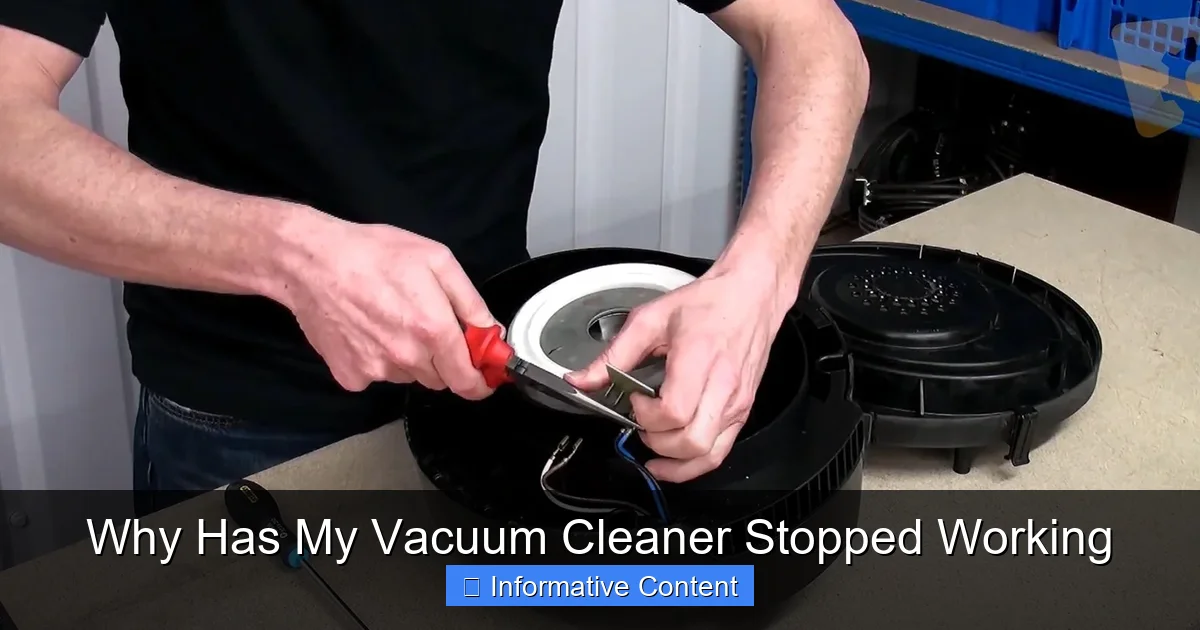
Is your vacuum cleaner on strike? Don’t despair! Most vacuum issues, such as a lack of power, reduced suction, or a non-spinning brush roll, can be resolved with simple troubleshooting. From checking the power cord and clearing clogs to cleaning filters and untangling hair, many problems that make you wonder “why has my vacuum cleaner stopped working” have straightforward solutions you can tackle yourself, saving you time and money.
Has your trusty vacuum cleaner suddenly decided to call it quits? One minute it’s humming along, sucking up dirt with gusto, and the next, it’s silent, sluggish, or simply refuses to turn on. It’s a common and frustrating problem that often leaves us scratching our heads, wondering, “Why has my vacuum cleaner stopped working?”
Before you panic and start browsing for a new model, take a deep breath. Many common vacuum cleaner issues aren’t serious and can be fixed with a bit of DIY troubleshooting. Often, the culprit is something surprisingly simple, like a full dustbin or a pesky clog. Knowing where to start looking can save you a trip to the repair shop or the expense of a brand-new machine. This guide will walk you through the most frequent reasons why your vacuum cleaner might have stopped working and provide practical steps to get it back in action.
So, if you’re standing over your silent cleaning companion, feeling defeated, don’t worry. We’re about to dive into the world of vacuum cleaner diagnostics. Let’s uncover the mystery behind why your vacuum cleaner has stopped working and get you back to a spotless home!
Key Takeaways
- No Power? Start Simple: Always begin by checking the power outlet, cord integrity, and the circuit breaker. A vacuum cleaner that won’t turn on often has a basic electrical issue.
- Loss of Suction is Usually a Clog: The most frequent cause for a lack of suction is a blockage in the hose, filters, bag, or canister. Regular cleaning and emptying prevent this.
- Brush Roll Problems are Often Hair-Related: If your brush roll isn’t spinning, excessive hair and debris tangled around it or a broken belt are common culprits. Maintenance is key here.
- Don’t Ignore Overheating or Strange Noises: These are critical warning signs. Overheating often points to restricted airflow (clogs, full bag), while unusual sounds can indicate motor stress.
- Filter Maintenance is Crucial: Dirty or clogged filters severely impact suction and can cause overheating, leading to a vacuum cleaner that stops working effectively. Clean or replace them regularly.
- Safety First During Troubleshooting: Always unplug your vacuum cleaner before performing any checks or maintenance to prevent electric shock or accidental operation.
Quick Answers to Common Questions
My vacuum cleaner smells like burning rubber. What should I do?
A burning rubber smell usually indicates that the brush roll is jammed and the drive belt is slipping or burning. Immediately turn off and unplug the vacuum. Flip it over and carefully clear any hair or debris tangled around the brush roll. Inspect the belt for damage and replace it if necessary.
Why is my vacuum cleaner making a high-pitched whining noise but not sucking?
A high-pitched whine with no suction strongly suggests a major clog is restricting airflow, causing the motor to strain. Check the hose, brush roll intake, and all filters for blockages. Also, ensure the dustbin isn’t completely full or the bag isn’t overfilled.
My cordless vacuum won’t turn on, even after charging. What’s wrong?
If your cordless vacuum won’t turn on after charging, first ensure the charger is working and the battery is seated correctly. If those are fine, the battery itself might be dead and need replacement, or there could be an issue with the vacuum’s power switch or internal electronics.
How often should I clean my vacuum filters?
The frequency depends on your vacuum model and usage, but generally, washable pre-motor filters should be cleaned monthly. HEPA filters (if washable) can be cleaned every 3-6 months, and disposable ones replaced every 6-12 months. Check your vacuum’s manual for specific recommendations.
Can I use a vacuum with a frayed power cord?
No, absolutely not. Using a vacuum with a frayed or damaged power cord is a serious electrical hazard and could cause electric shock or fire. The cord must be professionally repaired or replaced before the vacuum can be safely used again.
📑 Table of Contents
- 1. Power Problems: Is It Even Getting Electricity?
- 2. Loss of Suction: The Most Common Culprit
- 3. Brush Roll Blues: Why Won’t It Spin?
- 4. Strange Noises & Smells: Warning Signs You Shouldn’t Ignore
- 5. Overheating & Shutting Down: Built-in Protections
- 6. Beyond Basic Troubleshooting: When to Call a Pro
1. Power Problems: Is It Even Getting Electricity?
Sometimes, the most obvious solution is the one we overlook first. If your vacuum cleaner has stopped working entirely and shows no signs of life, the problem might not be with the vacuum itself, but with its power source.
Check the Outlet and Power Cord
The very first thing to do is ensure the vacuum is properly plugged into a functioning power outlet.
- Test the Outlet: Plug another appliance (like a lamp or phone charger) into the same outlet to confirm it’s live. If the other appliance doesn’t work either, the issue is with your home’s electricity, not the vacuum.
- Inspect the Power Cord: Carefully examine the vacuum’s power cord for any visible damage – frayed wires, cuts, or pinched sections. A damaged cord is a serious safety hazard and can prevent the vacuum from getting power. If you find damage, the cord will need to be professionally replaced. Never use a vacuum with a damaged cord.
- Check the Plug: Make sure the plug itself isn’t bent or damaged.
The Circuit Breaker or Fuse
Modern homes have circuit breakers that trip to prevent electrical overloads. If your vacuum cleaner has stopped working, especially after it suddenly died mid-use, check your home’s electrical panel.
- Reset the Breaker: Locate the breaker switch that corresponds to the room where you were vacuuming. If it’s in the “off” or middle position, flip it completely off, then back to the “on” position. If it immediately trips again, there’s a deeper electrical issue you’ll need an electrician for.
- Internal Fuse (Some Models): Some vacuum cleaners have an internal fuse. While less common in modern appliances for user access, if your manual mentions one, it might be worth investigating if you’re comfortable with minor electrical work (always unplug first!).
2. Loss of Suction: The Most Common Culprit

Visual guide about Why Has My Vacuum Cleaner Stopped Working
Image source: i.ytimg.com
Perhaps your vacuum turns on, but it’s just not picking anything up. This is a classic symptom of poor suction. It’s incredibly frustrating when your vacuum cleaner has stopped working effectively because it can’t even pick up a crumb. Thankfully, this is often due to very fixable issues.
Clogs, Clogs, Everywhere!
A blockage in the vacuum’s airway is the number one reason for reduced or lost suction.
- Hose Clogs: The hose is a prime spot for larger debris, socks, or even toys to get stuck. Detach the hose (if possible) and visually inspect it. You can often clear minor clogs by carefully pushing a broom handle or a long, blunt object through it. For flexible hoses, gently squeeze and manipulate them to dislodge debris.
- Brush Roll Area Clogs: Sometimes, debris gets stuck where the brush roll meets the intake. Flip the vacuum over (unplugged!) and inspect this area. Remove any visible blockages.
- Airflow Paths: Some vacuums have internal air paths that can become clogged. Consult your manual for diagrams of these paths.
Full Dust Bag or Canister
It sounds obvious, but many people forget to check this! A full bag or canister severely restricts airflow, causing your vacuum cleaner to stop working at its peak.
- Empty the Canister: If you have a bagless vacuum, empty the dustbin regularly, ideally after every use or when it reaches the “max fill” line.
- Change the Bag: For bagged vacuums, replace the bag before it’s completely full. Even if it doesn’t look bursting, a compacted bag still limits airflow.
Dirty or Clogged Filters
Filters are your vacuum’s lungs, trapping dust and allergens. If they’re dirty, your vacuum can’t “breathe,” leading to poor suction and potentially overheating. This is a very common reason why your vacuum cleaner has stopped working efficiently.
- Pre-Motor Filters: These protect the motor from larger particles. Many are washable. Check your manual for cleaning instructions and frequency (usually monthly). Rinse them thoroughly and let them air dry completely before reinstalling.
- HEPA Filters (Post-Motor): These capture fine particles and allergens. Some are washable, while others are disposable and need regular replacement (typically every 6-12 months, depending on use). A clogged HEPA filter can drastically reduce suction.
Hose and Gasket Leaks
Tiny cracks or loose connections in the hose or the seals (gaskets) can allow air to escape, reducing suction power.
- Inspect Hose: Run your hand along the hose while the vacuum is running (carefully!) to feel for escaping air.
- Check Connections: Ensure all hose connections, attachments, and the dustbin are securely fastened.
3. Brush Roll Blues: Why Won’t It Spin?
The brush roll (or beater bar) is crucial for agitating carpet fibers and lifting dirt. If it’s not spinning, your vacuum cleaner has stopped working effectively on carpets, even if it has suction.
Hair, Thread, and Debris Tangles
This is the most frequent cause of a non-spinning brush roll.
- Clear the Brush Roll: Unplug the vacuum, flip it over, and carefully cut away any tangled hair, threads, or carpet fibers wrapped around the brush roll. Use scissors or a seam ripper, being careful not to cut the bristles or the belt.
- Check End Caps: Remove the end caps of the brush roll (if applicable) and clean any debris that might be impeding its rotation.
Broken or Stretched Belt
The brush roll is usually driven by a belt connected to the motor. Over time, these belts can stretch, break, or slip.
- Inspect the Belt: After removing hair from the brush roll, check the belt. If it’s loose, stretched, cracked, or completely broken, it needs replacement.
- Replacing the Belt: Most vacuum belts are user-replaceable. You’ll need to purchase the correct replacement belt for your specific vacuum model. Follow your manual’s instructions for removal and installation. This is a common fix if your vacuum cleaner has stopped working in terms of floor agitation.
Brush Roll Motor Issues (Advanced)
Some modern vacuums, especially stick or cordless models, have separate motors for the brush roll. If the above steps don’t fix it, there might be an electrical issue or motor failure specific to the brush roll, which might require professional repair.
4. Strange Noises & Smells: Warning Signs You Shouldn’t Ignore
If your vacuum cleaner has stopped working normally and is now making unusual noises or emitting strange smells, it’s telling you something important.
Loud or High-Pitched Noises
- Clogs: A restricted airflow due to a clog can make the motor strain and sound louder or higher-pitched than usual. Check all clog points again.
- Motor Bearing Wear: A persistent loud, grinding, or squealing noise often indicates worn motor bearings. This is a more serious issue and usually requires professional repair or motor replacement.
- Loose Components: Rattling sounds could mean a loose part inside the vacuum or something bouncing around in the canister/hose.
Burning Smells
A burning smell is always a red flag and indicates that something is overheating.
- Overworked Motor: If the motor is straining due to a major clog or full dustbin, it can overheat and emit a burning smell. Immediately turn off and unplug the vacuum, then check for clogs and clean filters. Let it cool down completely.
- Burning Belt: If the brush roll is jammed and the motor is still trying to spin the belt, the friction can cause the belt to burn. This will smell like burning rubber. Immediately turn off the vacuum and clear the brush roll. The belt might need replacing.
- Electrical Short: A burning plastic or electrical smell, especially accompanied by smoke, is very serious. Unplug the vacuum immediately and do not use it again. This indicates an electrical fault and requires professional repair or replacement. This is a critical reason why your vacuum cleaner has stopped working safely.
5. Overheating & Shutting Down: Built-in Protections
Many modern vacuums have thermal cut-off switches designed to prevent damage from overheating. If your vacuum cleaner has stopped working abruptly and then refuses to turn back on for a while, overheating is likely the cause.
Why Do Vacuums Overheat?
- Restricted Airflow: This is the most common reason. Full dustbins, clogged filters, or blockages in the hose or intake force the motor to work harder, generating excessive heat.
- Prolonged Use: Running the vacuum for a very long time without a break, especially on high-pile carpets or with an older motor, can lead to overheating.
- Motor Issues: While less common for simple overheating, a failing motor can also generate more heat.
What to Do When It Overheats
- Unplug and Cool Down: Immediately turn off and unplug the vacuum. Let it cool for at least 30-60 minutes.
- Clear All Obstructions: While it’s cooling, check and clear every possible area for clogs: hose, brush roll, intake, and filters. Empty the dustbin or change the bag.
- Clean or Replace Filters: Thoroughly clean any washable filters and consider replacing disposable ones if they’re old and dirty.
Once it has cooled and you’ve addressed potential causes, try plugging it back in and turning it on. If it still overheats quickly, there might be a more persistent issue, and it’s time to consider professional help.
6. Beyond Basic Troubleshooting: When to Call a Pro
While many problems leading you to wonder “why has my vacuum cleaner stopped working?” have simple DIY fixes, some issues are best left to the experts.
When to Seek Professional Help:
- Persistent Electrical Issues: If your vacuum cleaner keeps tripping breakers, sparks, or emits burning electrical smells, it’s a significant safety hazard. Do not attempt to fix this yourself.
- Motor Failure: If you’ve ruled out all other possibilities and the motor still won’t run, or makes grinding noises despite being clear of obstructions, the motor might be dying. Motor replacement is often costly, and you’ll need to weigh that against the cost of a new vacuum.
- Complex Disassembly Required: If the problem lies deep within the vacuum’s mechanics and requires specialized tools or knowledge to disassemble, it’s best to consult a professional.
- Under Warranty: If your vacuum is still under warranty, attempting repairs yourself might void it. Check your warranty terms and contact the manufacturer or an authorized service center.
Considering a New Vacuum
If your vacuum cleaner has stopped working due to major component failure (like a motor) and it’s an older model, the repair cost might outweigh the value of the vacuum. At some point, investing in a new, more efficient model becomes the more sensible option. Research new features, energy efficiency, and your specific cleaning needs before making a decision.
Ultimately, keeping your vacuum cleaner in good working order requires a bit of attention and regular maintenance. Most of the time, when your vacuum cleaner has stopped working, it’s giving you a clear signal that it needs a little TLC. By following these troubleshooting tips, you can often bring your trusty cleaning companion back to life and enjoy a cleaner home without the immediate need for a new purchase. Happy cleaning!
🎥 Related Video: Vacuum NOT SUCKING? Here's How To FIX IT!!
📺 Clean With Confidence
MORE CLEANING VIDEOS ☆ – How to Clean a Dishwasher Properly: https://youtu.be/_-TRcRya-dA – How to Professionally …
Frequently Asked Questions
What’s the most common reason for a vacuum cleaner to lose suction?
The most common reason for a vacuum cleaner to lose suction is a blockage. This can be due to a full dustbin or bag, clogged filters, or debris lodged in the hose or brush roll pathway, restricting airflow.
My vacuum cleaner turns on but the brush roll isn’t spinning. What should I check first?
If your brush roll isn’t spinning, first unplug the vacuum and flip it over. Inspect the brush roll for excessive hair, strings, or debris tangled around it, which can prevent it from rotating. Also, check if the drive belt is broken, stretched, or has come off its pulley.
How can I tell if my vacuum’s motor is failing?
Signs of a failing motor often include unusual loud grinding or squealing noises, strong burning smells unrelated to belts or clogs, or a complete failure to turn on even when receiving power. Reduced suction over time, even with clean filters and no clogs, can also be a symptom.
Is it safe to try to fix my vacuum cleaner myself?
Many minor issues, like clearing clogs, cleaning filters, or untangling hair from the brush roll, are safe to fix yourself, always after unplugging the unit. However, for electrical issues, motor problems, or anything requiring complex disassembly, it’s safer to consult a professional to avoid further damage or injury.
Why does my vacuum cleaner keep shutting off after a short time?
Your vacuum cleaner likely has a thermal cut-off switch that activates when the motor overheats, usually due to restricted airflow. This is a common reason why your vacuum cleaner has stopped working temporarily. Check for full dustbins, clogged filters, or blockages in the hose or brush roll. Let it cool down completely before using it again after clearing the issues.
How often should I replace my vacuum bag or empty the canister?
For bagged vacuums, replace the bag when it is about two-thirds full or when suction noticeably decreases, even if it doesn’t look completely stuffed. For bagless vacuums, empty the canister after every use or when the dirt reaches the maximum fill line, as indicated on the canister itself.