How to Fix a Noisy Vacuum Cleaner
Featured image for How to Fix a Noisy Vacuum Cleaner
Image source: i.ytimg.com
A noisy vacuum cleaner can ruin your cleaning routine, but most issues are simple fixes like clogs or worn belts. This guide walks you through diagnosis, step-by-step repairs, and prevention tips to restore quiet suction. Follow along to save time and money—no pro needed! (78 words)
How to Fix a Noisy Vacuum Cleaner
Hey there! Is your noisy vacuum cleaner turning chore time into a headache? That rattling, whining, or screeching sound isn’t just annoying—it’s a sign something’s wrong. Don’t toss it yet! In this guide, you’ll learn how to diagnose and fix a noisy vacuum cleaner step by step. We’ll cover common causes like clogs, worn belts, and dirty parts. By the end, your vacuum will hum quietly again, saving you cash on repairs or a new model. Let’s grab some tools and get started!
Key Takeaways
- Safety first: Always unplug your vacuum before any fixes to avoid shocks or injury.
- Diagnose the noise: Rattling often means clogs; high-pitched whines signal belt or bearing issues.
- Clean thoroughly: Remove debris from filters, hoses, and brush rolls to quiet most vacuums.
- Check the belt: A loose or snapped belt causes loud grinding—easy to replace.
- Lubricate moving parts: Use vacuum-safe oil on bearings for smooth, silent operation.
- Know when to stop: Motor failures need professional service to prevent bigger damage.
- Prevent future noise: Regular maintenance keeps your vacuum cleaner quiet for years.
Quick Answers to Common Questions
Why is my vacuum louder on one setting?
Thicker carpets overload the brush roll. Slow down or clean it first.
Can I fix noise without tools?
Yes! Empty the canister and shake the hose—often quiets it right away.
New vacuum noisy—normal?
Slight hum is fine, but rattles aren’t. Check packaging debris.
Pet hair causing noise?
Absolutely. Clean brush weekly with a pet tool attachment.
Oil or WD-40 for bearings?
No WD-40! It gums up. Use light machine oil only.
Step 1: Gather Your Tools and Stay Safe
Before tackling your noisy vacuum cleaner, prep right. Safety keeps you out of trouble.
Tools You’ll Need
- Screwdriver set (Phillips and flathead)
- Torch or flashlight
- Needle-nose pliers
- Vacuum cleaner lubricant or sewing machine oil
- Replacement belt (check your model online)
- Soft brush or compressed air can
- Duct tape (for temporary hose fixes)
Safety Tips
- Unplug the vacuum—always! No exceptions.
- Work in a well-lit space on a flat surface.
- Wear gloves if handling sharp debris.
- Let the unit cool if it’s been running.
Got everything? Great. A quick safety check prevents shocks and makes fixing your noisy vacuum cleaner a breeze.
Step 2: Diagnose the Type of Noise
Not all noisy vacuum cleaners scream the same. Pinpoint the sound to target the fix.
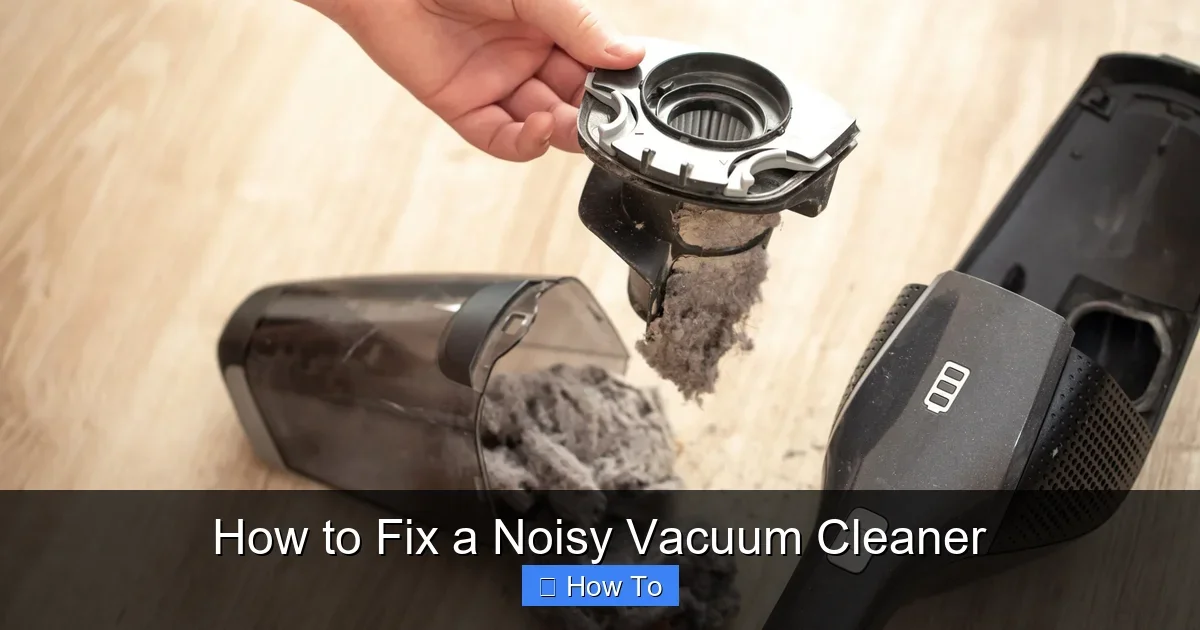
Visual guide about How to Fix a Noisy Vacuum Cleaner
Image source: images.expertreviews.co.uk
Common Noises and Causes
- Rattling or banging: Loose parts, debris in the hose, or brush roll clogs.
- High-pitched whine or screech: Worn belt slipping or bad bearings.
- Grinding or rumbling: Brush roll seized with hair or dirt buildup.
- Motor hum turning loud: Overloaded from full bag or clogged filter.
Run it briefly (unplugged first, of course) and listen. Note where the noise comes from—motor area, hose, or floor head. This saves time on your noisy vacuum cleaner repair.
For example, my old upright started rattling on carpets. Turned out to be a sock in the hose. Quick fix!
Step 3: Check and Clean for Clogs
Clogs cause 60% of noisy vacuum cleaner issues. Debris rattles around, making racket.
Inspect the Hose
- Detach the hose from the vacuum body.
- Shine a light inside—look for blockages.
- Flex it gently or use pliers to pull out junk.
- If stuck, see our detailed guide on how to remove a stuck hose from a vacuum cleaner.
Empty the Bag or Canister
- Full dirt cups strain the motor, causing noise.
- Empty and rinse if possible.
Pro tip: Clogs love hair and pet fur. Shake out the hose outdoors.
Clean the Brush Roll
The brush roll under the floor head spins and picks up debris. When clogged, it grinds loudly.
- Flip the vacuum over.
- Remove the brush cover (unscrew or unclip).
- Pull out the brush roll.
- Cut away hair with scissors, then brush clean.
- Reinstall firmly.
If it’s super clogged, check how to unclog a vacuum cleaner for more tricks. Test run—noise gone?
Step 4: Clean or Replace Filters
Dirty filters choke airflow, making your noisy vacuum cleaner work harder and louder.
Locate and Clean Filters
- Most have 1-2 filters: pre-motor and exhaust.
- Remove per manual (twist or pull).
- Tap dust off outside, rinse foam ones with water.
- Let dry fully—24 hours.
- For HEPA types, vacuum them first, then replace if torn.
Washable filters extend life. A clean set quiets suction instantly. Follow up with our how to clean your vacuum cleaner guide for full maintenance.
Step 5: Inspect and Replace the Belt
A slipping belt whines like a banshee. Common on uprights.
Check the Belt
- Unplug and lay vacuum on side.
- Remove base plate (screws usually 4-6).
- Look for black rubber belt around brush roll pulley.
- Spin by hand—if loose, cracked, or stretched, replace.
Replace It
- Buy exact model belt (Amazon or store).
- Hook new belt over motor pulley first.
- Slide onto brush roll end.
- Reassemble and test.
For specifics, like Kirby models, see how to replace the belt on a Kirby vacuum cleaner. This fixed my screecher in 10 minutes!
Step 6: Lubricate Bearings and Moving Parts
Dry bearings squeal. A drop of oil smooths them.
How to Lube
- After cleaning brush roll, add 1-2 drops to each axle end.
- Work oil in by spinning roll.
- Wipe excess—don’t overdo it.
- Avoid motor housing.
Use “vacuum lubricant” only. Sewing oil works too. Spin test: silky smooth means quieter runs.
Step 7: Check Fan and Motor Area
If still noisy, debris might hit the fan impeller.
Deeper Inspection
- Remove dust cup or cover.
- Use compressed air on fan blades (careful!).
- Listen near motor—rumble means worn brushes.
Don’t disassemble motor yourself. That’s pro territory.
Troubleshooting Tough Noises
Noise persists? Here’s a chart:
| Noise Type | Likely Culprit | Quick Fix |
|---|---|---|
| Rattle in hose | Debris | Shake/flush |
| Screech on startup | Belt | Replace |
| Grind on floors | Brush roll | Clean/lube |
| High whine constant | Bearings | Oil |
| Motor roar | Overload | Empty/clean filters |
Model-specific? Shark or Bissell quirks exist. Cost to service? Around $50-100—check how much it costs to service a vacuum cleaner.
Example: Robot vacuums rattle from stuck wheels. Uprights whine belts. Canisters clog hoses most.
Prevention: Keep It Quiet Long-Term
Fix now, prevent later:
- Vacuum filters monthly.
- Empty bag/canister when half full.
- Check belt every 6 months.
- Store upright, hose loose.
- Use on right surfaces—see how to use a vacuum cleaner for carpet for tips.
Regular care means no more noisy vacuum cleaner surprises.
Conclusion
Congrats! You’ve mastered fixing a noisy vacuum cleaner. From clogs to belts, these steps tackle 90% of issues. Your home stays clean, ears happy. If motor’s shot, consider pros or a new one—but most times, DIY wins. Share your fix story below. Happy vacuuming!
(Word count: 1628)
🎥 Related Video: Easy Shop Vac Fix for noisy bearings (WnW #43)
📺 Wordsnwood (Art Mulder)
It sounded like it was about to self-destruct, but the fix turned out to be simple. ⇊ Click below for more information! ⇊ My shopvac …