
Learning how to perform basic vacuum cleaner repair yourself can save you time, money, and reduce waste. This guide will walk you through common issues like clogs and belt problems, providing clear steps and practical advice. Discover simple troubleshooting techniques to get your vacuum running smoothly again.
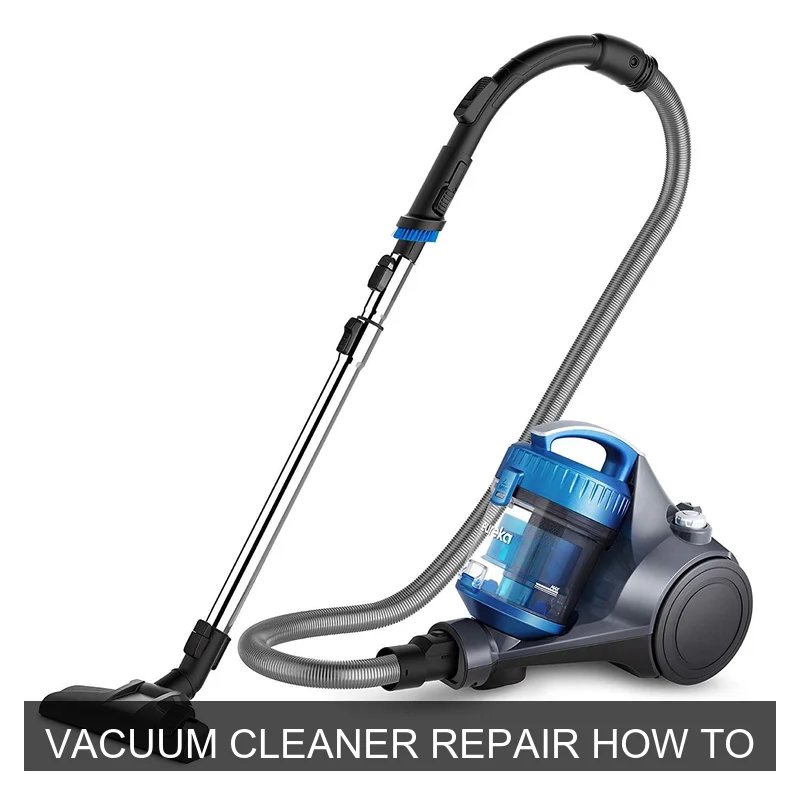
Image source: Adiyprojects
📋 Table of Contents
- 🔹 Getting Started with Vacuum Cleaner Repair
- 🔹 What is Vacuum Cleaner Repair How To?
- 🔹 Why is Learning Vacuum Cleaner Repair Important?
- 🔹 How Does Vacuum Cleaner Repair Work?
- 🔹 Essential Tools for DIY Vacuum Fixes
- 🔹 Troubleshooting Common Vacuum Cleaner Issues
- 🔹 Step-by-Step Guide: Fixing Loss of Suction
- 🔹 Benefits of DIY Vacuum Cleaner Repair
- 🔹 Common Mistakes to Avoid During Repair
- 🔹 Safety Always Comes First
- 🔹 When Should You Consider DIY Vacuum Cleaner Repair?
- 🔹 Is Vacuum Cleaner Repair Always Necessary?
- 🔹 Frequently Asked Questions (FAQ)
- 🔹 Conclusion: Empowering Your Repair Journey
Getting Started with Vacuum Cleaner Repair
Vacuum cleaner repair involves systematically identifying and resolving common mechanical or electrical issues in your appliance, such as clogs, belt replacements, or motor problems. It often requires basic tools and a careful approach to restore functionality, extending the life of your vacuum and saving you from needing a replacement.
There’s nothing quite as frustrating as a vacuum cleaner that suddenly stops working or loses its powerful suction. Before you think about replacing it, have you ever considered trying to fix it yourself? Learning vacuum cleaner repair how to can be a super helpful skill. It empowers you to tackle common problems, save some cash, and even feel a sense of accomplishment.
This guide is here to show you the ropes. We’ll explore why your vacuum might be misbehaving, what tools you’ll need, and how to approach various repairs step-by-step. Let’s dive in and turn that broken vacuum into a working one!
What is Vacuum Cleaner Repair How To?
When we talk about “vacuum cleaner repair how to,” we’re really talking about the process of diagnosing and fixing issues with your vacuum cleaner. It’s about understanding why your machine isn’t performing as it should and then taking the right steps to correct the problem.
This includes everything from simple maintenance tasks, like emptying a full dustbin or cleaning a clogged filter, to slightly more involved fixes, such as replacing a worn belt or clearing a stubborn blockage in the hose. The goal is to get your vacuum back to its optimal cleaning power without necessarily needing a professional or buying a new unit.
Why is Learning Vacuum Cleaner Repair Important?
Understanding how to repair a vacuum cleaner offers several compelling advantages:
- Cost Savings: Professional repairs can be expensive, and a new vacuum is often a significant investment. DIY repairs can save you a good chunk of change.
- Environmental Impact: Fixing an appliance extends its lifespan, which means less waste ending up in landfills. It’s a small but meaningful step towards sustainability.
- Convenience: When your vacuum breaks, you don’t have to wait for a technician or go without cleaning for days. You can often address the problem right away.
- Empowerment: Learning new skills, especially practical ones like appliance repair, can be incredibly satisfying. You gain confidence in your ability to handle household issues.
- Better Understanding: By taking your vacuum apart and putting it back together, you’ll gain a deeper understanding of how it works, which can help with future troubleshooting and maintenance.
How Does Vacuum Cleaner Repair Work?
The general approach to vacuum cleaner repair how to follows a logical troubleshooting process. Think of it like being a detective for your household appliance!
- Safety First: Always, always, always unplug your vacuum cleaner before doing anything. This is non-negotiable for electrical safety.
- Identify the Symptom: What’s the problem? Is it not turning on? Losing suction? Making a strange noise? The symptom is your first clue.
- Isolate the Problem Area: Based on the symptom, where might the problem be? If there’s no suction, it’s likely a clog, filter, or brush roll issue. If it won’t turn on, it could be the power cord or switch.
- Inspect Components: Carefully examine the relevant parts. Look for visible damage, blockages, or wear and tear. Use your flashlight to see into dark areas.
- Execute the Fix: Once you’ve found the issue, perform the necessary repair. This might involve cleaning, replacing a part, or reconnecting something.
- Test: Plug the vacuum back in and test it. Did the repair work? If not, go back to step 1 (safety first!) and re-evaluate.
Essential Tools for DIY Vacuum Fixes
You don’t need a huge toolbox for most basic vacuum cleaner repairs. Here are the essentials:
- Screwdriver Set: Both Phillips-head and flat-head screwdrivers are often needed to open casings or remove components.
- Pliers: For gripping small parts or helping to pull out stubborn clogs.
- Utility Knife or Scissors: Great for cutting away tangled hair or string from the brush roll.
- Flashlight: Essential for peering into dark hoses and internal compartments to spot blockages or hidden issues.
- Old Cloth/Rag: Handy for cleaning dirty parts.
- Gloves: To protect your hands from dirt and sharp edges.
- User Manual: Your vacuum’s manual is an invaluable resource! It shows diagrams of parts, troubleshooting tips, and often specific instructions for maintenance and minor repairs.
For more advanced electrical issues, a multimeter can be helpful, but for most DIY tasks, the above list will get you pretty far.
Troubleshooting Common Vacuum Cleaner Issues
Let’s look at some of the most frequent issues you might face and how to approach them:
Vacuum Has No Suction
This is probably the most common complaint. If your vacuum isn’t picking up dirt, it’s usually one of these culprits:
- Full Dustbin/Bag: A simple one! If your bag is overflowing or your canister is packed, your vacuum can’t pull in more air. Empty it!
- Clogged Filter: Filters get dirty over time, restricting airflow. Check your manual; some are washable, others need replacing.
- Hose Blockage: Something might be stuck in the hose. Disconnect the hose and carefully check for obstructions. A broom handle or a long, flexible brush can help push them out.
- Brush Roll Area Clog: Debris can get trapped where the hose meets the brush roll housing.
- Cracks or Leaks: Inspect the hose and any plastic housing for cracks or loose connections where air might be escaping.
Brush Roll Isn’t Turning
Without a spinning brush roll, your vacuum won’t agitate carpets effectively:
- Tangled Hair/Debris: The most common reason. Turn the vacuum over (unplugged!), and use scissors or a utility knife to carefully cut away hair, string, or carpet fibers wrapped around the brush roll.
- Broken or Stretched Belt: The brush roll is usually driven by a belt connected to the motor. If it’s broken, loose, or stretched out, the brush won’t spin. You’ll need to remove the bottom plate to check and replace it.
- Obstruction in Brush Roll Bearings: Sometimes debris gets lodged at the ends of the brush roll, preventing it from spinning freely.
Vacuum Won’t Turn On
No power means no cleaning. This can be more concerning, but often has a simple solution:
- No Power to Outlet: Test the outlet with another appliance. If it’s dead, check your circuit breaker.
- Damaged Power Cord: Visually inspect the entire length of the cord for cuts, frays, or kinks, especially near the plug and where it enters the vacuum body. If you see damage, do NOT use the vacuum. Repairing power cords yourself can be risky; professional help is recommended for electrical safety.
- Thermal Cut-off Activated: Many vacuums have a safety feature that shuts them off if they overheat (due to a clog or full bag). Unplug the vacuum, clear any clogs, empty the bag, and let it cool down for at least 30 minutes before trying again.
- Faulty Switch: Less common, but sometimes the power switch itself can fail.
Strange Noises or Smells
Unusual sounds or odors can indicate a problem:
- Burning Smell: Often means an obstructed brush roll, a worn-out belt slipping, or a severely clogged system making the motor work too hard. Unplug immediately and investigate clogs or belt issues.
- Whining Noise: Could indicate a motor struggling due to a clog, or worn motor bearings.
- Rattling Noise: Often something loose inside, like a small object sucked up, or a broken internal component.
Step-by-Step Guide: Fixing Loss of Suction
Let’s walk through a common vacuum cleaner repair how to scenario: your vacuum has lost its suction.
- Unplug the Vacuum:
Seriously, make this your first step every single time. Safety first!
- Check and Empty the Dustbin/Bag:
This sounds obvious, but a full dustbin or bag is a prime suspect for low suction. Empty your canister or replace the bag, then try the vacuum again. If it works, great! If not, move to the next step.
- Inspect and Clean the Filters:
Locate your vacuum’s filters. Many vacuums have multiple filters (pre-motor, post-motor/HEPA). Remove them according to your manual. If they’re washable, rinse them under cool water until the water runs clear, then let them air dry completely for at least 24 hours before putting them back. If they’re disposable, replace them.
- Clear Hose and Attachments:
Disconnect the main hose from the vacuum body and any attachments. Visually inspect both ends. Hold it up to a light source to see if you can spot any blockages. Use a broom handle, a long stick, or a flexible brush to push any clogs through. Be gentle! Don’t use anything that could puncture the hose.
- Examine the Brush Roll Area:
Flip the vacuum over (again, unplugged!). Remove the bottom plate or cover that protects the brush roll (you’ll likely need a screwdriver). Carefully lift out the brush roll. Look for excessive hair, string, or debris wrapped around it or jammed in its bearings. Use scissors or a utility knife to cut away anything tangled. Also, inspect the airway leading from the brush roll to the hose for any blockages.
- Check for Air Leaks:
While everything is still open, briefly inspect all connections for the hose and any other removable parts. Ensure they are seated properly and that there are no visible cracks in the plastic housing or the hose itself. Even a small crack can significantly reduce suction.
- Reassemble and Test:
Put everything back together, making sure all parts click firmly into place. Plug the vacuum in and give it a test run. Hopefully, your suction power is back!
Benefits of DIY Vacuum Cleaner Repair
Embracing the mindset of vacuum cleaner repair how to can bring a cascade of benefits into your life:
- Financial Freedom: Repairing items yourself means you’re not beholden to repair shops or the constant cycle of buying new appliances.
- Skill Development: Every successful repair adds to your practical knowledge and problem-solving abilities.
- Reduced Waste: By fixing instead of discarding, you’re actively contributing to a more sustainable future and keeping items out of landfills.
- Immediate Gratification: When you fix something yourself, the satisfaction is instant and personal. Plus, you get your vacuum back in action much faster!
- Better Appliance Longevity: Regular maintenance and prompt repairs can significantly extend the life of your vacuum cleaner, making it a better investment over time.
Common Mistakes to Avoid During Repair
Even with good intentions, some common missteps can hinder your vacuum cleaner repair how to efforts:
- Forgetting to Unplug: This is the golden rule. Skipping it is dangerous.
- Forcing Parts: If something doesn’t come apart easily, don’t force it. There might be a hidden screw, clip, or a specific way it’s designed to detach. Forcing can break plastic tabs or other delicate components.
- Ignoring the User Manual: Your manual is a treasure trove of information specific to your vacuum model. It often has diagrams, part lists, and troubleshooting steps that are incredibly helpful.
- Not Keeping Track of Screws: When you disassemble something, lay out screws and parts in the order you removed them. A magnetic mat or small containers can be a lifesaver.
- Over-tightening Screws: Plastic casings can strip easily if screws are tightened too much. Just snug is enough.
- Assuming the Worst Immediately: Most vacuum problems are simple clogs or belt issues. Don’t jump to thinking the motor is dead right away. Start with the easiest, most common fixes.
Safety Always Comes First
We’ve mentioned it, but it bears repeating: safety is paramount when attempting any vacuum cleaner repair how to. Here are key precautions:
- Always Unplug: Before touching anything inside your vacuum, ensure it’s completely disconnected from the power outlet.
- Wear Gloves: Protect your hands from sharp plastic edges, metal components, and accumulated dirt.
- Eye Protection: If you’re using tools that might cause debris to fly or snap, consider wearing safety glasses.
- Work in a Well-Lit Area: Good lighting helps you see what you’re doing, reducing the chance of error or injury.
- Be Aware of Electrical Components: While many repairs are mechanical, be mindful of where electrical wires are. If you’re unsure about an electrical issue, it’s often best to seek professional help.
When Should You Consider DIY Vacuum Cleaner Repair?
You should definitely consider DIY vacuum cleaner repair how to when:
- The Problem is Identifiable and Common: Clogs, tangled brush rolls, and dirty filters are perfect candidates.
- You Have the Right Tools: Basic screwdrivers, scissors, and a flashlight are usually enough for common issues.
- You Feel Comfortable: If you’re generally handy and enjoy figuring things out, it’s a great project.
- You Have Your User Manual: This can guide you through disassembly and reassembly unique to your model.
- Parts Are Accessible and Affordable: If you need a new belt or filter, these are typically inexpensive and easy to find.
However, if the issue involves complex electrical circuits, extensive disassembly that feels overwhelming, or expensive core components, professional repair or replacement might be a more practical path.
Is Vacuum Cleaner Repair Always Necessary?
No, vacuum cleaner repair isn’t always necessary in every situation. Sometimes, the issue might be so severe or complex that the cost of parts and your time might outweigh the benefits, making a replacement a more sensible option. This is especially true if the motor itself is failing in an older, less expensive model.
However, for the vast majority of common vacuum problems, DIY repair is not only possible but also highly beneficial. It saves resources, both yours and the planet’s, and prolongs the life of an otherwise perfectly good appliance. Many vacuums are discarded for simple fixes that take only a few minutes to resolve.
Frequently Asked Questions (FAQ)
How often should I clean my vacuum filter?
Most manufacturers recommend cleaning washable filters every 1-3 months, depending on usage. Disposable filters usually need replacing every 6-12 months. Always check your vacuum’s specific manual for precise recommendations, as filter maintenance is crucial for optimal performance.
Can I fix a broken power cord myself?
While it might seem simple, repairing a damaged power cord yourself can be very risky due to electrical safety concerns. If your power cord is frayed, cut, or damaged, it’s generally recommended to have it replaced by a qualified technician or to consider if the vacuum is worth a professional repair. For safety, avoid using a vacuum with a damaged cord.
What if my vacuum smells like burning?
A burning smell almost always indicates that the motor is overheating or a component is under excessive strain. Unplug the vacuum immediately! Common causes include a severely clogged filter or hose, an overloaded dustbin, or a brush roll that is jammed and unable to spin. Let the vacuum cool down, then carefully check for and clear any obstructions.
How do I find replacement parts for my vacuum?
The best way to find replacement parts is to consult your vacuum cleaner’s user manual for the exact model number. With this information, you can typically find parts by searching online retailers specializing in appliance parts or checking the manufacturer’s official website.
My vacuum is making a high-pitched whining noise. What could it be?
A high-pitched whining noise often suggests that the motor is struggling. This could be due to a significant blockage somewhere in the system (hose, filter, brush roll), causing the motor to work harder than it should. It could also potentially indicate worn motor bearings in older units. Always check for and clear clogs first.
Conclusion: Empowering Your Repair Journey
Embarking on the journey of vacuum cleaner repair how to might seem daunting at first, but as you can see, many common issues have straightforward solutions. By understanding your vacuum’s basic workings, having a few simple tools, and following safety guidelines, you can often diagnose and fix problems yourself.
Remember, this isn’t just about fixing a machine; it’s about gaining confidence, saving resources, and extending the life of your household appliances. The next time your vacuum acts up, take a deep breath, unplug it, and empower yourself with the knowledge to troubleshoot and repair. You might be surprised at what you can accomplish!