
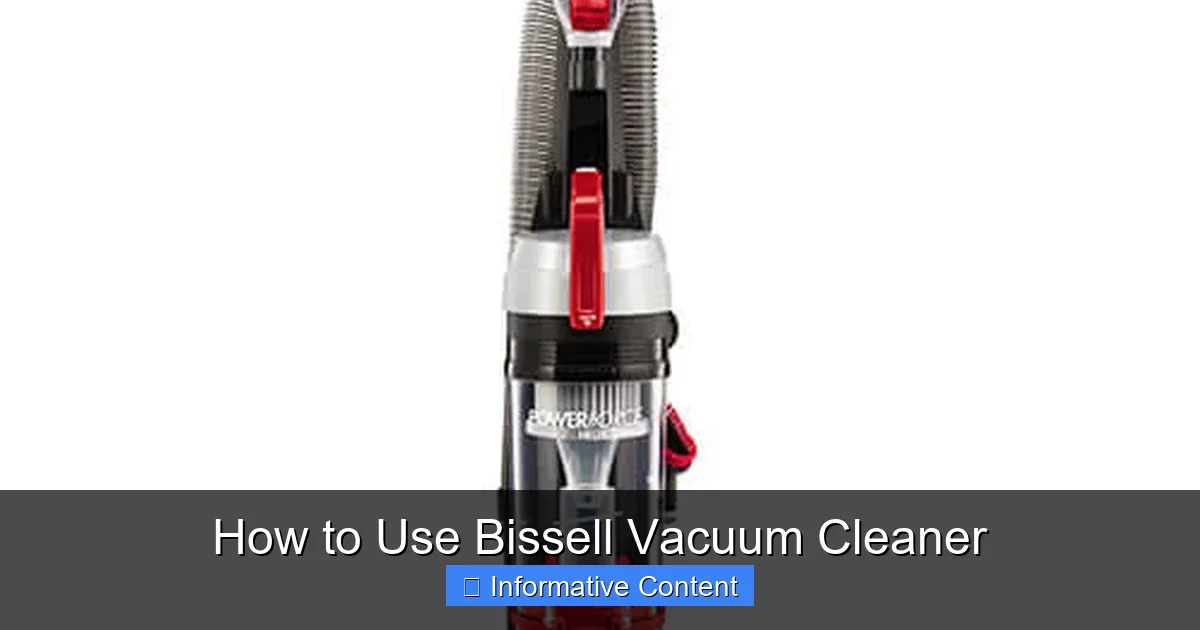
Unlock the full potential of your Bissell vacuum cleaner with this comprehensive guide! Learn how to use Bissell vacuum cleaner effectively, from initial setup and understanding different models to mastering cleaning techniques for various surfaces and performing essential maintenance. Get practical tips to ensure your home stays spotless and your vacuum performs optimally for years to come.
There’s something truly satisfying about a freshly vacuumed home, isn’t there? That feeling of clean, the plushness of a carpet, or the shine of a hard floor – it all starts with the right tools and knowing how to use them. And when it comes to keeping your living space immaculate, Bissell vacuum cleaners are often a top choice for households everywhere. With a reputation for powerful cleaning and innovative designs, Bissell offers a range of vacuums tailored to every need, from tackling stubborn pet hair to refreshing hard floors.
But whether you’re a first-time Bissell owner or just looking to get the most out of your trusty machine, understanding how to use Bissell vacuum cleaner correctly can make all the difference. It’s not just about pushing a button and rolling it around; it’s about optimizing its performance, extending its lifespan, and ensuring every corner of your home sparkles. This comprehensive guide is designed to walk you through every step, from assembly to advanced cleaning techniques and essential maintenance, transforming you into a Bissell vacuum pro.
So, get ready to unlock the full potential of your cleaning companion! We’ll cover everything you need to know about how to use Bissell vacuum cleaner effectively, ensuring you achieve a deeper clean with less effort. Let’s dive in and make your home the cleanest it’s ever been!
Key Takeaways
- Know Your Model: Different Bissell vacuums (upright, stick, canister) have unique features and optimal uses. Always refer to your specific model’s manual.
- Prepare Thoroughly: Always check filters, bags/canisters, and clear large debris before vacuuming for best results and to prevent damage.
- Master Technique: Use slow, overlapping passes and adjust settings for different floor types (e.g., brush roll off for hard floors) to maximize cleaning efficiency.
- Regular Maintenance is Key: Emptying the dirt tank, cleaning filters, and checking for clogs after each use extends your vacuum’s lifespan and maintains suction power.
- Safety First: Always unplug your vacuum before performing any maintenance, assembly, or checking for obstructions to prevent accidents and electrical hazards.
- Troubleshoot Smartly: Many common issues like loss of suction or brush roll problems can be resolved by checking for clogs, cleaning filters, or emptying the dirt tank.
- Utilize Attachments: Don’t overlook your Bissell’s on-board tools. Crevice tools, dusting brushes, and upholstery tools are designed for specialized cleaning tasks.
Quick Answers to Common Questions
What’s the best way to clean pet hair with my Bissell?
For pet hair, engage the brush roll on carpets and use specialized pet tools (like the Pet TurboBrush) for upholstery and stairs. Empty the dirt tank frequently as pet hair fills it quickly, and regularly check the brush roll and hose for clogs.
How often should I clean my Bissell vacuum’s filters?
For washable filters, check and rinse them under cool water monthly, or more often if you vacuum frequently or have pets. Ensure they are completely dry (24-48 hours) before reinserting. Non-washable filters should be replaced every 3-6 months as per your manual.
Why is my Bissell vacuum losing suction?
Loss of suction is commonly due to a full dirt tank/bag, clogged filters, or an obstruction in the hose or brush roll. Always check these areas first, ensuring all parts are properly sealed after cleaning or emptying.
Can I use my regular Bissell vacuum on wet messes?
No, standard Bissell vacuum cleaners are not designed for wet messes and doing so can severely damage the motor or cause electrical hazards. Only Bissell models specifically designed for wet cleaning, like the CrossWave series, should be used for liquids.
How do I know the correct height setting for my Bissell upright vacuum?
The correct height setting allows the brush roll to lightly skim the carpet without digging in or being too high to make proper contact. Experiment to find the setting where the vacuum moves easily, picks up debris effectively, and doesn’t struggle or make excessive noise.
📑 Table of Contents
- Understanding Your Bissell Vacuum: Types and Features
- Before You Begin: Preparation and Safety
- The Core Process: Operating Your Bissell Vacuum Effectively
- Mastering Different Surfaces and Messes
- Post-Vacuuming Care: Emptying, Cleaning, and Storing
- Troubleshooting Common Issues with Your Bissell
- Conclusion
Understanding Your Bissell Vacuum: Types and Features
Before you even plug in your machine, it’s helpful to get acquainted with the type of Bissell vacuum cleaner you own. Bissell offers a diverse lineup, each designed with specific cleaning tasks in mind. Knowing your model will help you understand its unique features and how to use Bissell vacuum cleaner most effectively for your home.
Upright Vacuums: The Powerhouses
These are the classic, workhorse vacuums, perfect for homes with a lot of carpet. Upright Bissell vacuums are known for their strong suction and often feature brush rolls that agitate carpet fibers to lift embedded dirt and pet hair. Many models come with on-board tools for above-floor cleaning.
- Best for: Carpets, large floor areas, deep cleaning.
- Key features: Powerful suction, rotating brush rolls, wider cleaning paths, often bagged or bagless.
Canister Vacuums: Maneuverability and Versatility
Canister vacuums consist of a main unit (the canister) and a long hose with various attachments. This design makes them incredibly agile and excellent for navigating around furniture, cleaning stairs, and reaching awkward spaces. They often excel on both hard floors and carpets with the right attachments.
- Best for: Hard floors, stairs, upholstery, curtains, delicate surfaces, homes with mixed flooring.
- Key features: Flexible hose, wide array of attachments, quieter operation, easy to maneuver.
Stick Vacuums: Lightweight and Convenient
Stick vacuums are slender, lightweight, and perfect for quick clean-ups and small spaces. Many Bissell stick vacuums are cordless, offering ultimate freedom of movement. They are often less powerful than uprights but shine in convenience.
- Best for: Quick spills, daily touch-ups, hard floors, small apartments, secondary vacuum.
- Key features: Lightweight, cordless options, compact storage, easy to grab and go.
Handheld Vacuums: The Small but Mighty
For those truly small messes, car interiors, or crumbs on the couch, a Bissell handheld vacuum is invaluable. These compact, often cordless devices provide spot cleaning power without the need to pull out a larger machine.
- Best for: Car interiors, upholstery, pet beds, quick spot cleaning.
- Key features: Portable, cordless, specialized nozzles for tight spaces.
Wet/Dry Vacuums & Carpet Cleaners: Deep Cleaning Solutions
While technically not just vacuums, Bissell also offers powerful wet/dry vacuums (like the CrossWave series) and dedicated carpet cleaners. These machines are designed for deep cleaning, scrubbing, and extracting liquid messes. Knowing how to use Bissell vacuum cleaner models for wet cleaning is a different, specialized skill requiring specific solutions and maintenance.
- Best for: Spills, mopping hard floors, deep cleaning carpets and rugs, refreshing upholstery.
- Key features: Water tanks, spray and scrub functions, powerful suction for liquid extraction.
Understanding these categories helps set the stage for how to use Bissell vacuum cleaner models effectively, as the techniques and maintenance will vary slightly depending on your specific model.
Before You Begin: Preparation and Safety
A successful vacuuming session starts long before you press the power button. Proper preparation not only ensures a more thorough clean but also protects your vacuum cleaner from damage. This section will guide you through getting ready, emphasizing how to use Bissell vacuum cleaner safely and efficiently.
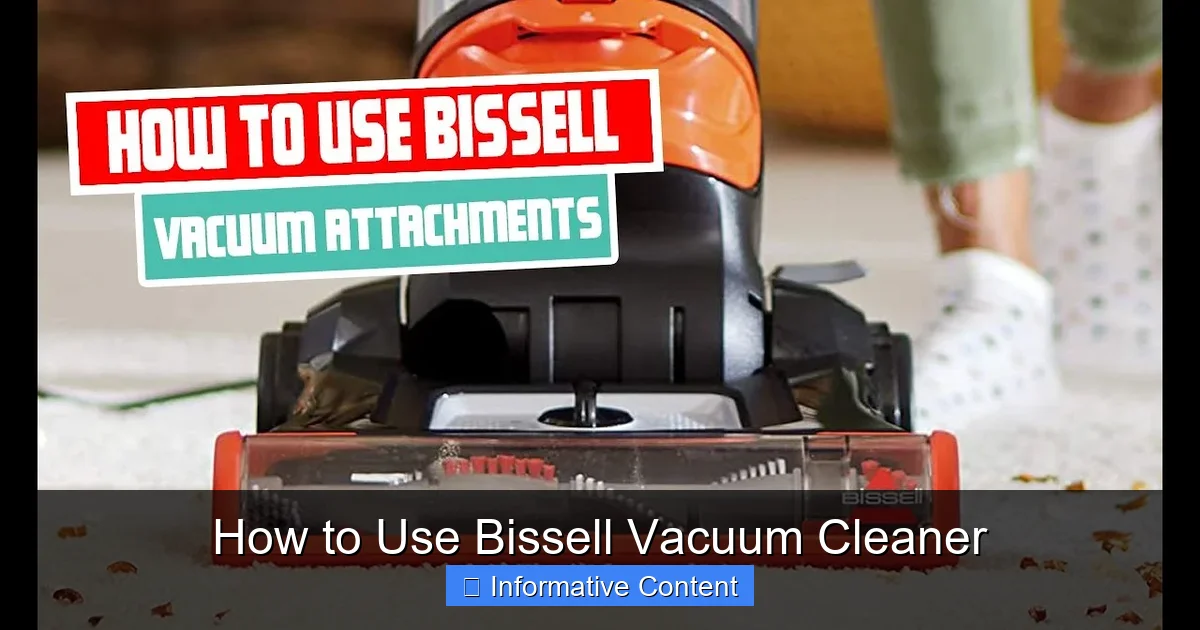
Visual guide about How to Use Bissell Vacuum Cleaner
Image source: i.ytimg.com
Unboxing and Assembly
If your Bissell vacuum is new, you’ll likely need to perform some simple assembly. Always refer to your specific model’s user manual for detailed instructions. Generally, this involves attaching the handle, hose, and sometimes the base. Most Bissell vacuums are designed for easy, tool-free assembly.
- Tip: Keep your user manual handy! It contains crucial information about your specific model, including part diagrams, troubleshooting, and how to use Bissell vacuum cleaner attachments correctly.
Check the Dirt Tank or Bag
This is a crucial step that many forget. A full dirt tank or bag significantly reduces suction power. For bagless models, ensure the dirt tank is empty and properly reattached. For bagged models, check if the bag needs replacing. A good rule of thumb is to empty the tank when it reaches its “Max Fill” line or if suction seems diminished.
- Example: If your Bissell upright vacuum feels like it’s not picking up as much as usual, the first thing to check is often the dirt tank. A full tank means nowhere for new debris to go!
Inspect and Clean Filters
Filters are your vacuum’s lungs, trapping dust and allergens. Clogged filters restrict airflow and diminish suction. Most Bissell vacuums have washable or replaceable filters. Check your manual for location and cleaning instructions. For washable filters, ensure they are completely dry before reinserting. Wet filters can damage the motor and promote mold growth.
- Pro Tip: Make checking filters a regular habit. A clean filter is key to powerful suction and maintaining how to use Bissell vacuum cleaner efficiently.
Clear Obstructions from Your Path
Before you start, do a quick “pre-clean” of the area. Pick up large objects like toys, socks, cords, or small rugs that could get tangled in the brush roll or obstruct the suction path. This prevents damage to your vacuum and keeps your home safer.
- Safety Reminder: Loose electrical cords are a major hazard. Always ensure they are out of the vacuum’s path to prevent entanglement, damage to the cord, or tripping.
Brush Roll Check
For upright and stick vacuums with a brush roll, turn the vacuum upside down (with it unplugged!) and check the brush roll for tangled hair, strings, or debris. Use scissors to carefully cut away anything wrapped around it. A clean brush roll is essential for effective carpet cleaning and crucial for knowing how to use Bissell vacuum cleaner on different surfaces.
Safety First: Important Reminders
- Always unplug: Before performing any maintenance, assembly, or inspection of your Bissell vacuum, always unplug it from the wall outlet. This prevents accidental startups and electric shock.
- Mind the cord: If you have a corded vacuum, be mindful of where the cord is. Don’t run over it, pull it taut, or trip over it.
- Dry hands: Never operate electrical appliances with wet hands.
- Keep away from water: Unless you have a specific wet/dry model (like a Bissell CrossWave), standard Bissell vacuum cleaners are not designed for picking up liquids. Doing so can damage the motor and pose an electrical hazard.
- Adult supervision: Keep children and pets away from the vacuum cleaner during operation and maintenance.
By following these preparatory steps and safety guidelines, you’re well on your way to understanding how to use Bissell vacuum cleaner effectively and safely, ensuring a smooth and productive cleaning session.
The Core Process: Operating Your Bissell Vacuum Effectively
Now that your Bissell vacuum is prepped and ready, it’s time to put it to work! Knowing how to use Bissell vacuum cleaner with proper technique can significantly improve your cleaning results and reduce the time you spend vacuuming. Let’s explore the best practices for operation.
Powering On and Initial Settings
Locate the power button, usually on the handle or the main body of the vacuum. Press it to turn on your machine. Many Bissell vacuums, especially uprights, come with various settings that you can adjust before you even start moving.
- Brush Roll On/Off: For carpeted floors, ensure the brush roll is engaged (turned “on”) to agitate fibers and lift deep-seated dirt. For hard floors, turn the brush roll “off” to prevent scattering debris and protect delicate surfaces from scratches.
- Height Adjustment: If your Bissell has a height adjustment dial (common on uprights), set it appropriately for your flooring. Lower settings are for low-pile carpets and hard floors, while higher settings are for thick carpets and rugs. The brush roll should lightly skim the surface, not dig in or get bogged down.
Mastering Your Movement: The Overlapping Pass Technique
The key to effective vacuuming isn’t just speed; it’s thoroughness. Think of your vacuum as a lawnmower – you want to create neat, overlapping passes to ensure comprehensive coverage.
- Slow and Steady: Move the vacuum slowly and deliberately. This gives the suction and brush roll enough time to pick up all the dirt and debris. Rushing through it means leaving dirt behind.
- Overlapping Paths: Push the vacuum forward, then pull it back. On the next pass, overlap your previous path by about half the width of the cleaning head. This ensures no patches are missed.
- Grid Pattern: For carpets, a grid pattern (vacuuming horizontally, then vertically) can provide an even deeper clean, especially for pet hair and stubborn dirt.
This technique is universal whether you’re learning how to use Bissell vacuum cleaner for carpets or hard floors.
Using On-Board Tools and Attachments
Most Bissell vacuums come with a suite of useful attachments designed for specific tasks. Don’t let them sit unused! Knowing how to use Bissell vacuum cleaner attachments unlocks its full potential and allows you to clean more than just floors.
- Crevice Tool: The long, slender tool is perfect for tight corners, along baseboards, between couch cushions, and in car interiors where debris hides.
- Dusting Brush: With soft bristles, this attachment is ideal for cleaning delicate surfaces like blinds, lampshades, bookshelves, and vents without scratching.
- Upholstery Tool: Wider than the crevice tool, often with a fabric strip, it’s designed to effectively clean upholstery, stairs, and pet beds, lifting pet hair and lint.
- Pet TurboBrush: Many Bissell pet vacuums include a specialized small, air-powered rotating brush attachment for tackling pet hair on upholstery and stairs with ease.
To use attachments, turn off the main brush roll (if applicable), detach the hose, and connect the desired tool. Ensure it’s securely fitted to maintain strong suction.
Common Mistakes to Avoid
- Ignoring Full Dirt Tanks/Bags: As mentioned, a full container drastically reduces efficiency and can strain the motor. Empty it regularly.
- Not Cleaning Filters: Clogged filters choke your vacuum, diminishing suction and potentially causing overheating. Keep them clean!
- Too Fast Pacing: Give your vacuum time to work. Slow, deliberate strokes are more effective than quick sweeps.
- Incorrect Settings: Using the brush roll on delicate hard floors or a too-low height setting on thick carpet can cause damage or reduced effectiveness. Always adjust settings to your surface.
- Vacuuming Wet Messes (Non-Wet/Dry Vacuums): This is a major no-no and can destroy your motor or cause electrical hazards. Always ensure the area is dry unless you have a Bissell CrossWave or similar wet/dry model.
By understanding these operational nuances and avoiding common pitfalls, you’ll be able to how to use Bissell vacuum cleaner like a seasoned pro, achieving a pristine clean every time.
Mastering Different Surfaces and Messes
Your home likely features a variety of surfaces, each requiring a slightly different approach to cleaning. A great part of knowing how to use Bissell vacuum cleaner effectively is adapting your technique and settings to tackle these diverse challenges. Let’s explore how to achieve optimal results on various floor types and with specific messes.
Hard Floors (Hardwood, Tile, Laminate)
Vacuuming hard floors requires a gentle yet effective strategy. The goal is to pick up debris without scattering it or scratching the surface.
- Turn Off Brush Roll: This is critical! A spinning brush roll on hard floors can scatter debris, push dirt into grout lines, and potentially scratch delicate surfaces. Most Bissell vacuums have a button to disengage the brush roll.
- Use a Hard Floor Attachment: Some Bissell models come with specialized hard floor attachments that have soft bristles or felt strips. These are designed for gentle and thorough cleaning.
- Lower Height Setting: If your vacuum has height adjustment, use a lower setting to create a better seal with the floor, maximizing suction.
- Slow Passes: Even on hard floors, slow, overlapping passes ensure all dust, crumbs, and hair are picked up without being scattered.
Remember, a soft touch and the right settings are key when you learn how to use Bissell vacuum cleaner on hard surfaces.
Carpets and Rugs (Low-Pile, High-Pile, Shag)
Carpets require a more aggressive approach to lift embedded dirt and fluff up fibers. This is where many Bissell vacuums truly shine, especially upright models with powerful brush rolls.
- Engage Brush Roll: For carpets, the brush roll should always be on. Its rotating bristles agitate the carpet, bringing trapped dirt and pet hair to the surface for suction.
- Adjust Height Setting: Set the vacuum height appropriate for your carpet pile.
- Low-Pile: A lower setting is generally suitable.
- High-Pile/Shag: You’ll need a higher setting to prevent the vacuum from “hugging” the carpet too tightly, which can make it hard to push and reduce suction. Experiment to find the sweet spot where the vacuum moves easily but still makes contact.
- Grid Pattern for Deep Clean: As mentioned, vacuuming in perpendicular directions (north-south, then east-west) helps extract maximum dirt from carpets.
When you how to use Bissell vacuum cleaner on carpets, think about getting deep into the fibers, not just surface cleaning.
Tackling Pet Hair
Pet owners know the struggle! Bissell is renowned for its pet-specific vacuum lines, and knowing how to use Bissell vacuum cleaner for pet hair can be a game-changer.
- Specialized Pet Tools: Many Bissell pet vacuums come with a “Pet TurboBrush” or similar attachment. Use these for upholstery, pet beds, and stairs where pet hair accumulates most.
- Brush Roll Power: On carpets, ensure the brush roll is engaged for maximum pet hair pick-up.
- Empty Frequently: Pet hair fills dirt tanks quickly. Empty after each use, or even mid-use, to maintain optimal suction.
- Check for Clogs: Long pet hair is notorious for clogging brush rolls and hoses. Regularly check and clear these areas (when unplugged!).
- Consider a Pet-Specific Model: If pet hair is a constant battle, investing in a Bissell Pet Hair Eraser or similar model can make a significant difference in your cleaning routine.
Spot Cleaning and Above-Floor Tasks
Don’t forget the areas your main vacuum head can’t reach! Your Bissell’s attachments are invaluable here.
- Stairs: Use the upholstery tool or crevice tool with your hose. For carpeted stairs, a Pet TurboBrush is invaluable.
- Upholstery: The upholstery tool works best for deep cleaning. For delicate fabrics, you might use the dusting brush on a low suction setting.
- Curtains and Blinds: Use the dusting brush on an extended wand or hose for these delicate surfaces, applying gentle suction.
- Ceiling Fans/Vents: The dusting brush on an extended wand can help reach these high spots to remove dust buildup.
The versatility of your Bissell vacuum’s attachments makes it easy to keep your entire home pristine, not just the floors.
Post-Vacuuming Care: Emptying, Cleaning, and Storing
You’ve finished vacuuming, and your home looks fantastic! But the job isn’t quite done. Proper post-vacuuming care is essential for maintaining your Bissell vacuum cleaner’s performance, preventing issues, and extending its lifespan. Understanding how to use Bissell vacuum cleaner maintenance routines will save you headaches and money in the long run.
Emptying the Dirt Tank (Bagless Models)
This is arguably the most important step after each cleaning session. A full dirt tank reduces suction and can put a strain on the motor.
- Locate the Release Button: Most Bissell bagless vacuums have a clearly marked button to release the dirt tank from the main unit.
- Empty Over a Trash Can: Position the tank over a trash can and press the bottom release latch to empty the debris. Some models require twisting the top part to open.
- Wipe Down: After emptying, a quick wipe of the inside of the dirt tank with a damp cloth (and allowing it to dry completely) can prevent dust buildup and odors.
Make it a habit to empty the tank after every use, or when the “Max Fill” line is reached, to ensure optimal suction the next time you how to use Bissell vacuum cleaner.
Checking and Cleaning Filters
Filters get dirty with every use. Regularly cleaning them is vital for maintaining suction and air quality.
- Pre-Motor Filter: This filter protects the motor from large debris. Many Bissell pre-motor filters are washable foam or pleated filters. Rinse under cool water until clear, then allow to air dry completely (24-48 hours) before reinserting. Never put a wet filter back into your vacuum!
- Post-Motor Filter (HEPA Filter): This filter captures fine dust and allergens before air exits the vacuum. Some Bissell post-motor filters are washable, others are designed to be replaced periodically (check your manual for specific recommendations).
- Frequency: Check washable filters monthly, or more often if you vacuum frequently, have pets, or suffer from allergies. Replace non-washable filters every 3-6 months, or as recommended by your manual.
Keeping filters clean is paramount to knowing how to use Bissell vacuum cleaner to its full potential.
Replacing Vacuum Bags (Bagged Models)
If you have a bagged Bissell vacuum, replace the bag when it’s about two-thirds full or when you notice a drop in suction, even if it’s not completely full. Overfilling a bag can stress the motor and reduce performance. Always use genuine Bissell replacement bags designed for your specific model to ensure proper fit and filtration.
Cleaning the Brush Roll
Hair, string, and carpet fibers can easily wrap around the brush roll, hindering its effectiveness and potentially damaging the belt or motor. This is especially true if you frequently how to use Bissell vacuum cleaner to pick up pet hair.
- Unplug First: Always, always unplug the vacuum before inspecting or cleaning the brush roll.
- Access the Brush Roll: Depending on your model, you might need to flip the vacuum over, or remove a plate to access the brush roll.
- Cut Away Debris: Use a pair of scissors to carefully cut any tangled hair or string. Be careful not to cut the bristles or the drive belt.
- Wipe Down: Wipe the brush roll and the area around it with a damp cloth to remove residual dust and grime.
Checking for Clogs in the Hose and Attachments
Loss of suction is often due to a clog. Regularly check the hose, wand, and attachments for blockages. Use a broom handle or similar blunt object to gently dislodge any obstructions (again, with the vacuum unplugged!).
Proper Storage
Store your Bissell vacuum in a cool, dry place. Avoid storing it in extremely hot or cold environments, which can damage plastic components and electronic parts. Coil the power cord neatly to prevent kinks and damage, and store attachments conveniently on-board if your model allows.
By integrating these maintenance steps into your routine, you’ll not only ensure your Bissell vacuum performs at its peak but also extend its life significantly, making every session feel like you’re using a brand-new machine. This comprehensive approach to care truly defines how to use Bissell vacuum cleaner efficiently for the long haul.
Troubleshooting Common Issues with Your Bissell
Even with the best care, sometimes your Bissell vacuum might encounter a hiccup or two. Don’t panic! Many common issues can be resolved with simple troubleshooting steps. Knowing how to diagnose and fix these problems is another important part of understanding how to use Bissell vacuum cleaner effectively and confidently.
Loss of Suction
This is perhaps the most common complaint and often the easiest to fix.
- Check Dirt Tank/Bag: Is it full? Empty it immediately!
- Inspect Filters: Are they dirty or clogged? Clean or replace them according to your manual and ensure they are dry before reinserting.
- Look for Clogs: Check the hose, wand, and main suction inlet for any blockages. Use a flashlight to peer into the hose, and a long, blunt object (like a broom handle) to gently push out obstructions (always with the vacuum unplugged).
- Check Brush Roll: Excessive hair or debris wrapped around the brush roll can restrict airflow. Clean it thoroughly.
- Seal Issues: Ensure all parts, especially the dirt tank and filters, are correctly and securely reassembled. A loose seal can lead to air leaks and reduced suction.
Vacuum Not Turning On
If your Bissell vacuum is completely unresponsive:
- Check Power Connection: Is it securely plugged into a working outlet? Try a different outlet to rule out a faulty wall socket.
- Circuit Breaker: Has a circuit breaker tripped? Reset it if necessary.
- Cord Damage: Inspect the power cord for any visible damage, frayed wires, or kinks. If damaged, do not use the vacuum and contact Bissell customer support or a qualified technician.
- Overheat Protection: Many Bissell vacuums have an internal thermal protector that shuts off the motor if it overheats (often due to a clog or full tank). Unplug the vacuum, empty the tank, clean filters, and check for clogs. Let it cool for at least 30 minutes before trying again.
Brush Roll Not Spinning
If your brush roll isn’t doing its job:
- Brush Roll On/Off Switch: Ensure the brush roll is engaged (turned “on”) for carpet mode. Many models automatically turn it off when in an upright position or using the hose.
- Obstructions: Turn off and unplug the vacuum, then flip it over. Carefully remove any hair, strings, or debris wrapped around the brush roll.
- Belt Check: The brush roll is often driven by a belt. If the belt is broken, stretched, or dislodged, the brush roll won’t spin. Consult your manual for how to check and replace the belt if it’s a user-serviceable part.
- Height Adjustment: If the height is set too high for the carpet, the brush roll might not make proper contact, or if too low, it might get bogged down. Adjust the height.
Unpleasant Odors from the Vacuum
A smelly vacuum indicates trapped bacteria, mold, or old debris.
- Empty and Clean Dirt Tank: Food particles or pet waste can linger. Wash the tank with mild soap and water, ensuring it’s completely dry before reassembly.
- Clean/Replace Filters: Filters can harbor odors. Clean washable filters or replace old ones.
- Clean Brush Roll: Pet hair and other organic matter on the brush roll can decompose and smell. Clean it thoroughly.
- Check for Hidden Debris: Sometimes small pieces of food or pet waste get stuck in the hose or internal passageways. Inspect these areas.
- Deodorizing Filters/Sachets: Bissell offers scented filter replacements or small sachets that can be placed in the dirt tank to help combat odors.
Overheating
If your vacuum feels hot to the touch or shuts off unexpectedly, it’s likely overheating due to restricted airflow, activating its thermal protector.
- Check for Clogs: This is the primary cause. A clog forces the motor to work harder, generating excess heat.
- Clean Filters: Clogged filters restrict air, causing the motor to heat up significantly.
- Empty Dirt Tank/Bag: A full container also restricts airflow, contributing to overheating.
- Let it Cool: After addressing the issue, unplug the vacuum and let it cool down for at least 30 minutes before attempting to use it again.
By familiarizing yourself with these common problems and their solutions, you’ll feel much more confident in how to use Bissell vacuum cleaner, knowing you can handle minor issues yourself. Remember, always consult your owner’s manual for model-specific troubleshooting tips and when in doubt, contact Bissell customer support.
Conclusion
And there you have it! From understanding the nuances of different Bissell models to mastering cleaning techniques for various surfaces and performing essential maintenance, you now possess a comprehensive understanding of how to use Bissell vacuum cleaner effectively. This journey has shown us that a truly clean home isn’t just about owning a powerful vacuum, but about knowing how to wield it with skill and care.
By consistently applying the tips and best practices we’ve covered – whether it’s regularly emptying the dirt tank, cleaning filters, adjusting settings for different floor types, or tackling common troubleshooting issues – you’ll not only achieve superior cleaning results but also significantly extend the life of your valuable appliance. Your Bissell vacuum is a robust tool, and with proper handling and maintenance, it will serve you faithfully for years to come.
So, go forth and vacuum with confidence! Your sparkling clean home is a testament to your newfound expertise. Embrace the satisfaction that comes with a perfectly maintained space, all thanks to knowing precisely how to use Bissell vacuum cleaner to its fullest potential. Happy cleaning!
Frequently Asked Questions
What are the main types of Bissell vacuums and their best uses?
Bissell offers uprights for carpets and large areas, canisters for versatility and hard floors, stick vacuums for quick clean-ups, and handhelds for spot cleaning. Specialized wet/dry machines like the CrossWave tackle liquid messes and deep cleaning. Each type is designed to excel in different scenarios.
What safety precautions should I take when using my Bissell vacuum?
Always unplug your Bissell vacuum before any maintenance or inspection. Be mindful of the power cord to avoid running over it or tripping. Never use a standard vacuum on wet messes, and keep children and pets away from the operating machine to prevent accidents.
How do I prevent my Bissell vacuum from scattering debris on hard floors?
To prevent scattering on hard floors, always disengage the brush roll if your Bissell vacuum has this feature. Use a dedicated hard floor attachment with soft bristles if available, and utilize a lower height setting to create a better seal with the floor. Move slowly and deliberately to ensure all debris is picked up.
How do I maintain my Bissell vacuum for optimal performance?
Regular maintenance includes emptying the dirt tank or replacing bags after each use, and frequently cleaning or replacing filters. Also, check and clear the brush roll for tangled hair and inspect hoses and attachments for any clogs. This routine ensures powerful suction and extends your vacuum’s lifespan.
What should I do if my Bissell vacuum smells bad?
An unpleasant smell usually means trapped organic matter. Thoroughly empty and wash the dirt tank, ensuring it’s completely dry. Clean or replace all filters, and carefully remove any hair or debris from the brush roll and inside the hose. Bissell also offers scented filter replacements to combat odors.
Is it necessary to use genuine Bissell replacement parts?
While third-party parts might seem cheaper, using genuine Bissell replacement parts, especially for filters and bags, is highly recommended. Genuine parts are designed specifically for your model, ensuring proper fit, optimal performance, and maintaining your warranty. They are engineered to trap dust and debris effectively and protect your vacuum’s motor.