
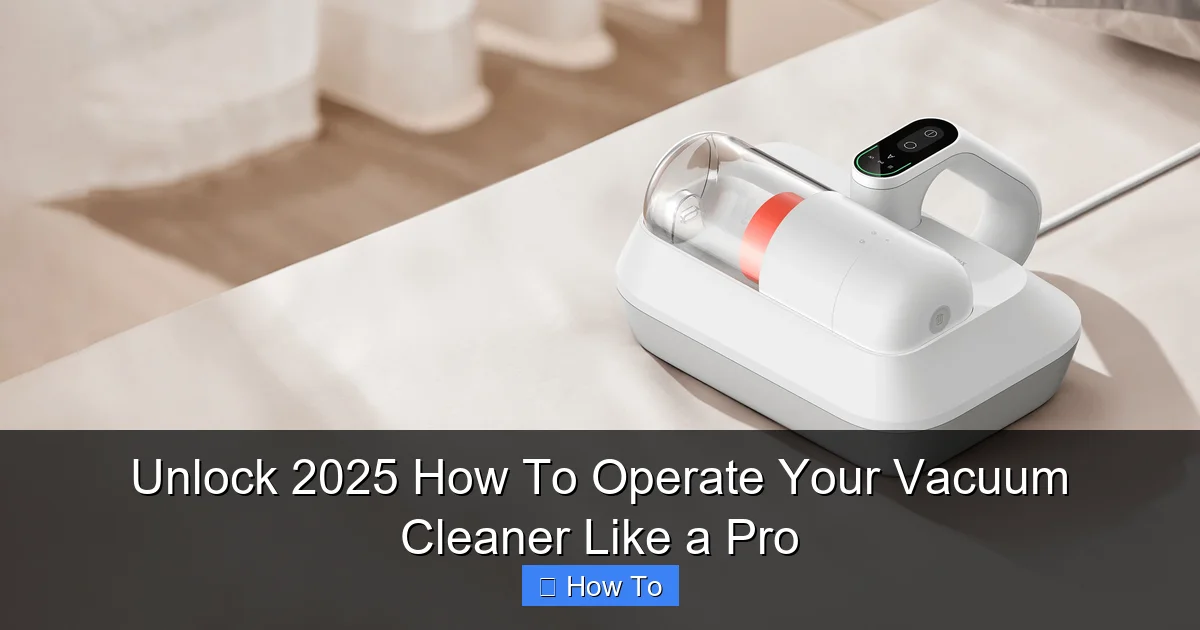
Ready to revolutionize your cleaning routine? This guide will show you how to operate your vacuum cleaner like a seasoned pro in 2025, covering everything from smart settings to advanced techniques. Discover how to effectively use your vacuum cleaner for pristine floors and a healthier home, ensuring optimal performance and longevity for your device. Learn how to handle everything from traditional uprights to intelligent robotic models, making your cleaning more efficient and enjoyable than ever before.
Unlock 2025 How To Operate Your Vacuum Cleaner Like a Pro
Welcome to 2025! In an era where smart homes are the norm and efficiency is key, even our trusted vacuum cleaners have evolved. They’re smarter, more powerful, and designed to make your life easier. But simply pushing a button isn’t enough to unlock their full potential. To truly master your cleaning routine and achieve sparkling results, you need to know how to operate your vacuum cleaner like a pro.
This comprehensive guide will walk you through every step, from initial setup to advanced techniques and smart features. Whether you have a cutting-edge robot vacuum, a powerful cordless stick, or a robust upright, you’ll learn how to operate your vacuum cleaner with confidence and expertise. Get ready to transform your home into a cleaner, healthier, and happier space!
Key Takeaways
- Prioritize Safety: Always perform pre-operation checks, including clearing the area and ensuring cords and filters are in good condition, to prevent accidents and damage.
- Master Your Settings: Understand your vacuum cleaner’s power modes, brush roll activation, and height adjustments to optimize cleaning performance across different surfaces.
- Employ Effective Techniques: Utilize the overlap method, slow passes, and appropriate attachments to ensure thorough cleaning and capture maximum dirt and debris.
- Maintain for Longevity: Regular post-cleaning maintenance, such as emptying dust bins, cleaning filters, and clearing brush roll tangles, is crucial for sustaining powerful suction and extending your vacuum cleaner’s lifespan.
- Embrace Smart Features: For 2025’s advanced models, leverage app control, scheduling, virtual walls, and AI learning to automate and personalize your cleaning experience.
- Troubleshoot Common Issues: Be familiar with basic troubleshooting steps for common problems like loss of suction or strange noises to quickly resolve minor operational glitches.
Quick Answers to Common Questions
How often should I clean my vacuum’s filters?
For washable filters, aim to clean them every 1-3 months depending on usage. If you have pets or allergies, consider cleaning them more frequently, perhaps every 2-4 weeks. Always ensure they are completely dry before reinserting.
Can I use my upright vacuum on hard floors?
It depends on the model. Many modern uprights have a brush roll shut-off feature, allowing safe use on hard floors. If yours doesn’t, the spinning brush roll can scratch delicate surfaces or scatter debris, so it’s best to use an attachment or a different vacuum cleaner for hard floors.
What’s the best way to remove pet hair from upholstery?
Use your vacuum cleaner’s specialized pet hair attachment (often a mini motorized brush). If you don’t have one, the upholstery tool or even a simple rubber glove can be highly effective at gathering pet hair into clumps for easy vacuuming.
My cordless vacuum’s battery life seems to be decreasing. What can I do?
Over time, all rechargeable batteries degrade. Ensure you’re fully charging the battery each time and not storing it completely depleted. If the decline is significant, consider replacing the battery pack if your model allows it, which can give your vacuum cleaner new life.
Is it okay to vacuum up small spills of liquid?
Absolutely NOT, unless you have a wet/dry vacuum cleaner specifically designed for liquids. Attempting to vacuum liquids with a standard vacuum can cause severe electrical damage, risk electrocution, and ruin your machine. Always blot up liquid spills first.
Step 1: Get to Know Your Vacuum Cleaner
Before you even think about powering up, take a moment to understand your specific vacuum cleaner. Modern vacuums come in many forms, each with its own advantages. Knowing your model will help you operate your vacuum cleaner more effectively.
Understanding Your Vacuum Cleaner Type
By 2025, the market is rich with options. Is yours an upright, canister, stick, handheld, or perhaps a robotic model? Each type has distinct features and operational nuances. For example, an upright vacuum is great for carpets, while a canister excels at reaching under furniture and cleaning hard floors. Cordless stick vacuums offer unparalleled maneuverability. Robotic cleaners handle daily maintenance autonomously.
Familiarize Yourself with Key Components
Locate the power button, dust bin or bag compartment, filters, brush roll, and any accessory ports. Read your vacuum cleaner’s manual – yes, even in 2025, it’s still your best friend! It contains specific instructions for your model, helping you to correctly operate your vacuum cleaner and understand its unique features.
Step 2: Safety First: Essential Pre-Operation Checks
Safety is paramount. Before you begin to operate your vacuum cleaner, always perform a few quick checks. This protects you, your home, and your appliance.

Visual guide about Unlock 2025 How To Operate Your Vacuum Cleaner Like a Pro
Image source: vacmasterguide.com
Clear the Area
Remove any small objects from the floor that could damage your vacuum cleaner or get tangled in the brush roll. This includes toys, charging cables, loose papers, coins, and small rugs that might get caught. Also, tie back any long curtains or drapes that might interfere with the vacuum’s movement.
Check Power Source and Cords (for Corded Models)
If you’re using a corded vacuum cleaner, inspect the power cord for any fraying or damage. Never operate your vacuum cleaner with a damaged cord. Plug it into a grounded outlet. Ensure the cord is unwound and won’t trip anyone as you move around. For cordless models, ensure the battery is sufficiently charged before you start.
Inspect Filters and Dust Bin/Bag
A full dust bin or clogged filter can severely reduce your vacuum cleaner’s suction power. Before each use, quickly check the dust bin level and empty it if it’s full. If your vacuum uses bags, ensure it’s not overflowing. Check that filters are clean and properly installed. Clean filters mean your vacuum cleaner can breathe, providing optimal performance when you operate it.
Step 3: Mastering Your Vacuum Cleaner’s Settings
Modern vacuum cleaners offer various settings to optimize performance across different surfaces. Knowing how to adjust these settings is key to effective cleaning and is a pro tip for how to operate your vacuum cleaner efficiently.
Power Modes: Eco, Standard, Max
Many 2025 vacuum cleaners come with different power modes:
- Eco Mode: Uses less battery or power, ideal for light dusting or delicate surfaces. It’s also quieter.
- Standard Mode: Your go-to for everyday dirt and debris on most surfaces.
- Max Mode (or Boost Mode): Provides maximum suction for deep cleaning carpets, pet hair, or stubborn messes. Use this sparingly, as it consumes more power and battery life.
Choose the appropriate mode for the task at hand. You wouldn’t use max mode to simply pick up a few crumbs on a hard floor.
Brush Roll Activation: On or Off?
The brush roll (also known as the beater bar) is crucial for agitating carpets and lifting embedded dirt. However, it can scratch delicate hard floors or scatter debris on slick surfaces.
- Brush Roll ON: Use for carpets, rugs, and high-pile surfaces.
- Brush Roll OFF: Use for hard floors (wood, tile, laminate), delicate rugs, or when using certain attachments where agitation isn’t needed.
Always check your vacuum cleaner’s settings before moving between carpet and hard floors to avoid damage.
Height Adjustment (for Upright and Canister Powerheads)
For upright vacuums or canister powerheads, you’ll often find a height adjustment setting. This raises or lowers the vacuum’s base to accommodate different carpet pile heights.
- Lower Setting: For low-pile carpets and hard floors.
- Higher Setting: For thick, high-pile carpets and plush rugs.
The correct height ensures optimal brush roll contact and suction. If it’s too high, it won’t clean effectively. Too low, and it can be hard to push and might damage the carpet or vacuum.
Step 4: Effective Vacuuming Techniques for Spotless Results
Now that your vacuum cleaner is prepped and set, it’s time to put it to work. How you operate your vacuum cleaner significantly impacts your cleaning results.
The Overlap Method
Don’t just haphazardly push your vacuum around. Use the overlap method:
- Start at one end of the room.
- Push the vacuum cleaner forward in a straight line.
- Pull it back over the same path.
- Move over slightly, overlapping your previous path by about half the width of the vacuum cleaner head.
- Repeat this process until the entire area is covered.
This ensures you don’t miss any spots and provides a consistent clean.
Slow and Steady Wins the Clean
Resist the urge to rush. Moving your vacuum cleaner slowly allows the brush roll and suction enough time to dislodge and capture dirt, dust, and pet hair. Quick passes often leave much of the debris behind, meaning you’ll have to operate your vacuum cleaner again sooner.
Target High-Traffic Areas
Spend extra time on areas that see a lot of foot traffic, such as entryways, hallways, and living room paths. These areas accumulate more dirt and grime, requiring more thorough passes to get truly clean.
Using Attachments Like a Pro
Your vacuum cleaner isn’t just for floors! Its attachments are designed for specific tasks:
- Crevice Tool: Perfect for tight spaces, corners, along baseboards, and in between couch cushions.
- Upholstery Tool: Designed for cleaning furniture, curtains, and car interiors. It often has fabric-friendly bristles.
- Dusting Brush: A soft-bristled tool for dusting delicate surfaces like bookshelves, lamp shades, and window sills without scratching.
- Pet Hair Tool (Mini Motorized Brush): If your vacuum cleaner came with one, this is invaluable for removing stubborn pet hair from upholstery and stairs.
Learning how to swap and use these tools effectively is a hallmark of someone who knows how to truly operate your vacuum cleaner for maximum versatility.
Step 5: Post-Vacuuming Maintenance for Longevity
Your job isn’t done when the floor looks clean. Proper post-operation maintenance is crucial for your vacuum cleaner’s performance and lifespan. Neglecting these steps means your vacuum cleaner won’t operate at its best for long.
Emptying the Dust Bin or Replacing the Bag
Always empty your bagless dust bin after each significant use. A full bin reduces suction. If your vacuum uses bags, replace it when it’s about two-thirds full to maintain optimal airflow and prevent odors. This is a simple but vital step to ensure your vacuum cleaner always performs at its peak.
Cleaning or Replacing Filters
Most modern vacuum cleaners have washable or replaceable filters. Check your manual for specific instructions on how often to clean or replace them.
- Washable Filters: Rinse under cold water until the water runs clear. Allow them to air dry completely (24-48 hours) before reinstalling. Never put a damp filter back into your vacuum.
- Replaceable Filters: Replace according to the manufacturer’s recommendations, usually every 6-12 months, or more often if you have pets or allergies.
Clean filters are essential for maintaining suction and air quality, especially if you have a HEPA filter.
Clearing Brush Roll Tangles
Hair, string, and carpet fibers often get wrapped around the brush roll. This can reduce its effectiveness and even damage the motor. Carefully turn off and unplug your vacuum cleaner (or remove the battery), then use scissors or a seam ripper to cut and remove any tangled debris. This keeps the brush roll spinning freely and effectively.
Wiping Down the Exterior
Give your vacuum cleaner a quick wipe-down with a damp cloth to remove surface dust and grime. This keeps it looking good and prevents dust from accumulating on the machine itself.
Step 6: Smart Vacuuming in 2025 (For Robotic & Smart Models)
If you’re among the many who have embraced 2025’s smart home technology, knowing how to operate your robotic vacuum cleaner through its advanced features is a game-changer.
App Control and Scheduling
Most smart robotic vacuums come with a dedicated app. Use it to:
- Start, Pause, or Stop Cleaning: Control your robot from anywhere.
- Schedule Cleanings: Set your robot to clean daily or weekly at specific times. This ensures your floors are always tidy without you lifting a finger.
- Monitor Progress: See where your robot has cleaned and its battery level.
The app is the command center for how you operate your vacuum cleaner robotically.
Virtual Walls and No-Go Zones
These features allow you to define areas your robot should avoid.
- Virtual Walls: Create invisible barriers the robot won’t cross (e.g., to keep it out of a pet’s food area).
- No-Go Zones: Mark specific spots on the map where the robot should not clean (e.g., around delicate furniture or cables).
This level of customization means your robot cleans exactly where you want it to, safely and efficiently.
AI Learning and Mapping
Advanced robotic vacuums utilize AI to learn your home’s layout, identify obstacles, and optimize cleaning paths over time. Let your robot complete several cleaning cycles to build an accurate map. Some even identify high-traffic areas and suggest more frequent cleaning for those spots. Embracing these smart features is a crucial part of how to operate your vacuum cleaner in a fully automated home.
Troubleshooting Common Vacuum Cleaner Issues
Even with the best care, your vacuum cleaner might encounter a hiccup. Here’s how to troubleshoot some common problems when you operate your vacuum cleaner:
Loss of Suction
This is often the most common complaint.
- Check the Dust Bin/Bag: Is it full?
- Inspect Filters: Are they clogged? Clean or replace them.
- Look for Blockages: Check the hose, wand, and brush roll area for clogs from debris.
- Seals and Gaskets: Ensure all connections are secure and no air is leaking.
Strange Noises
- High-Pitched Whine: Could indicate a blockage or a full dust bin restricting airflow.
- Grinding Noise: Often means something is stuck in the brush roll or motor. Immediately turn off and unplug the vacuum, then inspect.
- Rattling: Something loose inside the vacuum or a small object sucked into the hose.
Overheating
If your vacuum cleaner shuts off unexpectedly or feels hot:
- Check for Blockages: Restricted airflow makes the motor work harder.
- Empty Bin/Clean Filters: Again, airflow is key.
- Allow to Cool: Let the vacuum cleaner cool down for at least 30 minutes before trying to use it again.
Battery Not Charging (for Cordless Models)
- Check Connections: Ensure the charger is properly plugged into both the wall and the vacuum/charging dock.
- Inspect Charger: Look for any damage to the charger cable or adapter.
- Battery Life: Batteries have a finite lifespan. If it’s old, it might need replacement.
For more complex issues, always refer to your manual or contact the manufacturer’s support. Attempting repairs yourself can void warranties or cause further damage.
Conclusion
Operating a vacuum cleaner effectively in 2025 is more than just turning it on. It involves understanding its features, employing smart techniques, and committing to regular maintenance. By following this guide, you’re not just cleaning your home; you’re becoming a master of your domain, ensuring pristine floors and a healthier living environment with every pass.
So, go forth and clean with confidence! Knowing how to operate your vacuum cleaner like a pro means less effort, better results, and a longer life for your trusted cleaning companion. Enjoy the satisfaction of a truly clean home!
🎥 Related Video: EUREKA FORBES Vacuum Cleaner ✅ Only at 3499/-💥Top Quality Cleaner👍 #vacuumcleaner #eurekaforbes
📺 Unikk Nazz
EUREKA FORBES Vacuum Cleaner ✓ Only at 3499/- Top Quality Cleaner #vacuumcleaner #eurekaforbes.