
Learning how to fix a vacuum cleaner often involves simple troubleshooting steps. Most common problems, such as loss of suction, a non-spinning brush, or no power, can be resolved by checking for clogs, emptying the dust bin, cleaning filters, or inspecting the belt. A systematic approach to these issues can often restore your vacuum to working order, saving you time and money.
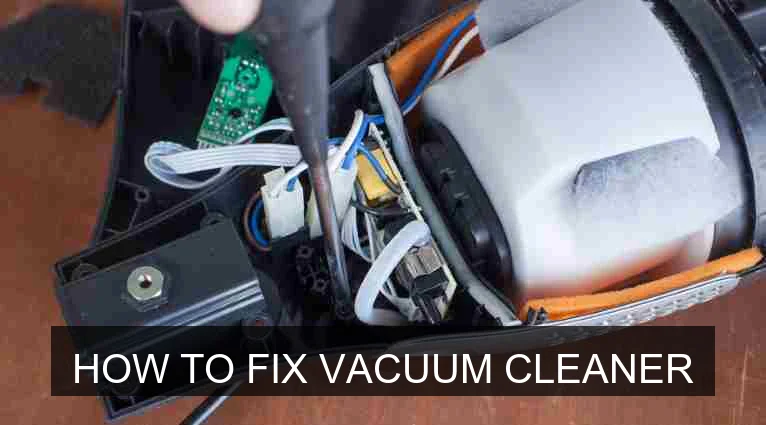
Image source: Vacuumjudge
📋 Table of Contents
- 🔹 Introduction: Why Learn to Fix Your Vacuum?
- 🔹 Safety First: Before You Begin Any Repairs
- 🔹 Understanding Your Vacuum Cleaner’s Common Issues
- 🔹 Step-by-Step Guide: How to Troubleshoot and Fix Common Vacuum Cleaner Problems
- 🔸 Problem 1: No Power
- 🔸 Problem 2: Loss of Suction
- 🔸 Problem 3: Brush Roll Not Spinning
- 🔸 Problem 4: Strange Noises
- 🔸 Problem 5: Burning Smell
- 🔹 Why Fixing Your Vacuum Cleaner Matters
- 🔹 Common Mistakes to Avoid When Fixing Your Vacuum
- 🔹 Tips for Maintaining Your Vacuum Cleaner
- 🔹 People Also Ask (FAQ)
- 🔹 Conclusion
Introduction: Why Learn to Fix Your Vacuum?
There’s nothing quite as frustrating as pulling out your vacuum cleaner, ready to tackle a messy floor, only to find it’s not working right. Whether it’s lost its powerful suction, the brush isn’t spinning, or it won’t even turn on, a broken vacuum can quickly put a damper on your cleaning plans. But don’t worry, you don’t always need to rush out for a replacement or call a repair person.
Many common vacuum cleaner issues are surprisingly simple to fix yourself. With a little patience, some basic tools, and the right know-how, you can often bring your trusty cleaning companion back to life. This guide will walk you through how to fix a vacuum cleaner by identifying the most frequent problems and providing clear, easy-to-follow steps to get them sorted. Let’s dive in and empower you to troubleshoot like a pro!
Safety First: Before You Begin Any Repairs
Before you start poking around inside any appliance, especially one that uses electricity and has moving parts, safety should always be your top priority. Seriously, this step is non-negotiable.
- Unplug It: Always, always, always unplug your vacuum cleaner from the wall outlet before attempting any inspection or repair. This prevents accidental electrocution or injury from moving parts.
- Let It Cool: If your vacuum was running and developed a burning smell or overheated, give it at least 30 minutes to cool down completely before touching it.
- Wear Gloves: When dealing with clogs, especially in the brush roll, you might encounter sharp objects or tangled hair. Wearing work gloves can protect your hands.
- Read Your Manual: Your vacuum cleaner’s user manual is a treasure trove of specific information about your model, including diagrams, troubleshooting tips, and safety warnings. If you still have it, give it a quick look.
- Use Proper Tools: Have a basic set of screwdrivers, scissors, and perhaps some needle-nose pliers handy. Using the right tool prevents damage to your vacuum and yourself.
Understanding Your Vacuum Cleaner’s Common Issues
Vacuum cleaners are pretty robust machines, but like any mechanical device, they can run into a few common snags. Understanding these typical problems is the first step in knowing how to fix a vacuum cleaner effectively.
- No Power: The vacuum doesn’t turn on at all.
- Loss of Suction: The vacuum turns on, but it’s not picking up dirt effectively.
- Brush Roll Not Spinning: The rotating brush on the bottom isn’t doing its job, especially on carpets.
- Strange Noises: Grinding, whining, or rattling sounds that weren’t there before.
- Burning Smell: A distinct odor, often like burning rubber or electrical components.
- Overheating: The vacuum gets excessively hot during operation.
Most of these issues stem from a handful of culprits: clogs, full dirt bins/bags, dirty filters, tangled brush rolls, or worn-out belts. We’ll tackle each one in our step-by-step guide.
Step-by-Step Guide: How to Troubleshoot and Fix Common Vacuum Cleaner Problems
Now, let’s get into the nitty-gritty of how to fix your vacuum cleaner. Remember to perform each step carefully and methodically. We’ll go through the most common problems one by one.
Problem 1: No Power
If your vacuum won’t turn on, it’s often a simple electrical issue or a safety feature engaging.
- Check the Outlet: First, ensure the power cord is securely plugged into a working electrical outlet. Try plugging another small appliance into the same outlet to confirm it’s functional.
- Inspect the Power Cord: Look for any visible damage on the power cord itself – fraying, cuts, or pinched spots. A damaged cord can prevent power from reaching the motor. If damaged, it may need professional repair or replacement.
- Check the Circuit Breaker: If the outlet isn’t working, your home’s circuit breaker might have tripped. Reset it if necessary.
- Internal Thermal Cut-off: Many vacuums have a safety feature that shuts them off if they overheat. If your vacuum suddenly stopped mid-use and won’t turn back on, it might be overheated. Unplug it and let it cool for at least 30 minutes. Also, check for clogs or a full bag/bin, as these can cause overheating.
Problem 2: Loss of Suction
This is arguably the most common complaint. Your vacuum is running, but it’s just not picking things up.
- Empty the Dirt Bin/Replace the Bag: This sounds obvious, but a full dirt bin or bag is the most frequent cause of lost suction. Empty it out or put in a new bag.
- Clean or Replace Filters: Filters prevent dust from re-entering the air but can get clogged themselves, severely restricting airflow.
- Locate all filters (pre-motor, post-motor/HEPA). Your manual will show you where.
- Most pre-motor filters are washable; rinse them under cold water until the water runs clear. Let them air dry completely (24-48 hours) before putting them back.
- HEPA or post-motor filters are usually not washable and need to be replaced periodically.
- Never run your vacuum without its filters, as this can damage the motor.
- Check for Clogs in the Hose: Disconnect the hose from both the vacuum body and any attachments. Shine a flashlight through it to look for obstructions. Use a broom handle or a long, blunt object (never anything sharp that could pierce the hose) to gently push through any clogs.
- Inspect the Air Inlet/Outlet: Check where the hose connects to the vacuum and where air exits. Make sure these areas aren’t blocked by debris.
- Check for Clogs in Attachments: If using a particular attachment, disconnect it and check for blockages.
Problem 3: Brush Roll Not Spinning
The brush roll (sometimes called a beater bar) is crucial for agitating carpets and sweeping debris into the suction path. If it’s not spinning, your vacuum isn’t cleaning effectively.
- Unplug the Vacuum: Again, safety first!
- Flip the Vacuum Over: Carefully turn the vacuum onto its back or side so you can access the brush roll area.
- Clear Tangles: Use scissors or a seam ripper to carefully cut away hair, string, carpet fibers, or other debris tightly wrapped around the brush roll. Be careful not to cut the bristles or the belt.
- Check the Belt: Once the brush roll is clear, inspect the drive belt. This is a rubber band-like component that connects the motor to the brush roll.
- Is it broken?
- Is it stretched out and loose?
- Has it slipped off the motor or brush roll pulley?
If the belt is broken, stretched, or badly worn, it needs to be replaced. This is usually a straightforward repair; most manuals will show you how to remove the bottom plate to access and replace the belt.
- Inspect Brush Roll Bearings: Try spinning the brush roll by hand. It should turn relatively freely. If it’s stiff or grinds, the bearings might be worn out, and the brush roll might need to be replaced.
- Reset Brush Roll Protection: Some vacuums have a thermal overload protector for the brush roll motor. If it was jammed, let it cool and sometimes a power cycle will reset it.
Problem 4: Strange Noises
Unusual sounds can be a sign of various issues, from minor to more serious.
- Rattling: Often caused by something small caught in the brush roll, hose, or fan. Follow the steps for “Loss of Suction” and “Brush Roll Not Spinning” to check for and remove debris.
- Whining/High-Pitched Squeal: This could indicate a motor bearing going bad, or it might just be the sound of restricted airflow from a clog or full filter. Check filters and for clogs first. If the sound persists and the motor seems strained, it might be a sign of motor wear.
- Grinding: A grinding noise can point to something jammed in the brush roll gears or a failing motor. Clear the brush roll as described above. If the noise persists, it’s often a sign of internal motor trouble.
Problem 5: Burning Smell
A burning smell is a clear warning sign that something is wrong. Stop using the vacuum immediately and unplug it.
- Burning Rubber Smell: This almost always means the brush roll is jammed, causing the drive belt to slip and burn against the motor pulley.
- Unplug the vacuum.
- Clear any tangles from the brush roll (refer to “Brush Roll Not Spinning”).
- Inspect the belt for damage. If it’s melted, frayed, or broken, it needs replacement. Even if it looks okay, a belt that has been slipping and burning may have weakened and should be considered for replacement.
- Burning Electrical Smell: This is more serious and could indicate an electrical short, a motor nearing its end, or overheated wiring.
- Unplug the vacuum immediately.
- Let it cool down for an extended period (at least an hour).
- Check for obvious clogs or a full bag/bin that might have caused the motor to overwork.
- If the smell persists or returns after clearing blockages, it’s best to consult a professional or consider replacing the unit, as electrical issues can be a fire hazard.
Why Fixing Your Vacuum Cleaner Matters
Knowing how to fix a vacuum cleaner isn’t just about saving a few bucks; it has several important benefits:
- Cost Savings: Many simple repairs cost far less than buying a brand-new vacuum or paying for professional servicing.
- Environmental Impact: Repairing your vacuum extends its lifespan, reducing electronic waste that ends up in landfills. It’s a small but meaningful step towards sustainability.
- Convenience: Being able to quickly diagnose and fix a problem yourself means less downtime for your cleaning routine. No waiting for repairs or delivery of a new unit.
- Empowerment: There’s a real sense of accomplishment that comes from fixing something yourself. It builds confidence and understanding of how your appliances work.
- Longevity of Appliance: Regular checks and minor fixes can prevent small issues from becoming big, irreparable problems, ultimately making your vacuum last longer.
Common Mistakes to Avoid When Fixing Your Vacuum
While trying to fix your vacuum, it’s easy to make a few missteps. Avoiding these can save you time, frustration, and potential damage.
- Forgetting to Unplug: This is the golden rule! Never work on a plugged-in appliance.
- Using Sharp Objects to Clear Clogs: Poking a metal hanger or knife into your vacuum hose or pathways can puncture it, creating leaks and further reducing suction. Use a broom handle or a similar blunt object.
- Ignoring the Manual: Your manual often has model-specific troubleshooting tips, diagrams, and part locations. Don’t skip it!
- Overlooking Filters: Dirty filters are a huge culprit for suction loss and overheating, yet they’re often forgotten.
- Not Letting Filters Dry Completely: If you wash a filter, ensure it’s bone dry before putting it back. A damp filter can damage the motor or grow mildew.
- Forcing Parts: If something isn’t coming apart easily, there might be a hidden latch or screw. Forcing it can break plastic components.
- Ignoring Warning Signs: Burning smells or loud grinding noises should never be ignored. Stop using the vacuum immediately.
Tips for Maintaining Your Vacuum Cleaner
Preventative maintenance goes a long way in keeping your vacuum running smoothly and reducing the need for extensive repairs.
- Empty the Dirt Bin/Change the Bag Regularly: Don’t wait until it’s overflowing. A good rule of thumb is to empty the bin after every few uses or when it’s two-thirds full.
- Clean or Replace Filters Consistently: Follow your manufacturer’s recommendations. For washable filters, clean them monthly. For disposable ones, check and replace them every 3-6 months depending on usage.
- Clear the Brush Roll: After every few uses, turn your vacuum over and snip away hair and debris from the brush roll. This prevents tangles and keeps it spinning freely.
- Check the Hose for Clogs: Periodically disconnect the hose and look for potential blockages, even if you don’t notice a loss of suction.
- Inspect the Drive Belt: Every 6-12 months, check the belt for wear, cracks, or stretching. Replace it if it shows signs of damage.
- Store Properly: Keep your vacuum in a dry, clean place to prevent dust build-up and damage.
People Also Ask (FAQ)
What are the most common vacuum cleaner problems?
The most common vacuum cleaner problems typically include loss of suction (often due to clogs or dirty filters), the brush roll not spinning (usually from tangled hair or a broken belt), and the vacuum not turning on at all (often an electrical issue or thermal cut-off).
Is it worth fixing an old vacuum cleaner?
It is often worth fixing an old vacuum cleaner, especially if the problem is one of the common issues like a clog, dirty filter, or a broken belt. These are usually inexpensive and simple to repair. However, if the motor is failing or there are complex electrical issues, the repair cost might outweigh the value of the vacuum, making replacement a more practical option.
How often should I clean my vacuum cleaner filters?
You should clean your vacuum cleaner’s washable filters at least once a month, and more frequently if you use your vacuum often or have pets. Disposable filters typically need replacement every 3 to 6 months. Always refer to your vacuum cleaner’s user manual for specific filter maintenance guidelines.
What tools do I need to fix a vacuum cleaner?
To fix common vacuum cleaner problems, you’ll generally need a basic set of tools: a screwdriver (Philips and flathead), a pair of scissors or a seam ripper for cutting hair, needle-nose pliers for pulling out stubborn debris, and a flashlight for inspecting dark areas like hoses and internal passages.
When is it time to replace a vacuum cleaner instead of fixing it?
It’s generally time to replace a vacuum cleaner when the cost of repair approaches or exceeds the cost of a new, comparable unit, or if the repairs involve major components like the motor or complex electronics. Recurring issues, severe structural damage, or a very old model where parts are hard to find can also signal that it’s time for a replacement.
Conclusion
Learning how to fix a vacuum cleaner can seem daunting at first, but as you’ve seen, many common issues are quite straightforward to resolve. By systematically checking for clogs, cleaning filters, inspecting the brush roll and belt, and ensuring proper power supply, you can likely get your vacuum back in action.
This hands-on approach not only saves you money and time but also contributes to a more sustainable lifestyle by extending the life of your appliances. Remember to always prioritize safety by unplugging the unit before starting any work. With a little patience and the practical steps outlined in this guide, you’ll be well-equipped to tackle most vacuum cleaner woes and keep your floors spotless!