

Is your vacuum cleaner struggling with no suction? Don’t rush to buy a new one! This 2025 ultimate guide empowers you to diagnose and fix common issues like clogged filters, blocked hoses, and tangled brush rolls. Learn simple, step-by-step solutions to restore your vacuum’s powerful suction and extend its life, saving you money and hassle.
Ultimate Guide How to Fix a Vacuum Cleaner with No Suction 2025
There’s nothing more frustrating than pulling out your vacuum cleaner, ready to tackle a messy floor, only to discover it has no suction. It whirs and hums, but nothing seems to get picked up. Before you throw in the towel and start shopping for a new appliance, take a deep breath. Most cases of a vacuum cleaner with no suction are due to common, easily fixable issues that you can resolve yourself!
Welcome to the ultimate guide for 2025 on how to fix a vacuum cleaner with no suction. Whether you have an upright, canister, stick, or robot vacuum, the principles for restoring its cleaning power are often quite similar. In this comprehensive guide, we’ll walk you through a step-by-step process to diagnose and fix the most common culprits behind a loss of suction. You’ll learn practical tips, what tools you might need, and how to troubleshoot effectively, saving you money and extending the life of your trusty cleaning companion. Let’s get that powerful suction back!
Key Takeaways
- Safety First: Always unplug your vacuum cleaner before performing any inspection or repair to prevent electrical shock or accidental activation.
- Start Simple: The most common causes of no suction are clogged bins/bags, dirty filters, and blocked hoses. Always check these first before moving to more complex steps.
- Don’t Forget the Brush Roll: A tangled or stuck brush roll, or a broken belt, can severely impact your vacuum’s ability to pick up debris, even if it feels like there’s some suction.
- Air Leaks are Suction Killers: Even small cracks, loose connections, or worn seals can lead to significant loss of suction. Inspect all connections and the vacuum’s body carefully.
- Regular Maintenance Prevents Problems: Incorporating routine cleaning of filters, emptying the dust bin, and clearing the brush roll into your cleaning schedule will drastically reduce the chances of your vacuum losing suction.
- Know Your Limits: While many issues are DIY-friendly, complex motor problems or internal electrical faults are best left to professional repair technicians.
Quick Answers to Common Questions
How often should I clean my vacuum filters?
For most regular use, manufacturers recommend cleaning washable filters every 1-3 months and replacing non-washable filters every 6-12 months. If you have pets or allergies, or use your vacuum frequently, you might need to clean/replace them more often.
Can a broken drive belt cause my vacuum to have no suction?
Yes, absolutely! While the motor might still create suction, a broken drive belt means the brush roll isn’t spinning. This prevents your vacuum from agitating carpets and sweeping debris into the suction path, making it seem like it has no suction, especially on carpeted surfaces.
What if my vacuum smells like burning when it loses suction?
A burning smell often indicates a motor overheating, usually due to a severe blockage causing the motor to work too hard, or internal motor failure. Unplug the vacuum immediately and do not use it until the issue is diagnosed and fixed. This often requires professional attention.
My bagless vacuum fills up quickly, but still has no suction. Why?
If the bin fills fast but there’s no suction, it often points to a blockage either directly at the inlet to the bin, or further down the hose. The vacuum might be sucking up some surface debris right at the nozzle, but a downstream clog prevents proper airflow and full suction, leading to a quickly but not effectively filled bin.
Can I use water to clear a stubborn clog in my vacuum hose?
No, definitely not! Introducing water into your vacuum’s hose or internal components can cause severe damage to the motor, electrical parts, and filters, and can create dangerous electrical hazards. Always clear clogs with dry methods like a broom handle or straightened coat hanger.
Safety First: Always Unplug Your Vacuum!
Before you even think about inspecting or repairing your vacuum cleaner, the absolute most important step is to unplug it from the wall outlet. This prevents accidental activation, electrical shock, and potential injury. Your safety is paramount. Keep this in mind throughout the entire repair process. Always unplug before touching any internal components or clearing blockages.
Tools You’ll Need
You won’t need a professional workshop to fix a vacuum cleaner with no suction. Most of these repairs can be done with basic household items:
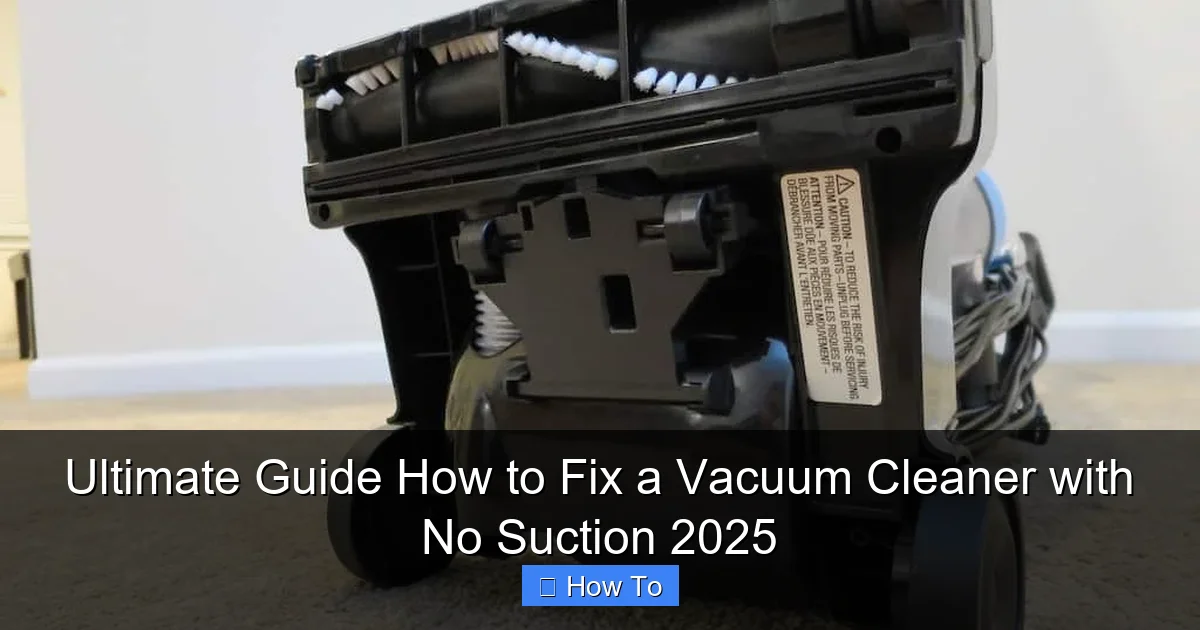
Visual guide about Ultimate Guide How to Fix a Vacuum Cleaner with No Suction 2025
Image source: themvacuums.com
- Scissors or a seam ripper (for cutting hair/threads)
- A long, thin object (e.g., broom handle, dowel, coat hanger)
- Gloves (optional, but recommended for dirty jobs)
- Flathead and Phillips head screwdrivers (if you need to open panels)
- Microfiber cloth or small brush (for cleaning filters)
- Replacement filters or bags (if needed)
Step 1: Check the Dust Bin or Bag – The Easiest Fix
This might seem obvious, but it’s astonishingly common. A full dust bin or bag is the most frequent reason a vacuum cleaner suddenly has no suction.
Empty the Dust Bin or Replace the Bag
For bagless vacuums, remove the dust bin and empty its contents into a trash can. If it’s washable, give it a quick rinse and ensure it’s completely dry before reattaching. For bagged vacuums, simply replace the bag with a new one. Even if the bag doesn’t look entirely full, sometimes dense debris can prevent proper airflow, leading to a noticeable loss of suction.
Check the Inlet Port and Canister Connection
Once the bin or bag is removed, look into the inlet port where debris enters the vacuum. Sometimes a large piece of debris (like a sock, toy, or clump of pet hair) can get wedged right at the entrance. Clear any visible blockages. Also, ensure the dust bin or bag compartment seals properly when reattached. Air leaks around a poorly sealed bin can significantly reduce suction.
Step 2: Inspect and Clean or Replace the Filters
Filters are your vacuum’s lungs, preventing dust and allergens from re-entering your home’s air. When they get clogged, airflow is restricted, and your vacuum cleaner will have no suction.
Locate Your Vacuum’s Filters
Most vacuums have at least two filters:
- Pre-Motor Filter: Usually located near the dust bin/bag, this filter protects the motor from large debris. It’s often washable.
- Post-Motor (Exhaust) Filter: Often a HEPA filter, found near the exhaust vent. This cleans the air before it’s released back into your room. Some are washable, others are strictly replaceable.
Consult your vacuum’s manual if you can’t find them.
Clean Washable Filters
If your filters are washable (check your manual!), remove them and tap them over a trash can to dislodge loose dirt. Then, rinse them under cool water until the water runs clear. Crucially, let them air dry completely for at least 24-48 hours before putting them back in your vacuum. Using a damp filter can damage your motor and create mold.
Replace Non-Washable Filters
If your filters are not washable, or if they appear heavily soiled, torn, or simply old, it’s time to replace them. You can usually find replacements online or at appliance stores. This simple step can dramatically improve a vacuum cleaner with no suction.
Step 3: Clear the Hose for Blockages
The hose is a prime suspect for blockages, especially if you regularly vacuum up pet hair, string, or larger debris. A clogged hose will almost certainly cause your vacuum cleaner to have no suction.
Disconnect the Hose
Carefully disconnect the hose from both the vacuum cleaner body and any attachments. This usually involves pressing release buttons or twisting to unlock.
Visually Inspect the Hose
Hold the hose up to a light source and look through it. Can you see light clearly through the entire length? If not, there’s a blockage. For clear hoses, this is easy. For opaque hoses, you might need to feel for dense areas.
Clear the Blockage
If you spot a clog, try to dislodge it. You can gently push a broom handle, a straightened coat hanger, or a plumber’s snake through the hose. Be careful not to puncture the hose. Sometimes, simply manipulating the hose, bending it gently, or giving it a few taps can dislodge softer clogs. Never use sharp objects that could damage the hose.
Check Hose Attachments
Don’t forget to check any nozzles, wands, or specialty tools you use with your vacuum. These can also become clogged and prevent your vacuum cleaner from having any suction.
Step 4: Examine the Brush Roll (Beater Bar)
Even if you feel some suction at the hose, a malfunctioning brush roll (also known as the beater bar) can make it seem like your vacuum cleaner has no suction because it’s not effectively picking up debris from carpets and floors.
Turn Off and Unplug (Again!)
Always reiterate safety. Flip your vacuum cleaner over so you can access the bottom plate where the brush roll is located.
Remove the Bottom Plate or Brush Roll Cover
Many vacuums have a removable bottom plate, often secured by a few screws, or a simple cover that snaps open to access the brush roll. Remove any screws and lift the plate.
Clear Hair and Debris from the Brush Roll
The brush roll is notorious for accumulating hair, threads, and carpet fibers. Use scissors or a seam ripper to carefully cut and remove all tangled debris. Be gentle not to cut the bristles or the belt. Ensure the bristles themselves aren’t excessively worn down, as this also reduces effectiveness.
Check the Drive Belt
The brush roll is typically powered by a rubber drive belt connected to the motor. Inspect this belt. Is it broken? Is it stretched out? Is it slipping off the brush roll or motor spindle? A broken or stretched belt means the brush roll isn’t spinning, leading to a significant decrease in your vacuum’s ability to pick up dirt, effectively making your vacuum cleaner have no suction on surfaces. Replace the belt if it’s damaged. This is often an inexpensive and straightforward fix.
Ensure Free Movement of the Brush Roll
Once cleared, the brush roll should spin freely by hand. If it’s stiff or grinds, there might be internal bearing issues, which could require professional repair.
Step 5: Inspect the Air Path and Ducts
Beyond the hose, there’s an internal air path that connects the brush roll/hose inlet to the dust bin and then to the motor and filters. Blockages here can be tricky but are definitely a cause for a vacuum cleaner with no suction.
Check the Inlet from the Floor Head to the Canister
With the hose and brush roll area cleared, look into the main body of the vacuum. There’s usually a short duct that leads from the floor head up to where the dust bin or bag sits. This internal pathway can also get clogged with compressed debris. Some vacuums have a removable panel for this inspection.
Look for Hidden Access Points
Many upright vacuums have a small access port or cover near where the hose connects to the main body. Removing this cover might reveal another hidden clog that’s preventing your vacuum cleaner from having proper suction.
Step 6: Check for Gaskets and Seals
Even if there are no obvious blockages, air leaks can severely reduce suction. Your vacuum cleaner relies on creating a sealed environment to generate powerful airflow.
Inspect All Connecting Points
Carefully examine all points where parts connect: the dust bin/bag to the body, the hose to the body, and the hose to attachments. Are the seals intact? Are there any visible cracks in the plastic? Worn or cracked gaskets can allow air to escape, causing your vacuum cleaner to have no suction. Sometimes, a piece of tape or a thin bead of silicone sealant can temporarily fix small cracks in non-critical areas, but often, component replacement is the best long-term solution.
Check for Cracks in the Housing
Inspect the main body of the vacuum for any cracks or damage, especially around the areas where high airflow occurs. Even hairline fractures can lead to suction loss.
Step 7: Advanced Troubleshooting: Motor and Fan Issues
If you’ve gone through all the steps above and your vacuum cleaner still has no suction, the issue might be more internal, possibly related to the motor or the internal fan (impeller).
Signs of Motor Trouble
Listen carefully to your vacuum. Does it sound different? Is it making unusual grinding noises, or does it smell like burning? These are signs of a struggling motor. A failing motor might spin, but not powerfully enough to generate sufficient suction. This is generally a repair for a professional, as motors are complex and expensive to replace.
Impeller Fan Damage
The impeller fan, located near the motor, is responsible for creating the airflow. If a hard object has been sucked up and damaged the fan blades, it won’t be able to generate proper suction. Accessing the impeller usually involves significant disassembly and is often best left to a qualified technician.
Troubleshooting Guide – Quick Checklist
When your vacuum cleaner has no suction, use this quick checklist:
- Is the dust bin/bag full? (Empty/Replace)
- Are the filters dirty or clogged? (Clean/Replace)
- Is the hose blocked? (Clear)
- Is the brush roll tangled or the belt broken? (Clean/Replace)
- Are there internal air path blockages? (Clear)
- Are there any air leaks from seals or cracks? (Inspect/Seal)
- Does the motor sound normal, or is there a burning smell? (Professional help)
When to Call a Professional
While many “no suction” problems are DIY-friendly, there are times when professional help is the best course of action. If you suspect a motor issue, hear unusual noises, smell burning, or if you’re uncomfortable disassembling your vacuum beyond basic steps, it’s wise to contact a certified repair technician. They have the expertise and specialized tools to diagnose complex internal problems safely and effectively. Also, consider the age of your vacuum; sometimes, if it’s an older model and the repair costs are high, investing in a new, more efficient vacuum might be a better option.
Conclusion
Having a vacuum cleaner with no suction can bring your cleaning routine to a screeching halt, but as you’ve seen, it doesn’t have to mean the end for your appliance. By systematically checking the dust bin, filters, hose, brush roll, air paths, and seals, you can resolve the vast majority of suction issues. Regular maintenance is your best defense against future problems – consistently emptying the bin, cleaning filters, and clearing the brush roll will keep your vacuum running optimally.
You now have the knowledge and steps to confidently diagnose and fix a vacuum cleaner with no suction in 2025. Get ready to enjoy the satisfaction of a powerful, debris-sucking machine once more! Happy cleaning!
🎥 Related Video: Blocked Shark Vacuum Stopped Sucking? Check This!
📺 Vacuum Help
Blocked Shark Floor Head with No Suction. See related video for full instructions how to fix this Shark vacuum problem …