
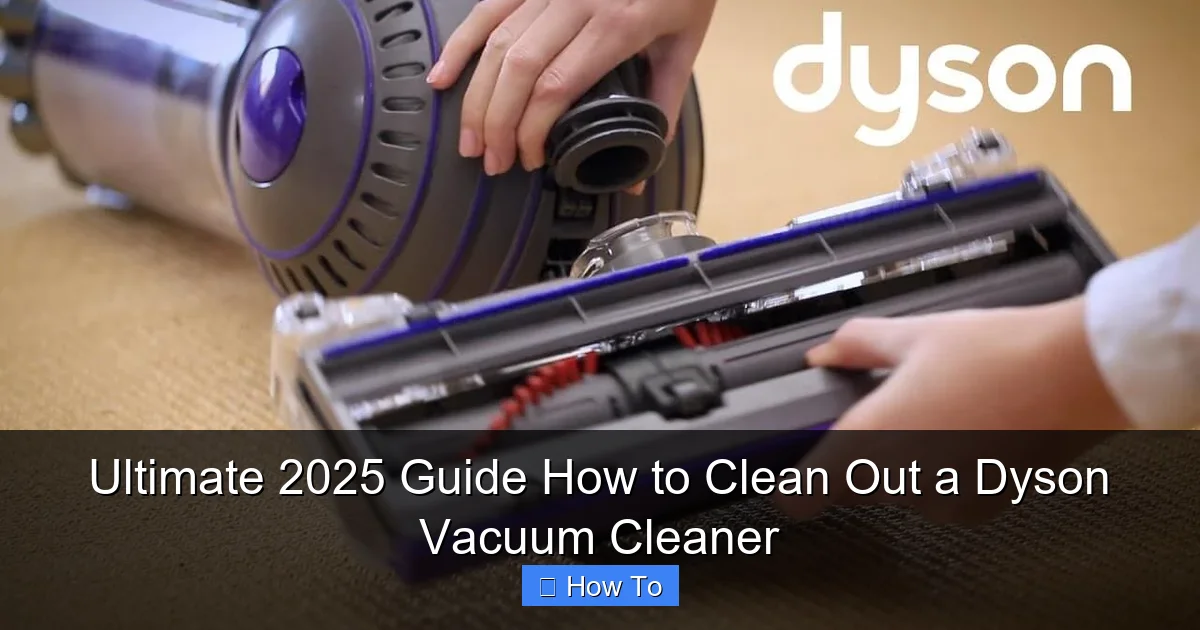
This comprehensive guide provides everything you need to know about how to clean out a Dyson vacuum cleaner, ensuring it performs at its best. From emptying and washing filters to untangling brush bars and clearing blockages, you’ll find clear, step-by-step instructions. Keep your Dyson running efficiently and extend its lifespan with these essential cleaning tips for 2025 and beyond.
Ultimate 2025 Guide How to Clean Out a Dyson Vacuum Cleaner
Welcome to the definitive guide for keeping your Dyson vacuum cleaner in pristine condition in 2025 and beyond! You invested in a Dyson for its incredible suction power and innovative design, but even the best machines need a little TLC to keep performing at their peak. Over time, dust, debris, hair, and even microscopic particles can build up, reducing efficiency, causing unpleasant odors, and potentially shortening your vacuum’s life.
This guide will walk you through a comprehensive cleaning process for your Dyson vacuum cleaner, covering all the essential components from the bin to the brush bar and filters. Whether you have a cordless V-series (V8, V10, V11, V15 Detect, Gen5detect), a Ball model, or an older upright, the principles of cleaning your Dyson remain largely the same. By the end of this guide, you’ll have a sparkling clean Dyson vacuum cleaner that works as good as new, sucking up dirt with its original vigor. Let’s get started!
Key Takeaways
- Regular Maintenance is Key: Cleaning your Dyson regularly—not just when problems arise—is crucial for maintaining powerful suction and extending the appliance’s lifespan.
- Safety First: Always unplug your Dyson vacuum cleaner from the power outlet and remove the battery (for cordless models) before starting any cleaning or maintenance to prevent accidents.
- Filters are Washable (Most): Many Dyson filters are designed to be washed with cold water, but *never* use detergents. Always ensure filters are *completely dry* for at least 24-48 hours before reinserting.
- Brush Bar Requires Manual Cleaning: Hair, threads, and debris frequently tangle around the brush bar, necessitating manual removal with scissors or a utility knife to restore effective cleaning.
- Check for Blockages Everywhere: Loss of suction often points to blockages in the bin, cyclone, hose, or attachments. Thoroughly inspect all parts for obstructions.
- Dry Completely Before Reassembly: Any components washed with water, especially filters, must be bone dry before reassembly and use to prevent damage and mold growth.
- Avoid Harsh Chemicals: Use only water for washing components. Chemical cleaners can damage plastic parts, rubber seals, and filter materials, voiding your warranty.
Quick Answers to Common Questions
How often should I clean my Dyson’s filter?
Dyson recommends washing most washable filters at least once a month. However, if you use your vacuum frequently, have pets, or live in a dusty environment, you might need to wash them more often.
Can I put my Dyson filters in a washing machine or dryer?
Absolutely NOT. Dyson filters should only be washed by hand with cold water. Machine washing or using a dryer will damage the delicate filter material and potentially void your warranty.
What if my Dyson vacuum cleaner still has low suction after cleaning?
The most common culprit is still damp filters. Ensure they are bone dry (up to 48 hours of air drying). Re-check for any hidden blockages in the hose, wand, or cleaner head. If issues persist, it might indicate a more serious internal problem or worn seals.
Should I lubricate any parts of my Dyson vacuum cleaner?
No, Dyson vacuum cleaners are designed not to require any lubrication. Applying oils or greases can attract more dirt, damage plastic components, and interfere with their intended operation.
How do I know if my Dyson’s battery needs replacing?
Signs your Dyson cordless vacuum cleaner battery might need replacing include significantly reduced run time, inconsistent power, or flashing error lights that persist even after charging and cleaning. Dyson offers replacement batteries through their website and authorized retailers.
Why Cleaning Your Dyson Vacuum Cleaner is Essential
A clean Dyson isn’t just about aesthetics; it’s about performance and longevity. Regular cleaning helps:
- Maintain Suction Power: Clogged filters and brush bars drastically reduce your Dyson’s ability to pick up dirt.
- Eliminate Odors: Trapped dust and debris can develop unpleasant smells, especially if moisture is present.
- Prevent Damage: Overworked motors due to blockages can lead to overheating and premature failure.
- Improve Air Quality: Clean filters ensure your Dyson effectively captures allergens and fine dust, releasing cleaner air back into your home.
- Extend Lifespan: Proper maintenance means your investment lasts longer, saving you money in the long run.
Safety First: Before You Begin
Before you even think about cleaning your Dyson vacuum cleaner, safety is paramount.
Always follow these crucial steps:
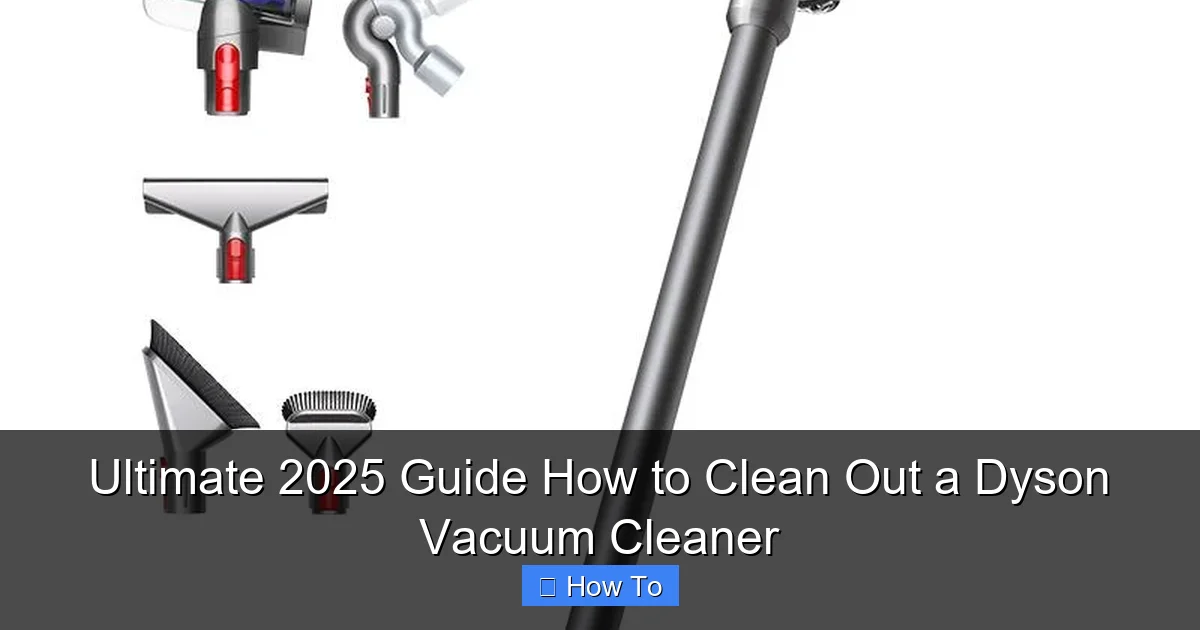
Visual guide about Ultimate 2025 Guide How to Clean Out a Dyson Vacuum Cleaner
Image source: dyson-h.assetsadobe2.com
- Unplug the Vacuum: If you have a corded Dyson, disconnect it from the power outlet.
- Remove the Battery: For cordless Dyson models (V-series, Gen5detect), remove the battery pack. This prevents accidental activation during cleaning. Most Dyson batteries have a release button near the handle.
- Let it Cool Down: If you’ve just used your vacuum, allow it to cool down for a few minutes before dismantling.
- Gather Your Tools: You’ll need a few simple items:
- A pair of scissors or a utility knife (for cutting tangled hair)
- A stiff brush or old toothbrush (for stubborn grime)
- A microfiber cloth (for wiping surfaces)
- A soft cloth or old towel (to protect your work surface)
- A small bucket or sink (for washing filters)
- Optional: Compressed air or a thin, blunt object (like a ruler or chopstick) for clearing blockages.
Step 1: Empty and Clean the Dust Bin (Cyclone and Clear Bin)
The dust bin is the most frequently accessed part of your Dyson vacuum cleaner, and it’s where most of the immediate dirt resides. A full or dirty bin can significantly impact suction.
1.1 Detach the Dust Bin
Depending on your Dyson model, the process for detaching the bin might vary slightly:
- Cordless Models (V-series, Gen5detect): Locate the red lever or button, usually on the side or bottom of the bin. Push it forward or down to release the bin.
- Canister/Upright Models (Ball, Cinetic): There’s typically a button or catch to release the clear bin from the main body. Refer to your specific model’s manual if unsure.
1.2 Empty the Dust Bin
Hold the bin over a trash can and press the release button again (often the same one used to detach, or a separate one). The bottom flap will open, allowing debris to fall out. Give it a few taps to dislodge any stuck dust.
1.3 Wipe Down the Clear Bin
Once empty, wipe the interior and exterior of the clear bin with a damp (not wet!) microfiber cloth. Pay attention to any fine dust film. For stubborn dirt, you can use a slightly soapy cloth, but ensure no water gets near the electronic components of the cyclone or seals. Do not submerge the entire bin assembly in water unless explicitly stated in your Dyson’s manual (some older models might allow this, but most modern ones do not due to integrated cyclone technology).
1.4 Clean the Cyclone Shroud
This is the central part of the bin where the cyclonic separation happens. Over time, fine dust can cake onto the mesh or cones, reducing airflow. Use a dry stiff brush or old toothbrush to gently dislodge any dust or debris from the metal mesh or plastic cones inside the cyclone unit. You can carefully wipe the exterior of the cyclone unit with a damp cloth, again ensuring no water enters the internal mechanisms or electrical connections. For some models, the cyclone separates from the clear bin, allowing for a more thorough wipe-down.
1.5 Dry and Reattach
Ensure all parts of the bin and cyclone are completely dry before reattaching them to your Dyson vacuum cleaner. Click it back into place securely.
Step 2: Wash and Dry Your Dyson Filters
Dyson filters are critical for capturing microscopic particles and allergens, preventing them from being expelled back into your home. A clogged filter is the most common cause of reduced suction. Most modern Dyson vacuum cleaner filters are washable, but *always* check your specific model’s manual.
2.1 Locate and Remove Filters
Dyson vacuum cleaners usually have one or two filters:
- Pre-Motor Filter (usually a cylindrical or cone shape): Often found at the top of the main body or inside the cyclone assembly. It’s typically a bright color (purple, blue, yellow) and might be labeled “Filter.”
- Post-Motor/HEPA Filter (usually flat or disc-shaped): Found at the rear of the machine, near the motor, or sometimes integrated into the battery housing on cordless models.
Twist or pull to release them as per your model’s design.
2.2 Wash the Filters
Most washable Dyson filters should be washed with cold water only and without any detergents or soaps.
- Hold the filter under a cold tap, allowing water to run through it.
- Gently squeeze the pleated filter material (for cylindrical filters) or tap the flat filter against the side of the sink to dislodge dirt.
- Continue rinsing and squeezing/tapping until the water runs clear from both sides of the filter. You might be surprised how much dirt comes out!
Important Note: Some older Dyson filters are non-washable and need to be replaced. Check your manual!
2.3 Dry the Filters – This is Critical!
This is arguably the most important step for filter maintenance. Your filters must be bone dry before reinserting them into your Dyson vacuum cleaner.
- Shake off excess water.
- Place filters in a warm, dry area with good airflow. Avoid direct sunlight or using a dryer/heater, as this can damage the filter material.
- Allow them to air dry for a minimum of 24-48 hours. Seriously, do not rush this! Inserting a damp filter can lead to mold growth, foul odors, and even damage to your Dyson’s motor.
- You can gently squeeze cylindrical filters periodically to check for dampness. They should feel completely dry to the touch, and you shouldn’t feel any cold spots.
2.4 Reinsert Dry Filters
Once absolutely dry, carefully reinsert the filters into their respective positions. Ensure they click securely into place. Your Dyson will likely not operate or will display an error if a filter is missing or improperly seated.
Step 3: Clean the Brush Bar and Cleaner Head
The brush bar is where all the action happens on your floors. It’s also a magnet for hair, threads, and carpet fibers, which can quickly tangle and reduce its effectiveness.
3.1 Detach the Cleaner Head
Disconnect the main cleaner head from the wand or directly from the vacuum body. There’s usually a red release button or lever near the connection point.
3.2 Remove the Brush Bar (If Possible)
Many Dyson cleaner heads allow you to remove the brush bar for easier cleaning. Look for a coin slot or a latch on the side of the cleaner head. Twist the latch or press the button to release the end cap, then slide the brush bar out. Some models, especially newer ones, have anti-tangle technology, but they still benefit from occasional cleaning.
3.3 Clean the Brush Bar
- Cut Away Tangles: Use scissors or a utility knife to carefully cut through any tangled hair, threads, or fibers wrapped around the brush bar. Be gentle and avoid cutting into the bristles themselves or the rubber seals. Run your finger along the bristles to ensure no debris remains.
- Wipe Down: Use a damp cloth to wipe away any dust or grime accumulated on the brush bar itself, especially around the ends and inside the housing.
- Check for Damage: Inspect the bristles for wear or damage. If they are heavily worn, you might consider a replacement brush bar for optimal cleaning.
3.4 Clean the Cleaner Head Housing
- Remove Obstructions: Check the opening where the dirt enters the cleaner head. Use a thin, blunt object (like a ruler or chopstick) to dislodge any compacted dust, pet hair, or small objects.
- Wheels and Rollers: Wipe down the small wheels and rollers on the underside of the cleaner head. Hair can sometimes get wrapped around these too.
- Ball/Swivel Mechanism: For Dyson Ball models, wipe around the ball itself, ensuring smooth articulation.
3.5 Reassemble
Once clean and dry, slide the brush bar back into its housing, ensuring it’s correctly aligned. Secure the end cap or latch. Reattach the cleaner head to your Dyson vacuum cleaner.
Step 4: Inspect and Clear the Hose and Wand
Loss of suction often points to a blockage in the hose or wand. These are usually easy to spot and clear.
4.1 Disconnect Hose and Wand
Detach the hose and wand from both the main body of the Dyson vacuum cleaner and the cleaner head. For uprights, you might need to release the wand from its dock and the hose from the cyclone unit.
4.2 Check for Blockages
- Visual Inspection: Look through both ends of the wand and hose. You might see the obstruction immediately.
- Sound Check: If you can’t see anything, try dropping a small coin (like a penny or a dime) through the wand. If it doesn’t come out the other side, you have a blockage.
- Gentle Prodding: Use a long, blunt object (like a broom handle, mop handle, or a thin piece of dowel) to carefully push any blockages through. Do not use sharp objects that could puncture the hose.
For flexible hoses, gently manipulate the hose to try and break up any lodged debris. Some Dyson models have a clear section in the hose which makes identifying blockages easier.
4.3 Wipe Down
Wipe the exterior of the hose and wand with a damp cloth if they are dusty or dirty.
4.4 Reattach
Reconnect the hose and wand securely once clear. Ensure all connections click firmly into place.
Step 5: Clean Attachments and Tools
Don’t forget the smaller tools! Crevice tools, dusting brushes, and upholstery tools can also accumulate dust and debris.
5.1 Detach and Inspect
Remove all attachments from your Dyson vacuum cleaner. Inspect their openings for any clogs. Use a small brush or toothpick to dislodge debris from crevices or brush bristles.
5.2 Wash (If Applicable)
Most plastic attachments can be washed with warm, soapy water. Rinse them thoroughly and allow them to air dry completely before reattaching. Do not wash any attachments that contain electrical components (e.g., mini-motorized tools) unless specifically instructed by Dyson.
5.3 Wipe Down
For motorized tools or those you can’t wash, wipe them down with a damp cloth, being careful around any electrical connections or moving parts.
Step 6: Exterior Wipe-Down and Final Checks
With all the internal parts clean, give your Dyson vacuum cleaner a final exterior polish.
6.1 Wipe the Body
Use a clean, damp microfiber cloth to wipe down the main body of the vacuum. Pay attention to handles, buttons, and any areas that collect fingerprints or dust.
6.2 Check Connections
Ensure all components—bin, filters, cleaner head, wand, hose, and battery—are correctly and securely reattached.
Troubleshooting Common Post-Cleaning Issues
Even after a thorough cleaning, you might encounter minor issues. Here’s a quick troubleshooting guide for your Dyson vacuum cleaner:
“My Dyson has no power or keeps cutting out.”
This is often a safety mechanism.
- Check Battery (Cordless): Ensure the battery is fully charged and properly seated. If it’s old, it might need replacement.
- Check for Blockages: Even a tiny blockage can cause the motor to overwork and shut down. Re-check the bin, cyclone, filters, brush bar, hose, and attachments.
- Overheating: If the vacuum was used heavily, it might have overheated. Let it cool down for at least 30 minutes. Ensure filters are clean and dry, as clogged filters contribute to overheating.
- Improperly Seated Filters: If filters aren’t inserted correctly, the vacuum might not operate.
“My Dyson still has low suction after cleaning.”
- Filters Not Dry: This is a common culprit. If filters are even slightly damp, airflow is restricted. Re-dry them for longer (up to 48 hours).
- Hidden Blockage: A small, stubborn blockage might still be present in the cyclone assembly, hose, or even within the cleaner head’s internal channels. Re-inspect thoroughly.
- Worn Seals: Over time, rubber seals can wear, causing air leaks. This usually requires professional servicing or part replacement.
- Motor Issues: In rare cases, the motor itself might be failing.
“My Dyson smells bad after cleaning.”
- Damp Filters: The most common cause. Mildew will form quickly if filters aren’t bone dry. You may need to wash and dry them again, or if the smell persists, replace them.
- Debris in Bin/Cyclone: Even after emptying, tiny particles (especially pet dander or food crumbs) can stick and cause odors. Re-clean the bin and cyclone thoroughly.
- Mold in Hose/Brush Bar: If you’ve vacuumed up anything wet previously, mold could be growing. Try airing out the hose or replacing the brush bar if the smell is persistent and originates there.
Conclusion: Enjoy Your Revitalized Dyson
Congratulations! You’ve just given your Dyson vacuum cleaner a comprehensive deep clean, ensuring it’s ready to tackle any mess with renewed power. Regular cleaning and maintenance are the secrets to prolonging the life of your investment and keeping your home spotless. Make it a habit to empty the bin after every use, wash filters monthly (or as recommended by Dyson), and tackle the brush bar every few weeks, and your Dyson will reward you with consistent, powerful performance for years to come. Enjoy the satisfaction of a clean home and a perfectly operating Dyson!
🎥 Related Video: How to disassemble Dyson V8 cordless vacuum for deep cleaning
📺 Tools. Electro. DIY
You might wanna watch 2 of my videos about how to install: https://youtu.be/1cNLhk1neWA and the battery runtime tests: …