
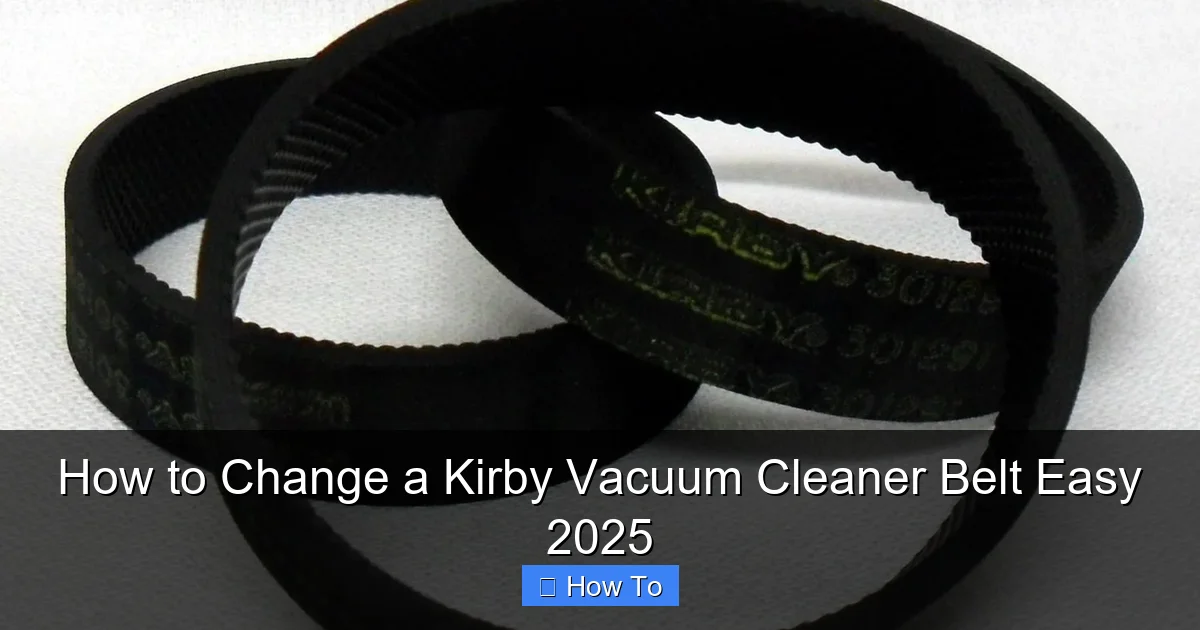
Changing a Kirby vacuum cleaner belt is a straightforward maintenance task that can significantly improve your vacuum’s performance. This comprehensive guide walks you through every step, from gathering the right tools to testing your newly restored machine, making the Kirby belt replacement process easy and accessible for anyone. You’ll learn how to quickly and safely swap out a worn belt, ensuring your Kirby continues to clean powerfully.
How to Change a Kirby Vacuum Cleaner Belt Easy 2025
Welcome to 2025! Your trusty Kirby vacuum cleaner has been a faithful companion in keeping your home spotless, enduring countless cleaning sessions. But even the best machines need a little TLC now and then. One of the most common maintenance tasks for any Kirby owner is changing the drive belt – a small but mighty component vital for your vacuum’s deep-cleaning power.
Perhaps your Kirby’s brush roll isn’t spinning like it used to, or you’ve noticed a tell-tale burning rubber smell. These are classic signs that it’s time for a belt replacement. Don’t worry, you don’t need to be a vacuum repair technician to tackle this. This comprehensive, friendly, and easy-to-follow guide is designed to empower you to change a Kirby vacuum cleaner belt with confidence, getting your machine back to peak performance in no time. We’ll walk you through every step, ensuring a smooth and successful Kirby belt replacement, even if you’ve never done it before. Let’s get that Kirby cleaning like new again!
Key Takeaways
- Safety First: Always unplug your Kirby vacuum cleaner before attempting any maintenance or belt change to prevent accidental starting and potential injury.
- Right Belt for the Right Kirby: Ensure you have the correct genuine Kirby replacement belt for your specific model to guarantee proper fit and optimal performance.
- The Belt Lifter is Key: Understanding how to properly operate your Kirby’s belt lifter lever is crucial for both accessing the brush roll and correctly installing the new belt.
- Inspect and Clean: While changing the belt, take the opportunity to inspect your brush roll for tangled hair or debris and clean the power nozzle area to improve efficiency.
- Test Thoroughly: After installation, always test your Kirby to ensure the brush roll spins correctly and the vacuum is operating as expected before resuming your cleaning tasks.
- Regular Maintenance Pays Off: Knowing how to change your Kirby belt yourself saves time and money, and performing this maintenance regularly extends the life and effectiveness of your beloved vacuum.
Quick Answers to Common Questions
What type of belt does my Kirby use?
Most Kirby models use a specific size and type of flat rubber belt. Always check your owner’s manual or look for a part number on your existing belt. Using a genuine Kirby replacement belt ensures proper fit and longevity.
How often should I change my Kirby belt?
It’s generally recommended to change your Kirby belt every 3-6 months, or sooner if you notice a decrease in brush roll performance, a burning rubber smell, or if the belt is visibly stretched or broken. Regular inspection is key.
Can I clean the brush roll while changing the belt?
Absolutely! This is the perfect time to clean the brush roll. Remove any tangled hair, threads, or debris with scissors to improve the brush roll’s efficiency and prevent premature wear on your new belt.
My new belt feels too tight to install. Is that normal?
Yes, a new Kirby belt will feel much tighter and less elastic than a worn one. This tightness is necessary for proper tension and brush roll spin. Ensure your belt lifter is in the “reset” position to make installation easier.
What if my Kirby’s brush roll still doesn’t spin after changing the belt?
First, double-check that the belt lifter is fully engaged in the “cleaning” position. Then, ensure the belt is correctly looped around both the brush roll and the motor pulley without any twists. If problems persist, inspect the brush roll for obstructions or worn bearings.
Gather Your Tools and New Belt (The Essentials)
Before we dive into the nitty-gritty, let’s make sure you have everything you need close at hand. Having the right tools will make the process much smoother and prevent any frustrating interruptions.
First and foremost, you’ll need a new Kirby vacuum cleaner belt. It’s crucial to get the correct type for your specific Kirby model. While many Kirby belts look similar, there can be subtle differences in length and elasticity. Check your owner’s manual or the existing belt for a part number, or simply search for “Kirby [Your Model Name] replacement belt.” Using a genuine Kirby belt is always recommended for the best fit and durability. After all, you want your new Kirby belt to last!
Here’s a quick checklist of what you’ll need:
- New Kirby Replacement Belt: Make sure it’s compatible with your Kirby model (e.g., G3, G4, G5, G6, Ultimate G, Sentria, Avalir, etc.).
- Phillips Head Screwdriver: Most Kirby models require this, particularly for detaching certain components or removing the brush roll cover.
- Flathead Screwdriver (optional, but helpful): Sometimes useful for prying open stubborn latches or gently lifting parts.
- Scissors or Utility Knife: Handy for cutting away tangled hair, string, or threads from the brush roll.
- Cleaning Cloth: A damp cloth can be useful for wiping away dust and debris.
- Safety Gloves (optional): If you prefer to protect your hands from grime.
- Flashlight (optional): To illuminate hard-to-see areas inside the power nozzle.
Gathering these items beforehand will save you time and hassle, ensuring your Kirby belt change goes off without a hitch.
Safety First: Unplugging Your Kirby
This step is absolutely non-negotiable and incredibly important. Before you touch anything, always, *always* unplug your Kirby vacuum cleaner from the electrical outlet. This eliminates any risk of accidental startup, which could lead to serious injury or damage to your machine. Think of it as the golden rule of Kirby maintenance. A quick moment to unplug ensures your safety throughout the entire Kirby belt replacement process.
Prepare Your Kirby for the Belt Change
Now that safety is handled, let’s get your Kirby ready for its belt surgery. The process starts by separating the main vacuum body from the power nozzle, which is where the belt is located.
Step 3.1: Locate the Power Nozzle
The power nozzle is the attachment at the bottom of your Kirby that contains the rotating brush roll and the drive belt. It’s the part that makes direct contact with your carpet or floor.
Step 3.2: Disconnect the Power Nozzle
To disconnect the power nozzle from the main unit, you’ll typically need to unlock the handle and lay the vacuum flat.
- Unlock the Handle: Push the foot pedal (usually located near the base of the handle) to release the handle and lay the vacuum down so the power nozzle is accessible.
- Find the Quick-Release Latch: Most Kirby models have a quick-release latch or a switch near where the power nozzle connects to the main vacuum body. This is often a metal lever or a plastic button.
- Operate the Latch: Depending on your model, you might need to push a button, slide a lever, or pull a clip. This action releases the power nozzle. You should hear a click or feel it disengage.
- Gently Pull Apart: Once disengaged, carefully pull the power nozzle away from the rest of the Kirby vacuum cleaner unit. Set the main unit aside in a safe place. Your focus will now be entirely on the power nozzle.
Some older Kirby models might require you to unscrew a couple of retaining screws to detach the nozzle. If you’re unsure, consult your Kirby’s owner’s manual; it’s a valuable resource for model-specific instructions.
Accessing the Brush Roll and Old Belt
With the power nozzle separated, it’s time to get to the heart of the matter: the brush roll and the worn-out Kirby belt. This section involves a few crucial steps that might seem a little tricky at first, but with clear guidance, you’ll master them.
Step 4.1: Flip the Power Nozzle
Lay the power nozzle upside down on a clean, flat surface. You want the underside (where the brush roll is visible) facing upwards. A towel or blanket underneath can prevent scratches to your floor or the nozzle itself.
Step 4.2: Open the Belt Lifter Lever
This is one of the most important and sometimes confusing parts for new Kirby owners. The “belt lifter” is a mechanism that either puts tension on the belt (for cleaning) or releases it (for maintenance). To access the belt and brush roll, you need to release the tension.
- Locate the Lever: Look on the side of the power nozzle, usually near the front or middle. It’s often a small metal or plastic lever. It might have markings like “RESET” or an arrow indicating “LIFT” or “REMOVE.”
- Engage the “Lift” or “Reset” Position: Push, slide, or flip this lever to its “reset” or “lift” position. On many models, this means pushing it downwards or sliding it towards the front of the nozzle. You might feel it click into place, and you should notice that the belt, if still present, becomes slack. This crucial action relieves tension on the Kirby belt, allowing you to easily remove the brush roll and the old belt.
- Understanding Its Purpose: The belt lifter is designed so that when the handle is upright, the belt is disengaged for attachments, and when the handle is lowered, the belt engages the brush roll. For maintenance, we’re forcing it into the “disengaged” state.
Step 4.3: Release the Brush Roll Cover
The brush roll is protected by a metal or plastic cover plate. This cover needs to be removed to fully access the brush roll and the belt.
- Locate the Retaining Latches/Screws:
- For Kirby models with latches (e.g., G4, G5, G6, Ultimate G): Look for two metal clips or latches on either side of the brush roll cover. Push these clips inwards or outwards (depending on the design) to release the cover.
- For Kirby models with screws (e.g., Sentria, Avalir): You’ll likely see two Phillips head screws, one on each side of the brush roll cover. Use your Phillips head screwdriver to loosen and remove these screws. Keep them in a safe place where they won’t roll away.
- Remove the Cover: Once the latches are released or the screws are removed, gently lift the brush roll cover straight up and off. Set it aside with the screws (if applicable).
Now you should have a clear view of the brush roll and the old, stretched, or broken Kirby belt.
Removing the Old Belt
With the brush roll and belt exposed, removing the old Kirby belt is the next logical step. This is usually the easiest part of the entire Kirby belt replacement process.
Step 5.1: Gently Lift the Brush Roll
The brush roll sits in cradles within the power nozzle. Carefully lift one end of the brush roll, then the other, and pull it out of its housing. Take note of how it sits in the nozzle; this will help you when reinserting it later.
Step 5.2: Slide Off the Worn Belt
Once the brush roll is out, the old Kirby belt should be very loose, or already broken. Simply slide it off the brush roll and discard it. If it’s still intact but stretched, you’ll definitely notice the difference compared to your new, taut belt.
Step 5.3: Inspect for Debris
This is an excellent opportunity for some bonus maintenance!
- Brush Roll Inspection: Check the brush roll itself. Is it heavily tangled with hair, threads, or carpet fibers? Use your scissors or utility knife to carefully cut and remove any accumulated debris. A clean brush roll spins more freely and cleans more effectively. Also, check the bristles for wear; if they’re severely flattened, it might be time for a new brush roll entirely.
- Nozzle Cavity Clean-up: Look inside the power nozzle cavity where the brush roll sits. You might find dust bunnies, pet hair, or other debris. Use your cleaning cloth or even your fingers (gloves recommended!) to wipe out any buildup. This ensures nothing interferes with the new belt or brush roll’s movement.
Taking these extra moments for a quick clean will help your new Kirby belt perform optimally and extend the life of your vacuum.
Installing the New Kirby Belt
Now for the exciting part – putting in the new Kirby belt and bringing your vacuum back to life! This step requires a bit of precision to ensure the belt is seated correctly.
Step 6.1: Position the New Belt
Take your new Kirby replacement belt. Unlike the old, stretched one, this belt will be tight and firm.
- Loop Around Brush Roll: Loop the new belt around the center of the brush roll. Make sure it’s sitting snugly in the groove designed for the belt.
- Align with Motor Pulley: While holding the brush roll with the new belt, align the belt with the motor’s drive pulley inside the power nozzle. This pulley is usually a small, ridged wheel located to one side (or sometimes in the center, depending on the model) of where the brush roll sits. The belt needs to go around this pulley.
This part can be a little tricky because the new belt is tight. You might need to stretch it slightly as you guide it onto the pulley.
Step 6.2: Reinsert the Brush Roll
With the belt loosely around the brush roll and positioned over the motor pulley, carefully lower the brush roll back into its cradles within the power nozzle.
- Seat the Ends: Ensure both ends of the brush roll are securely seated in their respective slots or bearings. It should sit level and spin freely (with a little tension from the belt).
- Verify Belt Placement: Double-check that the new Kirby belt is still correctly looped around both the brush roll and the motor pulley. It should not be twisted or off-center.
Step 6.3: Ensure Correct Belt Placement
This is where the “reset” position of your belt lifter lever is crucial. Because you engaged it earlier, the new belt should still feel relatively loose. It’s designed to be loose at this stage, so don’t worry if it doesn’t feel taut yet. The tension will be applied once you re-engage the belt lifter. Just ensure it’s not slipping off either the brush roll or the motor pulley.
Reassembling the Power Nozzle
You’re on the home stretch! Reassembling the power nozzle involves reversing the steps you took to open it up.
Step 7.1: Replace the Brush Roll Cover
Take the brush roll cover you set aside earlier.
- Align and Seat: Carefully place the cover back over the brush roll, ensuring it lines up with its original position.
- Secure the Cover:
- For latches: Push the metal clips or latches back into place until they snap securely. Give them a gentle tug to confirm they’re locked.
- For screws: Reinsert the Phillips head screws into their holes and tighten them firmly with your screwdriver. Do not overtighten, as this could strip the plastic.
Step 7.2: Lock Down the Belt Lifter Lever
This is the moment of truth for your new Kirby belt! Remember that belt lifter lever you pushed into the “reset” or “lift” position? It’s time to put it back into the “engaged” or “cleaning” position.
- Locate the Lever Again: Find the belt lifter lever on the side of the power nozzle.
- Engage the Belt: Push, slide, or flip the lever back to its original “cleaning” position. You should feel a distinct click, and you’ll notice the new Kirby belt instantly become taut. This applies the necessary tension for the brush roll to spin effectively.
- Double-Check Tension: If you manually spin the brush roll (carefully, as it’s now under tension), you should feel resistance, and the belt should move smoothly with it. If it’s still loose, re-check that the belt lifter is fully engaged.
Step 7.3: Reattach the Power Nozzle to the Main Unit
Bring the power nozzle back to the main Kirby unit.
- Align the Connections: Line up the power nozzle with the connection point on the main vacuum body.
- Push to Connect: Gently push the power nozzle onto the main unit until you hear a click, indicating it’s securely locked in place. Give it a gentle tug to ensure it won’t accidentally come off during use.
Your Kirby vacuum cleaner is almost ready for action!
Testing Your Kirby Vacuum
You’ve successfully changed your Kirby vacuum cleaner belt! Now, let’s confirm everything is working as it should.
1. Plug it In: Carefully plug your Kirby back into a grounded electrical outlet.
2. Lower the Handle: Release the handle and lower it into the operating position (usually between the upright and flat positions). This should fully engage the belt.
3. Turn On: Switch on your Kirby.
4. Observe the Brush Roll: In the upright position, the brush roll should not be spinning. Lower the vacuum to the cleaning position, and observe the brush roll. It should now be spinning vigorously. You can carefully lift the front of the power nozzle slightly to visually confirm the brush roll is rotating. If it is, congratulations! Your new Kirby belt is correctly installed, and your vacuum is ready to tackle dirt again.
Troubleshooting Common Belt Change Issues
While changing a Kirby belt is generally straightforward, sometimes little hiccups can occur. Here are a few common issues and how to troubleshoot them.
Issue 1: Brush Roll Not Spinning After Belt Change
Possible Causes:
- Belt Lifter Not Engaged: This is the most common reason. Double-check that the belt lifter lever on the side of the power nozzle is pushed fully into its “cleaning” or “engaged” position.
- Belt Twisted or Off Pulley: The new Kirby belt might be twisted, or it could have slipped off the motor pulley or the brush roll during reassembly. You’ll need to repeat the steps for accessing and installing the belt to ensure correct placement.
- Incorrect Belt Type: If the belt is too loose or too tight, it might be the wrong size for your specific Kirby model. Ensure you have a genuine Kirby replacement belt compatible with your vacuum.
- Debris in Brush Roll Bearings: Although you cleaned earlier, some stubborn debris might still be preventing the brush roll from turning freely. Remove the brush roll again and meticulously clean the ends and the housing.

Visual guide about How to Change a Kirby Vacuum Cleaner Belt Easy 2025
Image source: i.ytimg.com
Issue 2: Belt Snapped Again Quickly
Possible Causes:
- Brush Roll Obstruction: There might be something severely tangled in the brush roll that you missed, causing excessive resistance. Remove the brush roll and thoroughly clean it, or consider replacing it if bristles are severely worn.
- Worn Brush Roll Bearings: If the bearings at the ends of your brush roll are worn out, the brush roll won’t spin freely, putting too much strain on the new Kirby belt. Try spinning the brush roll by hand; if it feels stiff or grinds, the bearings might need replacement.
- Incorrect Belt Type: An ill-fitting or low-quality generic belt can break prematurely due to improper tension or material. Always opt for a genuine Kirby belt.
- Vacuuming Hard Objects: Accidentally vacuuming up socks, toys, or large debris can instantly snap a new belt. Be mindful of what you’re vacuuming.
Issue 3: Difficulty Reassembling the Brush Roll Cover or Power Nozzle
Possible Causes:
- Misalignment: The cover or nozzle might not be perfectly aligned. Take a step back, ensure all components are straight, and try again. Sometimes a gentle wiggle helps.
- Forceful Action: Kirby parts are designed to fit precisely. If you’re encountering resistance, avoid forcing it. Re-examine the connection points and ensure nothing is bent or obstructing the fit. For the power nozzle, make sure the quick-release latch is fully engaged.
- Small Parts Misplaced: Double-check that no small clips, springs, or screws have fallen into the cavity and are blocking the reassembly path.
Most issues can be resolved by carefully re-reading the relevant steps and double-checking your work. Patience is key!
Conclusion
Congratulations! You’ve successfully learned how to change a Kirby vacuum cleaner belt. By following these clear, step-by-step instructions, you’ve not only saved yourself a trip to a repair shop but also gained valuable knowledge about maintaining your Kirby vacuum. Changing a Kirby belt is a simple yet essential task that ensures your vacuum continues to deliver its legendary deep-cleaning performance.
Regular belt checks and timely replacements will keep your Kirby running efficiently for years to come, tackling dirt and debris with the same power it had the day you brought it home. So, go ahead, plug in your newly refreshed Kirby, and enjoy the satisfaction of a job well done and a home impeccably clean, courtesy of your own two hands. Here’s to many more years of powerful cleaning with your revitalized Kirby vacuum in 2025 and beyond!
🎥 Related Video: How to Easily Replace Your Kirby Vacuum Belt
📺 Great Vacs
Before you visit our site, make sure you grab this DISCOUNT CODE “YT5%OFF” for 5% off your order!