
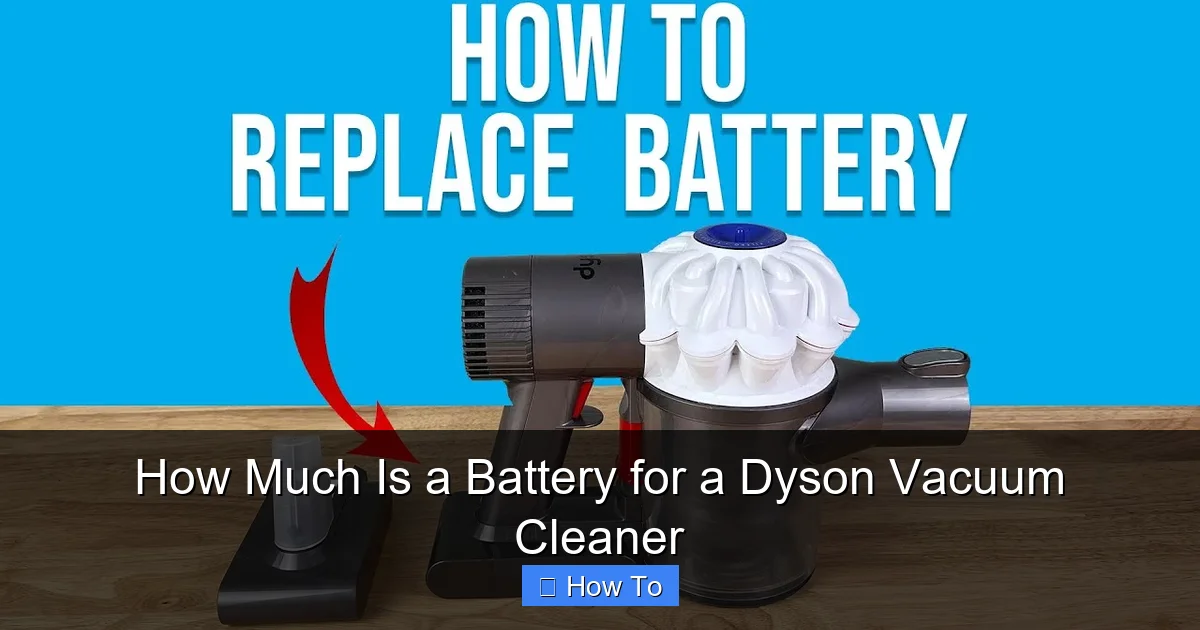
Understanding how much a battery for a Dyson vacuum cleaner costs involves several factors, primarily the specific Dyson model and whether you choose genuine Dyson parts or reputable third-party alternatives. Prices typically range from $50 to over $250, with genuine batteries being more expensive but offering guaranteed quality and compatibility. Replacing the battery is a relatively straightforward DIY task that can significantly extend your Dyson’s lifespan and restore its original powerful performance.
How Much Is a Battery for a Dyson Vacuum Cleaner
Welcome to the world of cord-free cleaning! Dyson vacuum cleaners have revolutionized how we clean our homes, offering unmatched convenience and powerful suction. However, like all rechargeable electronics, the heart of your Dyson – its battery – has a finite lifespan. Over time, you might notice your once-mighty Dyson running for shorter periods, or perhaps not holding a charge at all. When this happens, the big question arises: “How much is a battery for a Dyson vacuum cleaner?”
Don’t worry, you’re in the right place! This comprehensive guide will walk you through everything you need to know about Dyson battery costs. We’ll explore the factors that influence pricing, help you understand where to buy, and even show you how to replace the battery yourself. By the end, you’ll be well-equipped to make an informed decision and give your beloved Dyson a new lease on life without breaking the bank. Let’s dive in!
Key Takeaways
- Cost Varies Widely: The price of a Dyson vacuum cleaner battery can range from $50 for some third-party options to over $250 for genuine Dyson batteries for newer, high-end models.
- Genuine vs. Third-Party: Genuine Dyson batteries offer guaranteed compatibility, quality, and a warranty but come at a higher cost. Third-party options are cheaper but vary significantly in quality, reliability, and safety.
- Model-Specific Pricing: Older Dyson models (like V6, V7) generally have less expensive batteries than newer, more advanced models (like V11, V15, Gen5detect) due to different technology and capacity.
- Where to Buy Matters: Purchase from official Dyson channels or authorized retailers for genuine parts. Reputable online marketplaces can offer good third-party options but require careful vetting of sellers and product reviews.
- DIY Replacement is Possible: Replacing a Dyson battery is typically a simple process requiring basic tools, saving you labor costs and empowering you to maintain your vacuum.
- Extend Battery Life: Proper charging habits, using the correct power mode, and regular filter cleaning can significantly prolong your battery’s lifespan, delaying the need for a replacement.
Quick Answers to Common Questions
What’s the best way to save money on a Dyson battery?
Consider a reputable third-party battery from a well-reviewed seller. While genuine Dyson batteries offer guaranteed quality, third-party options can be significantly cheaper and still perform well if chosen carefully. Always check reviews for compatibility and longevity.
How do I know which Dyson battery to buy?
Locate your specific Dyson model number, usually found on a sticker near the dustbin or on the existing battery itself. This number is critical for ensuring you purchase a compatible replacement battery, as designs vary significantly between models.
Can a Dyson battery be repaired instead of replaced?
Generally, no. Dyson batteries are sealed units designed for replacement, not repair. Attempting to open or repair a battery pack is dangerous due to the lithium-ion cells inside and can void any remaining warranty.
How long should a Dyson battery last?
A genuine Dyson battery typically lasts between 2 to 4 years of regular use, depending on the model and usage patterns. Over time, its capacity will naturally diminish, leading to shorter run times.
Is it worth replacing a Dyson battery, or should I buy a new vacuum?
For most Dyson models, replacing the battery is significantly cheaper than buying a new vacuum and can completely restore your machine’s original performance. It’s an eco-friendly and economically sound choice unless your vacuum has other major, irreparable faults.
Understanding Dyson Battery Costs: An Overview
The cost of a replacement battery for your Dyson vacuum cleaner isn’t a single, fixed number. It varies quite a bit, primarily depending on a few key factors. Generally, you can expect to pay anywhere from around $50 to well over $250 for a new battery. This wide range accounts for differences in Dyson models, whether you choose a genuine Dyson part or a third-party alternative, and even where you make your purchase.
It’s important to remember that investing in a new battery is often much more cost-effective than buying an entirely new Dyson vacuum cleaner. A fresh battery can restore your machine’s original run time and performance, making it feel brand new again.
Factors Influencing Dyson Battery Price
Several elements come into play when determining the price tag of a Dyson vacuum cleaner battery. Understanding these can help you choose the best option for your needs and budget.
Genuine Dyson vs. Third-Party Batteries
This is perhaps the biggest differentiator in pricing.

Visual guide about How Much Is a Battery for a Dyson Vacuum Cleaner
Image source: dyson-h.assetsadobe2.com
- Genuine Dyson Batteries: These are manufactured by Dyson specifically for their vacuum cleaners.
- Pros: Guaranteed compatibility, optimal performance, adherence to Dyson’s quality and safety standards, usually come with a Dyson warranty.
- Cons: Generally more expensive.
- Price Range: Expect to pay $70 to $250+ depending on the model.
- Third-Party Batteries: These are produced by other manufacturers, designed to be compatible with Dyson vacuums.
- Pros: Significantly more affordable, a wide variety of options.
- Cons: Quality can vary wildly (from decent to very poor), potential compatibility issues, may not last as long, no Dyson warranty, and in rare cases, can pose safety risks if poorly made (e.g., overheating).
- Price Range: Typically $30 to $150, varying greatly with brand and stated capacity.
Tip: If opting for third-party, always prioritize reputable sellers with strong reviews and clear return policies.
Dyson Vacuum Model and Series
Dyson produces many different cordless vacuum models, and each series often requires a unique battery design. The battery for an older Dyson V6, for example, is physically different and usually less expensive than a battery for a newer, more advanced Dyson V11 or V15 Detect.
- Older Models (V6, V7, V8): Batteries for these tend to be less complex and therefore more affordable.
- Newer Models (V10, V11, V15 Detect, Outsize, Gen5detect): These vacuums often feature more advanced battery technology, higher capacities, and more complex designs, leading to higher battery costs.
It’s crucial to know your specific Dyson model number (often found on a sticker near the dustbin or on the battery itself) to ensure you purchase the correct replacement battery.
Battery Capacity and Technology
The capacity of a battery, measured in milliampere-hours (mAh), directly relates to how long your vacuum can run on a single charge. Higher mAh generally means longer run times and can also contribute to a higher price. All modern Dyson batteries use advanced lithium-ion technology, but there can be subtle differences in the cell quality and internal circuitry.
- Some third-party manufacturers might offer “high-capacity” batteries that promise longer run times than the original. While tempting, exercise caution and check reviews, as these claims aren’t always accurate or achieved with reliable components.
Where You Purchase the Battery
Your point of purchase can also influence the price of a Dyson battery.
- Dyson Official Website/Service Centers: You’ll find genuine Dyson batteries here, often at the highest price point, but with full warranty and customer support.
- Authorized Retailers: Large electronics stores or department stores (like Best Buy, Amazon – for Dyson brand only) sometimes carry genuine Dyson batteries. Prices might be competitive, but stock can be limited.
- Third-Party Online Marketplaces: Websites like Amazon (for third-party sellers), eBay, or other online electronics stores offer a vast array of third-party batteries. Prices are usually the lowest here, but vetting the seller and product quality is paramount.
- Local Electronics Repair Shops: Some local shops might stock compatible batteries or order them for you, potentially offering installation services.
Warranty and Return Policies
A battery purchased directly from Dyson usually comes with a specific warranty (e.g., 1-year). This provides peace of mind in case of defects. Third-party batteries might have varying or no warranties from their respective sellers, making a reputable seller and their return policy even more critical.
Promotions and Discounts
Keep an eye out for sales events, holiday promotions, or even Dyson’s own loyalty programs. Sometimes you can find genuine Dyson batteries at a reduced price if you time your purchase right.
How Much Does a Dyson Battery Cost? (By Model – Estimated Ranges)
To give you a clearer idea, here are estimated price ranges for replacement batteries for some popular Dyson cordless vacuum models. Please remember these are general estimates, and actual prices can vary based on the factors discussed above, especially market fluctuations and sales.
- Dyson V6 & V7 Series Battery:
- Third-Party: $30 – $70
- Genuine Dyson: $60 – $100
These older models are generally the most affordable to replace batteries for.
- Dyson V8 Series Battery:
- Third-Party: $40 – $90
- Genuine Dyson: $70 – $120
A step up in price, reflecting slightly newer technology.
- Dyson V10 & V11 Series Battery:
- Third-Party: $60 – $120
- Genuine Dyson: $100 – $160
These models often feature more advanced batteries and higher capacities.
- Dyson V15 Detect, Outsize & Gen5detect Series Battery:
- Third-Party: $80 – $150 (availability might be limited for very new models)
- Genuine Dyson: $130 – $250+
The latest and most powerful Dyson vacuums typically have the most expensive replacement batteries due to their sophisticated engineering and higher capacities.
Always verify the current price directly from your chosen retailer before making a purchase.
Where to Buy a Replacement Dyson Battery
Choosing where to buy your Dyson vacuum cleaner battery is almost as important as understanding the price itself. Your options range from official sources to various third-party sellers.
Official Dyson Website/Service Centers
- Pros: This is the safest bet for guaranteed genuine parts. You’ll receive a product that perfectly fits, performs optimally, and comes with Dyson’s warranty and customer support. You also avoid any risk of counterfeits or low-quality components.
- Cons: Generally the most expensive option.
- Best for: Those who prioritize peace of mind, guaranteed quality, and are willing to pay a premium.
Authorized Retailers
- Pros: Major electronics retailers (like Best Buy, Currys PC World, or Amazon’s Dyson brand store) sometimes stock genuine Dyson replacement parts. They offer a trusted shopping experience, and you might occasionally find competitive pricing or sales.
- Cons: Stock can be hit or miss, especially for older models. Prices are often similar to Dyson’s official site.
- Best for: Those who prefer shopping from well-known stores and are looking for genuine parts.
Reputable Third-Party Sellers (Online)
- Pros: This is where you’ll find the most significant savings. Many third-party brands offer compatible batteries at a fraction of the cost of genuine Dyson parts.
- Cons: Quality and safety vary widely. There’s a higher risk of receiving a substandard, short-lived, or even unsafe battery if you don’t do your homework. These batteries typically don’t carry a Dyson warranty.
- Best for: Budget-conscious buyers willing to invest time in researching reputable sellers. Always read reviews carefully, look for specific mentions of your Dyson model, and check the seller’s return policy. Brands like E-Union or POWR often receive decent reviews for compatible Dyson batteries.
Local Electronics Repair Shops
- Pros: Some local shops might be able to source compatible batteries for you and even offer installation services, which can be convenient if you’re not comfortable doing it yourself.
- Cons: Their prices might include a markup for their service, and the battery itself will likely be a third-party option with the associated risks.
- Best for: Those who prefer local service and hands-off replacement.
Step-by-Step Guide: How to Replace Your Dyson Battery
Replacing your Dyson battery is a surprisingly straightforward process that most people can do at home with basic tools. This guide will give you a general overview. Always refer to your specific Dyson model’s instruction manual or Dyson’s online support for precise instructions, as screw locations can vary slightly.
1. Identify Your Dyson Model
Before buying anything, locate the model number of your Dyson. This is crucial for purchasing the correct battery. It’s usually found on a sticker on the main body of the vacuum, often near the dustbin or on the existing battery itself. Examples include V6, V7 Motorhead, V8 Absolute, V10 Animal, V11 Torque Drive, etc.
2. Purchase the Correct Battery
Once you know your model, buy the appropriate replacement battery from your chosen source (Dyson official, authorized retailer, or reputable third-party). Double-check the compatibility listed on the product page.
3. Gather Your Tools
You’ll typically need:
- A small Phillips head screwdriver (PH1 or PH2).
- A flathead screwdriver (sometimes useful for prying gently, but be careful).
- Your new Dyson battery.
4. Safety First: Disconnect Power
Crucially, unplug your Dyson vacuum cleaner from its charger. Never attempt battery replacement while the vacuum is connected to power.
5. Locate the Battery
The battery pack on most Dyson cordless vacuums is usually located:
- V6, V7, V8: Often at the bottom of the main unit, secured by two screws (one near the trigger, one near the back).
- V10, V11, V15, Outsize, Gen5detect: Often integrated into the handle or main body, secured by 2-3 screws.
6. Remove the Old Battery
Using your Phillips head screwdriver, carefully unscrew the screws holding the battery in place. There are typically 2 or 3 screws. Once unscrewed, gently pull the battery away from the main unit. It might require a little wiggle, but don’t force it. There are no wires to disconnect, as the battery simply plugs into a connector when seated.
7. Install the New Battery
Align the new battery with the connectors and the screw holes on your Dyson. Push it firmly but gently into place until it seats correctly. Then, reinsert and tighten the screws. Don’t overtighten, as this can strip the plastic threads.
8. Test the Vacuum
Once the new battery is securely in place, plug your Dyson back into its charger. Let it charge fully (the indicator lights will typically turn off or go solid green when done). After a full charge, test the vacuum to ensure it powers on, has good suction, and the battery indicator lights are working correctly.
Congratulations, you’ve successfully replaced your Dyson’s battery!
Tips for Maximizing Dyson Battery Life (and Delaying Replacement)
While batteries degrade naturally over time, you can significantly prolong your Dyson battery’s lifespan with proper care and usage habits.
Use the Right Power Mode
Most Dyson vacuums have multiple power modes (e.g., Eco, Auto, Boost/Max). Use the lower power modes for general cleaning, and only switch to Boost/Max when tackling particularly stubborn dirt. Running on max power constantly drains the battery much faster and can contribute to quicker degradation.
Charge Fully, Don’t Overcharge
Always allow your Dyson battery to charge completely. Modern lithium-ion batteries have smart charging circuits that prevent overcharging, so leaving it on the charger when not in use is generally fine. However, some experts suggest removing it from the charger once full if storing it for very long periods, though this is less critical for devices in regular use.
Avoid Deep Discharges
Try not to let your battery run completely flat repeatedly. While occasional deep discharge won’t kill it, constantly draining it to zero and leaving it there for extended periods can stress the battery cells. Aim to recharge when the battery indicator shows low power.
Store Properly
If you’re not going to use your Dyson for an extended period (weeks or months), store it with the battery partially charged (around 50-60%) in a cool, dry place. Extreme temperatures (very hot or very cold) are detrimental to battery health.
Clean Filters Regularly
A clogged filter forces your Dyson’s motor to work much harder to maintain suction. This extra strain leads to increased power consumption and can put more stress on the battery, shortening its effective life. Clean your Dyson’s filters as recommended in your manual.
Don’t Use in Extreme Temperatures
Avoid using or charging your Dyson vacuum cleaner in excessively hot or cold environments. Batteries perform best and last longest within a moderate temperature range.
Troubleshooting Common Battery Issues
Even with a new battery, or when your old one is just starting to show its age, you might encounter some common issues. Here’s how to approach them:
Vacuum Not Turning On or No Power
If your Dyson is completely unresponsive:
- Check the Charger: Ensure the charger is properly plugged into both the wall and the vacuum. Try a different outlet.
- Battery Connection: For models with removable batteries, ensure the battery is securely seated and the screws are tight.
- Faulty Charger: If the battery is new and still not charging, the issue might be with the charger itself. Try to test with another compatible charger if possible.
- Dead Battery: If all else fails and the battery is old, it’s likely completely dead and needs replacement.
Battery Indicator Flashing
Flashing lights on your Dyson often indicate an error. The pattern of the flashes usually corresponds to a specific issue (e.g., overheating, blockage, battery fault).
- Consult Your Manual: Refer to your Dyson manual or Dyson’s online support for what specific flashing patterns mean for your model.
- Check for Blockages: Many errors are related to blockages in the airway, which cause the motor to overwork. Check the brush bar, wand, and bin for obstructions.
- Cool Down: If the vacuum has been used heavily, it might be overheating. Let it cool down for an hour before trying again.
Reduced Run Time
This is the most common symptom of a degrading battery.
- Natural Degradation: If your battery is several years old, reduced run time is a normal sign that it’s losing capacity and needs replacement.
- Clogged Filters: As mentioned, dirty filters make the motor work harder, consuming more power and reducing effective run time. Clean them!
- Brush Bar Obstruction: A tangled brush bar or an obstruction can also cause the motor to strain, draining the battery faster.
Battery Getting Hot During Use or Charging
Stop using the vacuum immediately. While some warmth is normal, excessive heat can indicate a serious problem, such as a faulty battery pack, short circuit, or charger issue. This can be a safety hazard.
- Remove from Charger/Stop Use: Disconnect it from power and do not use it again until the issue is resolved.
- Contact Support: If it’s a genuine Dyson battery under warranty, contact Dyson support. If it’s a third-party battery, contact the seller. A new battery might be necessary.
Conclusion
So, how much is a battery for a Dyson vacuum cleaner? The answer, as we’ve seen, isn’t a simple figure, but rather a range influenced by your Dyson model, your choice between genuine and third-party options, and where you decide to buy. You can expect to pay anywhere from $50 to over $250, with newer models and genuine parts commanding higher prices.
The good news is that replacing your Dyson’s battery is an empowering and cost-effective way to revitalize your vacuum. It’s a relatively easy DIY task that can save you significant money compared to buying a whole new machine. By understanding the factors at play, knowing where to source your battery, and adopting good battery care habits, you can extend the life of your Dyson, maintain its powerful cleaning performance, and keep your home spotless for years to come. Make a smart choice, and enjoy that “like new” suction again!