

Dyson vacuum cleaners are a significant investment, and understanding their lifespan is crucial. On average, a Dyson can last between 7 to 10 years, though many users report them lasting even longer with proper care. Factors like regular maintenance, usage frequency, and addressing wear and tear significantly impact how long does a Dyson vacuum cleaner last, ensuring you get the most out out of your premium cleaning device.
How Long Does a Dyson Vacuum Cleaner Last
Investing in a Dyson vacuum cleaner feels like a big decision for many of us. These aren’t just any vacuums; they’re known for their powerful suction, innovative design, and often, a hefty price tag. So, it’s perfectly natural to wonder, “How long does a Dyson vacuum cleaner last?” You’re not just buying a cleaning tool; you’re investing in a piece of technology designed to make your life easier for years to come.
The good news is that Dyson machines are built with durability in mind. They’re engineered with high-quality materials and undergo rigorous testing. However, just like any complex piece of machinery, their lifespan isn’t a fixed number printed on the box. It’s a dynamic period influenced by a multitude of factors, from how often you use it to how well you maintain it. Let’s dive deep into what truly determines how long does a Dyson vacuum cleaner last and how you can maximize its operational life.
Key Takeaways
- Average Lifespan: Dyson vacuum cleaners typically last 7 to 10 years, with many exceeding this range through diligent care and proper usage.
- Maintenance is Key: Regular cleaning of filters, emptying the dust bin, and checking the brush bar are crucial steps to extending your Dyson’s operational life.
- Battery Life: For cordless models, the battery is often the first component to show age, usually lasting 2-4 years before needing replacement, though this doesn’t mean the entire unit is defunct.
- Usage Habits Matter: Frequent heavy-duty cleaning, cleaning fine dust (like drywall dust), or vacuuming wet messes can significantly reduce a Dyson’s lifespan.
- Genuine Parts & Service: Using authentic Dyson replacement parts and seeking professional service for major issues can prevent further damage and prolong the machine’s life.
- Signs of Decline: Reduced suction, unusual noises, persistent error lights, or a quickly draining battery are common indicators that your Dyson may need attention or replacement.
Quick Answers to Common Questions
How many years does a Dyson vacuum cleaner last on average?
On average, a Dyson vacuum cleaner lasts between 7 to 10 years with proper care and regular maintenance.
Is it worth repairing an old Dyson?
It is often worth repairing an old Dyson, especially if the issue is a common part like a battery, filter, or brush bar, as these fixes are usually more cost-effective than buying a brand new unit.
What is the most common part to fail on a Dyson?
For cordless Dyson models, the battery is the most common component to degrade over time, typically needing replacement after 2-4 years of regular use.
Can a Dyson last 15 years?
Yes, with exceptional care, very light usage, and diligent maintenance, some Dyson vacuum cleaners have been reported to last 15 years or even longer.
How often should I clean my Dyson’s filter?
You should clean your Dyson’s washable filter at least once a month, or more frequently if you use the vacuum heavily or have pets.
📑 Table of Contents
- The Lifespan Expectation: How Long Does a Dyson Vacuum Cleaner Last?
- Unlocking Longevity: The Power of Proper Maintenance
- Usage Habits: How You Use Your Dyson Matters
- Common Wear and Tear: Parts That Might Need Attention
- Signs Your Dyson Might Be Fading
- Making Your Dyson Last: Practical Tips and Tricks
- Conclusion: The True Value of a Dyson
The Lifespan Expectation: How Long Does a Dyson Vacuum Cleaner Last?
When asking “how long does a Dyson vacuum cleaner last,” most experts and long-term users will tell you that you can generally expect a Dyson to perform reliably for 7 to 10 years. This is a solid lifespan for any household appliance, especially one that takes on the daily grind of dirt and debris. Some users even report their machines lasting well over a decade, a testament to Dyson’s build quality and their own diligent care.
However, this 7-10 year benchmark isn’t a guarantee. It’s an average based on typical usage patterns and reasonable maintenance. Several key factors play a crucial role in pushing your Dyson towards the higher end of this estimate, or unfortunately, sometimes shortening it.
Factors Influencing Dyson’s Lifespan
- Usage Frequency: A Dyson used daily in a busy household with pets and children will naturally experience more wear and tear than one used once a week in a small, tidy apartment.
- Cleaning Environment: Regularly vacuuming fine dust (like plaster dust from renovations), pet hair, or large debris can put more strain on the motor and filtration system.
- Maintenance Habits: This is arguably the most significant factor. Neglecting filter cleaning, not emptying the bin, or ignoring clogs can drastically reduce efficiency and lifespan.
- Cordless vs. Corded: Cordless models often have a shorter lifespan for their batteries (typically 2-4 years), which might lead users to replace the unit sooner, even if the motor itself is still strong. Corded models usually have a longer overall operational life for the main unit.
- Model Specifics: Newer, more advanced models might have more sophisticated components that could theoretically last longer, but also more complex parts that could potentially fail.
Unlocking Longevity: The Power of Proper Maintenance
If you want to know how long does a Dyson vacuum cleaner last, the answer largely depends on you. Proper maintenance isn’t just a suggestion; it’s a necessity. Think of it like taking care of your car; regular oil changes and check-ups keep it running smoothly and extend its life. Your Dyson is no different. Simple, routine tasks can prevent major issues down the road and ensure your vacuum keeps performing at its peak for years.
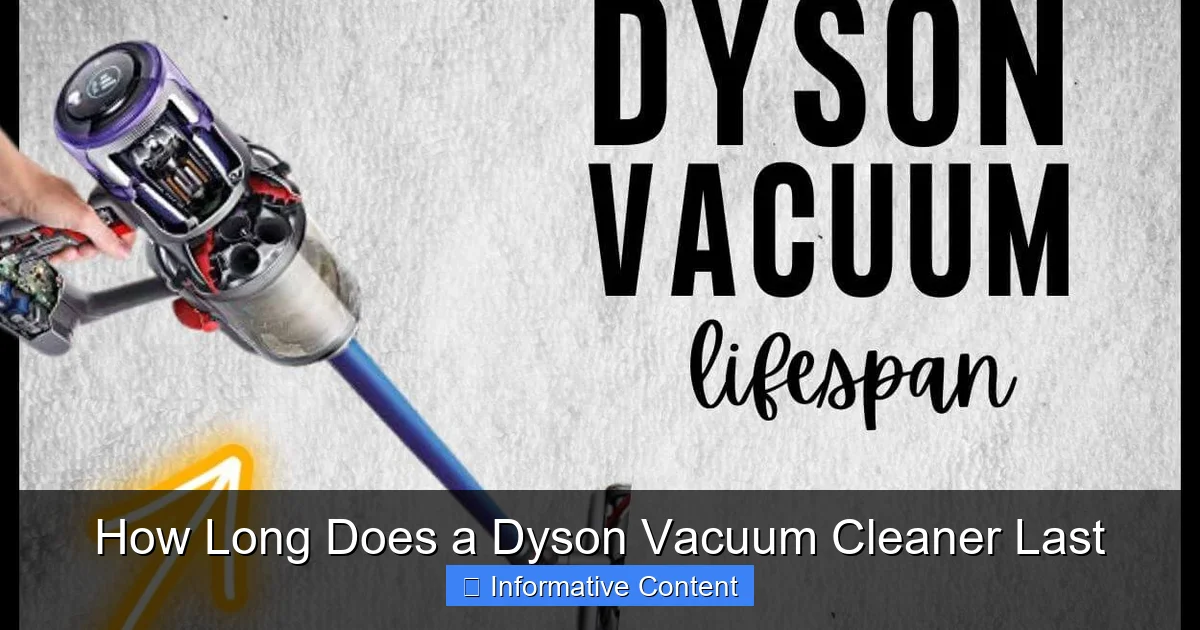
Visual guide about How Long Does a Dyson Vacuum Cleaner Last
Image source: materialsix.com
Filter Care: The Lungs of Your Dyson
Dyson vacuums are famous for their excellent filtration systems, which capture microscopic particles and allergens. But these filters get dirty! Clogged filters restrict airflow, forcing the motor to work harder, which can lead to overheating and premature failure. Most Dyson filters are washable. Check your model’s manual, but generally, you should:
- Wash the main filter with cold water monthly (or more often if you use it heavily or have pets).
- Allow it to air dry completely for at least 24 hours before putting it back in. Never use heat to dry it, as this can damage the filter material.
- Replace non-washable filters according to Dyson’s recommendations, usually annually.
Dust Bin Maintenance: Don’t Overfill
It sounds simple, but overfilling the dust bin is a common mistake. When the bin is full, suction power decreases, and debris can get pushed into the machine’s internal components, causing blockages and strain on the motor. Always empty the bin as soon as the “max fill” line is reached, or after every use, especially if you’re cleaning up a lot of debris.
Brush Bar Checks: Keeping Things Spinning
The brush bar (or beater bar) is crucial for agitating carpets and picking up debris. It’s also a magnet for hair, threads, and tangled fibers. If the brush bar gets clogged, it can stop spinning effectively, reducing cleaning performance and putting a strain on the motor that drives it. Regularly:
- Remove the brush bar (most Dyson models allow easy removal) and cut away any tangled hair or threads with scissors.
- Ensure the brush bar can spin freely without obstruction.
Battery Care for Cordless Models
For cordless Dyson models, the battery is often the first component to show its age. To extend battery life:
- Avoid fully depleting the battery before recharging.
- Don’t leave it on the charger indefinitely once fully charged, though most modern batteries have protection against overcharging.
- Store the vacuum in a cool, dry place. Extreme temperatures (hot or cold) can degrade battery performance.
- If you store the vacuum for an extended period, ensure the battery has a partial charge (around 50%) rather than being completely empty or full.
Usage Habits: How You Use Your Dyson Matters
Beyond maintenance, the way you use your Dyson significantly influences how long does a Dyson vacuum cleaner last. Just like you wouldn’t use a sports car for off-roading, your Dyson needs to be used appropriately to perform its best and last its longest.
Understanding Surface Types and Settings
Dyson vacuums are versatile, but they have their limits. Using the correct power mode and brush bar setting for different surfaces is important. For instance, using the highest power setting on hard floors might be overkill and drain the battery faster on cordless models without much added benefit. Conversely, using a low power setting on thick carpet might mean you have to go over the area multiple times, putting more cumulative strain on the machine.
Avoid Vacuuming Certain Materials
There are some things your Dyson should never vacuum. Doing so can cause immediate damage or long-term wear:
- Liquids or Wet Debris: Dyson vacuums are dry vacuums. Water or any liquid can cause electrical shorts, rust, or mold growth inside the machine.
- Fine Powders: Materials like fireplace ash, plaster dust, or drywall dust are too fine for the filtration system and can clog filters quickly, bypass them, and damage the motor. Use a shop vac for these tasks.
- Sharp Objects: Glass shards, nails, screws, or large, hard objects can damage the hose, bin, or internal components.
- Flammable Materials: Never vacuum anything that is smoldering or flammable.
Don’t Overwork Your Machine
If your vacuum feels like it’s struggling, listen to it. Don’t force it to pick up overly large or heavy debris that it wasn’t designed for. If you encounter a clog, address it immediately rather than continuing to use the vacuum. Pushing the machine beyond its limits can lead to motor burnout or damage to other critical parts.
Common Wear and Tear: Parts That Might Need Attention
Even with the best care, certain components of your Dyson will naturally wear out over time. Recognizing these common points of failure can help you address them promptly and extend the life of your main unit. This understanding also helps answer how long does a Dyson vacuum cleaner last because replacing a part is often more economical than buying a whole new unit.
Battery Degradation (Cordless Models)
As mentioned, lithium-ion batteries have a finite number of charge cycles. After 2-4 years of regular use, you might notice shorter run times or reduced power. Dyson offers replacement batteries for most cordless models, making this a common and relatively easy fix that significantly prolongs the vacuum’s usability.
Filter Replacement
While many Dyson filters are washable, even washable filters have a lifespan. Over time, the filter material can degrade, losing its effectiveness. Non-washable filters definitely need periodic replacement. If washing no longer restores suction or you notice dust escaping, it’s time for a new filter.
Hoses and Wands
The flexible hose and plastic wands can crack, split, or become clogged, especially with heavy use or if subjected to bending and stress. These are typically replaceable parts and relatively easy to swap out.
Brush Bars and End Caps
The bristles on the brush bar can wear down, becoming less effective at agitating carpet. The small wheels or end caps that help the brush bar spin can also wear out. Replacement brush bars and associated parts are widely available.
Power Cords and Plugs (Corded Models)
For corded models, the power cord can fray or kink over time, especially where it connects to the vacuum or the plug itself. Always handle the cord carefully and avoid yanking it. If the cord becomes damaged, it’s a safety hazard and should be professionally repaired or replaced.
Signs Your Dyson Might Be Fading
How long does a Dyson vacuum cleaner last is also determined by your ability to recognize the signs of decline. Being aware of these indicators can prompt you to take corrective action before a minor issue becomes a major, irreparable problem.
- Reduced Suction Power: This is the most common sign. If cleaning filters and clearing blockages doesn’t restore suction, it might indicate motor issues or a sealed system leak.
- Unusual Noises: A grinding, whining, or rattling noise that wasn’t there before can point to problems with the motor, brush bar, or internal components.
- Intermittent Power or Shut-Offs: If your Dyson frequently cuts out or struggles to power on, it could be a battery issue (for cordless), a faulty power cord (for corded), or an internal electrical problem.
- Persistent Odors: A burning smell often indicates an overworked motor or an electrical issue. A musty smell usually means moisture or mold within the machine, often due to improper filter drying or vacuuming wet messes.
- Visible Damage: Cracks in the housing, damaged hoses, or worn-out brush bar bristles are clear signs that parts need attention.
Making Your Dyson Last: Practical Tips and Tricks
So, you’re committed to making your Dyson last as long as possible. Great! Here are some practical tips to help you maximize your investment and ensure you get the most out of your premium vacuum cleaner.
Read Your Manual
It sounds obvious, but your Dyson manual is a treasure trove of model-specific maintenance instructions, troubleshooting tips, and parts diagrams. Understanding your specific model’s requirements is the first step to proper care.
Regularly Check for Clogs
Even if suction seems fine, periodically check the hose, wand, and brush bar for hidden clogs. A small blockage can quickly become a large one, straining the motor over time. Dyson models are often designed with clear pathways or easy-access points for clearing blockages.
Store Properly
Store your Dyson in a clean, dry place away from extreme temperatures. For cordless models, using the wall-mounted dock keeps it tidy and often ensures it’s charged and ready to go. Avoid leaving it in direct sunlight or freezing garages.
Use Genuine Dyson Parts
When it comes time to replace filters, batteries, or other components, always opt for genuine Dyson parts. Aftermarket parts might seem cheaper, but they can be of lower quality, not fit correctly, or even damage your machine, ultimately shortening its life.
Consider Professional Servicing
If you encounter an issue that’s beyond your comfort level to fix, don’t hesitate to contact Dyson support or an authorized service center. Attempting complex repairs yourself without the right knowledge or tools can void warranties or cause further damage. Dyson often provides excellent customer support and repair services.
Gentle Handling
While Dysons are built tough, they’re not indestructible. Avoid dropping them, dragging them by the hose, or using them roughly. Treat your Dyson with care, and it will serve you well for many years.
Conclusion: The True Value of a Dyson
So, how long does a Dyson vacuum cleaner last? The answer, as we’ve explored, is not a simple number but rather a reflection of product quality combined with user responsibility. With an average expected lifespan of 7 to 10 years, and often much longer for those who meticulously maintain their machines, a Dyson truly represents a long-term investment in a cleaner home.
By understanding the factors that influence its longevity, committing to regular maintenance, and using your vacuum as intended, you can significantly extend its working life. From keeping those filters sparkling to promptly addressing any unusual noises, every small action contributes to the overall health and performance of your Dyson. Treat it well, and your Dyson will continue to provide powerful, efficient cleaning for many years to come, making that initial investment feel truly worthwhile.
Frequently Asked Questions
How do I know if my Dyson battery needs replacing?
If your cordless Dyson’s run time has significantly decreased, or if the vacuum frequently cuts out despite being fully charged, it’s a strong indicator that the battery may need replacing. You might also notice a drop in suction power even on a full charge.
Can I use my Dyson to clean up fine dust like drywall or fireplace ash?
No, it is strongly advised not to use your Dyson vacuum cleaner to pick up fine dust like drywall dust, plaster dust, or fireplace ash. These extremely fine particles can quickly clog the filters, bypass the filtration system, and cause irreparable damage to the motor.
What happens if I don’t clean my Dyson’s filter?
If you don’t clean your Dyson’s filter, it will become clogged with dust and debris, restricting airflow. This forces the motor to work much harder to maintain suction, leading to reduced cleaning performance, overheating, potential motor damage, and a significantly shortened lifespan for your vacuum.
Are Dyson vacuums worth the high price tag?
Many users find Dyson vacuums worth the high price tag due to their powerful suction, innovative design, advanced filtration systems, and impressive durability. With proper maintenance, their long lifespan can make them a cost-effective choice over many years compared to frequently replacing cheaper alternatives.
How do I prevent clogs in my Dyson vacuum?
To prevent clogs, regularly empty the dust bin, avoid vacuuming large or sharp objects, and periodically check the brush bar, hose, and wand for any accumulated debris, especially long hair or threads. Clearing small blockages promptly prevents larger, more problematic clogs.
Does Dyson offer a warranty for their vacuums?
Yes, Dyson typically offers a warranty for their vacuum cleaners, which usually covers parts and labor for a specified period (e.g., 2 to 5 years, depending on the model and region). It’s always best to register your product and keep your proof of purchase to utilize warranty services if needed.