
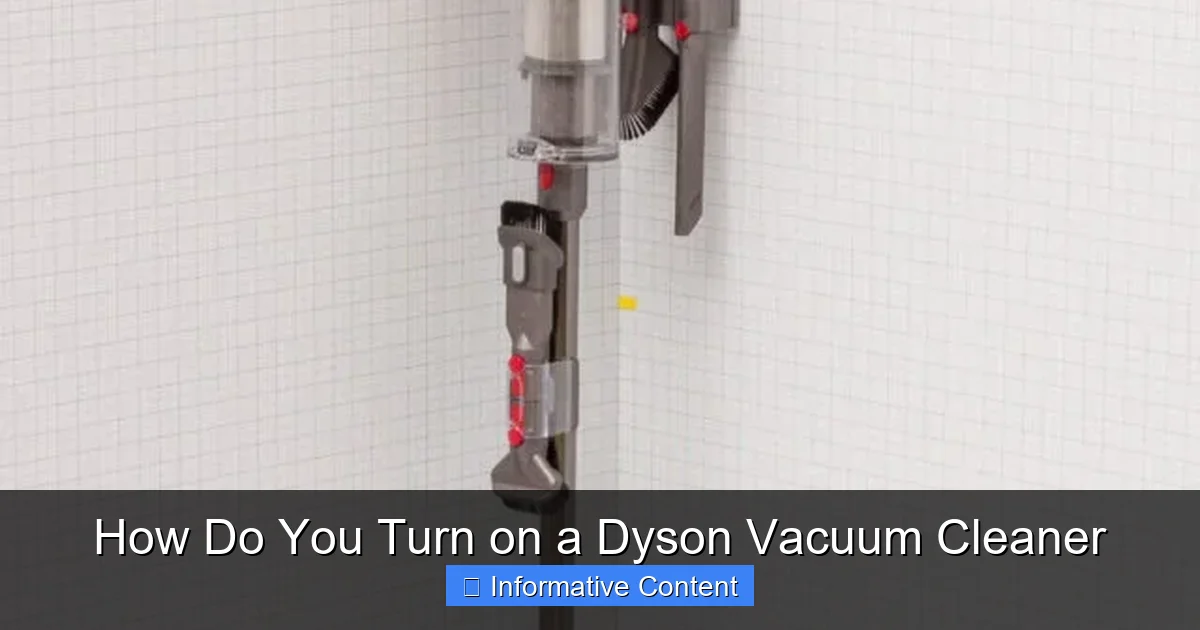
Turning on a Dyson vacuum cleaner largely depends on its model, but it’s typically straightforward. Cordless models (like the V-series) often use a trigger you press and hold, or a dedicated power button for continuous cleaning. Corded models (like Ball or uprights) have a classic on/off button and require a power outlet. Always ensure your Dyson is charged (cordless) or plugged in (corded) and free of blockages for optimal performance.
Welcome, fellow cleaning enthusiasts! You’ve invested in a Dyson vacuum cleaner, a marvel of engineering designed to make your cleaning life easier and more effective. But sometimes, even the most intuitive devices can have a slightly different way of doing things, leaving us scratching our heads at the most basic step: how do you turn on a Dyson vacuum cleaner?
It’s a common question, and honestly, a valid one! Dyson’s innovative designs mean that turning on one of their powerful machines isn’t always as simple as flipping a generic switch. Depending on whether you have a sleek cordless stick vacuum, a robust upright, or a mighty cylinder model, the “on” switch might look and feel a little different. Don’t worry, you’re not alone in seeking clarity, and by the end of this comprehensive guide, you’ll be a master at getting your Dyson up and running in mere seconds.
In this friendly, conversational guide, we’re going to walk through everything you need to know about powering up your specific Dyson model. We’ll cover the distinct methods for cordless and corded machines, delve into special features like continuous power modes, and even give you some handy tips for troubleshooting if your Dyson seems reluctant to spring into action. So, let’s demystify the process and get that incredible suction working its magic in your home!
Key Takeaways
- Identify Your Model: The first step to turning on your Dyson is knowing if it’s a cordless (e.g., V11, Gen5detect) or a corded (e.g., Ball, Upright) model, as their power mechanisms differ.
- Cordless Trigger-Action: Many Dyson cordless vacuums (V-series) require you to press and hold a trigger under the handle to activate suction, releasing it to turn off.
- Continuous Power Button: Newer cordless models like the Gen5detect, and some V-series models, feature a distinct power button (often red or silver) that you press once for continuous cleaning and again to turn off.
- Corded On/Off Switch: Corded Dyson vacuums utilize a traditional on/off button, typically located on the main body of the machine, which powers the cleaner on and off when plugged into an electrical outlet.
- Charge or Plug In: Always ensure your cordless Dyson is fully charged before use, and your corded Dyson is securely plugged into a working power source.
- Pre-Cleaning Checks: Before attempting to turn on your Dyson, it’s good practice to check for blockages, empty the bin, and ensure filters are clean to prevent performance issues.
- Troubleshooting Common Issues: If your Dyson doesn’t turn on, verify power supply, check for blockages, ensure battery is charged, or consult the user manual for specific model troubleshooting.
Quick Answers to Common Questions
How do you turn on a Dyson V11 vacuum cleaner?
To turn on a Dyson V11, either press and hold the red trigger under the handle for trigger-action cleaning, or press the dedicated power button (often located on top of the main unit or screen) once for continuous power, and again to turn it off.
Where is the power button on a Dyson Ball vacuum?
The power button on a Dyson Ball upright vacuum cleaner is typically a large, prominent red switch located on the main body of the vacuum, usually near the handle or at the base of the cylinder unit, clearly marked with the universal power symbol.
Why won’t my Dyson cordless vacuum turn on even when charged?
If your charged Dyson cordless vacuum won’t turn on, check for blockages in the cleaner head, wand, and bin inlet, as this can cause the motor to shut down as a safety measure. Also, ensure the battery is securely fitted and try resetting it by removing and reattaching the battery if possible.
Is there a trick to turning on the Dyson Gen5detect?
No special trick is needed for the Dyson Gen5detect. It features a straightforward, single power button (usually red or silver) located on the top of the main unit. Press it once to turn the vacuum on for continuous cleaning, and press it again to turn it off.
Can I leave my cordless Dyson on the charger all the time?
Dyson cordless vacuums have intelligent battery management systems that prevent overcharging, so you can generally leave them on the charger without harm. However, for long-term storage (over a month), it’s best to charge it to about 50-80% and store it off the charger.
📑 Table of Contents
- Understanding Your Dyson’s Power Button Philosophy
- Turning On Cordless Dyson Vacuums: V-Series, Outsize, Gen5detect, and More
- Turning On Corded Dyson Vacuums: Ball, Upright, and Cylinder
- Special Considerations for Specific Dyson Models
- Before You Press That Button: Pre-Cleaning Checks
- Troubleshooting Common Power-Up Problems
- Conclusion: Powering Up Your Dyson with Confidence
Understanding Your Dyson’s Power Button Philosophy
Dyson is renowned for its unique approach to vacuum design, and that extends even to the simple act of turning them on. Unlike many traditional vacuums that feature a single, prominent on/off switch, Dyson often incorporates triggers, buttons, or even different placement strategies depending on the model generation. This isn’t just for aesthetics; it’s often about optimizing battery life, user comfort, or adapting to the compact design of their machines.
The fundamental difference lies between Dyson’s cordless stick vacuums and their corded upright or cylinder models. Each type has its own distinct method for bringing that powerful suction to life. Understanding this core distinction is the first and most crucial step in figuring out how do you turn on a Dyson vacuum cleaner. Once you know which category your Dyson falls into, the rest is a breeze!
The Cordless vs. Corded Divide
Dyson’s product line can generally be split into two main categories: cordless and corded. Cordless models, like the popular V-series (V7, V8, V10, V11, V12 Detect Slim, V15 Detect) and the newer Gen5detect, rely on a rechargeable battery and offer unparalleled freedom of movement. Corded models, such as the Ball Animal, Cinetic Big Ball, or traditional uprights, require an electrical outlet but offer constant, robust power without battery limitations.
The way you turn on a Dyson vacuum cleaner from each category will be fundamentally different. Cordless models often use a trigger mechanism or a dedicated power button, designed for intermittent use or continuous cleaning respectively. Corded models, true to their nature, typically employ a more conventional push-button on/off switch, similar to many other household appliances.
Turning On Cordless Dyson Vacuums: V-Series, Outsize, Gen5detect, and More
Cordless Dyson vacuums are arguably the most popular, thanks to their convenience and powerful performance. However, their on/off mechanism can sometimes be a point of confusion for new users. Let’s break down how do you turn on a Dyson vacuum cleaner in the cordless family.
The Classic Trigger: Press and Hold
Many Dyson cordless models, especially older V-series vacuums (like the V7, V8, V10, V11, and V15 Detect), utilize a “trigger” mechanism. This design choice was made to conserve battery life, as the vacuum only runs when the trigger is actively held down.
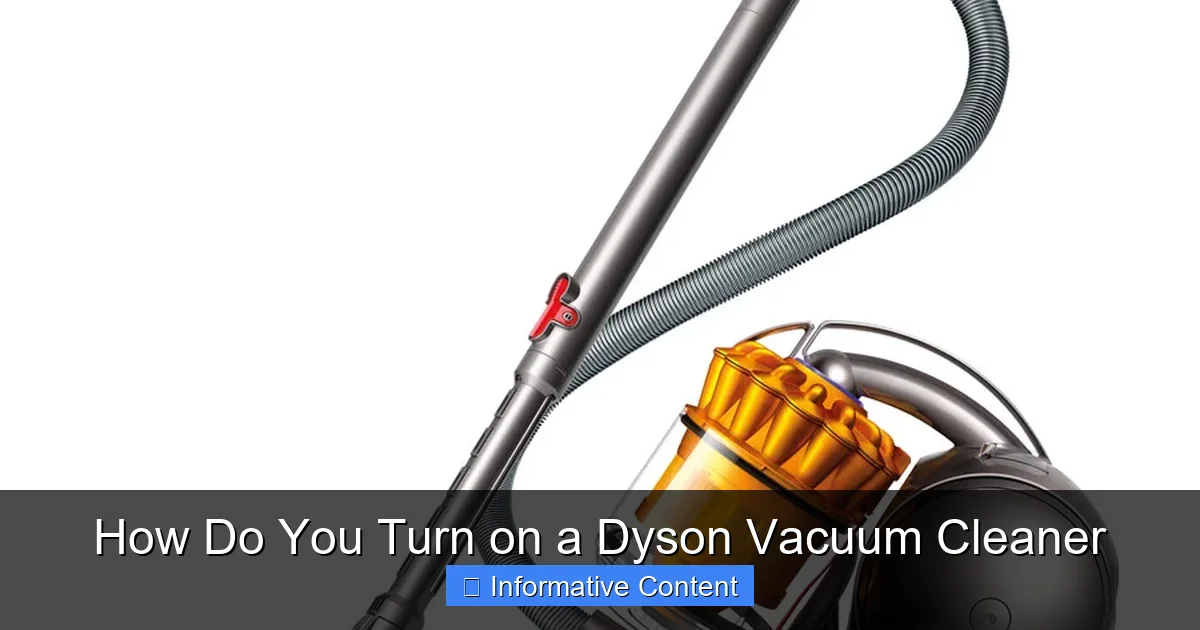
Visual guide about How Do You Turn on a Dyson Vacuum Cleaner
Image source: g-ecx.images-amazon.com
- Locate the Trigger: The trigger is typically a red or silver lever positioned under the handle, right where your index finger naturally rests.
- Press and Hold: To turn on your Dyson vacuum cleaner, simply press and hold this trigger. The vacuum will spring to life, and suction will begin immediately.
- Release to Turn Off: To turn off the vacuum, release the trigger. The motor will stop.
- Battery Conservation: This trigger-action is excellent for quick spot cleans or when you need to pause frequently, as it prevents the battery from draining unnecessarily.
Continuous Power Mode: Locking the Trigger On
While the trigger-action is great for battery life, some users prefer continuous power without having to constantly hold the trigger. Dyson listened to this feedback, and many newer V-series models (like the V11, V15 Detect, and Outsize) introduced a continuous power button or a trigger lock.
- Look for the Button (V11/V15/Outsize): On models like the V11, V15 Detect, and Outsize, you’ll often find a distinct power button on the top or front of the main motor unit, or sometimes a small slider near the trigger.
- Press Once for Continuous: To turn on a Dyson vacuum cleaner for continuous cleaning, simply press this power button once. The vacuum will start and continue running without you holding the trigger.
- Press Again to Turn Off: To turn it off, press the same button again.
- Gen5detect Specifics: The Dyson Gen5detect, a truly advanced cordless model, entirely ditches the trigger for a simple, intuitive single power button. It’s usually a prominent red or silver button located conveniently on the top of the main unit. Just press it once to turn on, and again to turn off. This is a significant shift in how do you turn on a Dyson vacuum cleaner for their cordless lineup.
Ensuring Your Cordless is Charged and Ready
Of course, a cordless vacuum won’t turn on if its battery is flat! This is a critical step before you even think about pressing any buttons or triggers.
- Check Battery Indicator: Most Dyson cordless vacuums have an LED battery indicator, often on the display screen (if it has one) or as a series of lights on the battery pack itself. Make sure it shows a sufficient charge.
- Charging Procedure: Always use the official Dyson charger and dock (if applicable). Plug the charger into a wall socket and connect it to your vacuum. Charging times vary by model but can take several hours for a full charge.
- Optimal Charging: For the best battery health, try not to completely drain the battery before recharging, and avoid leaving it on the charger indefinitely after it’s full for extended periods (though Dyson’s intelligent charging systems mitigate overcharging issues).
Turning On Corded Dyson Vacuums: Ball, Upright, and Cylinder
Corded Dyson vacuums are known for their unwavering power and consistent suction. Turning them on is generally more straightforward and aligns with what you might expect from a traditional vacuum cleaner.
Locating the Main Power Button
For corded Dyson models, the “how do you turn on a Dyson vacuum cleaner” question boils down to finding the classic on/off switch.
- Upright Models (e.g., Dyson Ball Animal): On uprights, the power button is typically a large, prominent switch located on the main body of the vacuum, often near the handle or at the base of the cylinder unit. It’s usually red and clearly marked with the universal power symbol (circle with a vertical line).
- Cylinder Models (e.g., Dyson Cinetic Big Ball): For cylinder vacuums, the power button is often found on the main body of the machine, usually easily accessible and clearly visible. Sometimes, there might be additional controls on the hose handle for adjusting suction, but the primary on/off will be on the main unit.
- Press Once to Turn On: Simply press this button once to power on the vacuum.
- Press Again to Turn Off: Press it again to switch the vacuum off.
Proper Electrical Connection
This might seem obvious, but it’s crucial: a corded vacuum needs power! Before you attempt to turn on a Dyson vacuum cleaner that’s corded, ensure it’s properly connected.
- Plug into a Working Outlet: Make sure the vacuum’s power cord is securely plugged into a functional electrical wall socket. Avoid using extension cords if possible, or ensure any extension cord used is rated for the vacuum’s power draw.
- Check Circuit Breaker: If the vacuum doesn’t turn on and the outlet seems dead, check your home’s circuit breaker to ensure it hasn’t tripped.
Engaging Attachments and Accessories
While not directly related to turning on the vacuum, correctly attaching tools and accessories ensures effective cleaning once the vacuum is powered. Ensure all connections are secure to prevent air leaks and maintain optimal suction.
Special Considerations for Specific Dyson Models
Dyson continues to innovate, and with new models come subtle changes in user experience. While the core principles remain, some models have unique nuances.
The Gen5detect and Similar Models: A New Approach
As mentioned, the Gen5detect cordless vacuum marks a significant departure from the trigger mechanism. It features a straightforward power button, making the process of how do you turn on a Dyson vacuum cleaner incredibly intuitive. No more holding down a trigger for continuous cleaning; just a simple press and go. This is a user-friendly update that many appreciate.
Handheld-Only Models: Simplicity at its Best
Dyson also offers compact handheld vacuums, like some versions of the V7 Trigger. These are usually very simple, often featuring a prominent trigger or a single on/off button, much like their larger cordless stick counterparts. Their operation is designed for quick, effortless clean-ups.
Before You Press That Button: Pre-Cleaning Checks
Even before you ask “how do you turn on a Dyson vacuum cleaner,” a few quick checks can save you headaches and ensure your vacuum performs at its best, right from the first suction. These quick maintenance steps are vital for prolonging the life of your Dyson and ensuring peak cleaning efficiency.
Checking the Battery Life (Cordless)
For cordless models, this is paramount. A completely drained battery means no power, no matter how many times you press the trigger. Check the LED display or battery indicator lights. If it’s low, give it a good charge before starting your cleaning session.
Emptying the Bin
A full dustbin restricts airflow, reducing suction power and putting unnecessary strain on the motor. Always empty the bin before you start cleaning, especially if you’re about to tackle a large area. A clear bin ensures your Dyson can breathe and perform optimally once it’s turned on.
Inspecting for Blockages
Hair, larger debris, or even small toys can get lodged in the cleaner head, wand, or hose. Blockages severely impede suction and can cause the motor to overheat or even stop entirely. Give the cleaner head and main airway a quick visual inspection before you turn on your Dyson vacuum cleaner. Clearing a blockage before you begin ensures smooth operation.
Filter Maintenance
Dyson filters are designed to capture microscopic dust and allergens. Over time, these filters can become clogged, restricting airflow and diminishing suction. Regularly wash or clean your filters according to your model’s instructions. A clean filter is crucial for maximum performance and is often a overlooked factor when a Dyson seems to lack power even after being turned on.
Troubleshooting Common Power-Up Problems
What if you’ve followed all the steps on how do you turn on a Dyson vacuum cleaner, but it still won’t cooperate? Don’t panic! Many common issues have simple solutions.
No Power at All
- Cordless:
- Battery Drain: Is the battery completely flat? Charge it fully.
- Charger Issues: Is the charger plugged in correctly at both ends? Is the wall outlet working? Try a different outlet.
- Battery Fault: If the battery is fully charged but shows no signs of life, the battery pack might be faulty and need replacement.
- Corded:
- Plug Check: Is the power cord securely plugged into a live wall socket?
- Circuit Breaker: Has your household circuit breaker tripped? Reset it if necessary.
- Cord Damage: Inspect the power cord for any visible damage (frays, cuts). A damaged cord is a safety hazard and needs professional attention.
Intermittent Power
If your Dyson turns on but then cuts out, or if suction fluctuates, it could indicate a few things:
- Cordless Battery: The battery might be low, triggering the vacuum’s protection mode. Recharge it.
- Blockage: A partial blockage can cause the motor to strain and cut out to prevent overheating. Check for and clear any obstructions.
- Overheating: If the vacuum has been used for a long time, especially with a blockage or full bin, it might overheat and temporarily shut down. Let it cool down for at least 30 minutes before trying again.
- Filter: A heavily clogged filter can also cause power issues. Clean or replace it.
Diminished Suction Even When On
The vacuum turns on, but the cleaning power isn’t what it used to be. This is a performance issue rather than a power issue, but it’s often confused with the Dyson not turning on “properly.”
- Full Bin: Empty the dustbin.
- Blockages: Thoroughly check the cleaner head, wand, hose, and main airway for any blockages.
- Dirty Filter: Wash and thoroughly dry your filter according to Dyson’s instructions.
- Brush Bar Issues: On models with motorized brush bars, ensure the brush bar isn’t tangled with hair or debris and is spinning freely. Some models have a separate reset button for the brush bar.
When in doubt, always consult your specific Dyson model’s user manual. It’s packed with tailored troubleshooting tips and diagrams that can be incredibly helpful.
Conclusion: Powering Up Your Dyson with Confidence
So, how do you turn on a Dyson vacuum cleaner? As we’ve seen, it really boils down to understanding your specific model and its unique design. Whether it’s the satisfying press of a trigger on a cordless V-series, the straightforward button on a Gen5detect, or the reliable switch on a corded upright, getting your Dyson started is a simple process once you know the ropes.
Remember, a little pre-cleaning maintenance goes a long way. Keeping your battery charged, your bin empty, and your filters clean will not only ensure your Dyson springs to life without a hitch but also guarantees it delivers that consistent, powerful suction you bought it for. Now that you’re armed with all this knowledge, you can confidently power up your Dyson and unleash its cleaning prowess across your home. Happy vacuuming!
Frequently Asked Questions
How do I know if my cordless Dyson is charging?
Most cordless Dyson models have LED indicators or a screen display that shows charging status. When plugged in, you’ll typically see pulsing lights or a battery icon on the screen indicating it’s actively charging. Once fully charged, the lights may turn solid or the screen will show “full.”
What if my Dyson turns on but has very weak suction?
Weak suction, even when your Dyson is on, usually points to a blockage, a full dustbin, or a dirty filter. Start by emptying the bin, then meticulously check the cleaner head, wand, and hose for any obstructions. Finally, wash and thoroughly dry your filters according to your model’s instructions.
My Dyson suddenly stopped working while I was cleaning. What happened?
If your Dyson suddenly stops, it’s often due to an overheating protection mechanism, usually triggered by a severe blockage or an extremely full dustbin putting strain on the motor. Turn it off, unplug (corded) or remove the battery (cordless), empty the bin, clear any blockages, and let it cool down for at least 30 minutes before trying again.
Do corded Dyson vacuums have a reset button?
Corded Dyson vacuums typically do not have a separate “reset” button in the same way some cordless models might for a battery. If a corded Dyson isn’t working, try unplugging it from the wall for a few minutes, clearing any blockages, and ensuring filters are clean before plugging it back in.
Why does my cordless Dyson require me to hold the trigger?
Many older and some current Dyson cordless models utilize a trigger mechanism that requires you to hold it down. This design choice is primarily for battery conservation, ensuring the vacuum only uses power when actively cleaning, thereby maximizing run time during a session.
Can a Dyson vacuum cleaner turn on by itself?
No, a Dyson vacuum cleaner should never turn on by itself. If your Dyson appears to activate without manual input, it could indicate an electrical fault, a sticky button, or a malfunction. In such rare cases, discontinue use immediately and contact Dyson support for assistance.