
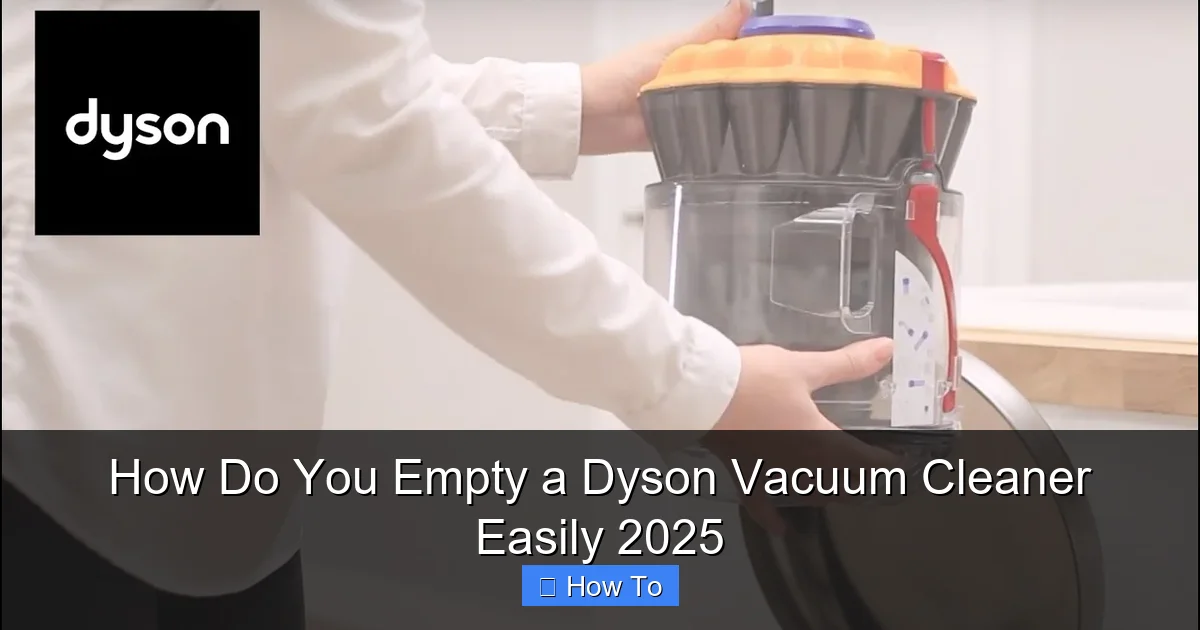
Emptying your Dyson vacuum cleaner is crucial for optimal performance and hygiene. This comprehensive 2025 guide provides clear, step-by-step instructions for all Dyson models, from cordless sticks to uprights, ensuring you can quickly and cleanly dispose of dirt. Learn practical tips, troubleshooting, and maintenance advice to keep your Dyson running efficiently.
Key Takeaways
- Preparation is Key: Always choose an outdoor bin or a large indoor waste bin to minimize dust dispersion during the emptying process.
- Model-Specific Steps: Emptying procedures vary slightly; cordless stick vacuums often have a slide-and-drop mechanism, while uprights may require detaching the bin first.
- One-Click Release: Most Dyson models feature a simple, single-button or lever release that quickly opens the bin flap for easy debris disposal.
- Clear Stuck Debris: If dirt doesn’t fall out freely, gently tap the bin or use a soft, non-abrasive tool to dislodge any stubborn blockages.
- Re-secure Properly: After emptying, always ensure the bin flap clicks closed and the entire bin reattaches securely to your Dyson to maintain suction and prevent leaks.
- Regular Emptying: For peak performance, empty your Dyson after every use or when the dirt reaches the ‘MAX’ fill line, whichever comes first.
- Wipe Down Periodically: Use a damp, lint-free cloth to wipe the clear bin exterior and seals periodically, preventing dust buildup and maintaining clarity.
Quick Answers to Common Questions
Empty Outdoors for Less Dust?
Yes, absolutely! If possible, emptying your Dyson’s bin directly into an outdoor waste bin is the best way to minimize fine dust particles from re-entering your home’s air, especially if you have allergies.
Can I Wash My Dyson’s Clear Bin with Water?
Generally, no. For most Dyson models, the clear bin should only be wiped down with a damp, lint-free cloth. Submerging or washing the entire bin can damage electronic components or create hard-to-dry moisture, leading to mold or odor issues, unless your specific model’s manual states otherwise.
What if I Overfill My Dyson’s Bin?
If you accidentally overfill your Dyson’s bin beyond the ‘MAX’ line, empty it immediately. Overfilling severely reduces suction power, stresses the motor, and can cause clogs or inefficient filtration, impacting your vacuum’s overall performance and lifespan.
How Often Should I Empty My Dyson?
For optimal performance and hygiene, you should aim to empty your Dyson vacuum cleaner after every use. At the very least, empty it whenever the dirt reaches the ‘MAX’ fill line, whichever comes first, to prevent a reduction in suction power.
What if My Dyson Bin Smells Bad?
If your Dyson’s bin develops an odor, it’s often due to trapped organic matter like pet hair or food particles. Empty the bin thoroughly, wipe it down with a damp cloth, and check your filters. Washing washable filters (as per your manual) and ensuring they’re completely dry before re-installing can also help eliminate smells.
How Do You Empty a Dyson Vacuum Cleaner Easily 2025
Welcome to 2025! Your Dyson vacuum cleaner remains a pinnacle of cleaning technology, designed to capture dust and debris efficiently. But even the most advanced machines need a little help to stay at their best. A full dust bin isn’t just unsightly; it can significantly reduce your Dyson’s suction power, affect air quality, and even put a strain on its motor. Learning how to empty a Dyson vacuum cleaner correctly is a fundamental skill for any owner.
This comprehensive guide will walk you through the process of emptying your Dyson vacuum cleaner, no matter if you own a sleek cordless stick model (like the V-series, Gen5Detect, or Outsize) or a powerful upright/canister machine (like the Ball or Cinetic Big Ball). We’ll cover everything from preparation to specific emptying steps, practical tips, and common troubleshooting advice to ensure your Dyson stays efficient and hygienic.
Why Proper Emptying Matters for Your Dyson
Dyson vacuums are bagless, which is fantastic for the environment and convenience. However, this means all the dust and dirt you collect resides in a clear bin. Properly emptying your Dyson vacuum cleaner isn’t just about making space; it’s about:
- Maintaining Peak Suction: A full bin restricts airflow, directly impacting your Dyson’s ability to pick up dirt effectively. Emptying it regularly ensures consistent, powerful suction.
- Hygienic Operation: Keeping the bin clean prevents the buildup of bacteria, mold, and odors, contributing to a healthier home environment.
- Extending Lifespan: Overfilling can strain the motor and filtration system. Regular, proper emptying reduces wear and tear, helping your Dyson last longer.
- Preventing Clogs: A bin that’s too full is more prone to developing clogs, especially if you’re picking up larger debris or pet hair.
Before You Begin: Essential Preparations
Before you even touch the bin release, a little preparation can save you a lot of mess. Here’s what to do:
- Locate a Suitable Waste Bin: This is perhaps the most important step. Find a large, sturdy waste bin, preferably with a lid. For fine dust, an outdoor bin is ideal to prevent dust from re-entering your home’s air. If you must empty indoors, choose a bin that’s as wide and deep as possible.
- Consider Gloves (Optional): If you have allergies or prefer not to touch dust, wearing disposable gloves can be helpful.
- Ensure the Dyson is OFF and Unplugged: For cordless models, ensure the trigger isn’t being pulled. For corded models, unplug it from the wall. Safety first!
- Check the “MAX” Line: Your Dyson’s clear bin has a “MAX” fill line. Aim to empty the bin before the dirt reaches this line for optimal performance.
Emptying Your Dyson Cordless Stick Vacuum (V-Series, Gen5Detect, Outsize, Omni-glide, etc.)
Dyson’s cordless stick vacuums are known for their user-friendly design, and emptying them is generally a quick, one-handed operation. While slight variations exist between models, the core principle remains the same. The primary keyword here is “empty a Dyson vacuum cleaner” and this section specifically focuses on cordless models.
Step 1: Locate Your Bin and Release Mechanism
On most Dyson cordless stick vacuums, the clear dust bin is integrated into the main body, directly above the cleaning head. Look for a red or grey lever/button, usually located near the bottom of the bin or at the top of the cyclone assembly.
Step 2: Position Over a Waste Bin
Hold your Dyson vertically, with the bottom of the bin pointed directly into your chosen waste bin. Ensure the bin opening is deep inside the trash can to minimize dust escape. This is a key step when you empty a Dyson vacuum cleaner, preventing airborne particles.
Step 3: Trigger the Release Mechanism
This is where model variations come into play. Here are the most common methods:
- "Point and Shoot" (Most V-series, Gen5Detect, Outsize): With your Dyson held over the bin, locate the red lever/button, usually on the side or top of the cyclone unit. Push or slide this lever downwards. As you do, the entire cyclone and bin assembly will slide down, and the bottom flap of the bin will automatically open, releasing the dirt directly into the bin. You’ll hear a satisfying click.
- Older V-Series (V6, V7, V8, some V10): The bin release button is typically on the cyclone unit. Press this button, and the bin will detach slightly, allowing you to then pull a separate lever to open the bottom flap. Some models just have a single lever that slides the bin down and opens the flap simultaneously.
- Omni-glide/Micro: These smaller models often have a bin release button on the side. Pressing it causes the bottom flap to open directly.
Practical Tip: Don’t be afraid to push firmly if you don’t hear the ‘click’ or see the bin opening. Dyson mechanisms are designed to be robust.
Step 4: Ensure All Debris is Clear
Once the flap opens, gravity should do most of the work. Give the Dyson a gentle shake over the bin to dislodge any remaining dust or debris stuck to the sides or around the cyclone shroud. If you notice hair or larger debris clinging to the mesh shroud inside, some models (like the Gen5Detect) have an enhanced ‘de-tangling’ mechanism, but for others, you might need to:
- Use the Bin Slider (V10, V11, V15, Gen5Detect): After the bottom flap opens, continue to push the red lever/slider downwards. This action often pushes the entire cyclone unit further down into the bin, scraping against the sides of the clear bin and dislodging any stubborn dust or hair. This is an excellent feature when you empty a Dyson vacuum cleaner with a lot of pet hair.
- Gentle Tapping: For models without the slider, gently tap the side of the clear bin against the inside edge of your waste bin.
- Manual Removal (Caution!): If a large clump of hair or debris is truly stuck, turn off the machine and use a stick (like a chopstick or the handle of a brush) to carefully dislodge it. Avoid using anything sharp or your fingers directly into the cyclone.
Step 5: Close and Re-secure the Bin
Once all the dirt is out, it’s time to close it up:
- Close the Bottom Flap: Push the bin flap firmly upwards until it clicks securely into place. You should hear a distinct click.
- Slide the Cyclone Back Up (If applicable): For models where the cyclone assembly slides down, push the red lever/button upwards until the entire unit slides back into its original position, clicking securely.
Important: Always ensure the bin is fully closed and re-secured. A partially open or detached bin will lead to a significant loss of suction and potentially messy leaks.
Emptying Your Dyson Upright or Canister Vacuum (Ball, Cinetic Big Ball)
Emptying an upright or canister Dyson is slightly different from the stick models, often involving detaching the bin first. This is a common method to empty a Dyson vacuum cleaner in these categories.
Step 1: Detach the Bin from the Main Body
First, ensure the machine is unplugged. Look for a button or lever, often red, usually located near the top of the clear bin where it connects to the main vacuum body. Press this button, and the entire clear bin assembly should unclip and lift away from the vacuum.
Step 2: Carry to a Waste Bin
Hold the detached bin firmly by its handle (if it has one) or by the cyclone unit. Carry it over to your large waste bin, positioning the bottom of the bin deep inside the trash can.
Step 3: Open the Bin Flap
Locate the red or grey button on the bottom of the clear bin. This button releases the bin’s bottom flap. Press it firmly. The flap will swing open, and the dirt will fall out. Again, a gentle shake can help dislodge any remaining debris. If anything is stuck, use the same gentle tapping or a non-sharp stick method as described for cordless models.
Step 4: Re-attach the Bin
Once empty:
- Close the Bottom Flap: Push the bottom flap firmly upwards until it clicks securely into place.
- Re-attach to Vacuum: Align the bin with the main vacuum body, ensuring any tabs or grooves match up. Push it firmly down until it clicks securely into place.
Practical Tip: Make sure the bin is completely dry if you’ve wiped it down, especially around the connection points, before re-attaching it to the main unit.
Troubleshooting Common Emptying Issues
Even with clear instructions, you might encounter a snag or two when you empty a Dyson vacuum cleaner. Here are some common problems and their solutions:
The Bin Won’t Open
- Check for Obstructions: Sometimes a large piece of debris can get wedged, preventing the flap from opening. Visually inspect the bin.
- Ensure Correct Pressure: You might not be pushing the release button/lever firmly enough. Dyson mechanisms are designed for a solid ‘click’.
- Refer to Your Manual: If you’re unsure of your specific model’s release mechanism, consult your Dyson user manual. Dyson’s website has digital versions available.
Debris is Stuck Inside
- Gentle Tapping: Hold the bin upside down over the trash and gently tap the sides.
- Use a Non-Sharp Tool: A chopstick, ruler, or the handle of a cleaning brush can be used to carefully dislodge stubborn clumps of hair or dirt. Always ensure the Dyson is off. Never use your fingers if the bin is still attached to the vacuum.
- Static Cling: See the next point for static solutions.
Static Cling Makes a Mess
Static electricity can make fine dust cling to the bin, causing it to puff out when you empty it. This is a common issue when you empty a Dyson vacuum cleaner, especially in dry environments.
- Empty Outdoors: This is the best solution for static.
- Empty Slowly and Deeply: Lower the bin as far as possible into the waste bin before releasing the contents.
- Grounding: Some users find tapping the bin against a grounded metal object before opening can help.
- Humidify: In very dry homes, increasing indoor humidity can reduce static electricity generally.
The Bin Won’t Re-attach Properly
- Check for Obstructions: Ensure there’s no debris caught around the sealing rings or connection points that would prevent a flush fit.
- Align Correctly: Make sure you’re aligning the bin correctly with the corresponding grooves or attachment points on the main vacuum body. Don’t force it; it should click into place with moderate pressure.
- Ensure Flap is Closed: The bottom flap *must* be securely closed before attempting to re-attach the bin to the vacuum.
Beyond Emptying: Keeping Your Dyson Pristine
Emptying the bin is just one part of routine maintenance. To keep your Dyson running like new in 2025:
- Regular Filter Cleaning: Most Dyson models have washable filters. Refer to your manual for specific instructions on how often and how to wash them. This is critical for maintaining suction and air quality.
- Wipe Down the Bin: Periodically, use a damp (not wet!), lint-free cloth to wipe the inside and outside of the clear bin, especially around the seals. This removes fine dust and keeps the bin looking clear. Do not wash the entire clear bin under water unless your specific Dyson manual explicitly states it is washable, as this can damage components or cause moisture buildup.
- Check for Blockages: If suction feels weak even after emptying, check the wand, hose, and cleaning head for blockages.
Understanding how to empty a Dyson vacuum cleaner and perform basic maintenance will ensure it remains a powerful and effective cleaning tool for years to come. It’s a simple routine that pays huge dividends in performance and longevity.
Conclusion
Mastering the art of emptying your Dyson vacuum cleaner is a simple yet essential skill that ensures your device continues to deliver powerful, consistent cleaning performance. Whether you own a cutting-edge cordless model or a robust upright, the process is designed to be quick and hygienic. By following these step-by-step instructions, preparing properly, and addressing any minor troubleshooting issues, you’ll keep your Dyson’s bin clear, its suction strong, and your home cleaner. Regular emptying and a little bit of care mean your Dyson will remain a trusty ally in maintaining a pristine living space throughout 2025 and beyond.
🎥 Related Video: how to empty ur dyson V8…#dyson #dysonv8 /mayang rosales
📺 Mayang Rosales