
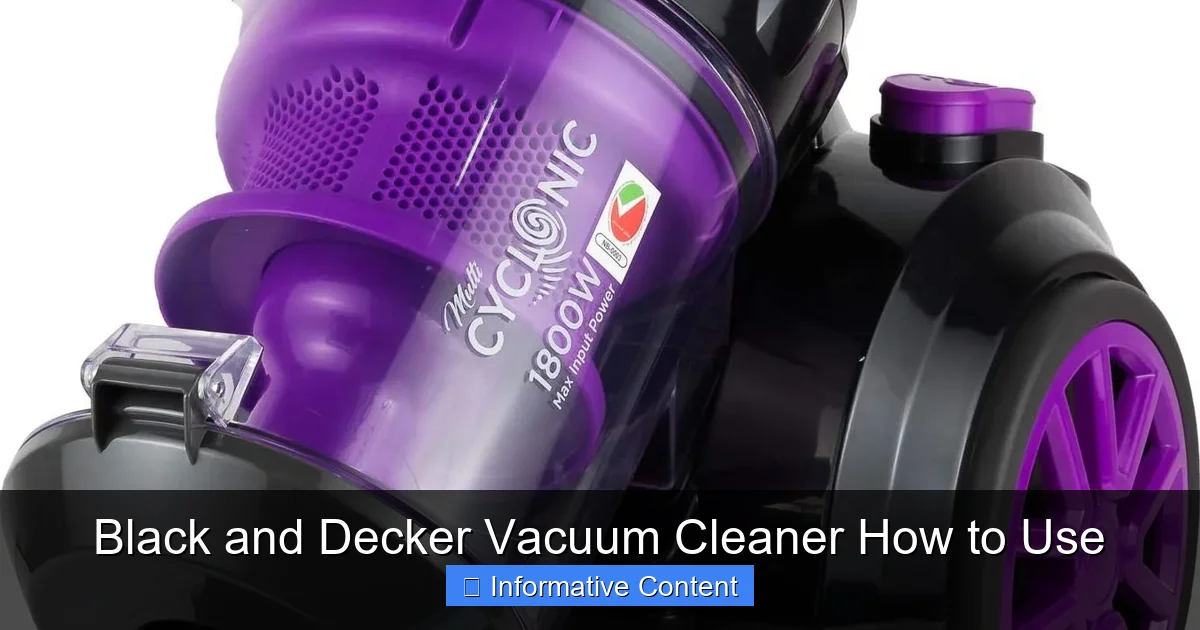
Unlock the full potential of your Black and Decker vacuum cleaner! This comprehensive guide covers everything from initial setup and understanding its unique features to mastering effective cleaning techniques for various surfaces. You’ll learn essential maintenance tips, like emptying the dustbin and cleaning filters, and discover how to troubleshoot common issues. Following these simple steps will ensure your Black and Decker vacuum performs at its peak, making household chores easier and leaving your home spotless.
Black and Decker Vacuum Cleaner How to Use
Keeping your home clean doesn’t have to be a chore, especially when you have the right tools. A Black and Decker vacuum cleaner is a fantastic companion in the fight against dust, dirt, and pet hair. Known for their reliability, power, and user-friendly designs, these vacuums make quick work of messes big and small. Whether you’ve just unboxed a brand-new model or you’re looking to get more out of your trusty old cleaner, understanding how to use it properly is the first step to a spotless home.
This guide is your friendly handbook to mastering your Black and Decker vacuum cleaner. We’ll walk through everything from the very first steps of setup to advanced cleaning tips and essential maintenance. We’ll even cover what to do if things don’t quite go as planned. By the time you’re done reading, you’ll be a Black and Decker vacuum pro, ready to tackle any mess with confidence and ease. Let’s dive in and make cleaning a breeze!
Key Takeaways
- Read Your Manual: Always consult your specific Black and Decker vacuum cleaner’s manual. It provides model-specific instructions, safety warnings, and component details unique to your device.
- Proper Assembly is Key: Ensure all parts, such as the dustbin, filters, and attachments, are correctly installed and securely locked in place before turning on your vacuum for safe and effective operation.
- Regular Maintenance is Crucial: To maintain strong suction and extend your vacuum’s lifespan, consistently empty the dustbin and clean or replace filters as recommended.
- Choose the Right Attachment: Select the appropriate nozzle or brush for the task at hand. Different attachments are designed for hard floors, carpets, upholstery, or tight crevices, optimizing cleaning results.
- Prioritize Safety: Always unplug your Black and Decker vacuum cleaner before performing any maintenance, clearing clogs, or changing attachments to prevent accidental activation and injury.
- Don’t Overfill the Dustbin: For consistent suction power and to avoid straining the motor, empty the dustbin before it reaches its maximum fill line.
- Learn Basic Troubleshooting: Familiarize yourself with simple solutions for common problems like loss of suction or the vacuum not turning on, which can often be fixed quickly at home.
Quick Answers to Common Questions
How often should I empty the dustbin on my Black and Decker vacuum cleaner?
You should empty the dustbin before it reaches the “Max Fill” line, usually after every few uses or whenever you notice a slight decrease in suction power. Don’t wait until it’s completely full to maintain optimal performance.
Can I wash the filters in my Black and Decker vacuum cleaner?
Many Black and Decker vacuum filters are washable. Check your specific model’s manual to confirm. If washable, rinse them under cool water until clear, and then allow them to air dry completely for at least 24 hours before reinserting.
What should I do if my Black and Decker vacuum loses suction?
First, check if the dustbin is full and empty it. Then, inspect all filters for dirt and clean them. Next, look for any clogs in the nozzle, hose, or main tube. Finally, ensure the brush roll is free of tangles and spinning correctly.
Is it safe to vacuum up liquids with my Black and Decker vacuum cleaner?
No, unless your Black and Decker vacuum cleaner is specifically advertised and designed as a “wet/dry” model, you should never attempt to vacuum liquids. Doing so can cause serious damage to the motor and create an electrical hazard.
How do I clean the brush roll on my Black and Decker vacuum?
Always unplug the vacuum first. Flip the cleaning head over and use scissors or a seam ripper to carefully cut away any tangled hair, threads, or debris from the brush roll. Pull out the loosened material to ensure it spins freely.
📑 Table of Contents
Getting to Know Your Black and Decker Vacuum Cleaner
Before you even think about plugging it in, it’s a great idea to get familiar with your specific Black and Decker vacuum cleaner. Black and Decker offers a wide range of vacuum types, each designed for different cleaning needs. Knowing your model and its unique features will help you use it most effectively.
Different Types of Black and Decker Vacuums
Black and Decker makes various vacuum cleaners. Here are some common types:
- Handheld Vacuums: These are compact and cordless. They are perfect for quick clean-ups, car interiors, spills, and small messes. Think of them as your go-to for instant cleaning power.
- Stick Vacuums: Slim and lightweight, stick vacuums are great for everyday floor cleaning. Many models are cordless and can transform into a handheld unit. They are excellent for hard floors and light carpets.
- Upright Vacuums: These are traditional, powerful vacuums often used for deep cleaning carpets and large floor areas. They usually come with various attachments for versatility.
- Canister Vacuums: Featuring a separate canister unit on wheels and a hose with a wand, these offer great maneuverability. They are good for stairs, hard floors, and reaching under furniture.
No matter which Black and Decker vacuum cleaner you own, the basic principles of operation and maintenance remain similar.
Key Components You Should Know
Your Black and Decker vacuum cleaner has several important parts. Knowing what each one does will help you use it better.
- Dustbin/Dirt Cup: This is where all the dirt and debris collect. Most Black and Decker vacuums are bagless, meaning they have a reusable dustbin that you empty.
- Filter: Filters trap tiny dust particles and allergens, keeping the air clean. Your vacuum likely has one or more filters (e.g., pre-filter, HEPA filter). These need regular cleaning or replacement.
- Nozzle/Cleaning Head: This is the part that touches the floor. It often has a brush roll inside to agitate carpet fibers and sweep up dirt.
- Attachments/Accessories: These are extra tools that come with your vacuum. Common ones include a crevice tool (for tight spaces), a brush tool (for upholstery or delicate surfaces), and an extension wand.
- Power Button: Simple enough, this turns your Black and Decker vacuum cleaner on and off.
- Battery (for Cordless Models): If you have a cordless Black and Decker vacuum, it runs on a rechargeable battery. You’ll need to charge it before use.
Unboxing and Initial Inspection
When you first get your Black and Decker vacuum cleaner, take a moment to unbox it carefully. Remove all packaging materials. Check for any damage that might have happened during shipping. It’s also a good idea to quickly read through the user manual. Yes, really! The manual for your specific Black and Decker vacuum has crucial details about assembly, safety, and care that are tailored to your model. Don’t skip it!
Step-by-Step Setup and First Use
Once you know your vacuum, it’s time to get it ready for action. This section will guide you through the setup process, ensuring your first cleaning experience is smooth and safe.
Safety Precautions Before You Begin
Safety always comes first, especially when dealing with electrical appliances.
- Read the Manual: Again, your user manual is your best friend. It has specific safety warnings for your Black and Decker vacuum cleaner.
- Check the Cord: If your vacuum has a cord, always inspect it for any cuts or damage before plugging it in. Never use a vacuum with a damaged cord.
- Use the Right Power Outlet: Make sure your outlet matches the voltage requirements of your vacuum.
- Keep Hands and Hair Clear: Be mindful of the brush roll. Keep loose clothing, hair, and body parts away from moving parts when the vacuum is on.
- Never Vacuum Liquids: Unless your Black and Decker vacuum is specifically designed for wet/dry use, never attempt to vacuum liquids. This can damage the motor and create an electrical hazard.
Assembling Your Vacuum
Most Black and Decker vacuum cleaners are easy to assemble.
- Connect Main Components: For upright or stick vacuums, you’ll usually need to connect the handle to the main body. Listen for a “click” to ensure it’s secure.
- Install Dustbin and Filters: Make sure the dustbin is empty and correctly snapped into place. Check that all filters are installed properly according to the manual.
- Charge the Battery (Cordless Models): If you have a cordless Black and Decker vacuum, fully charge its battery before the first use. This often takes a few hours, so plan ahead. Follow the charging instructions in your manual.
Once everything is put together, give it a quick once-over to ensure all parts are firmly attached. A wobbly part can reduce suction or even cause damage.
Powering On and Basic Operation
Now for the fun part!
- Plug In (Corded Models): If your Black and Decker vacuum cleaner is corded, plug it into a suitable electrical outlet.
- Press the Power Button: Locate the power button (often on the handle or main body) and press it to turn your vacuum on.
- Check Suction: You should immediately hear the motor start and feel suction at the nozzle.
- Start Cleaning: Begin moving the vacuum over the area you wish to clean. For best results, use slow, overlapping passes. Don’t rush!
- Turn Off: When you’re done, simply press the power button again to turn off your Black and Decker vacuum. Unplug it from the wall if it’s a corded model.
Understanding Power Modes (If Applicable)
Some Black and Decker vacuum cleaners come with different power modes. You might find a “Max” power mode for stubborn dirt or a “Eco” mode to save battery life on cordless models. Learn when to use each setting. For instance, “Max” mode is great for deep cleaning high-traffic carpets, while standard mode is sufficient for everyday hard floor cleaning. This helps you conserve battery and power when it’s not needed, extending the life of your Black and Decker vacuum.
Mastering Effective Cleaning Techniques
Having a powerful Black and Decker vacuum cleaner is one thing; knowing how to use it for the best possible clean is another. Here are some tips to become a cleaning master.
Choosing the Right Attachment for the Job
Your vacuum attachments aren’t just for show! They are designed to make cleaning easier and more effective.
- Crevice Tool: This narrow nozzle is perfect for tight spaces like between couch cushions, along baseboards, or in car seats.
- Dusting Brush: With soft bristles, this tool is ideal for delicate surfaces like lampshades, blinds, shelves, or keyboards. It gently removes dust without scratching.
- Upholstery Tool: Wider than the crevice tool, this attachment often has a lint-picking strip. Use it for furniture, curtains, or pet beds to remove hair and crumbs.
- Pet Hair Attachment (if included): Some Black and Decker vacuums come with specialized tools, often with rubber bristles or a mini motorized brush, specifically designed to pick up stubborn pet hair.
Best Practices for Different Surfaces
Adjust your cleaning approach based on the surface.
- Hard Floors (wood, tile, laminate): For hard floors, you generally want the brush roll turned off (if your model allows). A spinning brush roll can scratch delicate surfaces or scatter debris. Use a slow, steady motion.
- Carpets and Rugs: Here, the brush roll is your best friend! It helps agitate the carpet fibers to lift embedded dirt and pet hair. For deep cleaning, make slow, overlapping passes. For particularly dirty areas, go over them a few times.
- Upholstery and Stairs: Switch to your upholstery tool or a small brush attachment. For stairs, a handheld Black and Decker vacuum is often the easiest option. If using an upright, consider using the hose and attachment.
Tackling Pet Hair and Stubborn Dirt
Pet owners know the struggle! For pet hair, special attachments are a lifesaver. Go slowly over affected areas. For stubborn dry dirt, sometimes a few extra passes with the brush roll engaged will do the trick. If you have a sticky spot, it’s best to clean that manually with a damp cloth first, rather than trying to vacuum it. Remember, your Black and Decker vacuum cleaner is designed for dry dirt only (unless it’s a wet/dry model).
Reaching Tricky Spots
Don’t forget those often-missed areas!
- Under Furniture: If your Black and Decker vacuum cleaner is a stick or canister model, it’s often easy to slide the nozzle under beds and couches. For uprights, use the hose and an extension wand.
- Corners and Edges: The crevice tool is perfect for these. Take your time to get into every nook.
- Ceiling Fans and Vents: A dusting brush on an extension wand can help you reach high places. Always make sure the vacuum is stable or you are on a sturdy ladder.
Essential Maintenance for Optimal Performance
To keep your Black and Decker vacuum cleaner running like new and maintaining its powerful suction, regular maintenance is absolutely essential. It’s simple, quick, and makes a huge difference.
Emptying the Dustbin – When and How
This is perhaps the most frequent maintenance task.
- When to Empty: Don’t wait until the dustbin is overflowing! Most Black and Decker vacuums have a “Max Fill” line. Empty the dustbin before it reaches this line. A full dustbin reduces suction power and puts a strain on the motor.
- How to Empty: Locate the release button for your dustbin (it usually detaches from the main unit). Hold the dustbin over a trash can, press the release latch, and dump the contents. Give it a gentle tap to loosen any stuck debris. You might even wipe the inside with a damp cloth if it’s particularly dusty, but ensure it’s completely dry before reattaching.
Cleaning and Replacing Filters
Filters are your vacuum’s lungs. They trap fine dust and allergens, keeping them out of your air.
- When to Clean: Check your filters regularly, especially after every few uses or if you notice a drop in suction. Your manual will recommend a cleaning schedule, often monthly or quarterly.
- How to Clean: Many Black and Decker filters are washable. Remove the filter from the vacuum. Gently tap it over a trash can to remove loose dirt. If it’s washable, rinse it under cool running water until the water runs clear. Crucially, let the filter air dry completely for at least 24 hours before putting it back in the vacuum. Putting a wet filter back can damage the motor and cause mold.
- When to Replace: Even washable filters need replacing eventually, usually every 6-12 months, depending on use. If a filter looks torn, severely discolored, or you can no longer get it clean, it’s time for a new one. Your manual will tell you which replacement filters to buy for your Black and Decker vacuum cleaner.
Checking and Clearing for Clogs
A sudden loss of suction often means a clog.
- Where to Check: Inspect the most common clog spots: the nozzle/cleaning head, the hose, and the main tube leading to the dustbin.
- How to Clear: Always unplug your Black and Decker vacuum cleaner first! Remove any attachments. Use a broom handle, a stiff wire, or your hand (wearing gloves) to carefully push or pull out the obstruction. Be gentle to avoid damaging the hose or internal parts.
Cleaning the Brush Roll
The brush roll can get tangled with hair, threads, and debris, which reduces its effectiveness.
- How to Clean: Again, unplug the vacuum first! Flip the cleaning head over. You might need to remove a cover to access the brush roll. Use scissors or a seam ripper to carefully cut away tangled hair and threads. Pull out any remaining debris.
- Inspect for Damage: While cleaning, check if the bristles are worn down or if the brush roll itself is damaged. If so, it might be time to replace it.
Storing Your Black and Decker Vacuum
Proper storage helps prolong the life of your Black and Decker vacuum.
- Cord Management: Neatly wrap the power cord around the designated hooks (if applicable) to prevent tangling and damage.
- Wall Mounts: Many stick and handheld Black and Decker vacuum models come with wall mounts for convenient and space-saving storage.
- Keep it Clean: Store your vacuum in a dry, safe place where it won’t be knocked over or exposed to extreme temperatures.
Troubleshooting Common Issues
Even the best Black and Decker vacuum cleaner can sometimes encounter a hiccup. Don’t worry, many common problems have simple fixes you can do at home.
Loss of Suction
This is the most common complaint.
- Check the Dustbin: Is it full? Empty it!
- Inspect Filters: Are they dirty or clogged? Clean or replace them.
- Look for Clogs: Check the nozzle, hose, and main tube for blockages.
- Brush Roll: Is the brush roll spinning freely and clear of tangles?
- Attachments: Ensure all attachments are securely connected. An air leak can reduce suction.
Vacuum Not Turning On
If your Black and Decker vacuum cleaner refuses to start:
- Corded Models: Check if it’s securely plugged into a working outlet. Test the outlet with another appliance. Check the vacuum’s power cord for any visible damage.
- Cordless Models: Is the battery charged? Try plugging it into the charger. Ensure the battery is correctly inserted into the vacuum.
- Circuit Breaker: Sometimes, a tripped circuit breaker can be the culprit. Check your home’s breaker box.
Unusual Noises or Smells
- Grinding Noise: Often indicates something is caught in the brush roll or fan. Unplug immediately and inspect.
- Burning Smell: This is serious! Unplug the Black and Decker vacuum immediately. It could mean a clogged motor, a jammed brush roll, or a worn belt (if applicable). Do not use it until the issue is identified and resolved. Take it to a professional if you can’t find the cause.
Brush Roll Not Spinning
If your brush roll has stopped:
- Tangles: The most common reason. Unplug and clean the brush roll thoroughly of hair and debris.
- Belt Issue: Some Black and Decker vacuum cleaners use a belt to drive the brush roll. If the belt is broken, stretched, or dislodged, the brush roll won’t spin. This usually requires replacement. Consult your manual for belt type and replacement instructions.
- Obstruction: Something large might be stuck, preventing it from spinning.
If you’ve tried these basic troubleshooting steps and your Black and Decker vacuum cleaner still isn’t working right, it might be time to contact Black and Decker customer support or a professional repair service.
Maximizing Your Cleaning with Black and Decker Accessories
To get the most out of your Black and Decker vacuum, consider exploring its full range of accessories. These tools are designed to make specific cleaning tasks much easier and more effective.
Beyond the Basics: Specialized Attachments
While your vacuum likely came with standard tools like a crevice tool and dusting brush, Black and Decker might offer additional specialized attachments for purchase.
- Motorized Pet Brush: For those really tough pet hair situations, a dedicated motorized pet brush attachment can be a game-changer. Its powerful bristles dig deep into carpets and upholstery to lift embedded fur.
- Hard Floor Tool: Some Black and Decker vacuums have a specialized tool designed specifically for delicate hard floors, often with soft felt strips to prevent scratches and provide a superior clean without scattering debris.
- Flexible Crevice Tool: A longer, bendable crevice tool can reach even more awkward spots, like under appliances or deep into car crevices.
- Extension Wands: If your standard wand isn’t long enough for high ceilings or reaching into tight spots, longer extension wands are often available.
These specialized accessories can truly expand the versatility of your Black and Decker vacuum cleaner, allowing you to tackle a wider array of cleaning challenges with precision.
When to Upgrade or Replace Parts
Even with the best care, some parts of your Black and Decker vacuum cleaner will wear out over time. Knowing when to replace them can keep your machine running efficiently.
- Filters: As mentioned, replace filters every 6-12 months, or sooner if they are visibly damaged or can’t be cleaned effectively.
- Brush Roll: If the bristles on your brush roll are significantly worn down or damaged, it won’t clean as effectively. A new brush roll can revitalize your vacuum’s carpet cleaning power.
- Belts (if applicable): If your vacuum uses a belt and it snaps or becomes stretched, the brush roll will stop spinning. These are typically inexpensive and easy to replace.
- Hoses and Wands: Over time, hoses can develop cracks or tears, leading to a loss of suction. Wands can also break. Replacements are usually available.
Regularly inspecting these components will help you catch wear and tear early, preventing bigger problems and ensuring your Black and Decker vacuum cleaner continues to deliver excellent performance for years to come.
There you have it! Your comprehensive guide to using and maintaining your Black and Decker vacuum cleaner. From the moment you unbox it to the routine tasks of emptying the dustbin and cleaning filters, understanding these steps will empower you to keep your home sparkling clean with minimal effort. Remember that your Black and Decker vacuum is a powerful tool designed to simplify your life. By following the tips and advice shared here – from choosing the right attachment for the job to quickly troubleshooting minor issues – you’ll ensure your vacuum operates at its peak efficiency. A well-maintained vacuum not only cleans better but also lasts longer, making it a truly wise investment for your household. Happy cleaning!

Visual guide about Black and Decker Vacuum Cleaner How to Use
Image source: mcprod.jumbo.ae
Frequently Asked Questions
How do I know which Black and Decker vacuum cleaner attachments to use?
Each attachment serves a specific purpose. Use the crevice tool for tight corners and edges, the dusting brush for delicate surfaces, and the upholstery tool for furniture. Your manual will also detail the best use for any specialized tools included with your specific Black and Decker vacuum cleaner.
My cordless Black and Decker vacuum battery isn’t lasting long. What can I do?
Battery performance can decrease over time. Ensure you fully charge the battery before each use. Avoid running it down completely every time. If your Black and Decker vacuum has different power modes, use “Eco” for lighter tasks to conserve battery life. If the battery is old, consider replacing it.
Why does my Black and Decker vacuum cleaner smell bad when I use it?
A bad smell usually indicates something is trapped inside the vacuum or a filter is very dirty. Empty and clean the dustbin thoroughly, wash or replace all filters, and check the brush roll and hose for any trapped pet hair, food particles, or other debris that might be causing the odor. Make sure parts are dry before reassembling.
Can I use my Black and Decker vacuum cleaner on all floor types?
Most Black and Decker vacuum cleaners are versatile enough for various floor types. For hard floors, ensure the brush roll is off or set to a low power mode to avoid scratches or scattering debris. For carpets, ensure the brush roll is engaged to lift embedded dirt. Always check your model’s manual for specific recommendations.
What maintenance tasks should I do regularly for my Black and Decker vacuum?
Regular maintenance is key. You should empty the dustbin after every few uses, clean or replace filters regularly (check your manual for frequency), and periodically check the brush roll and hose for clogs or tangled hair. Wiping down the exterior with a damp cloth also helps keep it looking good.
Where can I find replacement parts for my Black and Decker vacuum cleaner?
Replacement parts, such as filters, brush rolls, belts, and attachments, can typically be purchased directly from the Black and Decker website, through authorized retailers, or on major online marketplaces. Always refer to your vacuum’s model number and manual to ensure you order the correct parts for your specific Black and Decker vacuum cleaner.