Why Did My Vacuum Cleaner Stopped Working
If you’re wondering why did my vacuum cleaner stopped working, you’re not alone. Most issues, from a complete power failure to poor suction or strange noises, stem from common culprits like clogged filters, blocked hoses, a full dustbin, or power supply problems. This guide will walk you through simple diagnostic steps and fixes to get your vacuum back in action, often without needing professional help.
There’s nothing quite as frustrating as being in the middle of a cleaning spree only for your trusty vacuum cleaner to suddenly give up the ghost. One minute it’s roaring along, sucking up dirt and pet hair with gusto, and the next it’s silent, sluggish, or simply refusing to cooperate. When you ask yourself, “Why did my vacuum cleaner stopped working?”, you’re tapping into a very common household dilemma.
Before you toss your hands up in despair or rush out to buy a new one, take a deep breath. Many of the reasons why a vacuum cleaner stops working are surprisingly simple to diagnose and fix. With a little patience and some basic troubleshooting, you can often bring your vacuum back to life without needing a professional repair or a costly replacement. Let’s roll up our sleeves and figure out what might be ailing your cleaning companion.
Key Takeaways
- Start with the Basics: Always check the power supply (outlet, cord, breaker) first if your vacuum has no power at all.
- Clogs are King: The most frequent reason for poor suction or a vacuum that suddenly stops is a blockage in the hose, brush roll, or filters.
- Maintenance Matters: Regularly emptying the dustbin and cleaning or replacing filters can prevent many common vacuum problems and extend its lifespan.
- Listen and Look: Strange noises, burning smells, or a non-spinning brush roll often indicate belt issues or motor overheating.
- Safety First: Always unplug your vacuum before performing any inspection or repair to avoid electrical shock or injury.
- DIY vs. Pro: Many minor issues can be fixed at home, but for complex electrical problems or motor failures, professional repair or replacement might be necessary.
Quick Answers to Common Questions
Why did my vacuum cleaner stop working suddenly?
A sudden stop often points to a tripped thermal cut-off due to overheating (usually caused by a clog or full dustbin), a tripped circuit breaker, or a damaged power cord. Let it cool, check for blockages, and reset any tripped power sources.
Why is my vacuum cleaner motor running but not picking up dirt?
This is almost always due to a blockage in the air pathway. Check the brush roll for tangles, the hose and wand for clogs, and inspect all filters to ensure they aren’t severely dirty or blocked.
What causes a vacuum cleaner to have a burning smell?
A burning smell can indicate a problem with the drive belt (if it’s slipping or broken), the motor overheating due to a clog, or a failing motor. Unplug immediately and investigate the brush roll and motor area.
Can a full dustbin really stop my vacuum from working?
Yes, absolutely! A completely full dustbin or bag restricts airflow so severely that the vacuum loses suction and may even overheat and shut down. It’s one of the easiest issues to fix.
Is it safe to fix my vacuum cleaner myself?
Many common issues like clearing clogs, cleaning filters, and replacing belts are safe DIY fixes, provided you always unplug the vacuum first. For electrical problems or motor issues, if you’re not comfortable or experienced, it’s safer to consult a professional.
📑 Table of Contents
- 1. Power Problems: When There’s No Life at All
- 2. Suction Struggles: When the Motor Runs but Nothing Gets Clean
- 3. Motor and Belt Problems: Strange Noises or No Movement
- 4. Electronic and Sensor Failures: For the Smarter Vacuums
- 5. General Maintenance and Prevention: Keeping Your Vacuum Healthy
- Conclusion: Get Your Cleaning Groove Back!
1. Power Problems: When There’s No Life at All
If your vacuum cleaner is completely dead – no lights, no sound, no motor hum – the first place to investigate is the power supply. This category covers everything from the wall outlet to the internal electrical components.
Check the Power Outlet and Circuit Breaker
It might sound obvious, but it’s often overlooked. Plug another appliance into the same outlet to confirm it’s working. If the other appliance also doesn’t work, you’ve likely found your culprit: a tripped circuit breaker or a faulty outlet. Head to your electrical panel and reset any tripped breakers. If the breaker keeps tripping, there might be a larger electrical issue that requires an electrician.
Practical Tip: Sometimes a GFCI (Ground Fault Circuit Interrupter) outlet, commonly found in bathrooms, kitchens, and garages, can trip. Look for a “Reset” button on the outlet itself and press it.
Inspect the Power Cord and Plug
Over time, vacuum cleaner cords can suffer a lot of abuse. They get run over, tangled, and yanked, leading to internal breaks or external damage. Carefully inspect the entire length of the power cord for any cuts, fraying, or exposed wires. Also, check the plug itself for bent prongs or burn marks.
- Visible Damage: If you see any visible damage, do NOT use the vacuum. It’s an electrical hazard. The cord will need to be replaced, which can be a DIY job for the electrically savvy or a task for a repair shop.
- Internal Breaks: Sometimes, the cord can be damaged internally without visible signs. If the vacuum works intermittently when you wiggle the cord, this is a strong indication of an internal break.
Safety Warning: Always unplug the vacuum before inspecting the cord or attempting any repairs.
Internal Wiring and Thermal Cut-off
Inside the vacuum, wires can become loose or disconnected, especially at connection points. This is less common for the average user to fix, but it’s a potential reason why your vacuum cleaner stopped working. More frequently, modern vacuums have a thermal cut-off switch designed to prevent the motor from overheating. If your vacuum suddenly stops mid-use and won’t turn back on, let it cool down for at least 30-60 minutes. If it works after cooling, it likely tripped the thermal cut-off, often due to a clog, a full dustbin, or a strained motor. Address the underlying issue (e.g., clear clogs) to prevent it from happening again.
2. Suction Struggles: When the Motor Runs but Nothing Gets Clean
Perhaps your vacuum sounds like it’s working, but it’s just not picking anything up. This is a classic sign of a blockage or a problem with the air pathway.
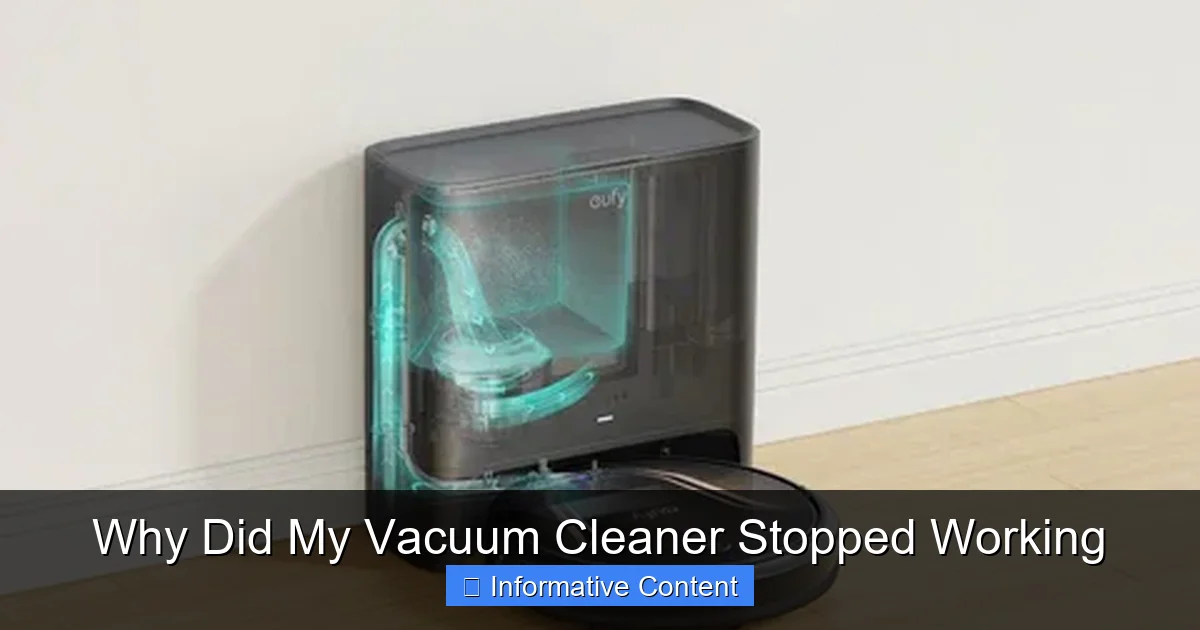
Visual guide about Why Did My Vacuum Cleaner Stopped Working
Image source: cdn.shopify.com
Clogged Brush Roll and Nozzle
The brush roll (or beater bar) is crucial for agitating carpet fibers and sweeping debris into the vacuum. If it’s tangled with hair, threads, or carpet fibers, it won’t spin effectively, leading to poor pick-up. Similarly, the nozzle opening can become blocked.
How to Fix:
- Unplug the vacuum.
- Flip the vacuum over.
- Use scissors or a seam ripper to carefully cut away any tangled hair or debris from the brush roll. Be gentle to avoid damaging the bristles or belt.
- Remove the base plate (if easily removable) for better access to clear stubborn blockages around the brush roll and in the nozzle opening.
Blocked Hose and Wand
The vacuum hose is a prime spot for larger debris to get stuck, especially socks, small toys, or clumps of pet hair. If you have low suction, feel along the hose for any hard lumps, which could indicate a clog.
How to Fix:
- Unplug the vacuum.
- Remove the hose from both ends of the vacuum.
- Hold the hose up to a light source to try and spot the blockage.
- Use a broom handle (without a brush) or a similar blunt object to gently push the blockage through. Avoid sharp objects that could puncture the hose.
- Check the wand (extension tube) for blockages as well.
Clogged or Dirty Filters
Filters are your vacuum’s lungs, preventing dust and allergens from re-entering your home’s air. However, if they become caked with dirt, they restrict airflow, causing a dramatic drop in suction power. This is a very common answer to the question “why did my vacuum cleaner stopped working?”.
Most vacuums have multiple filters:
- Pre-motor filter: Protects the motor from dust. Usually washable or replaceable.
- Post-motor (HEPA) filter: Traps fine particles before air is expelled. Often not washable and needs regular replacement.
How to Fix:
- Locate your vacuum’s filters (consult your manual if unsure).
- For washable filters, rinse them under cool water until the water runs clear. Allow them to air dry completely for at least 24 hours before reinserting. Do NOT put them back in wet, as this can damage the motor.
- For non-washable filters, tap them gently over a trash can to dislodge loose dirt. If they are severely discolored or compacted, replace them according to the manufacturer’s recommendations (usually every 6-12 months).
Full Dust Bin or Bag
This might seem too simple, but a completely full dustbin or bag will drastically reduce suction. The vacuum can’t pick up new debris if there’s no room for it! This is often the first thing to check when you notice reduced performance.
How to Fix: Empty the dustbin or replace the vacuum bag regularly, ideally after every few uses or when it reaches the “max fill” line.
3. Motor and Belt Problems: Strange Noises or No Movement
If your vacuum is making unusual noises, emitting a burning smell, or the brush roll isn’t spinning despite the motor running, you might have an issue with the drive belt or the motor itself.
Drive Belt Issues
The drive belt connects the motor to the brush roll, making it spin. If the belt is broken, stretched, or dislodged, the brush roll won’t turn, even if the motor is whirring away.
Signs of a problem:
- The brush roll isn’t spinning, but the motor sounds normal.
- A distinct burning rubber smell (from a slipping belt).
- Loud flapping noises if the belt is loose.
How to Fix:
- Unplug the vacuum.
- Flip it over and remove the base plate to access the brush roll.
- Inspect the belt. If it’s broken, stretched, or slipped off, it needs to be replaced.
- Note the vacuum’s model number and purchase the correct replacement belt.
- Carefully remove the old belt and install the new one, ensuring it’s properly seated around the motor shaft and brush roll.
Motor Overheating or Failure
Beyond the thermal cut-off discussed earlier, sometimes the motor itself starts to fail. Signs include a noticeable burning smell (not rubber), excessive heat, or the motor making loud, grinding, or squealing noises before dying. If the motor is genuinely failing, it’s often an expensive repair, sometimes costing as much as a new vacuum, especially for older or less expensive models. This is one of the more serious answers to “why did my vacuum cleaner stopped working.”
What to do: If you suspect motor failure, and you’ve ruled out all other possibilities, it might be time to consider a professional repair quote or a new vacuum.
Bearings and Bushings
The brush roll often spins on bearings or bushings. If these wear out, the brush roll can seize up or become very difficult to turn, putting a strain on the belt and motor. This can manifest as increased noise or a burning smell (not necessarily rubber). Lubricating or replacing these parts can sometimes resolve the issue, but it usually requires disassembling the brush roll assembly.
4. Electronic and Sensor Failures: For the Smarter Vacuums
Modern vacuums, especially robotic models or those with advanced features, can have electronic control boards and sensors that can malfunction. If you own a robot vacuum or a high-tech upright, these might be the reasons why your vacuum cleaner stopped working.
Control Board Malfunctions
The electronic control board is the brain of your vacuum. If it fails, the vacuum might not turn on, respond to commands, or might exhibit erratic behavior. This is often indicated by error codes on digital displays. Diagnosing and replacing a control board is typically a job for a qualified technician.
Sensor Errors
Robot vacuums rely heavily on sensors for navigation, cliff detection, and avoiding obstacles. If these sensors get dirty, blocked, or malfunction, the vacuum might stop working, move erratically, or display specific error messages. Check your user manual for common sensor-related error codes and cleaning instructions.
How to Fix: Gently clean all visible sensors with a dry microfiber cloth or a cotton swab. Ensure there’s no debris or dust obstructing them. If the error persists, consult your manual for further troubleshooting or contact customer support.
5. General Maintenance and Prevention: Keeping Your Vacuum Healthy
The best way to avoid asking “why did my vacuum cleaner stopped working” is to practice regular preventative maintenance. A little care goes a long way in extending the life and efficiency of your appliance.
Regular Cleaning and Emptying
Don’t wait until suction drops to empty the dustbin or bag. A nearly full bin significantly reduces efficiency. Make it a habit to empty it after each significant cleaning session. For bagless models, rinse the bin if it’s washable, ensuring it’s completely dry before reassembly.
Filter Care
Your filters are vital. Wash or replace them according to your manufacturer’s recommendations. Marking your calendar for filter changes can be a simple reminder. Clogged filters are one of the most common, yet easily preventable, reasons for a vacuum cleaner to lose suction or overheat.
Brush Roll and Hose Inspection
Periodically (e.g., once a month or every few uses), flip your vacuum over and clean the brush roll. This takes only a few minutes but prevents serious clogs and strain on the motor. Similarly, quickly check the hose for obvious blockages before they become firmly lodged.
Cord and Hose Inspection
Make it a habit to visually inspect the power cord for damage before and after use. Store the cord properly, don’t just wrap it tightly. Handle the hose carefully; avoid pulling the vacuum by the hose or bending it sharply, which can lead to internal damage.
Avoid Wet Messes (Unless Designed For It)
Most standard dry vacuums are not designed to pick up liquids. Sucking up water can cause severe damage to the motor and electrical components, leading to an immediate and often irreparable breakdown. If you need to clean wet messes, use a wet/dry shop vac.
Conclusion: Get Your Cleaning Groove Back!
When your vacuum cleaner suddenly decides to take a break, it can feel like a major setback. But as we’ve explored, many of the reasons why did my vacuum cleaner stopped working are within your ability to diagnose and fix. From a simple clog or a full dustbin to a more involved belt replacement, taking a methodical approach to troubleshooting can save you time, money, and the hassle of buying a new appliance.
Remember to always prioritize safety by unplugging your vacuum before any inspection or repair. By regularly maintaining your vacuum and understanding the common failure points, you can extend its lifespan, improve its performance, and get back to enjoying a cleaner home with minimal fuss. If, after all your efforts, your vacuum still refuses to cooperate, then it might be time to seek professional help or consider if it’s finally reached the end of its long and loyal service.
🎥 Related Video: Vacuum NOT SUCKING? Here's How To FIX IT!!
📺 Clean With Confidence
MORE CLEANING VIDEOS ☆ – How to Clean a Dishwasher Properly: https://youtu.be/_-TRcRya-dA – How to Professionally …
Frequently Asked Questions
What’s the most common reason for a vacuum cleaner to lose suction?
The most common reason for a vacuum cleaner to lose suction is a blockage. This could be anywhere along the airflow path: in the brush roll, the nozzle, the hose, the wand, or the filters. A full dustbin or bag is also a frequent culprit that severely restricts airflow.
How often should I clean my vacuum’s filters?
The frequency of filter cleaning depends on your vacuum model and how often you use it. Generally, washable pre-motor filters should be rinsed every 1-3 months, and non-washable HEPA filters should be replaced every 6-12 months. Check your vacuum’s manual for specific recommendations.
My vacuum cleaner smells bad when I use it. What could be wrong?
A bad smell usually indicates trapped organic matter within the vacuum. This could be old food particles, pet odors, mold from dampness, or simply a dirty filter. Thoroughly clean the dustbin, brush roll, hose, and filters, and consider using a deodorizing vacuum bag or freshener.
Why does my vacuum cleaner’s brush roll stop spinning?
If your vacuum’s brush roll isn’t spinning, the most likely cause is a broken, stretched, or dislodged drive belt that connects the motor to the brush roll. Heavy tangles of hair and debris around the brush roll itself can also prevent it from spinning by jamming it.
Can a tripped circuit breaker affect my vacuum cleaner?
Yes, a tripped circuit breaker is a common reason why your vacuum cleaner stopped working entirely. If the circuit the vacuum is plugged into draws too much power, the breaker will trip to prevent overload, cutting power to the outlet. Resetting the breaker usually resolves this, but repeated trips indicate a larger electrical issue.
When should I consider replacing my vacuum cleaner instead of repairing it?
Consider replacing your vacuum cleaner if the repair cost is more than half the price of a new comparable model, if major components like the motor or control board fail on an older vacuum, or if you frequently encounter recurring issues despite repairs. Sometimes, the cost and effort of repeated fixes outweigh the benefit, making a new vacuum a more practical choice.