Why Is My Bissell Vacuum Cleaner So Loud
Is your Bissell vacuum cleaner making more noise than usual? A sudden increase in volume often points to easily fixable problems. Common culprits include clogged filters, blocked hoses, or issues with the brush roll. Addressing these simple maintenance tasks can help restore your vacuum’s quiet operation and powerful cleaning ability, preventing costly repairs and ensuring a more pleasant cleaning experience.
Why Is My Bissell Vacuum Cleaner So Loud
You hit the power button. Your Bissell vacuum cleaner usually hums with purpose. But lately, it sounds more like a jet engine. Or maybe a struggling monster? That sudden surge in volume can be quite startling. It turns a simple cleaning task into a noisy chore. You might even wonder if your beloved Bissell is on its last leg. This common problem can be annoying. It also often points to something wrong.
A loud vacuum is not just bothersome. It can also be a sign of reduced cleaning power. Your vacuum needs to move air freely to work best. Any blockage or malfunction makes it work harder. This extra effort often means more noise. So, if you are asking, “why is my Bissell vacuum cleaner so loud?” you are not alone. Many owners face this issue. The good news is that many reasons for extra noise are simple to fix.
This guide will help you. We will explore common reasons your Bissell vacuum cleaner might be shouting. We will look at blockages, wear and tear, and even motor issues. You will learn how to troubleshoot the problem. You will get practical tips to bring back its quiet hum. Let’s make your cleaning routine peaceful again.
Key Takeaways
- Blockages are common: Clogged filters, blocked hoses, and full dustbins often cause your Bissell vacuum cleaner to become excessively loud.
- Brush roll issues: Tangled hair or debris in the brush roll, or a worn/damaged belt, can lead to grinding or squealing noises.
- Motor concerns: A persistent high-pitched whine, grinding, or burning smell might signal worn motor bearings or a damaged fan, requiring professional attention.
- Regular maintenance is key: Consistently cleaning filters, emptying the dustbin, and checking for obstructions will prevent many noise issues.
- Safety first: Always unplug your Bissell vacuum cleaner from the power outlet before performing any inspection, cleaning, or maintenance.
- Listen closely: The specific type of noise (e.g., whine, rattle, screech, thud) can often help pinpoint the exact problem area in your vacuum.
- Know when to call a pro: For complex issues like motor repairs, it’s safer and more effective to seek help from an authorized Bissell service center.
Quick Answers to Common Questions
Is it normal for my new Bissell vacuum to be loud?
No, a brand new Bissell vacuum should not be excessively loud. While vacuums make noise, an unusually loud or straining sound could indicate a manufacturing defect or a shipping issue. Check for any obvious blockages from packaging.
Can a full dustbin really make my vacuum louder?
Yes, absolutely. A full dustbin or bag severely restricts airflow through the vacuum. This makes the motor work much harder to pull air, resulting in a noticeable increase in noise and reduced suction power.
How often should I clean my Bissell’s filter to prevent noise?
It depends on your model and usage, but generally, washable filters should be rinsed monthly. Replace non-washable filters every 3-6 months. Check your owner’s manual for specific recommendations. Regular filter care is crucial for maintaining quiet operation.
What does a high-pitched screeching noise usually mean?
A high-pitched screeching sound often points to issues with the brush roll (tangled debris, worn bearings) or a slipping/damaged belt. If it’s coming from the motor area, it could indicate worn motor bearings, which is a more serious internal problem.
Is it safe to keep using a very loud Bissell vacuum?
It’s generally not safe or recommended. Excessive noise indicates that something is wrong. Continuing to use a very loud vacuum, especially with burning smells or grinding noises, can lead to further damage, motor failure, or even be a fire hazard.
📑 Table of Contents
- Why Your Bissell Might Be Shouting: Common Noise Causes
- When the Motor Whispers Loudly: Internal Concerns
- Loose Ends and Wear: Physical Damage and Poor Fit
- Your Step-by-Step Troubleshooting Guide for a Quieter Bissell
- Keeping the Peace: Regular Maintenance for a Quieter Clean
- When to Call for Help: Professional Repair
Why Your Bissell Might Be Shouting: Common Noise Causes
Most loud vacuum problems start here. These are the usual suspects. They are often the easiest to check and fix. If your Bissell vacuum cleaner is suddenly very loud, start with these simple checks.
Clogged Filters and Exhaust Vents
Your vacuum cleaner has filters. These filters catch dust and dirt. They keep the air clean. But over time, filters get dirty. They become clogged with fine particles. When a filter is clogged, air cannot flow freely. The motor has to work much harder. This extra effort makes a loud, straining noise. It might sound like a high-pitched whine. Or it could be a deep growl. Your Bissell often has multiple filters. Check them all.
Your vacuum also has exhaust vents. These vents let air out. If they are blocked, air gets trapped. This also makes the motor strain. Always ensure these vents are clear.
Blocked Hoses and Attachments
Imagine trying to breathe through a straw. Now imagine that straw is kinked. That is what happens when your vacuum hose is blocked. Dirt, pet hair, or small toys can get stuck. They create a blockage. Airflow stops. The motor tries to suck air. It cannot. This causes a loud, high-pitched noise. It sounds like the vacuum is choking.
Check all hoses. Look at the main hose. Check any extension wands. Look at the attachments too. Sometimes, a blockage is hiding. You might need to detach parts to see inside. Feel for heavy spots. Listen for a change in sound when you move the hose. This can show where the clog is.
A Full Dust Bin or Bag
This one is often overlooked. But it is a very common reason. When your dust bin is full, there is no space for more dirt. The air inside the bin becomes restricted. It cannot move easily. Or if you have a bagged model, a full bag blocks airflow. The motor then works harder. It strains. This creates a noticeable increase in noise.
Always empty your dust bin. Do it before it gets too full. Replace vacuum bags when they are full. This simple step can make a big difference. It helps your Bissell vacuum cleaner run quieter. It also helps it clean better.
Brush Roll Blues: Tangles and Belt Issues
The brush roll is the spinning part. It helps pick up dirt from carpets. It has bristles. These bristles get tangled. Hair, string, or fibers wrap around the brush roll. This makes it hard for the brush to spin. It can make a loud grinding noise. Or a squealing sound. The motor that spins the brush also strains.
Sometimes, the belt that drives the brush roll can be the problem. Belts wear out. They can stretch or break. A worn belt might slip. This makes a squealing noise. A broken belt means the brush roll will not spin at all. This might cause a different kind of noise. Check the brush roll. Remove any tangles. Make sure the belt is in good shape.
When the Motor Whispers Loudly: Internal Concerns

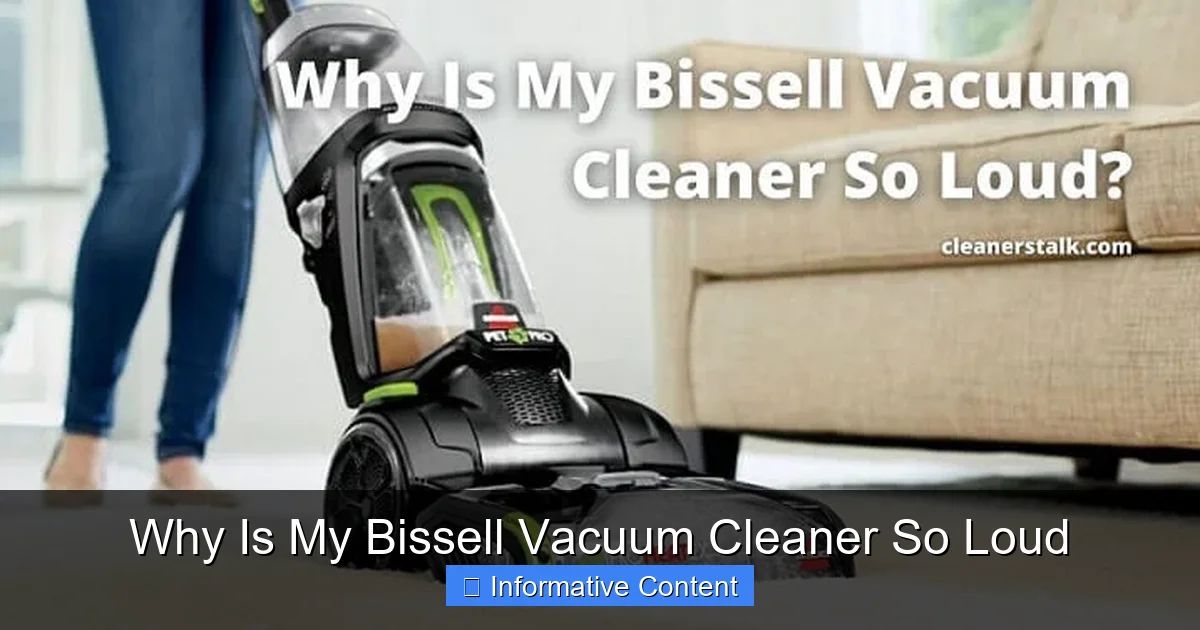
Visual guide about Why Is My Bissell Vacuum Cleaner So Loud
Image source: cleanerstalk.com
Sometimes, the noise comes from deep inside. It comes from the motor itself. These issues can be more serious. They often need a professional touch. But it is good to know what they sound like. This helps you describe the problem if you need help.
Worn Motor Bearings
The motor has bearings. These bearings help parts spin smoothly. Over time, bearings can wear out. They can lose their lubrication. When this happens, they start to grind. Or they can make a high-pitched whine. This noise gets louder with use. It does not go away after cleaning.
A grinding sound often means worn bearings. If you hear this, it’s a sign. The motor is under stress. This issue usually needs a new motor. Or a new set of bearings. This is a job for a skilled technician.
Damaged Motor Fan
Inside the motor, there is a fan. This fan helps move air. It also cools the motor. If something breaks off this fan, it becomes unbalanced. It can hit the housing. This creates a rattling or thumping noise. It might also cause a vibration. The fan blades can also chip or bend. This throws off the balance.
A damaged motor fan means the motor is at risk. It can overheat. It cannot move air correctly. This is another issue that requires professional repair. Or it might mean a new vacuum. This is a key reason why your Bissell vacuum cleaner might be sounding so harsh.
General Motor Wear and Tear
All motors age. Over time, parts inside the motor can wear down. This includes carbon brushes. These brushes help power the motor. When they wear, the motor can make a different sound. It might sound weaker. Or it could make a sparking noise. The vacuum might also smell like burning.
An old, worn motor might just be louder overall. It loses its efficiency. It struggles more. If your Bissell vacuum cleaner is quite old, this might just be normal aging. But if it is very loud and smells like smoke, stop using it. It is safer to get it checked.
Loose Ends and Wear: Physical Damage and Poor Fit
Sometimes, the noise is not about clogs or the motor. It is about things being loose. Or parts being broken. These issues can also make your Bissell vacuum cleaner very noisy.
Loose Components or Housing
Vacuum cleaners have many parts. They are held together by screws, clips, and plastic tabs. Over time, these can loosen. A loose part inside can rattle. Or it could vibrate loudly against another part. This often creates a buzzing or rattling sound.
Check the outer casing. Look at the handle. Inspect where attachments connect. Gently shake the vacuum (when unplugged!). Listen for loose parts. Tighten any screws you find. Ensure everything is snapped into place correctly. A simple loose screw can cause a lot of racket.
Cracked Hoses or Seals
Air leaks are a big problem. A small crack in a hose can make a big difference. It lets air escape. This means less suction at the floor. It also makes the motor work harder. The motor tries to compensate for the lost air. This increased strain makes the vacuum louder.
Cracks can be hard to see. Feel along the hose. Listen for a hissing sound when the vacuum is on. Check all seals. Look where the dust bin connects. Inspect where filters sit. Even a small air leak can impact performance and noise.
Worn Wheels or Attachments
Sometimes, the noise is not from the vacuum itself. It comes from its movement. Worn wheels can squeak or grind. Especially when rolling across hard floors. If your vacuum has small wheels on the floor nozzle, check these. They can collect hair and debris. This stops them from rolling smoothly.
Attachments can also be a source of noise. If an attachment is damaged, it might whistle or vibrate. Make sure all attachments fit snugly. Ensure they are not cracked. These might not be as loud as a motor issue. But they can still add to the overall noise level.
Your Step-by-Step Troubleshooting Guide for a Quieter Bissell
Now you know what to look for. It is time to roll up your sleeves. Here is how to figure out why your Bissell vacuum cleaner is so loud. Follow these steps carefully.
Safety First: Always Unplug
This is the most important step. Before you do anything, unplug your Bissell vacuum cleaner. Disconnect it from the wall outlet. This prevents accidental starts. It protects you from electric shock. Never skip this step. Your safety comes first.
Check the Dust Bin and Filters
First, empty your dust bin. If you have a bag, replace it. Then, remove all filters. Gently tap them over a trash can. Or rinse them if they are washable. Let them dry completely before putting them back. Check your owner’s manual for filter-specific care. Sometimes, you need to replace filters. Dirty filters are a top reason why your Bissell vacuum cleaner gets loud.
Inspect Hoses, Wands, and Attachments
Take off the main hose. Look through it. Can you see light at the other end? If not, there is a clog. Use a blunt object, like a broom handle, to push it through. Be careful not to puncture the hose. Do this for all wands and attachments too. Check for any cracks or holes in the hose itself.
Examine the Brush Roll and Belt
Flip your vacuum over. Most Bissell models have a cover for the brush roll. Remove the cover. Carefully pull out the brush roll. Use scissors or a seam ripper to cut away tangled hair and fibers. Spin the brush roll by hand. Does it spin freely? If not, clear any debris from its ends.
Next, look at the belt. It is usually a rubber band. It connects the motor to the brush roll. Is it broken? Is it stretched out? Is it slipping? Replace it if it looks worn or damaged. Bissell belts are inexpensive and easy to find.
Listen Closely to the Motor Area
After checking everything else, if your Bissell vacuum cleaner is still loud, the motor might be the problem. Plug it in briefly. Turn it on for a second. Try to identify where the loud noise comes from. A high-pitched screech or grinding near the motor is a red flag. Turn it off immediately. Do not keep running a motor that sounds very distressed.
Reassembly and Testing
Put all parts back together carefully. Make sure everything snaps tightly into place. Reconnect hoses and attachments. Plug the vacuum in. Turn it on. Listen. Is it quieter now? Did the sound change? If the noise is gone, great! If it is still loud, but different, you might be closer to the real issue.
Keeping the Peace: Regular Maintenance for a Quieter Clean
Prevention is better than cure. Regular care keeps your Bissell vacuum cleaner running smoothly. It also keeps it quiet. Here are some simple habits to adopt.
Scheduled Filter Care
Clean or replace your filters often. Check your manual for specific times. Some filters need cleaning every few uses. Others need replacement every few months. Clean filters let air flow. This reduces motor strain. It keeps your Bissell running at its best. It also prevents the common issue of why your Bissell vacuum cleaner is so loud.
Routine Brush Roll Cleaning
Make it a habit to check your brush roll. Do this every few cleanings. Especially if you have pets or long hair in your home. Remove any tangled hair or debris. This keeps the brush roll spinning freely. It stops grinding noises. It also helps your vacuum pick up dirt better.
Prompt Dust Bin Emptying
Empty the dust bin after every use. Or before it gets too full. This maintains good airflow. It prevents the motor from overworking. For bagged models, change the bag before it is completely full.
Proper Storage Matters
Store your vacuum in a clean, dry place. Avoid extreme temperatures. Keep hoses untangled. Do not store heavy objects on top of the vacuum. This prevents damage to the housing or hoses. Taking good care of your vacuum extends its life. It helps keep it quiet.
When to Call for Help: Professional Repair
You have tried everything. You have followed all the steps. Yet, your Bissell vacuum cleaner is still making a racket. Or maybe you heard a strange grinding from the motor. Perhaps you smelled burning. These are signs it is time to call a professional.
Motor problems are complex. They can be dangerous to fix yourself. If you suspect a motor issue, do not try to open the motor housing. It is best to take your vacuum to an authorized Bissell service center. Or a reputable appliance repair shop. They have the tools and expertise. They can diagnose and fix the problem safely. Sometimes, the cost of repair might be too high for an older machine. In that case, it might be time to consider a new vacuum.
In summary, a loud Bissell vacuum cleaner is often a solvable problem. Most issues are blockages or simple wear and tear. By being proactive and performing regular maintenance, you can keep your vacuum humming softly. This will make your home a cleaner, quieter, and happier place.
🎥 Related Video: What to do if Your CleanView® Vacuum Cleaner is making Excessive Noise
📺 BISSELL
This video is a step-by-step guide on what to do if your CleanView vacuum cleaner is louder than usual, or making unfamiliar …
Frequently Asked Questions
Why is my Bissell vacuum suddenly making a high-pitched noise?
A sudden high-pitched noise often indicates an airflow restriction. This could be due to a clogged filter, a blocked hose, or a very full dust bin. Check these common culprits first to restore proper airflow and reduce the noise.
Can a clogged hose cause my Bissell vacuum to sound like it’s struggling?
Yes, definitely. A clogged hose creates a significant blockage in the airflow path. This forces your vacuum’s motor to work much harder to pull air, causing it to strain and sound like it’s struggling, often with an increased, high-pitched whine.
How can I tell if my Bissell’s brush roll is the source of the noise?
If the noise is a grinding, rattling, or squealing sound coming from the base of the vacuum, the brush roll is a likely culprit. Flip the vacuum over (unplugged!), remove the brush roll cover, and check for tangled hair, debris, or a damaged drive belt.
Should I replace my Bissell’s belt if it’s making a loud grinding sound?
A loud grinding sound is more commonly associated with debris in the brush roll or worn motor bearings, rather than just the belt. However, if the belt is visibly worn, stretched, or slipping, replacing it can certainly eliminate squealing or lack of brush roll movement.
What’s the best way to clean my Bissell vacuum’s filter for optimal noise reduction?
For optimal noise reduction, consult your Bissell manual for specific filter cleaning instructions. Generally, washable filters should be rinsed with water until clear and allowed to air dry completely for 24-48 hours. Non-washable filters should be tapped clean and replaced regularly.
When should I consider professional repair for a noisy Bissell vacuum?
If you’ve checked all the common issues (filters, hoses, brush roll) and your Bissell vacuum is still excessively loud, especially with a grinding motor sound or burning smell, it’s time for professional repair. Motor issues are complex and best handled by trained technicians.