Why Does My Vacuum Cleaner Keep Cutting Out
Is your vacuum cleaner suddenly stopping mid-clean? It’s a common, frustrating issue often signaling a problem with airflow, electrical supply, or motor protection. Most often, your vacuum cleaner keeps cutting out due to overheating from blockages in the dustbin, filters, or hose, triggering its thermal cut-out. Regular maintenance and a few simple checks can usually resolve the problem, ensuring uninterrupted cleaning.
Picture this: you’re halfway through vacuuming, making great progress, when suddenly… silence. Your vacuum cleaner just stops dead. You try turning it back on, but nothing happens, or it kicks in for a second before dying again. If you’ve ever asked yourself, “why does my vacuum cleaner keep cutting out?”, you’re definitely not alone. It’s an incredibly common and incredibly frustrating household appliance dilemma.
This isn’t just a minor annoyance; it disrupts your cleaning flow and leaves you wondering if your trusty vacuum has finally bitten the dust. Before you resign yourself to sweeping or, even worse, buying a brand-new machine, it’s important to understand that often, the solution is much simpler and cheaper than you think. Most vacuum cleaner problems, especially those involving intermittent power, can be diagnosed and fixed with a little know-how and some basic troubleshooting.
In this comprehensive guide, we’ll dive deep into the most frequent culprits behind why your vacuum cleaner keeps cutting out. We’ll explore everything from clogged filters and overheating to electrical quirks and general wear and tear. Our goal is to empower you with the knowledge and practical steps to diagnose the issue, fix it yourself, and keep your vacuum running smoothly for years to come. Let’s get to the bottom of why your vacuum cleaner keeps cutting out and get you back to spotless floors!
Key Takeaways
- Overheating is the most common culprit: Your vacuum’s thermal cut-out engages to prevent damage when the motor gets too hot, often caused by restricted airflow.
- Blockages are the primary cause of overheating: A full dustbin, clogged filters, or obstructions in the hose, wand, or brush roll will make your motor work harder, leading to heat build-up.
- Electrical issues can also cause sudden stops: Check the power cord, plug, and wall outlet for damage or loose connections before delving deeper into internal problems.
- Regular maintenance is crucial for prevention: Emptying the dustbin, cleaning/replacing filters, and clearing the brush roll regularly will prevent most cutting-out problems.
- Give your vacuum a break: If it cuts out, unplug it, clear obstructions, and let it cool down completely (at least 30-60 minutes) before attempting to restart.
- Listen to your machine: Unusual noises, burning smells, or a dramatic drop in suction are early warning signs that something is wrong and needs attention.
- Consult your manual: Always refer to your vacuum cleaner’s specific user manual for model-specific troubleshooting tips and maintenance schedules.
Quick Answers to Common Questions
How long should I wait after my vacuum cuts out due to overheating?
After your vacuum cleaner cuts out from overheating, you should unplug it and wait at least 30 to 60 minutes for the motor to cool down completely. This allows the thermal cut-out switch to reset.
Can a dirty filter really make my vacuum stop working?
Absolutely, yes! Dirty filters severely restrict airflow, forcing your vacuum’s motor to work much harder. This extra strain causes the motor to overheat and can trigger the thermal cut-out, making your vacuum cleaner stop working.
Is it normal for my vacuum to get hot?
A vacuum motor will naturally generate some heat during operation, so feeling it slightly warm is normal. However, if it feels excessively hot to the touch, or you notice a burning smell, it’s a sign of overheating.
When should I replace my vacuum’s motor?
You should consider replacing your vacuum’s motor if it consistently exhibits signs of failure (grinding noises, burning smell, significant power loss) and all other troubleshooting steps (clearing blockages, checking filters, electrical supply) have failed. Often, the cost of motor replacement makes a new vacuum a better investment.
Can I use my vacuum without a bag/filter temporarily?
No, you should never use your vacuum cleaner without its dustbag or filters. Doing so will allow dirt and debris directly into the motor, causing severe damage, and it will also release allergens and dust back into the air you breathe.
📑 Table of Contents
Overheating and the Thermal Cut-Out: Your Vacuum’s Safety Net
By far, the most common reason why your vacuum cleaner keeps cutting out is due to overheating. Modern vacuum cleaners are designed with safety in mind, and that includes a built-in thermal cut-out switch. Think of it as a protective mechanism for your motor. When the motor starts to get too hot, this switch automatically shuts the vacuum down to prevent permanent damage. It’s a lifesaver for your appliance, but a total buzzkill for your cleaning.
Your Vacuum’s Safety Net: How Thermal Protection Works
The thermal cut-out is a small, temperature-sensitive device located near your vacuum’s motor. Its job is to monitor the motor’s temperature. If the temperature exceeds a safe operating limit, it breaks the electrical circuit, immediately turning off the vacuum. This protects the motor windings and other delicate components from burning out. Once the motor cools down sufficiently, the switch resets itself, allowing the vacuum to be turned back on. This usually takes about 30 to 60 minutes, so patience is key after an overheating incident.
What Triggers Overheating?
So, what makes a vacuum cleaner motor work so hard that it overheats? In most cases, it’s restricted airflow. The motor needs to move air efficiently to generate suction and to cool itself. Anything that impedes this airflow forces the motor to strain, draw more power, and generate excessive heat. Common culprits for restricted airflow include:
- Full Dustbin or Bag: A packed dustbin or an overfilled bag prevents air from circulating properly.
- Clogged Filters: Dirty, dusty filters are like trying to breathe through a thick blanket. They choke the motor.
- Blockages in the Hose, Wand, or Attachments: A rogue sock, a tangled hairball, or a piece of debris can completely block the suction path.
- Obstructed Brush Roll: If the brush roll is jammed with hair or debris, the motor works harder trying to spin it.
- Long Periods of Heavy Use: Using your vacuum for extended periods, especially on thick carpets, can naturally cause the motor to heat up over time.
Bringing Your Vacuum Back to Life After Overheating
If your vacuum cleaner keeps cutting out due to overheating, here’s what you should do:
- Unplug it Immediately: Safety first! Disconnect the vacuum from the power outlet.
- Let it Cool Down: This is crucial. Give your vacuum at least 30-60 minutes to cool down completely. Rushing it will only cause it to cut out again.
- Inspect and Clear Obstructions: While it’s cooling, check every possible point for blockages. We’ll go into more detail on this in the next section.
- Empty and Clean: Empty the dustbin or replace the bag, and clean or replace all filters.
- Restart: Once cooled and cleared, plug it back in and try turning it on. It should now operate normally. If it still cuts out quickly, you may have missed a blockage or there’s a deeper issue.
The Silent Killers: Blockages and Airflow Obstructions
As we just discussed, restricted airflow is the primary reason why a vacuum cleaner keeps cutting out, and blockages are the main cause of restricted airflow. These hidden obstructions force your vacuum’s motor to work much harder to maintain suction, leading to overheating and the thermal cut-out engaging. Knowing where to look for these blockages is key to effective troubleshooting.
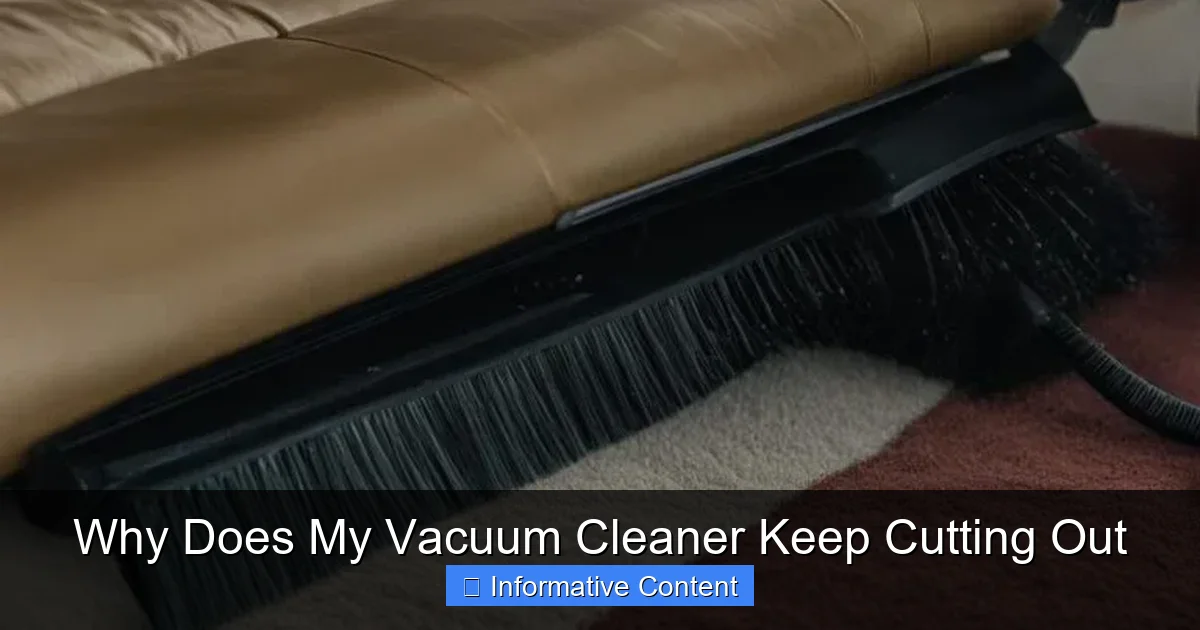
Visual guide about Why Does My Vacuum Cleaner Keep Cutting Out
Image source: vacmasterguide.com
The Dustbin or Bag Dilemma
It might sound obvious, but a surprisingly common reason why your vacuum cleaner keeps cutting out is a simply full dustbin or bag. When the dirt receptacle is packed to the brim, there’s no space for air to flow freely. This creates significant back-pressure on the motor. Many bagless vacuums have a “max fill” line – don’t ignore it! Bagged vacuums should have their bags replaced before they are completely full, especially if you notice a drop in suction or the vacuum struggling. Make it a habit to empty the dustbin after every few uses, or replace the bag regularly.
Filter Fails: The Lungs of Your Vacuum
Filters are absolutely vital for your vacuum’s performance and longevity. They trap dust, allergens, and debris, preventing them from entering and damaging the motor or being blown back into your air. However, clogged filters are notorious for causing airflow restriction. If your vacuum cleaner keeps cutting out, dirty filters are a top suspect.
- Pre-Motor Filters: These protect the motor from larger particles. They often need to be rinsed or shaken clean regularly.
- Post-Motor Filters (HEPA filters): These capture fine particles before air is expelled. They may need to be replaced periodically rather than cleaned.
Check your user manual for specific filter cleaning and replacement instructions for your model. Cleaning washable filters with plain water and allowing them to dry completely (24-48 hours) before reinserting is crucial.
Hose and Wand Blockages: Hidden Obstacles
The vacuum hose and extension wand are prime locations for larger debris to get stuck. A vacuum cleaner keeps cutting out frequently because of something lodged deep inside the hose or wand, which might not be immediately visible. Look for:
- Large debris: Socks, small toys, pieces of paper, or plastic bags.
- Hair clumps: Especially long hair or pet fur can create dense mats that block the hose.
To check, disconnect the hose from both ends (if possible) and visually inspect it. You can gently push a broom handle or a straightened coat hanger through the hose to dislodge any obstructions. Be careful not to puncture the hose!
Brush Roll Entanglements: A Hairy Situation
The rotating brush roll (or beater bar) at the bottom of your vacuum is fantastic for agitating carpet fibers and picking up dirt. However, it’s also a magnet for hair, string, and carpet fibers, which can wrap around it and impede its rotation. If the brush roll can’t spin freely, the motor that drives it has to work much harder, leading to overheating. This is a common reason why a vacuum cleaner keeps cutting out, especially on carpeted surfaces.
To fix this, flip your vacuum over (after unplugging it!) and carefully cut away any tangled hair or debris from the brush roll using scissors. Some brush rolls are removable, making this task even easier. Also, check the belt that drives the brush roll; if it’s broken or stretched, the brush won’t spin, causing the motor to overcompensate.
Electrical Gremlins: Power Supply Issues
While blockages and overheating are the most frequent culprits, sometimes the issue of why your vacuum cleaner keeps cutting out lies with its electrical supply. These problems can range from simple external issues to more complex internal wiring concerns.
The Power Cord and Plug: Your First Check
Your vacuum’s power cord and plug are constantly subjected to pulling, bending, and being rolled over. Damage here can lead to intermittent power, causing your vacuum to cut out. Always check the following:
- Visible Damage: Look for frayed wires, cuts, kinks, or exposed insulation on the cord.
- Loose Connections: Wiggle the cord where it enters the vacuum body and at the plug end. Sometimes, an internal wire breaks but is still making intermittent contact.
- Bent or Broken Prongs: Ensure the plug prongs are straight and intact, providing a solid connection to the outlet.
If you find any significant damage to the cord or plug, it’s safest to have it replaced by a professional or consider replacing the vacuum, as a damaged cord poses a fire hazard.
Wall Outlet Woes
It’s easy to blame the vacuum when sometimes the problem lies with the power source. If your vacuum cleaner keeps cutting out, try plugging it into a different wall outlet. This can help rule out a faulty outlet or a tripped circuit breaker in your home. If other appliances also struggle in that specific outlet, you’ve found your culprit.
Also, avoid using extension cords, especially thin or low-gauge ones. Vacuums draw a lot of power, and an inadequate extension cord can lead to voltage drops, causing the motor to strain or even shut down. If you must use one, ensure it’s heavy-duty and rated for the vacuum’s wattage.
Internal Wiring and Components
Less common for DIY fixes, but still a possibility, are internal electrical issues. These could include a loose connection inside the vacuum’s body, a faulty on/off switch, or a problem with the internal wiring leading to the motor. If you’ve ruled out all external blockages and power supply issues, and your vacuum still cuts out, it might be time to consider professional repair. Opening up the vacuum to inspect internal wiring should only be done by someone with electrical knowledge, as there’s a risk of electric shock.
Motor Problems and Wear and Tear
Sometimes, why your vacuum cleaner keeps cutting out isn’t about blockages or power cords, but about the heart of the machine itself: the motor. Over time, even the best motors can start to wear down, especially with heavy use or if they’ve been consistently overworked due to blockages.
Signs of a Struggling Motor
Your vacuum often gives you hints before its motor completely gives up. Pay attention to these warning signs:
- Unusual Noises: A grinding, whining, or unusually loud noise from the motor area can indicate worn bearings or other internal damage.
- Burning Smell: If you smell burning plastic or electrical components, it’s a serious sign of overheating or internal electrical failure. Stop using the vacuum immediately.
- Reduced Suction Power: While blockages cause a sudden drop, a gradual, consistent decline in suction that isn’t resolved by cleaning filters or clearing blockages might point to a motor losing efficiency.
- Excessive Heat: If the vacuum body itself feels unusually hot to the touch even after clearing obstructions, the motor might be continuously running too hot.
If you notice any of these symptoms and your vacuum cleaner keeps cutting out, it’s a strong indication that the motor might be failing or struggling significantly.
The March of Time: Age and General Wear
Like any appliance, vacuum cleaners have a lifespan. While well-maintained machines can last a decade or more, continuous use will eventually lead to wear and tear on the motor’s internal components, such as carbon brushes (in older universal motors) or bearings. These components degrade over time, causing the motor to run less efficiently, draw more current, and ultimately overheat or fail.
If your vacuum is particularly old and has seen many years of service, its tendency to cut out might simply be a sign of old age. While some parts like carbon brushes can be replaced, other motor components might be integrated and not easily repairable or cost-effective to fix.
When to Call it Quits (or a Pro)
Deciding whether to repair or replace your vacuum can be tricky. If your vacuum cleaner keeps cutting out despite regular maintenance, clearing all obvious blockages, and checking the power supply, then a motor issue is highly probable. Here’s a general guide:
- Simple Fixes: If it’s a blockage, dirty filter, or a minor cord issue, definitely fix it yourself.
- Carbon Brush Replacement: If your vacuum uses carbon brushes (often discernible by sparking or sputtering sounds), these are relatively inexpensive to replace if you’re handy.
- Major Motor Repair: For complex motor issues, a professional repair can be costly. As a rule of thumb, if the repair cost is more than 50% of the price of a new, comparable vacuum, replacement is often the more economical choice.
- Safety Concerns: If there’s a persistent burning smell, excessive sparking, or exposed wiring, prioritize safety over repair and consider replacing the unit immediately.
Prevention is Key: Good Maintenance Habits
The best way to avoid asking yourself “why does my vacuum cleaner keep cutting out?” is to prevent the problem from happening in the first place. Regular, proactive maintenance can dramatically extend your vacuum’s lifespan and ensure it runs efficiently without those frustrating interruptions.
Cleanliness is Next to Vacuum-liness: The Importance of Regular Cleaning
Think of your vacuum cleaner as needing its own regular cleaning routine. This isn’t just about emptying the dustbin; it’s about keeping all its pathways clear and its components functioning optimally. Make these tasks part of your routine:
- Empty the Dustbin Regularly: Don’t wait until it’s overflowing. For bagless vacuums, empty it after every one or two uses. For bagged vacuums, check the bag indicator and replace before it’s completely full.
- Clean or Replace Filters: Follow your manufacturer’s recommendations. Washable filters often need rinsing every 1-3 months, while non-washable HEPA filters may need replacement every 6-12 months. This is critical for preventing your vacuum cleaner from cutting out due to overheating.
- Clear the Brush Roll: Regularly check and remove tangled hair, string, and debris from the brush roll. This takes only a few minutes but makes a huge difference in performance.
- Inspect Hoses and Attachments: Periodically detach and visually inspect hoses and wands for any hidden blockages. A quick check can save you a lot of troubleshooting later.
These simple steps will maintain airflow, reduce strain on the motor, and prevent your vacuum cleaner from cutting out unexpectedly.
Don’t Overwork Your Machine
While vacuums are built for hard work, they still have limits. Pushing your machine too hard, especially if it’s already showing signs of struggle, can accelerate wear and tear and lead to overheating. If you have a particularly large area to clean or very thick carpets, consider giving your vacuum short breaks. If you notice a drop in suction or hear the motor straining, it’s a good time to pause, check for obstructions, and let the motor cool down before continuing.
Using the correct settings for different floor types also helps. Don’t use a high carpet setting on hard floors, and vice-versa, as this can put unnecessary strain on the motor and brush roll mechanisms.
The Power of the Manual
Yes, that often-ignored booklet that came with your vacuum cleaner is a treasure trove of information! Your vacuum’s user manual contains specific instructions for maintenance, troubleshooting, and replacement part numbers unique to your model. It will tell you exactly how to remove and clean filters, how often to perform maintenance, and what to do if your vacuum cleaner keeps cutting out based on its specific design. Referring to it can save you a lot of guesswork and ensure you’re performing maintenance correctly.
Understanding why your vacuum cleaner keeps cutting out is the first step toward a smoother, more efficient cleaning routine. While it can be frustrating, remember that most instances of your vacuum cleaner stopping are due to preventable issues like blockages or overheating. By dedicating a little time to regular maintenance, like emptying the dustbin, cleaning filters, and checking for obstructions, you can significantly prolong the life of your appliance and prevent those annoying mid-task interruptions.
So, the next time your vacuum cleaner decides to take an unscheduled break, you’ll know exactly what to look for. Armed with these tips, you can tackle most problems yourself, saving money, time, and the hassle of a new purchase. Keep your vacuum clean, treat it well, and it will serve you faithfully for years to come!
🎥 Related Video: How to Fix DYSON VACUUM Pulsing Problem (Starts & Stops)!!! 20 SECOND FIX | Andrea Jean
📺 Andrea Jean Co
This video is for YOU if you are interested in: dyson v6 cordless easy repair, starts and stops pulsates, dyson v6 v7 v8 common …
Frequently Asked Questions
Why does my cordless vacuum cleaner keep cutting out?
Cordless vacuums often cut out for similar reasons as corded ones (blockages, overheating), but also due to battery issues. A low battery, a faulty battery pack, or a motor drawing too much power can cause it to stop unexpectedly.
What’s the difference between a thermal cut-out and a fuse?
A thermal cut-out is a resettable safety switch that temporarily shuts down the motor when it overheats, then allows it to restart after cooling. A fuse, however, is a one-time safety device that permanently breaks the circuit when there’s an electrical surge or fault, requiring replacement once blown.
How often should I clean my vacuum’s filters?
The frequency depends on your vacuum model and usage, but generally, washable pre-motor filters should be rinsed every 1-3 months, and non-washable post-motor (HEPA) filters replaced every 6-12 months. Consult your user manual for exact recommendations.
Can low voltage cause my vacuum to cut out?
Yes, low voltage from an inadequate extension cord or a struggling electrical circuit can cause a vacuum’s motor to work harder and potentially overheat, leading to the thermal cut-out engaging and the vacuum stopping.
My vacuum smells hot before it cuts out, what does that mean?
A hot, burning smell before your vacuum cleaner cuts out is a strong indicator of overheating, often caused by the motor straining due to restricted airflow from blockages. Stop using it immediately, unplug it, and thoroughly check for and clear any obstructions.
Is it safe to keep using a vacuum that frequently cuts out?
No, it is not safe to keep using a vacuum that frequently cuts out without addressing the underlying issue. Frequent cutting out indicates an ongoing problem, likely overheating or an electrical fault, which could damage the motor permanently or pose a fire hazard.