How to Clean the Vacuum Cleaner: A Complete Guide
To clean your vacuum cleaner effectively, you’ll need to empty the dustbin or change the bag, clean or replace filters, untangle the brush roll, and check hoses for clogs. Regularly cleaning these components ensures optimal suction, extends the life of your machine, and improves indoor air quality by preventing dust and allergen recirculation. It’s a simple process that keeps your cleaning tool working its best.
Keeping your vacuum cleaner in top shape is easier than you think and makes a huge difference in its performance. This guide will walk you through the simple steps to effectively clean your vacuum, from emptying the dustbin to refreshing filters and clearing clogs. You’ll discover why a clean vacuum works better, lasts longer, and even helps improve your home’s air quality.

Image source: Bing
📋 Table of Contents
- 🔹 What is Cleaning Your Vacuum Cleaner?
- 🔹 Why is Cleaning Your Vacuum Cleaner Important?
- 🔹 How to Clean Your Vacuum Cleaner: A Step-by-Step Guide
- 🔹 The Benefits of a Spotless Vacuum Cleaner
- 🔹 Common Mistakes to Avoid When Cleaning Your Vacuum
- 🔹 Practical Tips for Ongoing Vacuum Cleaner Maintenance
- 🔹 A Real-Life Example: Restoring Suction Power
- 🔹 People Also Ask (FAQ)
- 🔹 Conclusion
Picture this: you’re trying to clean your floors, but your vacuum cleaner just isn’t picking up dirt like it used to. It might be leaving behind crumbs, struggling with pet hair, or just sounding a bit tired. Most likely, your trusty cleaning companion needs a good clean itself! Just like any tool, a vacuum cleaner works best when it’s well-maintained.
This comprehensive guide will show you exactly how to clean the vacuum cleaner you own, covering all the essential steps to bring it back to peak performance. We’ll explore why this routine maintenance is so important, break down the process step-by-step, and share practical tips to make cleaning easier and more effective. You’ll also find answers to common questions, helping you understand the ins and outs of vacuum upkeep.
What is Cleaning Your Vacuum Cleaner?
Cleaning your vacuum cleaner means performing regular maintenance to remove accumulated dirt, dust, hair, and debris from its various components. This isn’t just about wiping down the outside; it involves emptying the dustbin or replacing the bag, cleaning or replacing filters, clearing the brush roll, and checking hoses for blockages. Essentially, it’s a deep tidy-up for the machine that tidies up your home.
It’s an essential part of owning a vacuum, ensuring it can continue to suck up messes efficiently. Think of it as giving your vacuum a refresh, so it doesn’t just push dirt around but truly captures it.
Why is Cleaning Your Vacuum Cleaner Important?
You might wonder, “Why bother cleaning a machine that’s designed to clean?” It’s a fair question! The truth is, a dirty vacuum cleaner can actually make your home dirtier, or at least be much less effective. Here’s why understanding how to clean the vacuum cleaner truly matters:
- Maintains Suction Power: Clogged filters, full dustbins, and tangled brush rolls all reduce your vacuum’s suction. A clean machine means powerful dirt removal.
- Extends Appliance Lifespan: When parts are clogged, the motor has to work harder. This extra strain can lead to overheating and premature wear, shortening your vacuum’s life. Regular cleaning reduces this stress.
- Improves Air Quality: Dirty filters can’t trap dust and allergens effectively, meaning your vacuum might be blowing these particles back into the air you breathe. Clean filters mean cleaner air.
- Prevents Unpleasant Odors: Accumulated dirt, pet hair, and food particles inside the vacuum can start to smell pretty bad over time. Cleaning helps eliminate these odor sources.
- Ensures Hygienic Cleaning: You want your vacuum to pick up grime, not spread it. A clean vacuum is a more hygienic tool for your home.
So, cleaning your vacuum isn’t just an extra chore; it’s a vital part of keeping your home clean and your appliance running smoothly for years to come.
How to Clean Your Vacuum Cleaner: A Step-by-Step Guide
Learning how to clean the vacuum cleaner effectively involves a few key steps. It’s not complicated, but taking your time will ensure you get it right. Before you start, remember to always unplug your vacuum cleaner from the power outlet to prevent accidental startups!
Step 1: Gather Your Tools and Prepare
You won’t need many special tools, just a few common household items. Setting everything out beforehand makes the process much smoother.
- Scissors or a seam ripper (for cutting hair)
- A small brush (like an old toothbrush or a stiff-bristled cleaning brush)
- Microfiber cloth or paper towels
- Mild soap and water (for washable parts)
- A garbage can or outdoor area for emptying debris
- Safety gloves (optional, but good for messy jobs)
It’s also a good idea to lay down some newspaper or work in an area where you don’t mind getting a bit dirty.
Step 2: Empty the Dustbin or Replace the Bag
This is often the quickest and most impactful step in understanding how to clean the vacuum cleaner. A full bin or bag drastically reduces suction.
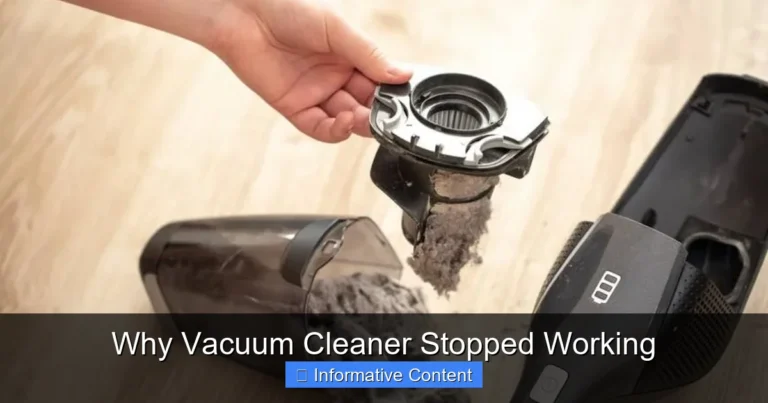
- For Bagless Vacuums: Detach the dustbin. Hold it over a garbage can and open the bottom flap to release the dirt. Give it a good tap to loosen any stuck-on debris. You can rinse the dustbin with mild soap and water if it’s particularly grimy, but make sure it’s completely dry before reattaching it to the vacuum.
- For Bagged Vacuums: Simply remove the full bag and replace it with a new one. Try not to overfill bags, as this also impacts performance.
It’s best to do this outdoors if possible to avoid releasing dust back into your home.
Step 3: Clean or Replace Filters
Filters are crucial for trapping dust and allergens. There are generally a few types of filters in a vacuum cleaner:
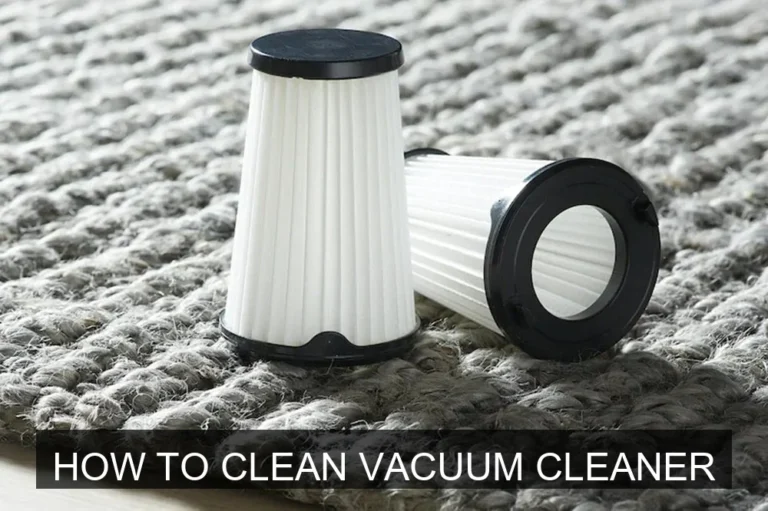
- Pre-Motor Filters: These protect the motor and are often washable foam or felt filters. Remove them according to your vacuum’s manual. If washable, rinse them under cool water until the water runs clear. Gently squeeze out excess water and let them air dry completely for at least 24 hours before putting them back.
- Post-Motor (HEPA) Filters: These are usually located near the exhaust and capture very fine particles. Some HEPA filters are washable, while others are designed for replacement only. Check your manual. If washable, follow the same rinsing and drying steps as pre-motor filters. If they’re replacement-only, simply swap them out when they look dirty or according to the manufacturer’s recommendations.
Never put damp filters back into your vacuum, as this can damage the motor or cause mold growth.
Step 4: Untangle and Clean the Brush Roll
The brush roll (also called a beater bar) often gets tangled with hair, threads, and fibers, which prevents it from rotating freely and agitating your carpets effectively.
- Turn the vacuum cleaner over so you can access the brush roll.
- You might need to remove a bottom plate or cover, usually held by clips or screws.
- Carefully use scissors or a seam ripper to cut through any tangled hair and strings. Be very gentle not to cut the bristles themselves or the belt.
- Once cut, pull all the debris off the brush roll.
- Check the brush roll for any signs of damage or wear.
- Use your small brush to clean any accumulated dust from around the brush roll housing.
This step makes a huge difference in how well your vacuum picks up dirt, especially on carpets.
Step 5: Inspect and Clear Hoses and Attachments
Clogs in the hose or attachments are common culprits for lost suction. This is a critical part of how to clean the vacuum cleaner for optimal performance.
- Hose: Detach the main hose from both ends of the vacuum. Look through it for any obstructions. If you see a clog, try to gently push it through with a broom handle or a long, blunt object. Never use anything sharp that could puncture the hose.
- Attachments: Remove any suction tools like crevice tools or upholstery brushes. Check them for blockages and clear out any debris. You can wash non-electrical attachments with soap and water, ensuring they are thoroughly dry before use.
Sometimes, a stubborn clog might require a bit of persistent poking, but be gentle to avoid damage.
Step 6: Wipe Down the Exterior
Now that the internal parts are clean, give the outside a quick refresh. Use a damp cloth (not soaking wet) with a drop of mild all-purpose cleaner to wipe down the body of the vacuum. Pay attention to buttons, handles, and wheels, which can accumulate grime. This makes your vacuum look nicer and prevents dirt transfer.
Step 7: Reassemble and Test
Once all parts are dry and clean, put your vacuum back together. Make sure filters are correctly seated, the dustbin or bag is secure, and any covers are latched properly. Plug it back in and give it a quick test run. You should notice a definite improvement in suction and overall performance.
The Benefits of a Spotless Vacuum Cleaner
Beyond just looking good, understanding how to clean the vacuum cleaner and actually doing it offers a surprising number of practical advantages for both your home and your wallet.
- Better Cleaning Performance: This is the most obvious benefit. A clean vacuum picks up more dirt, dust, and debris in less time, leaving your floors truly clean.
- Reduced Energy Consumption: When the motor isn’t struggling against clogs and dirty filters, it operates more efficiently, potentially saving a tiny bit on your electricity bill.
- Longer Appliance Life: Regular cleaning prevents excessive wear and tear on the motor and moving parts, meaning you won’t need to replace your vacuum as often. This saves you money in the long run.
- Healthier Indoor Environment: By maintaining effective filtration, you’re trapping allergens and pollutants rather than recirculating them, leading to better air quality for everyone in your home.
- Fresher Home Scent: Say goodbye to that dusty, musty smell that can sometimes come from a dirty vacuum. A clean vacuum contributes to a fresher-smelling home.
It’s a small investment of your time that pays off in a big way.
Common Mistakes to Avoid When Cleaning Your Vacuum
While cleaning your vacuum is straightforward, it’s easy to make a few common blunders that can hinder its performance or even cause damage. Here’s what to watch out for:
- Not Unplugging the Vacuum: This is a safety hazard! Always, always unplug the machine before disassembling or cleaning any part.
- Putting Wet Filters Back In: This is a big no-no. Wet filters can grow mold, damage the motor, and cause electrical issues. Filters must be bone dry before reinstallation.
- Forgetting to Clean Hoses and Attachments: Many people focus on the dustbin and brush roll, but clogs in the hose or tools are frequent causes of lost suction.
- Using Harsh Chemicals: Stick to mild soap and water for washable parts. Strong cleaners can damage plastic components, seals, or filter materials.
- Ignoring the Manual: Every vacuum model is a little different. Your owner’s manual has specific instructions on which parts are washable, how to remove components, and filter replacement schedules. Refer to it!
- Overfilling the Dustbin/Bag: Even if you haven’t cleaned other parts, a full bin or bag severely limits suction. Empty or replace it promptly.
- Neglecting the Brush Roll: Allowing hair and string to build up makes the brush roll ineffective, causing your vacuum to just skim over dirt instead of picking it up.
Avoiding these simple mistakes will ensure your cleaning efforts are effective and safe.
Practical Tips for Ongoing Vacuum Cleaner Maintenance
Beyond the occasional deep clean, a few simple habits can keep your vacuum humming along beautifully between major cleaning sessions. These tips help you extend the time between full deep cleans.
- Empty the Dustbin After Every Use: Seriously, this is the easiest way to maintain suction and prevent dirt buildup.
- Snip Hair from the Brush Roll Regularly: A quick check and snip every few uses can prevent major tangles.
- Check for Clogs Quickly: If you notice a sudden drop in suction, a quick check of the hose and nozzle for clogs can save you a full cleaning session.
- Store in a Clean, Dry Place: This prevents dust from accumulating on the exterior and protects the electronics.
- Don’t Vacuum Wet Messes: Unless your vacuum is specifically designed for wet pickup, vacuuming liquids can severely damage the motor and electrical components.
- Address Weird Noises Promptly: Grinding, squealing, or unusual thumping sounds can indicate a problem like a jammed brush roll or a worn belt. Don’t ignore them!
These small actions add up, making your vacuum cleaner a more reliable and effective cleaning tool.
A Real-Life Example: Restoring Suction Power
Let’s imagine you’ve been vacuuming your living room, and lately, it feels like your vacuum is just pushing pet hair around instead of picking it up. You notice the suction sounds weaker, and your carpets don’t look as clean as they used to. This is a classic sign that it’s time to learn how to clean the vacuum cleaner you own.
You start by unplugging it. First, you empty the dustbin, which is overflowing with dirt and cat hair. Then, you remove the filter – it’s grey and caked with fine dust. You rinse it under the tap until the water runs clear and set it aside to dry. Next, you flip the vacuum over and see the brush roll is a solid cylinder of tangled hair. With scissors, you carefully cut away the mess, revealing the bristles once again. Finally, you detach the hose and find a small sock wedged inside, blocking airflow. You push it out with a broom handle.
After letting the filter dry completely and reassembling everything, you plug it back in. The difference is instant! The motor hums with renewed vigor, and the vacuum glides effortlessly, picking up every speck of dust and hair. Your carpets look fresh, and you can actually feel the suction. This simple cleaning routine brought your vacuum back to life, saving you the hassle and expense of a repair or replacement.
People Also Ask (FAQ)
How often should I clean my vacuum cleaner?
The frequency depends on how often you vacuum and if you have pets. Generally, you should empty the dustbin after every use and check the brush roll weekly. Filters typically need cleaning monthly or every 3-6 months, depending on the type and your usage. A full deep clean is a good idea every 3-6 months, or whenever you notice a drop in performance.
Can I wash vacuum cleaner filters?
Some vacuum filters are washable, typically foam or felt pre-motor filters. HEPA filters can sometimes be washable, but many are replacement-only. Always check your vacuum’s user manual to determine if your specific filters are washable. If they are, use cool water and allow them to air dry completely for at least 24 hours before putting them back.
What happens if I don’t clean my vacuum cleaner?
If you don’t clean your vacuum cleaner, you’ll experience reduced suction power, making it ineffective at picking up dirt. The motor will work harder and may overheat, leading to a shorter lifespan for the appliance. Dirty filters can also blow dust and allergens back into your home’s air, and the vacuum might start to emit unpleasant odors.
Are all vacuum cleaner parts washable?
No, not all vacuum cleaner parts are washable. Generally, only the dustbin (for bagless models) and certain filters are designed to be rinsed with water. Electrical components, motors, and belts should never come into contact with water. Always consult your vacuum’s manual to identify which parts are safe to wash and which require dry cleaning or wiping.
How do I know if my vacuum filter needs cleaning?
You’ll know your vacuum filter needs cleaning if you notice a decrease in suction power, if the filter looks visibly dirty, dusty, or discolored, or if your vacuum emits a dusty or stale odor during operation. Some newer vacuums even have indicator lights that signal when a filter needs attention. Regular visual checks are often the best way to tell.
Conclusion
Understanding how to clean the vacuum cleaner isn’t just about tidiness; it’s about making sure your home stays truly clean and your appliance lasts for years. By regularly emptying the dustbin, cleaning or replacing filters, and untangling the brush roll, you’ll maintain powerful suction and improve indoor air quality. It’s a simple maintenance routine that truly makes a difference.
Don’t let a struggling vacuum add to your chores. A few minutes of simple cleaning can restore its efficiency and save you time and effort in the long run. Embrace these practices, and your vacuum will continue to be a reliable partner in keeping your home spotless.