How to Fix a Vacuum Cleaner: A Comprehensive Guide
You can often fix a vacuum cleaner yourself by systematically checking common issues like clogs, full bags/canisters, tangled brush rolls, or dirty filters. Most repairs involve simple inspection, cleaning, and sometimes replacing easily accessible parts. This guide will walk you through the troubleshooting steps for various vacuum problems, helping you restore your machine’s performance effectively.

Image source: Blogspot
📋 Table of Contents
- 🔹 Introduction: Understanding Your Vacuum’s Woes
- 🔹 A Clear Look at How to Fix Your Vacuum Cleaner
- 🔹 Why Understanding Vacuum Cleaner Repairs Matters
- 🔹 Common Vacuum Cleaner Problems and Their Solutions
- 🔹 The Benefits of DIY Vacuum Cleaner Repair
- 🔹 Mistakes to Avoid When Fixing Your Vacuum
- 🔹 Practical Tips for Keeping Your Vacuum Running Smoothly
- 🔹 Real-Life Scenarios: Troubleshooting Examples
- 🔹 Frequently Asked Questions About Vacuum Cleaner Repair
- 🔹 Conclusion: Empowering Your Repair Journey
Introduction: Understanding Your Vacuum’s Woes
There’s nothing quite like the frustration of a vacuum cleaner that suddenly stops working, loses suction, or makes a strange noise right in the middle of cleaning. It feels like a big problem, but often, the solution is simpler than you think. Many common vacuum cleaner issues don’t require a professional repair person or a trip to buy a new machine.
This article is your friendly guide to understanding and fixing those pesky vacuum cleaner problems. We’ll explore why vacuums act up and give you clear, easy steps to troubleshoot and perform common repairs yourself. Our goal is to empower you with the knowledge to bring your vacuum back to life, making your cleaning routine smooth again.
A Clear Look at How to Fix Your Vacuum Cleaner
When your vacuum cleaner isn’t performing as it should, the first step is always to diagnose the problem carefully. Think of your vacuum as a system of parts that work together. A failure in one area, like a clog, can affect its overall function. Most fixes involve checking these common areas:
- Power: Is it plugged in? Is the outlet working?
- Airflow: Are there blockages in the hose, filters, or dirt cup?
- Moving Parts: Is the brush roll spinning freely?
- Container: Is the bag or canister full?
By systematically checking these points, you can often pinpoint the exact issue. Always remember to unplug your vacuum before attempting any inspection or repair to ensure your safety.
Why Understanding Vacuum Cleaner Repairs Matters
Knowing how to fix common vacuum cleaner problems is more than just a party trick; it’s a practical skill with several real-world benefits:
- Saves Money: Repairing a vacuum is almost always cheaper than buying a new one or paying for a professional service.
- Extends Lifespan: Regular maintenance and timely minor repairs can significantly prolong the life of your appliance.
- Reduces Waste: Fixing things instead of replacing them helps reduce electronic waste, which is good for the environment.
- Empowerment: There’s a great sense of accomplishment in fixing something yourself!
- Convenience: You can get your vacuum working again quickly, without waiting for a repair shop or delivery.
It’s about being resourceful and making the most of the appliances you already own. Plus, you learn a bit about how these machines work along the way.
Common Vacuum Cleaner Problems and Their Solutions
Let’s dive into the most frequent issues people face with their vacuum cleaners and the straightforward steps to resolve them.
Loss of Suction
This is perhaps the most common complaint. Your vacuum turns on, but it just isn’t picking things up like it used to.
How to Diagnose and Fix:
- Check the Dirt Bag/Canister: Is it full? A full bag or canister severely restricts airflow, leading to poor suction. Empty or replace it.
- Inspect Filters: Most vacuums have one or more filters (pre-motor, post-motor, HEPA). Clogged or dirty filters can block airflow.
- Solution: Remove and clean washable filters (follow manufacturer instructions for drying). Replace disposable filters.
- Look for Clogs: A blockage in the hose, wand, or brush roll airway is a major suction killer.
- Solution: Disconnect the hose and visually inspect it. Use a broom handle or a long, blunt object to gently push through any obstructions. Check the opening where the hose connects to the vacuum, and the intake port on the floor head.
- Seal Issues: Check if all parts are securely attached. A loose hose connection or a poorly sealed dirt cup can cause air leaks, reducing suction.
- Solution: Ensure all connections are snug and seals (like rubber gaskets) are intact and free of cracks.
Here’s a quick reference for common suction issues:
| Problem | Likely Cause(s) | Simple Fix |
|---|---|---|
| Weak Suction | Full dirt container | Empty/Replace bag/canister |
| No Suction | Clogged hose/filter | Clear clog, clean/replace filter |
| Intermittent Suction | Loose connection | Secure all hose/canister connections |
Brush Roll Not Spinning
The brush roll (also called the beater bar) is crucial for agitating carpets and sweeping debris into the suction path. If it stops, your vacuum becomes less effective on carpets.
How to Diagnose and Fix:
- Unplug the Vacuum: Always do this first!
- Flip the Vacuum Over: Access the underside where the brush roll is.
- Clear Tangles: Hair, string, and carpet fibers often wrap around the brush roll, preventing it from spinning.
- Solution: Use scissors or a seam ripper to carefully cut and remove all tangled debris. Be gentle not to cut the brush bristles or belt.
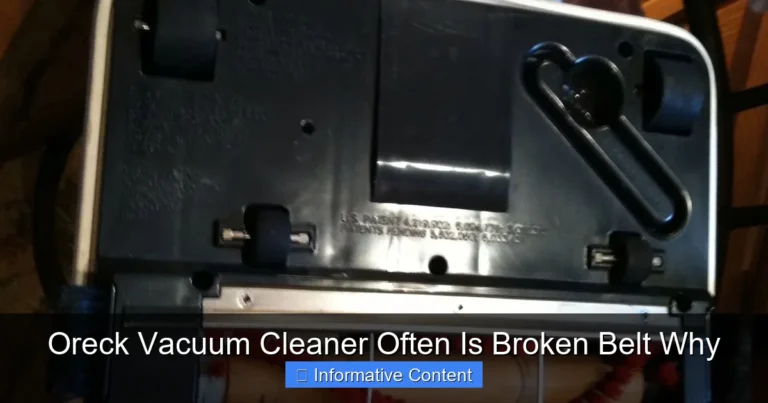
- Check the Drive Belt: Many vacuums use a belt to connect the motor to the brush roll. If it’s broken, stretched, or slipped off, the brush won’t spin.
- Solution: If broken, you’ll need to replace it. If slipped, carefully put it back in place. Drive belts are usually inexpensive and specific to your vacuum model.
- Brush Roll Obstruction: Sometimes a larger object can get jammed in the brush roll housing.
- Solution: Remove any foreign objects. Ensure the brush roll can spin freely by hand once cleared.
Strange Noises or Burning Smell
Unusual sounds or smells are warning signs that shouldn’t be ignored.
How to Diagnose and Fix:
- Loud Whining/Whirring: This often points to a clogged airway forcing the motor to work harder.
- Solution: Check for clogs in the hose, filters, and brush roll area as described in “Loss of Suction.”
- Grinding/Rattling: Could be something caught in the brush roll, a worn-out brush roll bearing, or even debris in the motor fan.
- Solution: Clear the brush roll. If the sound persists, the brush roll itself might be damaged or the motor may be in distress.
- Burning Smell: This is serious! It usually means something is overheating. Common causes include a heavily tangled brush roll, a broken drive belt rubbing, or a motor straining due to a major clog.
- Solution: Immediately unplug the vacuum. Check the brush roll for excessive tangles or foreign objects. Inspect the drive belt for damage or if it’s rubbing. Check all air pathways for severe clogs. If the smell persists after clearing everything and running it briefly, it might indicate a motor issue, which often requires professional attention or replacement.
Safety Note: A burning smell should always be taken seriously. Discontinue use immediately and investigate. Continuing to run an overheating vacuum can cause further damage or even be a fire hazard.
Vacuum Won’t Turn On
If your vacuum is completely unresponsive, it’s often an electrical issue.
How to Diagnose and Fix:
- Check the Power Outlet: Is the outlet live? Plug in another appliance to test it. If the outlet isn’t working, check your home’s circuit breaker.
- Examine the Power Cord: Look for cuts, fraying, or exposed wires. A damaged cord is a safety hazard and will prevent the vacuum from powering on.
- Solution: If damaged, the cord needs to be replaced by a qualified person or service center. Do NOT use a vacuum with a damaged cord.
- Check the Plug: Make sure the plug pins are not bent or broken.
- Internal Thermal Cut-off: Many vacuums have a safety feature that shuts off the motor if it overheats. This can happen if the vacuum is severely clogged or used for extended periods.
- Solution: Unplug the vacuum and let it cool down for at least 30-60 minutes. While it’s cooling, check for and clear any clogs or obstructions that might have caused the overheating. Plug it back in and try again.
- Internal Wiring/Switch: If none of the above work, there might be an issue with the internal wiring or the power switch itself. These are more complex repairs and might require professional help.
Clogged Hoses or Attachments
These are frequent culprits for reduced performance.
How to Diagnose and Fix:
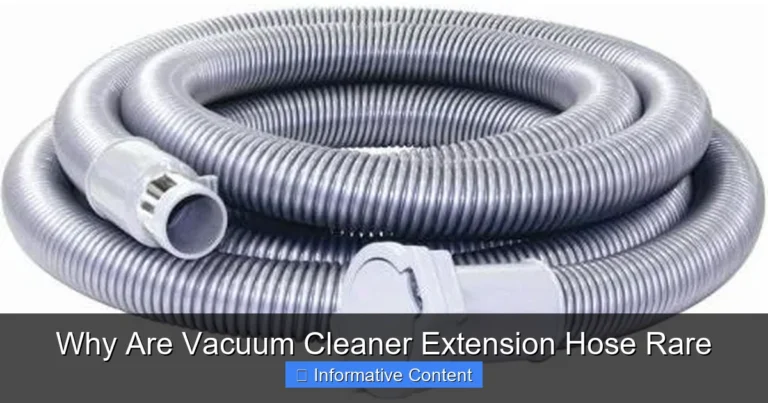
- Disconnect Hoses and Attachments: Remove the main hose from the vacuum and any attachments like extension wands or crevice tools.
- Visual Inspection: Look through each piece. Can you see light at the other end?
- Feel for Obstructions: Use your hand to feel along the outside of flexible hoses for hard spots.
- Use a Blunt Object: Carefully push a broom handle or similar blunt, non-sharp object through the hose or attachment to dislodge any blockages. Avoid using anything sharp that could puncture the hose.
- Reverse Suction (Carefully): If you have another powerful vacuum, you can sometimes use its hose to suck out a clog from the problematic vacuum’s hose.
The Benefits of DIY Vacuum Cleaner Repair
Taking on vacuum repair yourself isn’t just about saving a few dollars; it’s a practice that offers numerous advantages:
- Instant Gratification: No waiting for a repair shop or a new vacuum to arrive. You can often fix the issue the same day.
- Increased Understanding: You’ll gain a better grasp of how your appliances work, which can be useful for future troubleshooting or maintenance of other household items.
- Reduced Environmental Impact: By extending the life of your vacuum, you’re contributing to less waste in landfills. This is a small but meaningful step towards sustainability.
- Financial Savings: Even if you need to replace a small part like a belt or filter, the cost is usually far less than a new vacuum.
- Sense of Achievement: Successfully fixing something yourself brings a unique feeling of accomplishment and self-reliance.
Embracing the DIY mindset for minor appliance repairs like fixing a vacuum cleaner empowers you to be more self-sufficient and practical in managing your home.
Mistakes to Avoid When Fixing Your Vacuum
While DIY repair is empowering, it’s important to be aware of potential pitfalls:
- Not Unplugging the Vacuum: This is the golden rule. Always, always unplug the machine before sticking your hand anywhere inside it.
- Using Sharp Objects to Clear Clogs: A knife or sharp wire can puncture hoses or internal components, creating more problems than you solve. Stick to blunt objects.
- Ignoring a Burning Smell: As mentioned, a burning smell means immediate shutdown and investigation. Don’t try to “power through” it.
- Forcing Parts: If something isn’t coming apart easily, re-read your manual or check for hidden clips or screws. Forcing can break plastic tabs or other delicate parts.
- Not Checking the User Manual: Your vacuum’s manual often has specific troubleshooting steps, diagrams, and instructions for removing filters or accessing the brush roll. It’s an invaluable resource.
- Incorrect Replacement Parts: If you need to replace a belt or filter, make sure it’s the correct one for your specific make and model. Ill-fitting parts can cause further damage.
Practical Tips for Keeping Your Vacuum Running Smoothly
Prevention is always better than cure. Here are some simple habits to keep your vacuum cleaner in top shape:
- Regularly Empty the Dirt Container: Don’t wait until it’s overflowing. A full container reduces suction and strains the motor.
- Clean or Replace Filters on Schedule: Follow the manufacturer’s recommendations. Clean filters are key to good airflow and suction.
- Cut Away Hair from the Brush Roll: After every few uses, flip your vacuum over and use scissors to carefully snip away tangled hair and fibers from the brush roll.
- Avoid Vacuuming Large Objects: Try to pick up large crumbs, toy pieces, or heavy debris by hand before vacuuming to prevent clogs.
- Check the Hose for Blockages: If you notice a drop in suction, a quick check of the hose can prevent a bigger problem.
- Store Properly: Keep your vacuum in a clean, dry place to prevent dust buildup on external parts and extend the life of its components.
Real-Life Scenarios: Troubleshooting Examples
Let’s consider a couple of practical situations to illustrate the troubleshooting process:
Scenario 1: The “Suddenly Weak” Vacuum
Problem: You’re vacuuming, and suddenly your vacuum just isn’t picking up dirt from the carpet anymore, even though the motor sounds like it’s running fine.
Troubleshooting Steps:
- Check the Dirt Canister/Bag: You open it up, and it’s completely full!
- Action: Empty the canister.
- Result: Suction immediately returns to normal.
Learning: Often, the simplest solution is the right one. A full container is a major cause of perceived “broken” vacuums.
Scenario 2: The “Roller Won’t Roll” Vacuum
Problem: Your vacuum is picking up some dirt, but it’s just pushing around pet hair on the carpet. You notice the brush roll isn’t spinning.
Troubleshooting Steps:
- Unplug the Vacuum.
- Flip it Over: You see a thick mat of pet hair and long human hair completely wrapped around the brush roll, making it impossible to spin.
- Action: Carefully cut and pull away all the tangled hair with scissors. You also notice the rubber drive belt has slipped partially off its pulley. You gently guide it back into place.
- Result: Plug the vacuum back in, turn it on, and the brush roll happily spins again, picking up all that stubborn pet hair.
Learning: Hair and debris are common culprits for brush roll issues, and a simple clean-up can solve it. Checking the belt is a good secondary step.
Frequently Asked Questions About Vacuum Cleaner Repair
How often should I clean my vacuum cleaner’s filters?
The frequency depends on your vacuum model and how often you use it, as well as if you have pets or allergies. Generally, washable filters should be rinsed monthly and air-dried completely before reinserting. Disposable filters should be replaced every 3-6 months. Always check your vacuum’s specific user manual for the most accurate recommendations.
Can I fix all vacuum cleaner problems myself?
No, not all problems. Many common issues like clogs, dirty filters, tangled brush rolls, and even broken belts are relatively easy for a DIY enthusiast to fix. However, complex electrical issues, motor failures, or severe internal damage usually require specialized tools, knowledge, or professional repair services. Always prioritize safety and know when to call a professional.
What tools do I need to fix a vacuum cleaner?
For most common repairs, you’ll need minimal tools. A pair of scissors or a seam ripper for cutting tangled hair, a flathead screwdriver or coin to open brush roll covers, a flashlight to check for clogs, and perhaps a broom handle or stiff wire to push through hose blockages are usually sufficient. For belt replacement, you might need a specific type of screwdriver. Always unplug the vacuum first!
Is it worth fixing an old vacuum cleaner?
Often, yes! If the problem is one of the common issues discussed (clogs, filters, belt), it’s almost always worth fixing, as parts are inexpensive and the repair is simple. If the motor is failing, the cost of a new motor can sometimes approach the cost of a new basic vacuum, making replacement a more sensible option. Consider the age of the vacuum, the severity of the issue, and the cost of parts versus a new machine.
How do I know if my vacuum motor is bad?
Signs of a bad vacuum motor include the vacuum not turning on at all (after checking power sources and thermal cut-off), a very loud grinding or screaming noise coming directly from the motor housing, or a persistent burning smell that doesn’t go away after clearing clogs. A motor that runs but delivers no suction, even with clear airways, might also indicate internal motor damage. Motor issues are often the most complex and expensive to fix, sometimes signaling it’s time for a new unit.
Conclusion: Empowering Your Repair Journey
Vacuum cleaners are workhorses in our homes, and like any machine, they sometimes need a little TLC. By understanding common issues and applying simple troubleshooting steps, you can often bring your vacuum back to life without much fuss. Remember to always prioritize safety by unplugging your vacuum before any inspection or repair.
From clearing clogs to replacing a drive belt, many repairs are surprisingly straightforward. Embracing the journey of learning how to fix a vacuum cleaner not only saves you money but also gives you a deeper appreciation for your household appliances and a fulfilling sense of accomplishment. Keep these tips in mind, and you’ll be vacuuming effectively for years to come!