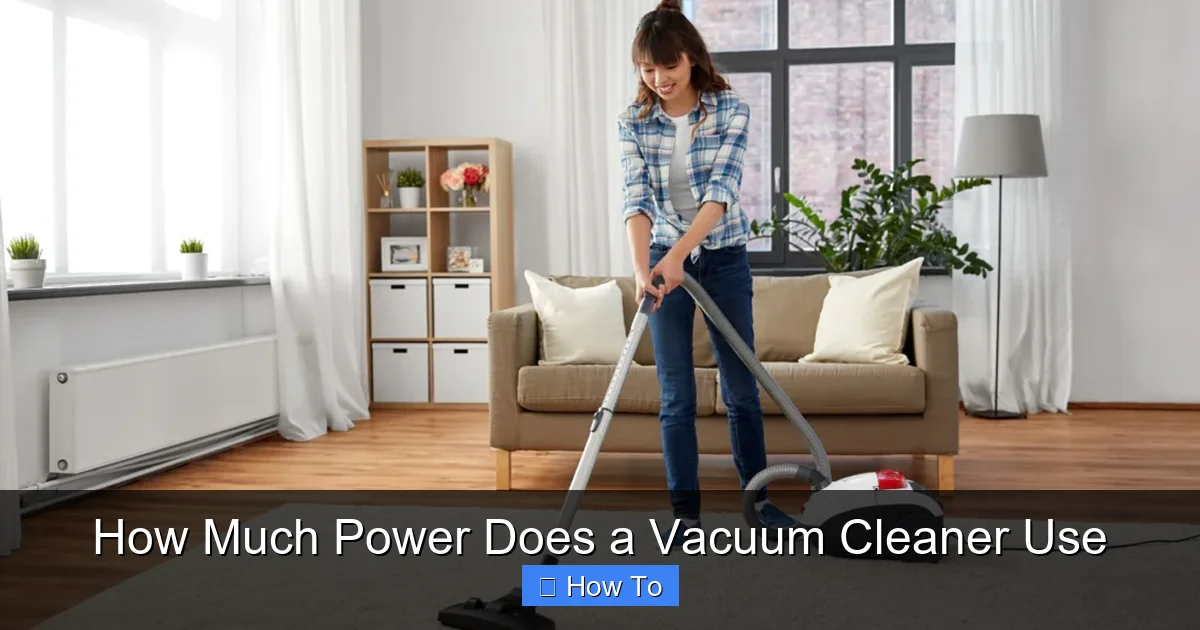
How Much Power Does a Vacuum Cleaner Use
Ever wonder how much power does a vacuum cleaner use? This comprehensive guide breaks down vacuum cleaner energy consumption, from understanding wattage and air watts to calculating your specific electricity costs. Discover practical tips to improve efficiency, reduce your carbon footprint, and save money on your energy bills by maintaining your vacuum and choosing the right model for your needs. We’ll show you how to read labels, find your vacuum’s true power, and make smarter cleaning choices.
How Much Power Does a Vacuum Cleaner Use
Do you ever stop to think about how much power your everyday appliances consume? Your vacuum cleaner, a mighty tool in the fight against dust and dirt, is definitely one of them. While it might not be the biggest energy hog in your home, understanding how much power does a vacuum cleaner use can help you make smarter choices, save money on your electricity bill, and even extend the life of your appliance.
Perhaps you’re curious about upgrading to a more energy-efficient model, or maybe you just want to know why your vacuum sometimes feels more powerful than other times. Whatever your reason, you’ve come to the right place! In this comprehensive guide, we’ll dive deep into the world of vacuum cleaner power consumption. You’ll learn:
- What different power ratings mean.
- Where to find your vacuum’s power information.
- The various factors that influence how much electricity your vacuum uses.
- How to calculate your vacuum cleaner’s energy consumption and cost.
- Practical tips to reduce your vacuum’s power usage.
Let’s clear the air and get to the bottom of your vacuum cleaner’s energy habits!
Key Takeaways
- Understanding Power Ratings is Crucial: Don’t just look at Watts (electrical power); also consider Air Watts (suction power). Higher electrical watts don’t always mean better cleaning or efficiency.
- Many Factors Influence Usage: The type of vacuum, motor efficiency, features, cleaning surface, and even the vacuum’s age and maintenance level all impact how much power it consumes.
- You Can Calculate Your Costs: With a simple formula (Energy (kWh) = (Watts * Hours) / 1000), you can estimate your vacuum’s energy consumption and its cost on your electricity bill.
- Regular Maintenance Saves Energy: Keeping filters clean, bags empty, and brush rolls clear significantly improves performance and reduces the power your vacuum needs to operate effectively.
- Choose the Right Model: Opt for energy-efficient vacuums and select the appropriate power setting for different surfaces to optimize cleaning without wasting electricity.
- Not All Power is Suction: A vacuum’s wattage indicates how much electricity it draws, not necessarily how strong its suction is. Air Watts is a better measure of cleaning effectiveness.
Quick Answers to Common Questions
How can I tell if my vacuum is energy-efficient?
Look for the Air Watt rating. A vacuum with high Air Watts but lower electrical Watts (e.g., 800W electrical, 200AW suction) is generally more energy-efficient than one with high electrical Watts and similar or lower Air Watts.
Does a full vacuum bag use more power?
Yes! A full bag or canister restricts airflow, forcing the vacuum’s motor to work harder to try and maintain suction. This increased effort translates directly into higher power consumption.
Should I turn off the brush roll on hard floors?
Absolutely. For hard floors, a spinning brush roll is often unnecessary and can even cause damage. Turning it off saves power and prolongs the life of the brush roll and floor.
Is it better to vacuum quickly or slowly?
Vacuuming slowly allows the suction and brush roll (if applicable) more time to pick up debris effectively. This can lead to fewer passes needed, potentially saving power overall compared to rushed, ineffective vacuuming.
Do cordless vacuums save electricity?
Cordless vacuums don’t draw continuous power from the wall during use. However, they consume electricity when charging their batteries. The total energy usage (charging + standby) should be considered, but their smaller motors often mean less raw power draw per use compared to powerful corded models.
Understanding Vacuum Cleaner Power Ratings
When you look at a vacuum cleaner, you’ll often see numbers like “1200W” or “10 Amps” advertised. But what do these numbers really tell you about how much power does a vacuum cleaner use or its cleaning effectiveness? It’s not as straightforward as it seems!
Watts (W) vs. Amps (A) vs. Air Watts
It’s easy to get confused by the different power measurements. Let’s break them down:
- Watts (W): This is the most common measurement you’ll see. Watts directly indicate the electrical power that your vacuum cleaner’s motor draws from the wall socket. A higher wattage means the motor is designed to use more electricity. For instance, a 1500W vacuum uses more electricity than an 800W vacuum to run its motor. This is the primary figure we’ll use to calculate your energy cost.
- Amps (A): Amperage is another measure of electrical current. In simple terms, Watts = Volts x Amps. Most standard household outlets in North America are 120 Volts. So, if your vacuum is rated at 10 Amps, it’s drawing 1200 Watts (120V * 10A = 1200W). Amps tell you the electrical load the vacuum places on your circuit.
- Air Watts (AW): This is arguably the most important metric for understanding actual cleaning performance, yet it’s often overlooked. Air Watts measure the vacuum cleaner’s effective suction power and airflow. It’s a combination of how much air the vacuum moves (CFM – cubic feet per minute) and how strongly it sucks (water lift). A higher Air Watt rating means better suction at the nozzle, leading to more efficient dirt removal. Critically, a vacuum with fewer electrical watts but high Air Watts is more energy-efficient because it uses less electricity to achieve strong suction. Don’t be fooled into thinking a higher electrical wattage automatically means better cleaning power!
So, when you’re asking how much power does a vacuum cleaner use in terms of raw electricity, you’re looking at Watts or Amps. But when you’re wondering about its cleaning strength, Air Watts is your go-to.
Where to Find Power Information
Finding your vacuum cleaner’s specific power details is usually quite simple:
- Product Label: Most vacuums have a sticker or plate, often on the bottom or back, that lists essential information. Look for “Watts (W),” “Amps (A),” or sometimes both.
- Owner’s Manual: Your vacuum cleaner’s instruction manual is a treasure trove of information, including detailed power specifications.
- Manufacturer’s Website: If you can’t find the physical label or manual, a quick search on the manufacturer’s official website for your specific model number should provide the details.
Factors Influencing Vacuum Cleaner Power Usage
It’s not just the number on the label that determines how much power does a vacuum cleaner use. Several practical factors come into play every time you switch it on.
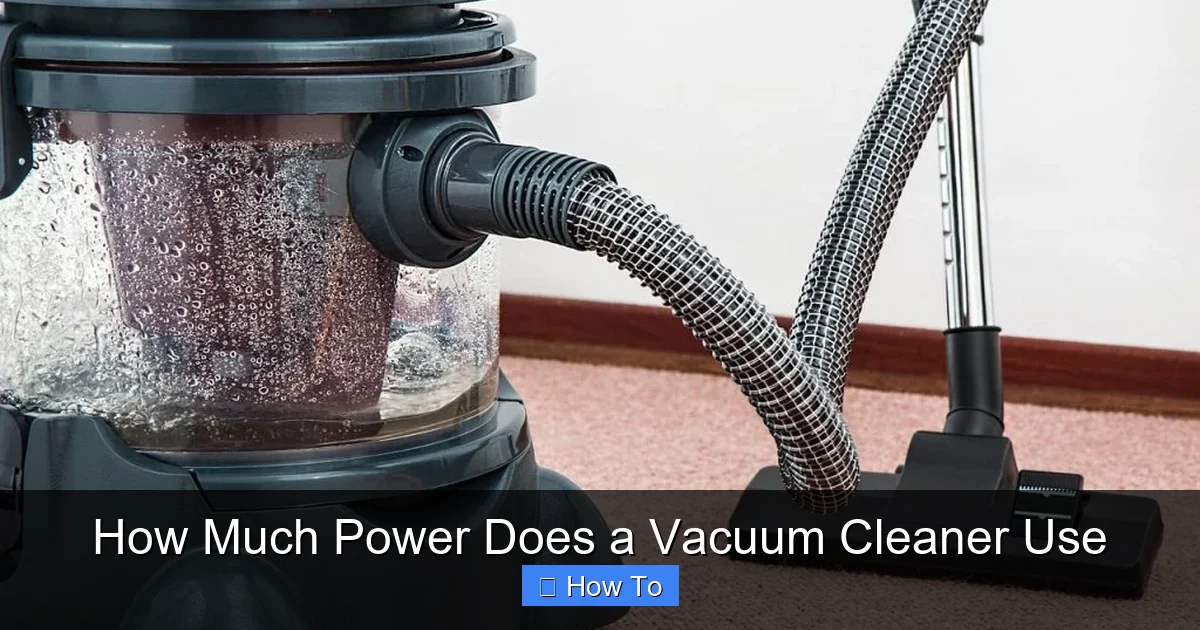
Visual guide about How Much Power Does a Vacuum Cleaner Use
Image source: texaselectricityexaminer.com
Type of Vacuum
Different types of vacuum cleaners are designed with different power demands in mind:
- Upright Vacuums: These traditional workhorses often have larger, more powerful motors, especially models designed for deep carpet cleaning. They can range from 800W to 1500W or more.
- Canister Vacuums: Similar to uprights, canister vacuums can also be quite powerful, with wattage ranges typically between 700W and 1400W. Their design often allows for good suction with relatively less power.
- Stick Vacuums (Corded): Corded stick vacuums are often lighter and less powerful than uprights, typically in the 400W to 800W range, making them great for quick cleanups.
- Cordless Stick Vacuums: These run on batteries, so their “power usage” is more about battery charge and discharge cycles. Their motors are generally less powerful than corded versions (though suction can be excellent), but the power consumed during charging needs to be considered.
- Handheld Vacuums: These are the smallest and least powerful, designed for tiny spills. Corded versions might be 100W-300W, while cordless ones are battery-dependent.
- Robot Vacuums: Like cordless stick vacuums, robots run on batteries. Their motors are typically low power, and most of their energy consumption comes from charging sessions and standby power.
Motor Size and Efficiency
A vacuum cleaner’s motor is its heart. Larger motors generally draw more electrical watts. However, newer vacuum cleaner technology focuses on motor efficiency. Modern, well-engineered motors can provide excellent suction (high Air Watts) with lower electrical wattage compared to older, less efficient models. This is a key reason why simply looking at watts doesn’t tell the whole story of performance.
Features and Attachments
The bells and whistles on your vacuum can also add to its power draw:
- Motorized Brush Rolls: These are great for deep cleaning carpets but require additional power to spin.
- LED Lights: While minor, built-in lights consume a tiny bit of extra power.
- Advanced Filtration Systems: HEPA filters, while excellent for air quality, can restrict airflow slightly, causing the motor to work a little harder to maintain suction, potentially increasing power usage.
Cleaning Surface
The type of surface you’re cleaning significantly impacts how much power does a vacuum cleaner use during operation:
- Thick Carpets: These require more suction and effort from the motor, especially when using a motorized brush roll, thus consuming more power.
- Hard Floors: Cleaning hard surfaces like wood, tile, or laminate generally requires less suction and often doesn’t need a spinning brush roll, leading to lower power consumption.
Age and Maintenance
An older, poorly maintained vacuum cleaner will inevitably use more power to achieve the same (or worse) results as a new, well-kept one. This is because:
- Clogged Filters: Dirty filters restrict airflow, forcing the motor to work harder and draw more power to compensate for the reduced suction.
- Full Bags/Canisters: A full dirt bag or canister creates back pressure, making the motor strain.
- Worn Belts or Brush Rolls: A brush roll that’s tangled with hair or has a worn belt won’t spin effectively, making the motor work harder to try and dislodge debris.
Calculating Your Vacuum Cleaner’s Energy Consumption
Now that you understand the factors, let’s figure out how to calculate exactly how much power does a vacuum cleaner use and what that costs you. It’s easier than you might think!
Step 1: Find the Wattage (W)
As discussed, locate the wattage (W) on your vacuum’s label, manual, or manufacturer’s website. If you only find Amps (A), you can estimate the wattage:
Watts (W) = Amps (A) x Volts (V)
For most homes in North America, Volts (V) is typically 120V.
Example: If your vacuum is 10 Amps, then Watts = 10A x 120V = 1200W.
Step 2: Estimate Usage Time
Think about how long you typically vacuum. Do you spend 30 minutes once a week? Or an hour every other day? Be realistic with your estimation. Let’s calculate for weekly usage first, then monthly.
Step 3: Use the Formula
Electricity is measured and billed in kilowatt-hours (kWh). A kilowatt-hour is 1,000 watts used for one hour.
Here’s the formula to calculate energy consumption:
Energy (kWh) = (Vacuum Wattage (W) * Hours Used) / 1000
To find the cost, you’ll need your electricity rate, usually found on your utility bill. It’s often expressed in cents per kWh or dollars per kWh.
Cost = Energy (kWh) * Cost per kWh
Example Calculation
Let’s put it all together with a practical example:
- Vacuum Wattage: 1200 Watts (1.2 kW)
- Usage Time: 45 minutes (0.75 hours) per week
- Electricity Rate: Let’s assume a typical rate of $0.15 per kWh
- Calculate Weekly Energy Consumption:
Energy (kWh) = (1200 W * 0.75 hours) / 1000 = 900 / 1000 = 0.9 kWh per week - Calculate Weekly Cost:
Cost = 0.9 kWh * $0.15/kWh = $0.135 per week - Calculate Monthly Cost (approximate, assuming 4 weeks per month):
Monthly Cost = $0.135/week * 4 weeks/month = $0.54 per month - Calculate Yearly Cost:
Yearly Cost = $0.54/month * 12 months/year = $6.48 per year
As you can see, for a single appliance used sparingly, the cost isn’t astronomical. However, these small amounts add up across all your household appliances. And if you have a vacuum that draws significantly more power or you vacuum for longer periods, those costs will increase!
Tips for Reducing Vacuum Cleaner Power Usage
Understanding how much power does a vacuum cleaner use is the first step. The next is taking action to minimize that usage. Here are some effective tips:
Regular Maintenance is Key
This is perhaps the most impactful tip for both performance and energy efficiency. A well-maintained vacuum doesn’t have to work as hard, meaning it draws less power.
- Empty the Bag/Canister: Don’t wait until it’s overflowing. A full container restricts airflow, forcing the motor to strain. Empty it when it’s about two-thirds full.
- Clean or Replace Filters: Clogged filters are a major culprit for reduced suction and increased power draw. Washable filters should be cleaned regularly according to the manufacturer’s instructions, and disposable filters should be replaced on schedule.
- Clear the Brush Roll: Hair, strings, and debris wrapped around the brush roll prevent it from spinning freely. Clean it regularly to ensure it operates efficiently.
- Check for Blockages: Periodically check the hose, wand, and attachments for any blockages. Even a small obstruction can severely impede airflow and make the motor overwork.
Choose the Right Setting
Many modern vacuums offer different power settings or brush roll on/off switches. Utilize them wisely:
- Lower Power for Hard Floors: You usually don’t need maximum suction for hard surfaces. Use a lower power setting to save electricity.
- Turn Off Brush Roll on Hard Floors: A spinning brush roll isn’t necessary for hard floors and can sometimes even scratch delicate surfaces. Turn it off to save power.
- Use Attachments Smartly: Only use the specific attachments needed for the job. Using a wide floor head for small corners will be less efficient than a crevice tool.
Vacuum Efficiently
Your cleaning habits can also influence power consumption:
- Don’t Over-Vacuum: While tempting to go over the same spot repeatedly, once the dirt is gone, it’s gone. Efficient passes are better than excessive ones.
- Pre-Clean Large Debris: If there are large crumbs, pieces of paper, or toys, pick them up manually before vacuuming. This prevents clogs and reduces the strain on your vacuum.
Consider an Energy-Efficient Model
If you’re in the market for a new vacuum, think about its energy efficiency. Look for models that:
- Have High Air Watts with Lower Electrical Watts: This indicates excellent design and efficiency.
- Are Designed for Your Needs: A smaller stick vacuum for a small apartment might be more energy efficient than an oversized upright you don’t really need.
- Feature Variable Power Settings: These allow you to adjust suction based on the task, saving power.
Strategic Cleaning Schedule
If your electricity provider offers time-of-use billing (where electricity costs more during peak demand hours), consider vacuuming during off-peak times. This won’t reduce how much power does a vacuum cleaner use, but it will reduce the cost of that power.
Troubleshooting High Power Consumption / Low Performance
Sometimes, your vacuum might feel like it’s struggling, or you might suspect it’s using more power than it should. Here are some common troubleshooting scenarios:
Vacuum Feels Weak or Has Reduced Suction
This is the most common sign of an issue. The motor is likely working harder to compensate, meaning higher power draw for poorer results.
- Check the Bag/Canister: Is it full? Empty it.
- Inspect Filters: Are they dirty or clogged? Clean or replace them.
- Look for Clogs: Remove the hose, wand, and brush head and visually inspect them for any obstructions. You might need a broom handle or a straightened coat hanger to dislodge stubborn clogs.
- Examine the Brush Roll: Is it tangled with hair or string? Is the belt broken or worn? Clean the brush roll and replace the belt if necessary.
- Check for Leaks: Listen for any hissing sounds, which could indicate a crack in the hose or a poorly sealed connection, causing suction loss.
Motor Overheating
If your vacuum’s motor gets unusually hot or the vacuum shuts off automatically (a common safety feature), it’s a strong indicator that the motor is under excessive strain. This usually points to significant blockages or dirty filters forcing the motor to overwork, drawing too much power. Address the issues listed above immediately.
Unusual Noises
A sudden change in the vacuum’s sound – perhaps a higher-pitched whine, a rattling, or a struggling rumble – can also indicate problems. A high-pitched whine might suggest the motor is straining due to lack of airflow (clog/filter issue), while rattling could be foreign objects. These issues make the motor work harder, potentially increasing power usage.
Conclusion
Understanding how much power does a vacuum cleaner use is more than just a trivial fact; it’s a step towards being a more informed and energy-conscious homeowner. While a vacuum cleaner isn’t usually the biggest contributor to your electricity bill, small efforts across all your appliances can lead to significant savings over time.
By learning to interpret power ratings, performing regular maintenance, and making smart choices about your cleaning habits and appliance purchases, you can ensure your home stays spotless without unnecessarily draining your wallet or straining the environment. Keep your vacuum clean, use it efficiently, and enjoy a cleaner home with peace of mind!
🎥 Related Video: The best Wet and Dry Vacuum Cleaner to keep your home spotless #vacuumcleaner #vacuum #amazon 53
📺 Best Products
The best Wet and Dry Vacuum Cleaner to keep your home spotless #vacuumcleaner #vacuum #shorts #amazon Looking for the …