How Do You Use a Dyson Vacuum Cleaner
Mastering your Dyson vacuum cleaner is simpler than you think! This guide walks you through setup, understanding its powerful features like various modes and versatile attachments, and effective cleaning techniques for every surface. You’ll also learn crucial maintenance tips, like emptying the bin and washing filters, ensuring your Dyson always performs at its best. Get ready to transform your cleaning routine with confidence.
There’s a special kind of excitement that comes with unboxing a new Dyson vacuum cleaner. Known for their innovative technology, sleek designs, and powerful suction, Dyson vacuums have become a household name, promising to revolutionize the way we clean. But for some, that excitement can quickly turn into a little bit of apprehension. With so many models, attachments, and features, you might find yourself wondering, “how do you use a Dyson vacuum cleaner to get the most out of it?”
You’re not alone if you feel a little overwhelmed by the array of buttons, tools, and modes. Dyson machines are designed for efficiency and versatility, but unlocking their full potential requires a bit of understanding. Think of this article as your friendly guide, walking you through everything you need to know from the moment you take it out of the box to mastering advanced cleaning techniques and keeping your machine in tip-top shape. We’re here to demystify the process and help you feel confident and capable with your powerful new cleaning companion.
Whether you’ve just purchased your first Dyson cordless stick vacuum, an upright model, or even a handheld unit, the principles of effective use and maintenance are largely the same. We’ll cover everything from initial setup to specific cleaning scenarios, ensuring you’ll soon be a Dyson pro. So, let’s dive in and discover precisely how do you use a Dyson vacuum cleaner to achieve a truly spotless home.
Key Takeaways
- Initial Setup is Key: Properly assemble your Dyson, fully charge cordless models, and familiarize yourself with basic controls before your first use.
- Understand Your Dyson’s Features: Learn about different power modes (Eco, Auto, Boost) and how to effectively utilize the array of attachments for specific cleaning tasks, from floors to ceilings.
- Master Effective Cleaning Techniques: Employ slow, overlapping passes and select the correct floor head or attachment for hard floors, carpets, and above-floor surfaces for optimal dirt and debris pickup.
- Prioritize Regular Maintenance: Consistently empty the dustbin, wash filters as recommended, and clear blockages to maintain powerful suction and extend your vacuum’s lifespan.
- Troubleshoot Common Issues: Be prepared to address minor problems like loss of suction or brush bar tangles by checking for blockages or cleaning components.
- Adapt to Different Cleaning Needs: Whether tackling pet hair, spot cleaning, or a whole-house vacuum, adapt your Dyson’s settings and tools for the most efficient and thorough clean.
- Battery Care Matters (for cordless): Charge your cordless Dyson regularly and follow manufacturer guidelines for battery health to ensure consistent power and longevity.
Quick Answers to Common Questions
How often should I empty my Dyson’s dustbin?
You should empty your Dyson’s dustbin after every major clean or when the debris reaches the MAX fill line, whichever comes first. This prevents suction loss and keeps your vacuum performing optimally.
Can I wash all Dyson filters?
Most Dyson filters are washable. Check your specific model’s manual, but generally, filters that are designed to be washed should be rinsed with cold water until clean and then air-dried completely for at least 24-48 hours before reinstallation.
What does “Boost” mode do on a Dyson?
Boost mode provides the maximum suction power from your Dyson, ideal for deeply embedded dirt, stubborn pet hair, or heavily soiled areas. Be aware it uses more battery on cordless models, so use it for short, intense cleaning tasks.
My Dyson suddenly lost suction. What’s wrong?
Loss of suction is commonly caused by a full dustbin, a dirty and clogged filter, or a blockage in the cleaner head, wand, or main intake. Check and clear these areas first.
How do I clean tangled hair from the brush bar?
Many Dyson cleaner heads allow you to easily remove the brush bar. Carefully use scissors to cut away any tangled hair or fibers, then reinsert the brush bar securely. Some newer models have a hair screw tool designed to prevent tangles.
📑 Table of Contents
Getting Started: Unboxing and First Steps
The first step in learning how do you use a Dyson vacuum cleaner is, of course, getting it ready! Dyson typically makes this process quite straightforward, but a few initial checks can save you time and ensure a smooth start.
Unpack and Assemble
- Minimal Assembly: Most Dyson vacuums, especially cordless stick models, require very little assembly. You’ll usually just click a few main components together: the main body, the wand, and a cleaning head. Consult your specific model’s manual for detailed instructions, but often it’s as simple as snapping parts into place until you hear a click.
- Check for All Parts: Lay out all the components and attachments. Make sure everything listed in the manual is present. Knowing what tools you have available from the start will help you later.
Charge Your Dyson (Cordless Models)
- First Charge is Crucial: If you have a cordless Dyson, the very first thing you need to do is charge it fully. Dyson recommends charging it for several hours before its initial use, often longer than subsequent charges. This helps condition the battery for optimal performance and longevity.
- Mounting the Dock: Many cordless models come with a wall-mounted charging dock. Consider where you’ll store your Dyson and if you want to mount the dock for easy grab-and-go cleaning and charging.
Familiarize Yourself with Basic Controls
- Power Button: Locate the main power button. On cordless models, it’s often a trigger-style button or a single push-button. Uprights typically have a foot pedal or a button on the main body.
- Mode Selection: Most Dysons offer different power modes (e.g., Eco, Auto, Boost/Max). Locate the button to cycle through these modes. Understanding these will be key to learning how do you use a Dyson vacuum cleaner efficiently.
- Bin Release: Practice releasing and reattaching the dustbin. You’ll be doing this often!
Understanding Your Dyson’s Features and Modes
Dyson vacuums are packed with clever features designed to make cleaning easier and more effective. To truly master how do you use a Dyson vacuum cleaner, you need to understand what these features do and when to use them.
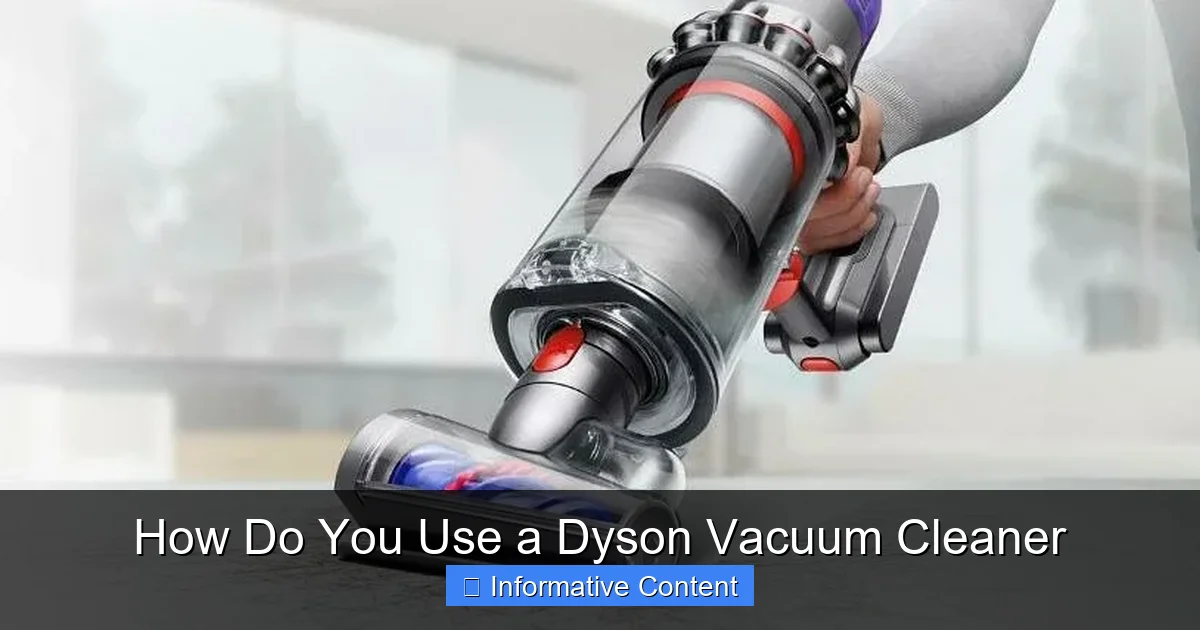
Visual guide about How Do You Use a Dyson Vacuum Cleaner
Image source: cdn.homecrux.com
Different Models, Different Strengths
While this guide covers general usage, remember that Dyson offers various types:
- Cordless Stick Vacuums (V-series, Outsize, Gen5detect, etc.): Lightweight, versatile, and ideal for quick clean-ups and whole-home cleaning with various attachments.
- Upright Vacuums (Ball series): Known for powerful suction and larger dustbins, best for extensive carpet and hard floor cleaning.
- Canister Vacuums: Excellent maneuverability and strong suction, often for specific purposes or larger homes.
- Handheld Vacuums (Humdinger, etc.): Compact and powerful for spot cleaning, cars, and difficult-to-reach areas.
Power Modes: Eco, Auto, and Boost
Most modern Dysons offer at least two or three power settings:
- Eco/Med Mode: This is your everyday workhorse mode. It provides good suction for general cleaning on hard floors and light carpets while maximizing battery life on cordless models. Use this for routine maintenance and less soiled areas.
- Auto Mode (if available): Some intelligent Dyson models (like the V11, V15, Gen5detect) feature Auto mode. In this setting, the vacuum automatically detects the floor type and adjusts suction power accordingly. It’s fantastic for mixed floor types, optimizing both cleaning performance and battery runtime. This is a brilliant feature for learning how do you use a Dyson vacuum cleaner smarter, not harder.
- Boost/Max Mode: This is the highest suction setting, designed for tough jobs like deeply embedded dirt in carpets, stubborn pet hair, or heavily trafficked areas. Be aware that Boost mode significantly drains the battery faster on cordless models, so use it sparingly for short bursts.
Attachments & Tools: Your Cleaning Arsenal
Dyson vacuums come with a suite of attachments, each designed for a specific task. Knowing which tool to use is fundamental to how do you use a Dyson vacuum cleaner effectively.
- Motorized Cleaner Head: This is your primary floor tool. It typically has a motorized brush bar that spins to agitate carpet fibers and sweep debris from hard floors. Some Dysons include specialized heads, like the Fluffy Optic™ for hard floors, which illuminates microscopic dust.
- Combination Tool: A versatile two-in-one tool, often a wide nozzle that converts into a brush tool by sliding a collar. Great for quick dusting, vacuuming vents, and car interiors.
- Crevice Tool: Long and narrow, perfect for reaching into tight corners, along edges, between sofa cushions, and car crevices.
- Soft Dusting Brush: Features soft bristles for dusting delicate surfaces like blinds, lamp shades, keyboards, and shelves without scratching.
- Hair Screw Tool/Tangle-Free Mini Motorized Tool: Specifically designed with anti-tangle conical brush bars to pick up long hair and pet hair from upholstery and pet beds without getting tangled. A must-have if you have pets.
- Upholstery Tool: A wider, flat tool often with a velvet strip, ideal for cleaning sofas, chairs, mattresses, and car seats.
- Up-top Adaptor/Flexi Crevice Tool: Extends and bends to reach high places like ceiling fans or around furniture without needing a step stool.
Mastering the Cleaning Process: Tips for Effective Use
Now that you know your Dyson’s parts and modes, let’s talk about the actual cleaning. Learning how do you use a Dyson vacuum cleaner efficiently means adopting good vacuuming habits.
Pre-Vacuuming Prep
Before you even turn on your Dyson, a little preparation goes a long way. Clear clutter, move small rugs, and pick up any large objects that could potentially block the vacuum or damage it.
Technique: Slow, Overlapping Passes
Unlike quick swipes, effective vacuuming requires patience. Push and pull your Dyson slowly, allowing the brush bar and suction enough time to dislodge and pick up dirt. Use overlapping passes to ensure you don’t miss any spots.
Hard Floors vs. Carpets
- Hard Floors: For hard floors (wood, tile, laminate), use a cleaner head designed for them, such as the Fluffy Optic™ head. These often have soft nylon to protect floors and capture fine dust. If you only have a universal motorized head, ensure the brush bar is gentle on your hard floors (some automatically adjust, others have a switch). Use Eco or Auto mode for general cleaning.
- Carpets and Rugs: For carpets, the main motorized cleaner head is essential. The stiff nylon bristles agitate the carpet pile to release embedded dirt. For deep carpets or very dirty areas, switch to Boost mode. Pay attention to any floor head height adjustments if your specific Dyson model has them.
Above-Floor Cleaning and Attachments
This is where your attachments shine! Knowing how do you use a Dyson vacuum cleaner off the floor is crucial for a truly clean home.
- Stairs: Use the mini motorized tool or crevice tool for carpeted stairs. For hard stairs, the combination tool works well.
- Furniture & Upholstery: The upholstery tool or mini motorized tool is perfect for sofas, chairs, and mattresses.
- Corners & Edges: The crevice tool is your best friend here. Get into those tight spots where dust loves to hide.
- Dusting: Use the soft dusting brush for shelves, electronics, blinds, and delicate items.
- Ceilings & High Areas: Extend your wand with a crevice tool or soft dusting brush to tackle cobwebs and dust from high corners and light fixtures.
Pet Hair Solutions
If you have furry friends, you’ll find Dyson vacuums generally excellent for pet hair. The Hair Screw Tool or Tangle-Free Mini Motorized Tool is a game-changer for pet beds, upholstery, and car interiors, designed specifically to prevent hair from tangling around the brush bar.
Essential Maintenance for Your Dyson
A Dyson vacuum is an investment, and like any investment, it requires proper care. Regular maintenance is paramount to ensure your machine continues to perform optimally and extends its lifespan. This is a critical part of knowing how do you use a Dyson vacuum cleaner effectively for years to come.
Emptying the Bin
- Don’t Overfill: Empty the dustbin regularly, ideally after every major clean, or when the dirt reaches the MAX fill line. Overfilling the bin can reduce suction power.
- How to Empty: Most Dyson bins have a simple release mechanism. Point the bin into a trash can and press the release lever. The bottom flap will open, dropping the contents. Close it securely until it clicks. Avoid doing this indoors if you have dust allergies, as a small cloud of dust can escape.
Washing Filters
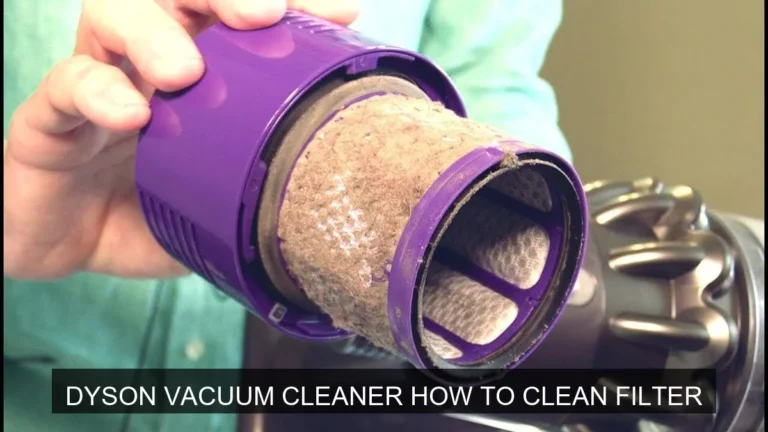
- Frequency: Dyson filters are typically washable and should be cleaned regularly – usually once a month for most models, but check your manual.
- The Process: Remove the filter (often twist-and-pull). Rinse it under cold running water, gently squeezing until the water runs clear. Do NOT use detergents.
- Drying: This is critical! The filter MUST be completely air-dried for at least 24-48 hours before putting it back in the vacuum. Placing a damp filter back can damage the motor. Place it in a warm, dry place away from direct heat.
Clearing Blockages
Loss of suction is often due to a blockage. Knowing how to check and clear them is a key skill for how do you use a Dyson vacuum cleaner efficiently.
- Where to Check: Common blockage points include the cleaner head, the wand, the main intake, and the bin entry point.
- How to Clear: Disassemble the vacuum as needed. Use a flashlight to peer into tubes and openings. Use a stiff rod, broom handle, or long tongs to dislodge blockages. Never use sharp objects that could damage the plastic.
Cleaning the Brush Bar
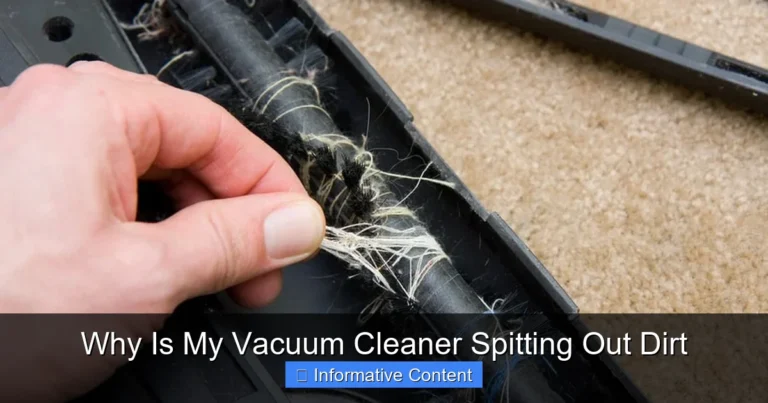
Hair and fibers can wrap around the brush bar, reducing its effectiveness and putting a strain on the motor.
- Removal: Many Dyson cleaner heads allow you to easily remove the brush bar with a coin or simple latch.
- Cleaning: Use scissors to carefully cut away tangled hair. Be gentle to avoid damaging the bristles. Reinsert the brush bar securely.
Battery Care (for Cordless Models)
- Charge Regularly: Keep your cordless Dyson charged. Modern lithium-ion batteries prefer frequent, shorter charges rather than being fully drained all the time.
- Avoid Extreme Temperatures: Don’t store or charge your Dyson in extremely hot or cold environments, as this can degrade battery life.
Troubleshooting Common Dyson Issues
Even with the best care, sometimes small issues pop up. Knowing how do you use a Dyson vacuum cleaner also means knowing how to fix minor glitches.
Loss of Suction
This is the most common complaint and almost always due to one of three things:
- Full Bin: Empty the dustbin.
- Dirty Filter: Wash and thoroughly dry the filter.
- Blockage: Check all common areas (cleaner head, wand, main body intake) for obstructions.
Vacuum Not Turning On
- Cordless: Ensure the battery is charged and properly seated. Check the charger connection.
- Corded: Check the power outlet and the vacuum’s power cord for damage.
Unusual Noises
- Whining/High Pitch: Often indicates a blockage restricting airflow or a dirty filter.
- Grinding/Thumping: Could be something caught in the brush bar or cleaner head, or a worn-out component (less common). Inspect the brush bar and clear any obstructions.
Brush Bar Not Spinning
- Blockage: Hair or debris might be preventing it from spinning. Clean the brush bar thoroughly.
- Mode Setting: Ensure you’re not in a low-power mode that might disable the brush bar on certain surfaces, or that the floor head isn’t accidentally switched off (if your model has that feature).
- Error: If an orange light or error code appears, consult your manual.
Conclusion
Congratulations! You’ve just taken a comprehensive journey through the world of Dyson vacuum cleaners. By now, you should feel much more confident about how do you use a Dyson vacuum cleaner, from its initial setup to advanced cleaning techniques and essential maintenance. Remember, these machines are engineered for powerful and efficient cleaning, but their true potential is unlocked when you understand their features and give them a little care.
Don’t be afraid to experiment with the different attachments and power modes to find what works best for your specific cleaning challenges. Regular bin emptying, filter washing, and quick checks for blockages will keep your Dyson running like new for years to come, ensuring you always enjoy that satisfying “Dyson clean.” Happy vacuuming!
Frequently Asked Questions
How often should I charge my cordless Dyson?
It’s best to charge your cordless Dyson regularly, ideally after each use, rather than letting the battery fully drain. Modern lithium-ion batteries benefit from frequent, shorter charges, which helps maintain their overall health and longevity.
Can I use my Dyson on wet surfaces?
No, Dyson vacuum cleaners are designed for dry vacuuming only. Using them on wet surfaces can severely damage the motor, electrical components, and void your warranty. If you have a spill, blot it up first.
What’s the difference between a Fluffy Optic™ head and a standard Motorbar™ head?
The Fluffy Optic™ head is specifically designed for hard floors, featuring soft nylon and anti-static carbon fiber filaments that capture fine dust and illuminate it, making invisible dust visible. The Motorbar™ head is a versatile multi-surface head with de-tangling technology, ideal for both carpets and hard floors, with stiff nylon bristles for deep carpet cleaning.
My Dyson is making a weird noise. What could it be?
Unusual noises, such as a high-pitched whine or a thumping sound, often indicate a blockage in the machine’s airways or cleaner head. Check the dustbin, filter, wand, and brush bar for any obstructions. A dirty filter can also cause the motor to strain, producing a whining sound.
Is it okay to use generic attachments with my Dyson?
While some generic attachments may fit, it’s generally recommended to use genuine Dyson parts and attachments. Generic accessories might not fit perfectly, could reduce suction efficiency, or potentially damage your vacuum. Genuine Dyson tools are specifically designed to work optimally with their machines.
How long do Dyson batteries last?
The lifespan of a Dyson battery depends on usage and care, but typically, they are designed to last several years with proper maintenance. Factors like frequent use of Boost mode, improper charging habits, and exposure to extreme temperatures can affect battery longevity. Dyson offers replacement batteries if needed.