How Do You Empty a Robot Vacuum Cleaner
Emptying your robot vacuum cleaner is a simple yet crucial step for optimal performance. For most models, it involves locating and removing the dustbin, then emptying its contents into a trash can. Self-emptying robots automate this, transferring debris to a larger bag in their base station, but still require occasional bag replacement. Regular emptying ensures powerful suction and extends your vacuum’s lifespan.
Welcome to the wonderful world of robot vacuums! These clever little devices have revolutionized home cleaning, granting us more free time and sparkling floors with minimal effort. But just like any helpful appliance, your robot vacuum needs a little TLC to keep doing its best work. One of the most fundamental tasks, and perhaps the most common question for new owners, is: “how do you empty a robot vacuum cleaner?”
Don’t worry, it’s far simpler than it sounds, and you’re in the right place to become an expert! Keeping your robot vacuum’s dustbin clear is absolutely essential for its performance. A full dustbin means less suction, dirt left behind, and potentially a shorter lifespan for your beloved cleaning companion. So, let’s dive deep into the easy steps to ensure your robot vacuum remains an efficient dirt-destroying machine.
Key Takeaways
- Regular Emptying is Crucial: A full dustbin drastically reduces a robot vacuum’s cleaning efficiency and can strain its motor. Emptying it after every 1-3 cleaning cycles, or when prompted, is vital.
- Locate the Dustbin: On most standard robot vacuums, the dustbin is accessible by lifting a top panel or opening a latch, typically a rectangular or square compartment.
- Emptying Standard Dustbins: Simply unclip or slide out the dustbin, open its lid or flap, and tip the contents into a trash can. Tap it gently to dislodge all debris.
- Self-Emptying Stations: These advanced robots automatically transfer debris from their internal dustbin to a larger disposable bag within their charging base. You’ll primarily be replacing these larger bags every few weeks or months.
- Clean Filters Regularly: Regardless of the emptying method, the robot’s filter (usually HEPA-style) needs regular cleaning (tapping out dust, brushing, or rinsing if specified) to maintain suction power and air quality.
- Address Clogs and Tangled Hair: Before or after emptying, check the brush rolls and suction inlet for tangled hair or debris that could impede cleaning or emptying, especially with pet hair.
- Consider Mopping Functions Separately: If your robot vacuum also mops, remember to empty and refill its water tank and clean the mop pads, as this is a distinct process from dustbin emptying.
Quick Answers to Common Questions
How often should I empty my robot vacuum?
For standard robot vacuums, aim to empty the dustbin after every 1-3 cleaning cycles, or whenever the “dustbin full” indicator lights up. For self-emptying models, you’ll replace the base station bag every 30-60 days.
Can I wash my robot vacuum’s filter?
Only if your robot vacuum’s manufacturer specifically states that the filter is washable. Most HEPA filters are not washable and should only be tapped clean or brushed. Always ensure washable filters are completely dry before reinserting.
What if my robot vacuum says the dustbin is full, but it looks empty?
This usually indicates a clog in the suction path (often by the intake port or brush roll) or dirty sensors. Check for obstructions and wipe any dustbin sensors clean with a dry cloth.
Do I need to clean the internal filter of a self-emptying robot vacuum?
Yes, absolutely! While the base removes most debris, fine dust still accumulates on the robot’s internal filter. Clean this filter manually every few runs (weekly) to maintain suction power.
How do I prevent hair from tangling in the brush roll?
Regularly remove the main brush roll (usually detachable) and carefully cut away tangled hair with scissors or a brush cleaning tool. If you have pets, this might need to be done after every few cleaning cycles.
📑 Table of Contents
- Understanding Your Robot Vacuum: Two Main Types
- How Do You Empty a Robot Vacuum Cleaner with a Standard Dustbin?
- How Do You Empty a Robot Vacuum Cleaner with a Self-Emptying Base?
- Special Considerations for Robot Vacuums with Mopping Functions
- Troubleshooting Common Emptying Issues
- Maintenance Tips for a Healthier Robot Vacuum
- Conclusion
Understanding Your Robot Vacuum: Two Main Types
Before we get into the “how-to,” it’s good to know there are generally two types of robot vacuums when it comes to emptying, each with its own quirks. Understanding which type you have will make learning how do you empty a robot vacuum cleaner much clearer.
Standard Robot Vacuums: The Manual Approach
Most robot vacuums fall into this category. They have an internal dustbin that collects dirt, dust, and pet hair as they scoot around your home. When this bin gets full, it’s up to you to manually remove it and dump the contents into a trash can. This is a quick and straightforward process that usually takes less than a minute.
Self-Emptying Robot Vacuums: The Automated Solution
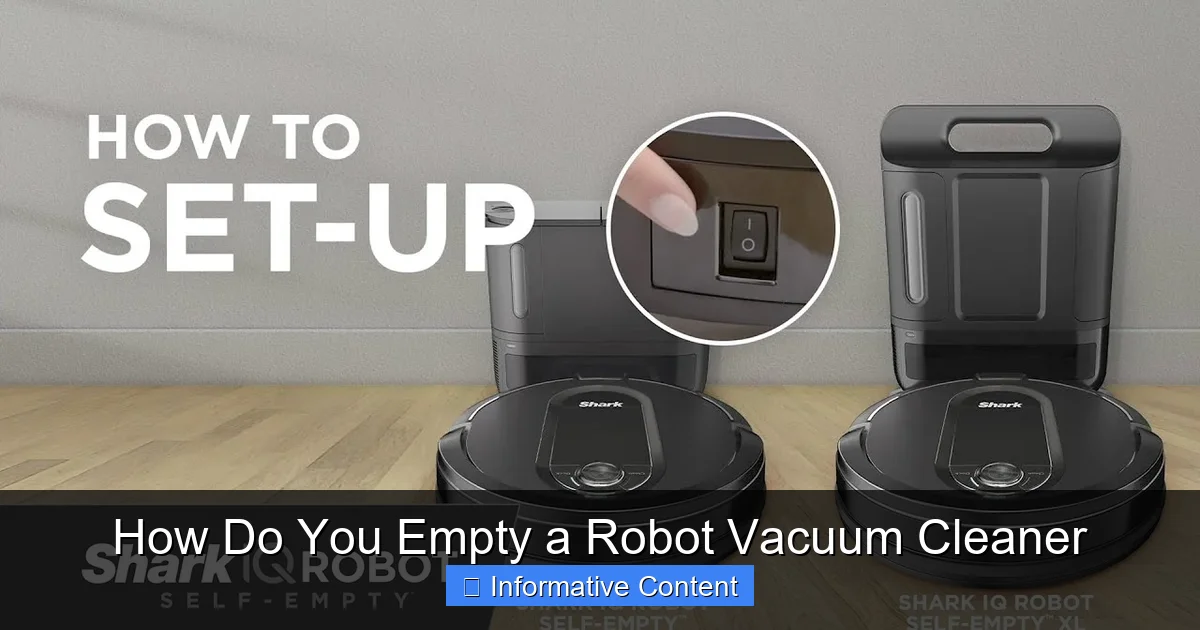
These are the premium models designed for ultimate convenience. After completing a cleaning cycle, they return to a special charging base that automatically sucks the debris out of the robot’s internal dustbin and into a larger, disposable bag within the base station itself. This means you don’t have to manually empty the robot’s small bin after every run. Instead, you only need to replace the large bag in the base station every few weeks or months, depending on your home’s dirt level and the bag’s capacity.
How Do You Empty a Robot Vacuum Cleaner with a Standard Dustbin?
Visual guide about How Do You Empty a Robot Vacuum Cleaner
Image source: vacuumtester.com
This is the most common scenario, and thankfully, it’s incredibly simple. Learning how do you empty a robot vacuum cleaner manually is a skill every robot vacuum owner should master.
Step 1: Locate Your Robot Vacuum’s Dustbin
First things first, find the dustbin! On most robot vacuums, the dustbin is usually accessed from the top of the device. Look for a hinged lid or a removable panel.
- iRobot Roomba models: Often, you press a button near the top or front of the robot, and the bin slides out from the back.
- Eufy, Roborock, Ecovacs, etc.: Many of these models have a hinged top cover. You simply lift this cover, and the dustbin will be sitting inside, usually with a handle or a clear indication of how to pull it out.
If you’re unsure, check your robot vacuum’s user manual – it will clearly show you where the dustbin is located.
Step 2: Remove the Dustbin
Once you’ve located it, removing the dustbin is typically a matter of lifting it out or sliding it away from the robot. There might be a small latch or a designated release button to press. Handle it carefully to avoid spilling any collected debris before you reach the trash can.
Step 3: Empty the Contents into a Trash Can
Take the removed dustbin over to your trash can. Most dustbins have a small lid or a flap that opens up to allow you to dump the dirt out.
- Open the dustbin’s lid.
- Turn the dustbin upside down and gently tap it against the inside of the trash can to dislodge all the dust, dirt, and pet hair.
- Be thorough! Sometimes, fine dust can stick to the inside walls of the bin.
Pro Tip: Do this outside if you’re sensitive to dust, or hold it deep inside the trash can to minimize airborne particles.
Step 4: Clean the Filter
This is a critical step that many people overlook when considering how do you empty a robot vacuum cleaner. The filter, often a HEPA-style filter, is usually located within the dustbin itself. It traps fine dust particles and allergens, preventing them from being expelled back into your air.
- Carefully remove the filter from the dustbin. It often slides out or unclips.
- Gently tap the filter against the inside of the trash can to knock out accumulated dust.
- For a more thorough clean, use a small brush (sometimes provided with your vacuum) or even a handheld vacuum cleaner to remove embedded dust.
- Some filters are washable, but *only* if your manufacturer specifies this. If it’s washable, rinse it under cool water until the water runs clear. Make sure it’s *completely* dry before putting it back into the dustbin and then into the robot vacuum. Damp filters can lead to mold and damage your robot.
Regular filter cleaning is paramount for maintaining strong suction and optimal cleaning performance.
Step 5: Reassemble and Reinsert
Once the dustbin is empty and the filter is clean (and dry, if washed), put the filter back into the dustbin, close its lid, and slide or snap the dustbin back into your robot vacuum. Make sure it’s securely latched in place. You should hear a click or feel it seat properly.
That’s it! Your robot vacuum is now ready for its next cleaning mission.
How Do You Empty a Robot Vacuum Cleaner with a Self-Emptying Base?
If you’re one of the lucky owners of a self-emptying robot vacuum, you’ve invested in a significantly more hands-off experience. However, “hands-off” doesn’t mean “no hands at all.” You’ll still need to perform some maintenance. Understanding how do you empty a robot vacuum cleaner with this feature is slightly different.
Understanding the Self-Emptying Process
When your self-emptying robot vacuum returns to its charging base after a cleaning run, it parks itself precisely over a suction port. The base then activates a powerful vacuum that sucks all the accumulated debris from the robot’s internal dustbin into a much larger, disposable bag housed within the base station. This process is usually quite noisy but only lasts for about 10-30 seconds.
Maintenance for Self-Emptying Systems: Replacing the Bag
Your primary task here is to replace the disposable bag in the base station.
- Step 1: Open the Base Station: The self-emptying base will have a compartment that opens up, usually by lifting a lid or a front panel.
- Step 2: Remove the Full Bag: The disposable bag typically has a cardboard or plastic collar that acts as a seal. When you pull it out, this seal automatically closes, preventing dust from escaping. Simply grasp the collar and pull the bag straight up and out.
- Step 3: Insert a New Bag: Take a fresh, compatible replacement bag (always use bags designed for your specific model) and slide it into the slot until it clicks securely into place. Make sure the opening aligns with the suction port inside the base.
- Step 4: Close the Base Station: Close the lid or panel of the base station.
You’ll typically only need to do this every 30-60 days, depending on your cleaning frequency and household dirt levels. Many robot vacuum apps will notify you when it’s time to replace the bag.
Still Clean the Robot’s Internal Filter!
Even with a self-emptying base, the filter inside your robot vacuum’s *internal* dustbin still needs regular cleaning. The self-emptying process is designed to remove debris, but fine dust will still accumulate on the filter. Follow Step 4 from the “Standard Robot Vacuums” section above to clean this filter every few runs or at least weekly.
Special Considerations for Robot Vacuums with Mopping Functions
If your robot vacuum also mops, there’s an additional set of “emptying” and maintenance tasks. This doesn’t involve dirt, but water! When thinking about how do you empty a robot vacuum cleaner that mops, you’re primarily thinking about water tanks.
Emptying and Refilling the Water Tank
- After Each Mop Cycle: It’s always a good practice to empty any leftover dirty water from the water tank and refill it with fresh, clean water (and approved cleaning solution, if desired) before its next mopping session. This prevents stagnant water issues and ensures clean floors.
- Locating the Tank: The water tank is usually a separate, removable compartment, often located at the back or side of the robot, or it might be integrated with a combined dustbin/water tank.
- Removal and Cleaning: Remove the tank, open its fill port, and pour out any remaining water. Rinse it out thoroughly, then let it air dry before refilling or storing.
Cleaning Mop Pads/Cloths
Most mopping robot vacuums use reusable microfiber pads.
- Remove and Wash: After each mopping session, detach the mop pad (they’re usually attached with Velcro or clips). Wash them by hand with soap and water, or toss them into your washing machine if they’re machine-washable (check the care instructions).
- Air Dry: Always allow mop pads to air dry completely before reattaching them to prevent mildew and odors.
Troubleshooting Common Emptying Issues
Sometimes, even knowing how do you empty a robot vacuum cleaner isn’t enough, and you might encounter small hurdles.
“Dustbin Full” Error, But It Looks Empty?
This usually points to a clogged suction path or a dirty sensor.
- Check the Suction Inlet: Inspect the opening where the dust goes into the bin. Hair, larger debris, or even a clump of dust can create a blockage.
- Clean Dustbin Sensors: Many robots have small infrared sensors on the dustbin or the robot’s main body that detect if the bin is present or full. Wipe these sensors clean with a dry cloth or cotton swab.
Debris Not Fully Emptying from the Dustbin
This can happen, especially with pet hair or fine dust.
- Tap and Brush: Vigorously tap the dustbin into the trash can. Use a small brush (like an old toothbrush) to dislodge stubborn clumps from corners and crevices.
- Inspect the Filter: A severely clogged filter can prevent proper airflow, causing debris to stick. Make sure your filter is clean.
- Self-Emptying Base Suction: If you have a self-emptying base and the robot’s internal bin isn’t fully emptying, check the suction port on both the robot and the base for blockages. Also, ensure the bag in the base isn’t completely overflowing or that the base’s internal filter (if it has one) isn’t clogged.
Maintenance Tips for a Healthier Robot Vacuum
Knowing how do you empty a robot vacuum cleaner is just one part of the puzzle. Regular, comprehensive maintenance will ensure your robot provides years of spotless service.
Brush Roll Cleaning
Hair, especially pet hair, loves to get tangled around the main brush roll and side brushes.
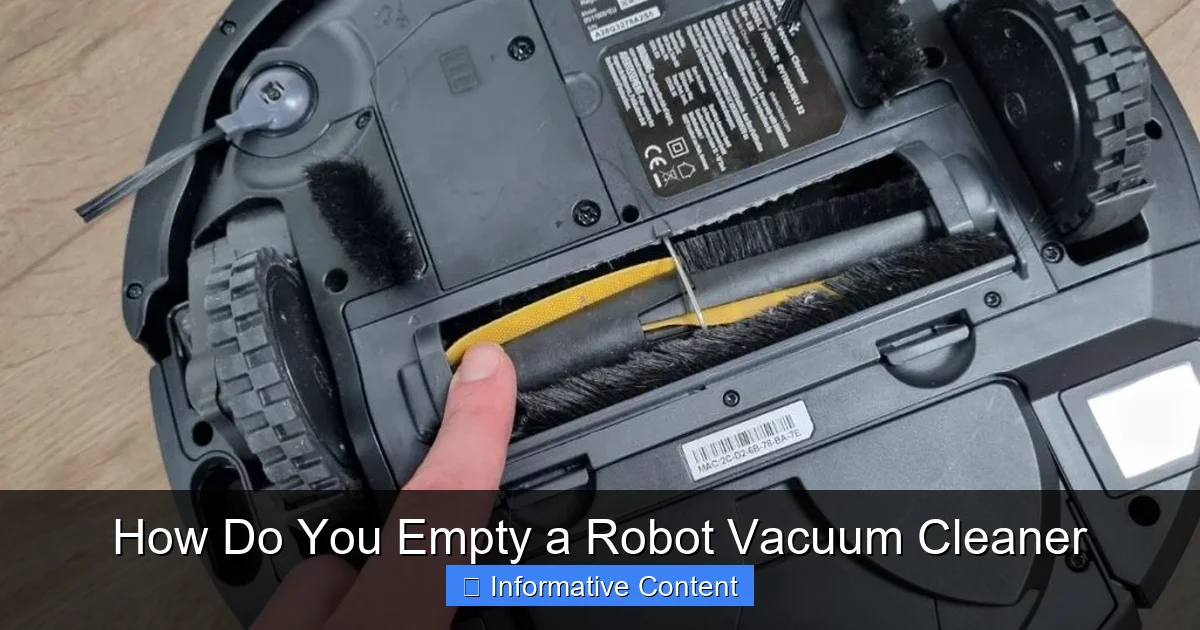
- Regularly Detangle: Flip your robot over, remove the main brush roll (it usually unclips), and carefully cut away any tangled hair using scissors or a brush cleaning tool (often included with the vacuum).
- Check Side Brushes: Remove and clean any hair or debris from the side brushes. Replace them if they are bent or worn.
Wheel Cleaning
Dirt and hair can accumulate around the drive wheels and caster wheel, hindering movement. Periodically clean around these areas.
Charging Contacts
Wipe the metal charging contacts on both the robot and its base with a dry cloth. Dirt or dust can interfere with proper charging.
Schedule Emptying
Make emptying a part of your routine. If you run your robot daily, aim to empty its dustbin every 1-2 days. If it’s less frequent, empty it after every 1-3 cleaning cycles, or whenever the “dustbin full” indicator comes on. For self-emptying models, pay attention to the app’s alerts for bag replacement.
Conclusion
Robot vacuums are fantastic tools for maintaining a clean home, but they rely on you for a little help with their waste management. Whether you have a standard model that requires manual dustbin emptying or a sophisticated self-emptying system, understanding how do you empty a robot vacuum cleaner is a simple, essential skill.
By regularly emptying the dustbin, cleaning the filter, and keeping an eye on other components like brushes and sensors, you’ll ensure your robot vacuum operates at peak efficiency, delivering those sparkling clean floors you’ve come to love. So, give your robot vacuum the care it deserves, and it will continue to be your faithful cleaning companion for years to come!
Frequently Asked Questions
How do I know when to empty my robot vacuum?
Many modern robot vacuums have “dustbin full” indicators on the robot itself or within their companion app. If yours doesn’t, a good rule of thumb is to check and empty it after every 1-3 cleaning cycles, or if you notice a decrease in cleaning performance.
Is it bad to leave a full dustbin in my robot vacuum?
Yes, leaving a full dustbin can significantly reduce your robot vacuum’s suction power, leading to ineffective cleaning. It can also strain the motor and potentially push dirt back onto your floors, so regular emptying is crucial.
Can I use a regular vacuum to clean out my robot vacuum’s dustbin?
Yes, using a handheld vacuum or the hose attachment of a larger vacuum is an excellent way to thoroughly clean out your robot vacuum’s dustbin and filter, especially for removing stubborn, fine dust.
What type of bags do self-emptying robot vacuums use?
Self-emptying robot vacuums use proprietary disposable bags specifically designed for their base station model. Always purchase replacement bags recommended by your robot vacuum’s manufacturer to ensure proper fit and filtration.
How do I clean the sensors on my robot vacuum?
Most robot vacuums have cliff sensors, bumper sensors, and sometimes dustbin sensors. Gently wipe all visible sensors with a clean, dry microfiber cloth or a cotton swab to remove dust and debris that can interfere with their function.
My robot vacuum smells bad after cleaning. What should I do?
A bad smell often indicates trapped wet debris, mold, or bacteria. Thoroughly empty and wash the dustbin (if washable), clean the filter (and dry completely), inspect brush rolls for matted pet hair, and clean any mopping pads or water tanks, allowing all components to air dry fully.