How Do I Empty My Shark Vacuum Cleaner
Emptying your Shark vacuum cleaner is a simple and crucial task for maintaining its performance. This comprehensive guide walks you through the step-by-step process of removing and emptying the dust cup for various Shark models, from uprights to stick vacuums. Regular emptying prevents clogs, maintains powerful suction, and extends the life of your appliance. You’ll also find essential tips for cleaner emptying and basic maintenance to keep your Shark running like new.
How Do I Empty My Shark Vacuum Cleaner
So, you’ve invested in a fantastic Shark vacuum cleaner, a true workhorse designed to keep your home spotless. But like any hard-working appliance, it needs a little care to stay at its best. One of the most fundamental — and often overlooked — aspects of vacuum maintenance is simply knowing how to empty it properly. If you’re wondering, “how do I empty my Shark vacuum cleaner?” you’re in the right place!
Emptying your Shark isn’t just about getting rid of the dirt; it’s crucial for maintaining peak suction, preventing clogs, and ensuring your vacuum has a long, happy life. A full dust cup restricts airflow, forcing the motor to work harder and potentially leading to overheating or diminished cleaning power. Think of it like trying to breathe with a hand over your mouth – eventually, it gets difficult! Let’s dive into the simple, step-by-step process to make sure your Shark is always ready for action.
Key Takeaways
- Safety First: Always unplug your Shark vacuum cleaner before attempting to empty or perform any maintenance to prevent accidental activation and ensure your safety.
- Locate and Remove the Dust Cup: Most Shark models have a clearly identifiable dust cup with release latches or buttons, usually found at the front or top of the main unit.
- Empty Over a Trash Can: Position the dust cup deep inside a trash can before opening the bottom flap to minimize dust and allergen dispersal into your home.
- Regular Emptying is Key: For optimal suction and to prevent blockages, empty your Shark vacuum cleaner after every use or when the “Max Fill” line is reached, whichever comes first.
- Clean Filters Regularly: While emptying, it’s a good habit to quickly check your filters. Rinsing them as per your model’s instructions (typically monthly) is vital for long-term performance.
- Deal with Hair and Debris: Manually pull out any tangled hair or larger debris from the dust cup or around the screen filter inside the cup to ensure complete emptying and maintain airflow.
- Reassemble Securely: Ensure the dust cup clicks firmly back into place on the vacuum cleaner. A loose dust cup can lead to a loss of suction or debris escaping during operation.
Quick Answers to Common Questions
How often should I empty my Shark vacuum cleaner?
You should empty your Shark vacuum cleaner after every use or when the dirt reaches the “Max Fill” line, whichever comes first, to maintain optimal suction and prevent clogs.
Can I wash the dust cup of my Shark vacuum?
Yes, most Shark dust cups can be rinsed with water. Be sure to let it air dry completely for at least 24 hours before reattaching it to the vacuum to prevent moisture damage or mold growth.
What should I do if the dust cup won’t detach?
First, ensure the vacuum is unplugged. Then, double-check that you’re pressing the correct release button firmly. If it’s still stuck, gently jiggle the dust cup or consult your model’s user manual for specific instructions.
Why is my Shark vacuum losing suction after I empty it?
Often, reduced suction after emptying is due to the dust cup not being securely reattached or the bottom flap not being fully closed. Also, check if your filters are clean, as clogged filters are a common cause of suction loss. For detailed guidance, refer to our guide on how to clean a Shark vacuum cleaner.
Is it okay to empty my Shark vacuum indoors?
While you can empty it indoors, it’s best to do so over a large trash can and plunge the dust cup deep into it to minimize dust dispersal. If you have allergies, consider emptying it outdoors or wearing a dust mask.
📑 Table of Contents
Understanding Your Shark’s Dust Cup
Before we get to the actual emptying, it’s helpful to understand what you’re dealing with. Shark vacuum cleaners are renowned for their bagless design, meaning they collect dirt and debris in a transparent dust cup or canister. This design is convenient, environmentally friendly, and saves you money on replacement bags. However, it does require regular emptying. The dust cup typically features a “Max Fill” line, indicating when it’s time to be emptied. Ignoring this line can lead to reduced performance and potential issues.
Most Shark models, whether upright, stick, or robot, have a dust cup that detaches with a simple button or lever. The dirt is then released from the bottom of the cup directly into a trash can. It’s a quick and relatively mess-free process once you know the steps. Don’t worry if your model looks a little different; the core principles of how do I empty my Shark vacuum cleaner remain consistent.
General Steps to Empty Your Shark Vacuum Cleaner (Applicable to Most Models)
While specific buttons and latches might vary slightly between Shark models, the fundamental process for how do I empty my Shark vacuum cleaner is very similar across the board. Follow these steps, and you’ll be a pro in no time!
Step 1: Safety First – Unplug Your Vacuum
This is perhaps the most important step! Before you do anything else, make sure your Shark vacuum cleaner is completely unplugged from the wall socket. This prevents any accidental power-ups while your hands are near moving parts or openings, ensuring your safety throughout the process. For cordless models, ensure the power is off.
Step 2: Locate the Dust Cup
On most upright and Lift-Away Shark models, the dust cup is usually a prominent, clear plastic container located at the front of the main vacuum body. On stick vacuums, it might be integrated into the handle assembly or near the powerhead. It’s designed to be easily accessible.
Step 3: Remove the Dust Cup
Look for a release button or latch. It’s often marked with an arrow or a “Press” indicator.
- For Upright & Lift-Away Models: Typically, there’s a button (often on the handle or top of the dust cup) that releases the entire dust cup assembly from the main body of the vacuum. Press this button, and lift the dust cup straight up and away.
- For Stick Vacuums: The dust cup release might be closer to the nozzle or integrated into the handheld section. Press the release button, and the dust cup assembly will usually pivot or slide off.
Once detached, carry the dust cup over to a trash can.
Step 4: Empty the Contents
Hold the dust cup over your trash can. You’ll usually find two latches or buttons on the dust cup itself:
- Top Latch: This often allows you to remove the top lid of the dust cup, giving you access to the filter screen inside for cleaning (we’ll cover this later). You might not need to open this every time you empty.
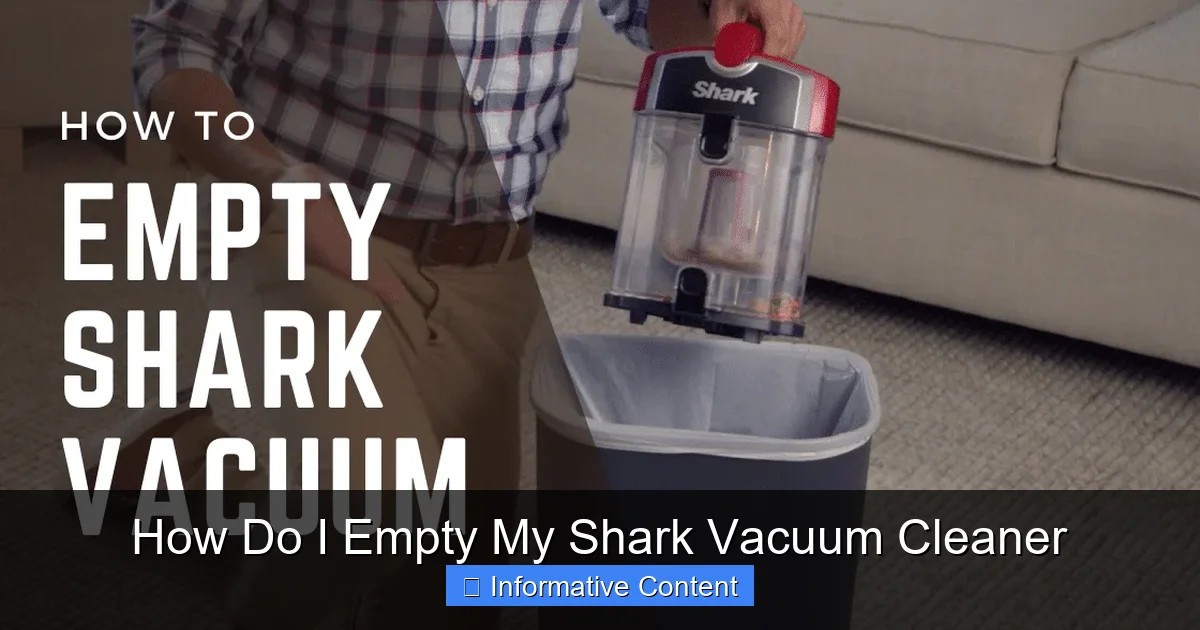
- Bottom Latch: This is the one you want for emptying! Press the bottom release button (it might be labeled “Open” or have a trash can icon). The bottom flap of the dust cup will swing open, allowing all the collected dust and debris to fall out into the trash.
Try to position the dust cup as deep into the trash can as possible before opening the flap. This minimizes the escape of dust particles into the air. Give the dust cup a few gentle taps against the inside of the trash can to dislodge any stubborn debris or compressed dust.
Step 5: Clean Around the Screen Filter (Optional but Recommended)
Inside the dust cup, you’ll often see a cylindrical screen filter. Hair and fine dust can sometimes cling to this. After emptying, if you notice a build-up, use your fingers (or a small brush) to gently pull off any tangled hair or lint from around the screen. This helps maintain optimal airflow.
Step 6: Close and Reattach the Dust Cup
Once empty and any visible debris removed from the screen, securely close the bottom flap of the dust cup until it clicks firmly into place. Then, align the dust cup back onto your Shark vacuum cleaner. Push it down or slide it into position until you hear or feel it click securely. Make sure it’s fully seated to prevent any loss of suction during your next cleaning session.
Specifics for Different Shark Vacuum Types
While the general steps cover most situations, let’s briefly touch on how do I empty my Shark vacuum cleaner might vary slightly for different popular Shark models.
Emptying Upright Vacuums (e.g., Navigator, Rotator, Apex)
These are often the most straightforward. The dust cup is typically a large, clear cylinder on the front.
- Removal: Look for a ‘Dust Cup Release’ button, usually near the top of the handle or where the dust cup connects to the main body. Press it, then lift the dust cup straight up.
- Emptying: Hold over a bin, find the ‘Empty’ or ‘Bottom Release’ button on the dust cup itself, usually near the base. Press it, and the bottom flap swings open.
Emptying Lift-Away Models
Shark’s Lift-Away feature means the canister can detach from the floor nozzle, making it lighter for stairs and above-floor cleaning. The dust cup emptying process is largely the same as uprights, as the dust cup is part of the detachable canister.
- Removal: You’ll either remove the dust cup from the canister while it’s still attached to the vacuum, or you can detach the canister entirely and then remove the dust cup from it. The dust cup release button is on the canister itself.
- Emptying: Identical to uprights – bottom release button on the dust cup.
Emptying Cordless Stick Vacuums (e.g., Rocket, Vertex, Stratos)
These compact vacuums have smaller dust bins, so they might need emptying more frequently. The design is often sleeker, with the dust cup integrated into the handheld motor unit.
- Removal: The dust cup is typically released by a button near the nozzle or where the dust cup meets the motor. You might detach the entire handheld unit first, then remove the dust cup from it.
- Emptying: Again, a bottom release latch. Sometimes, the entire dust cup might slide open rather than a flap swinging down. For some models, you might need to pull the filter assembly out from the top before emptying to fully release contents.
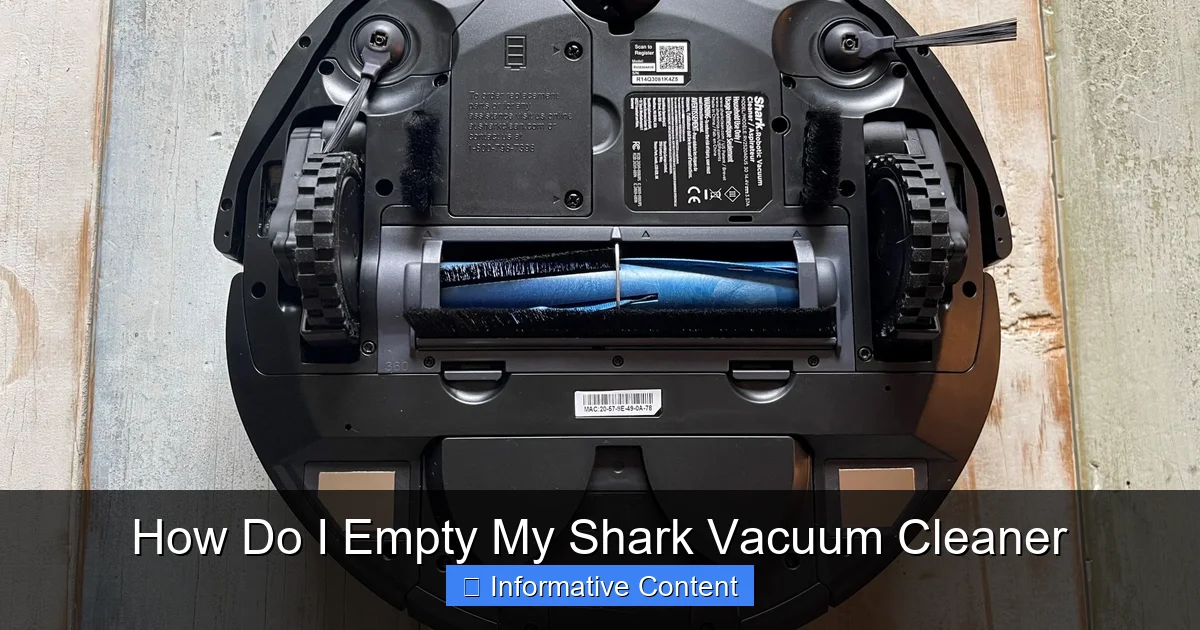
Emptying Robot Vacuums (e.g., Shark IQ Robot)
Robot vacuums have much smaller dust bins and require more frequent emptying, often after every run.
- Removal: Locate the dust bin, usually at the back or side of the robot. There will be a release button or tab. Press it and slide the bin out.
- Emptying: Take the bin to a trash can. There will be a flap or lid that opens to release the dirt. Be mindful that robot bins can get very compacted with fine dust and hair, so you might need to reach in to pull out debris.
- Filter Check: Robot vacuum filters are crucial for performance and are often integrated into the dust bin. Always check and tap out the filter when emptying.
Tips for an Easier and Cleaner Emptying Experience
Knowing how do I empty my Shark vacuum cleaner effectively goes beyond just pushing a button. Here are some pro tips to make the process smoother and cleaner:
Empty Frequently
Don’t wait until the “Max Fill” line is reached, especially if you have pets or do heavy cleaning. Emptying after every significant use (or when 2/3 full) prevents blockages, maintains suction, and makes the job less dusty.
Empty Outdoors or Over a Large Bin
To minimize dust and allergens dispersing into your indoor air, consider emptying your vacuum cleaner outside if possible. If not, use a large kitchen trash can with a liner and plunge the dust cup deep into it before opening the flap.
Wear a Mask (If Sensitive)
If you have allergies or are sensitive to dust, wearing a simple dust mask (like an N95 or even a cloth mask) can prevent you from inhaling fine particles during the emptying process.
Deal with Hair Wraps
Long hair, pet fur, and even string can wrap around the central screen filter inside the dust cup, preventing debris from falling out easily. Don’t be afraid to reach in and manually pull off these wraps. A pair of gloves can be helpful here.
Tap, Don’t Bang
While tapping the dust cup against the trash can can help dislodge stubborn dirt, avoid banging it forcefully. Excessive force could damage the plastic or the release mechanisms.
Check Your Filters
While you have the dust cup off, it’s the perfect time to quickly check your filters. Shark vacuums typically have foam and felt filters that need regular rinsing (usually monthly) and a HEPA filter (on some models) that may need occasional cleaning or replacement. Refer to your manual for specific filter cleaning instructions for your model. Clean filters are vital for optimal suction and air quality. For a complete guide, see our article on how to clean vacuum cleaner filters.
Troubleshooting Common Emptying Issues
Even with the best intentions, you might run into a snag or two when trying to figure out how do I empty my Shark vacuum cleaner.
Dust Cup Won’t Detach
- Check for the Right Button: Ensure you’re pressing the dust cup release button, not another button like the brush roll power.
- Jiggle Gently: Sometimes the dust cup can get wedged in. Try a gentle jiggle while pressing the release button.
- Inspect for Obstructions: Are there any large pieces of debris physically blocking the dust cup from sliding out?
- Consult Manual: If all else fails, your Shark manual is your best friend for model-specific instructions.
Suction Issues After Emptying
- Is it Securely Reattached? The most common reason for reduced suction after emptying is a dust cup that isn’t fully clicked back into place. Double-check all latches.
- Is the Bottom Flap Closed? Ensure the bottom trap door is firmly shut and latched.
- Check Filters: While emptying, did you notice dirty filters? Even if you emptied the bin, clogged filters will still reduce suction. It might be time to clean or replace them.
- Check for Blockages: Sometimes, debris can get stuck in the hose leading to the dust cup.
Foul Smell from the Vacuum
If you notice a bad odor, even after emptying, it’s often due to:
- Pet Hair/Dander: These can accumulate and develop an odor, especially if exposed to moisture.
- Mould/Mildew: If you’ve vacuumed up anything damp, mould can grow in the dust cup or filters. Thoroughly clean and dry the dust cup and wash your filters.
- Old Filters: Filters absorb odors over time. Washing them (if washable) or replacing them can help.
Beyond Emptying: Maintaining Your Shark for Peak Performance
Mastering how do I empty my Shark vacuum cleaner is just one piece of the puzzle. For your Shark to truly shine, integrate these other maintenance tips into your routine:
Wash Filters Regularly
Most Shark models have washable foam and felt filters. Rinse them under cold water until the water runs clear, squeeze out excess, and *air dry completely* for at least 24 hours before putting them back in. Never put wet filters back into your vacuum!
Clean Brush Rolls
Periodically check the brush roll at the bottom of your vacuum. Hair, string, and debris can get tangled, preventing it from spinning effectively. Use scissors to carefully cut along the groove, then pull off the tangles.
Check for Blockages
If suction seems weak even after emptying and cleaning filters, there might be a blockage in the hose, wand, or nozzle. Disassemble the various parts and visually inspect for obstructions.
Wipe Down the Exterior
A quick wipe with a damp cloth keeps the exterior of your Shark looking good and prevents dust buildup on the outside.
Conclusion
Visual guide about How Do I Empty My Shark Vacuum Cleaner
Image source: cleanersadvisor.com
Congratulations! You now know exactly how do I empty my Shark vacuum cleaner, regardless of the model. It’s a straightforward process that plays a pivotal role in maintaining the efficiency and longevity of your beloved cleaning companion. By regularly emptying the dust cup, taking a moment to clean around the screen filter, and following a few simple maintenance tips, you’re ensuring your Shark continues to deliver powerful, consistent suction.
Don’t let a full dust bin compromise your cleaning routine. Make emptying your Shark a quick habit after every use, and you’ll enjoy a cleaner home and a vacuum that performs like new for years to come. Happy vacuuming!
Frequently Asked Questions
How do I know when my Shark vacuum needs emptying?
Your Shark vacuum cleaner typically has a clear dust cup with a “Max Fill” line. When the dirt and debris reach or exceed this line, it’s time to empty the vacuum. You might also notice a decrease in suction power, indicating a full bin.
What if I vacuumed up something wet or damp?
If you’ve accidentally vacuumed up anything wet or damp, it’s crucial to empty and thoroughly clean the dust cup immediately to prevent mold and mildew growth or unpleasant odors. Make sure the dust cup and any washable filters are completely dry before reassembling and using the vacuum again.
Can I use a compressed air can to clean the dust cup?
While some people use compressed air, it’s generally not recommended for the dust cup itself as it can spread fine dust and allergens into your environment. It’s better to manually tap out debris and clean with a damp cloth if necessary. Compressed air is sometimes used for intricate filter areas, but always check your manual first.
My Shark vacuum smells bad after emptying. What should I do?
A bad smell often indicates pet dander, hair, or even mildew trapped in the dust cup or filters. Thoroughly clean the dust cup, ensuring you remove all debris, and wash your foam and felt filters according to your manual. Allow everything to air dry completely before reassembly. For more tips, check out our guide on how to make your vacuum cleaner smell better.
Are there different ways to empty a Shark upright versus a stick vacuum?
Yes, while the core principle (detaching, opening a flap) is the same, the specific release buttons and how the dust cup detaches can differ. Uprights usually have a larger dust cup that lifts off the main body, while stick vacuums often have a smaller bin integrated into the handheld unit that slides or pivots off. Always refer to your specific model’s manual if unsure.
Why is it important to clean the screen filter inside the dust cup?
The screen filter (often a cylindrical mesh) prevents larger debris from reaching the motor and helps separate fine dust. Over time, hair and fine particles can cling to it, restricting airflow and reducing suction. Manually clearing this screen ensures optimal performance and efficient dust collection.